
How to Use Teensy 4.0 Bottom SMT: Examples, Pinouts, and Specs
 Design with Teensy 4.0 Bottom SMT in Cirkit Designer
Introduction
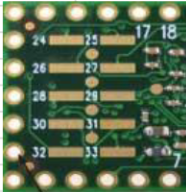
The Teensy 4.0 Bottom SMT, manufactured by PJRC, is a compact and high-performance microcontroller board designed for rapid prototyping and embedded applications. It features a powerful 600 MHz ARM Cortex-M7 processor, making it ideal for projects requiring high computational power and real-time processing. The Bottom SMT variant is specifically designed for surface-mount applications, allowing for a more compact and robust integration into custom PCBs.
Explore Projects Built with Teensy 4.0 Bottom SMT
 Open Project in Cirkit Designer
 Open Project in Cirkit Designer
 Open Project in Cirkit Designer
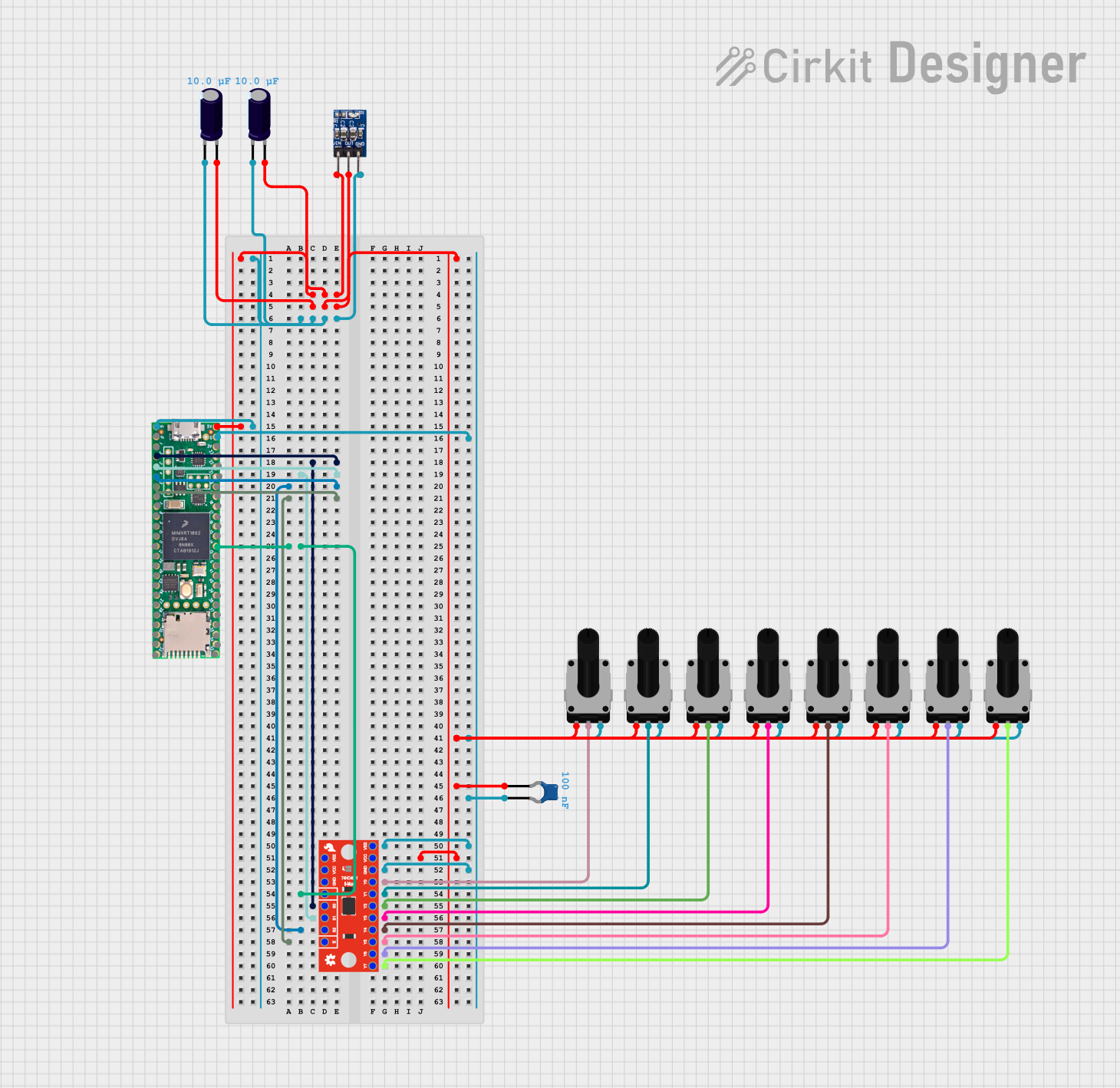 Open Project in Cirkit Designer
Explore Projects Built with Teensy 4.0 Bottom SMT
Open Project in Cirkit DesignerOpen Project in Cirkit DesignerOpen Project in Cirkit DesignerOpen Project in Cirkit DesignerCommon Applications and Use Cases
- Robotics and automation systems
- Audio processing and synthesis
- High-speed data acquisition
- IoT (Internet of Things) devices
- Advanced motor control
- Machine learning and AI applications
- Custom embedded systems
Technical Specifications
Key Technical Details
- Processor: ARM Cortex-M7, 600 MHz
- Flash Memory: 2 MB
- RAM: 1 MB
- EEPROM: 4 KB (emulated)
- Operating Voltage: 3.3V
- Input Voltage Range: 3.6V to 5.5V
- Digital I/O Pins: 40 (35 PWM-capable)
- Analog Input Pins: 14 (12-bit ADC)
- Communication Interfaces: UART, SPI, I2C, CAN, USB (Host/Device)
- Clock Speed: 600 MHz (with dynamic scaling)
- Dimensions: 1.4 x 0.7 inches (35.56 x 17.78 mm)
- Temperature Range: -40°C to 85°C
Pin Configuration and Descriptions
The Teensy 4.0 Bottom SMT has a total of 48 pads, including power, ground, and I/O pins. Below is a summary of the pin configuration:
Power and Ground Pins
| Pin Name | Description |
|---|---|
| VIN | Input voltage (3.6V to 5.5V) |
| 3.3V | Regulated 3.3V output |
| GND | Ground |
Digital and PWM Pins
| Pin Name | Description |
|---|---|
| D0-D39 | Digital I/O pins (PWM on D0-D34) |
| D13 | Onboard LED (active HIGH) |
Analog Pins
| Pin Name | Description |
|---|---|
| A0-A13 | Analog input pins (12-bit resolution) |
Communication Pins
| Pin Name | Description |
|---|---|
| TX1/RX1 | UART Serial 1 |
| TX2/RX2 | UART Serial 2 |
| TX3/RX3 | UART Serial 3 |
| SCL/SDA | I2C communication |
| MOSI/MISO/SCK | SPI communication |
| CANRX/CANTX | CAN bus communication |
USB and Special Function Pins
| Pin Name | Description |
|---|---|
| USB+ | USB data positive |
| USB- | USB data negative |
| RESET | Reset pin |
| PROGRAM | Enter bootloader mode |
Usage Instructions
How to Use the Teensy 4.0 Bottom SMT in a Circuit
Powering the Board:
- Provide a regulated 3.6V to 5.5V input to the VIN pin. The onboard regulator will supply 3.3V to the microcontroller.
- Alternatively, you can power the board directly via the 3.3V pin if an external regulator is used.
Programming the Board:
- Install the Arduino IDE and the Teensyduino add-on from PJRC's website.
- Connect the Teensy 4.0 to your computer via USB.
- Select "Teensy 4.0" as the board in the Arduino IDE and upload your code.
Connecting Peripherals:
- Use the digital I/O pins for interfacing with sensors, actuators, and other devices.
- For analog inputs, connect sensors to the A0-A13 pins.
- Use the communication pins (UART, SPI, I2C, CAN) for advanced interfacing.
Surface-Mount Integration:
- Solder the Teensy 4.0 Bottom SMT onto a custom PCB using the provided pads.
- Ensure proper alignment and use a reflow soldering process for best results.
Important Considerations and Best Practices
- Voltage Levels: All I/O pins operate at 3.3V logic levels. Do not apply 5V directly to any I/O pin.
- Heat Dissipation: For high-performance applications, ensure adequate heat dissipation to prevent overheating.
- Bootloader Mode: Use the PROGRAM pin to manually enter bootloader mode if needed.
- Static Protection: Handle the board with care to avoid damage from electrostatic discharge (ESD).
Example Code for Arduino IDE
The following example demonstrates how to blink the onboard LED (D13):
// Blink the onboard LED on Teensy 4.0
const int ledPin = 13; // Onboard LED is connected to pin 13

void setup() {
  pinMode(ledPin, OUTPUT); // Set pin 13 as an output
}

void loop() {
  digitalWrite(ledPin, HIGH); // Turn the LED on
  delay(500);                 // Wait for 500 milliseconds
  digitalWrite(ledPin, LOW);  // Turn the LED off
  delay(500);                 // Wait for 500 milliseconds
}
Troubleshooting and FAQs
Common Issues and Solutions
Board Not Recognized by Computer:
- Ensure the USB cable is functional and supports data transfer.
- Check if the board is in bootloader mode by pressing the PROGRAM button.
Code Upload Fails:
- Verify that "Teensy 4.0" is selected as the board in the Arduino IDE.
- Ensure the Teensyduino add-on is installed correctly.
Overheating:
- Check for excessive current draw from connected peripherals.
- Ensure proper ventilation or add a heatsink if necessary.
I/O Pins Not Responding:
- Confirm that the pins are configured correctly in your code.
- Check for short circuits or incorrect wiring.
FAQs
Q: Can I use 5V sensors with the Teensy 4.0?
A: Yes, but you must use a level shifter to convert 5V signals to 3.3V logic levels.
Q: How do I reset the Teensy 4.0?
A: You can reset the board by briefly connecting the RESET pin to GND.
Q: Is the Teensy 4.0 compatible with Arduino libraries?
A: Most Arduino libraries are compatible, but some may require modifications for the ARM Cortex-M7 architecture.
Q: Can I use the Teensy 4.0 for audio processing?
A: Absolutely! The Teensy 4.0 is well-suited for audio applications and supports the PJRC Audio Library.
This concludes the documentation for the Teensy 4.0 Bottom SMT. For further details, refer to the official PJRC website.