Cirkit Designer LogoCirkit DesignerYour all-in-one circuit design IDE Launch Cirkit Designer App

How to Use 24v 100a Motor Speed Controller Pwm Reverse Control Switch With Led Display - Motor Controller: Examples, Pinouts, and Specs

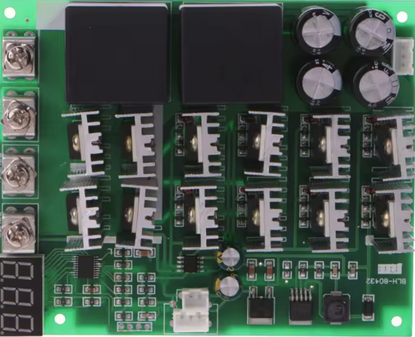
Image of 24v 100a Motor Speed Controller Pwm  Reverse Control Switch With Led Display - Motor ControllerDesign with 24v 100a Motor Speed Controller Pwm Reverse Control Switch With Led Display - Motor Controller in Cirkit Designer

Introduction

The 24V 100A Motor Speed Controller PWM Reverse Control Switch with LED Display (Manufacturer Part ID: 01-E) is a versatile and robust motor controller designed for 24V DC motors. It utilizes Pulse Width Modulation (PWM) technology to provide precise speed control while maintaining high efficiency. This controller is capable of handling up to 100A of current, making it suitable for high-power motor applications. Additionally, it features a reverse control switch for changing motor direction and an LED display for real-time speed monitoring.

Explore Projects Built with 24v 100a Motor Speed Controller Pwm Reverse Control Switch With Led Display - Motor Controller

Use Cirkit Designer to design, explore, and prototype these projects online. Some projects support real-time simulation. Click "Open Project" to start designing instantly!
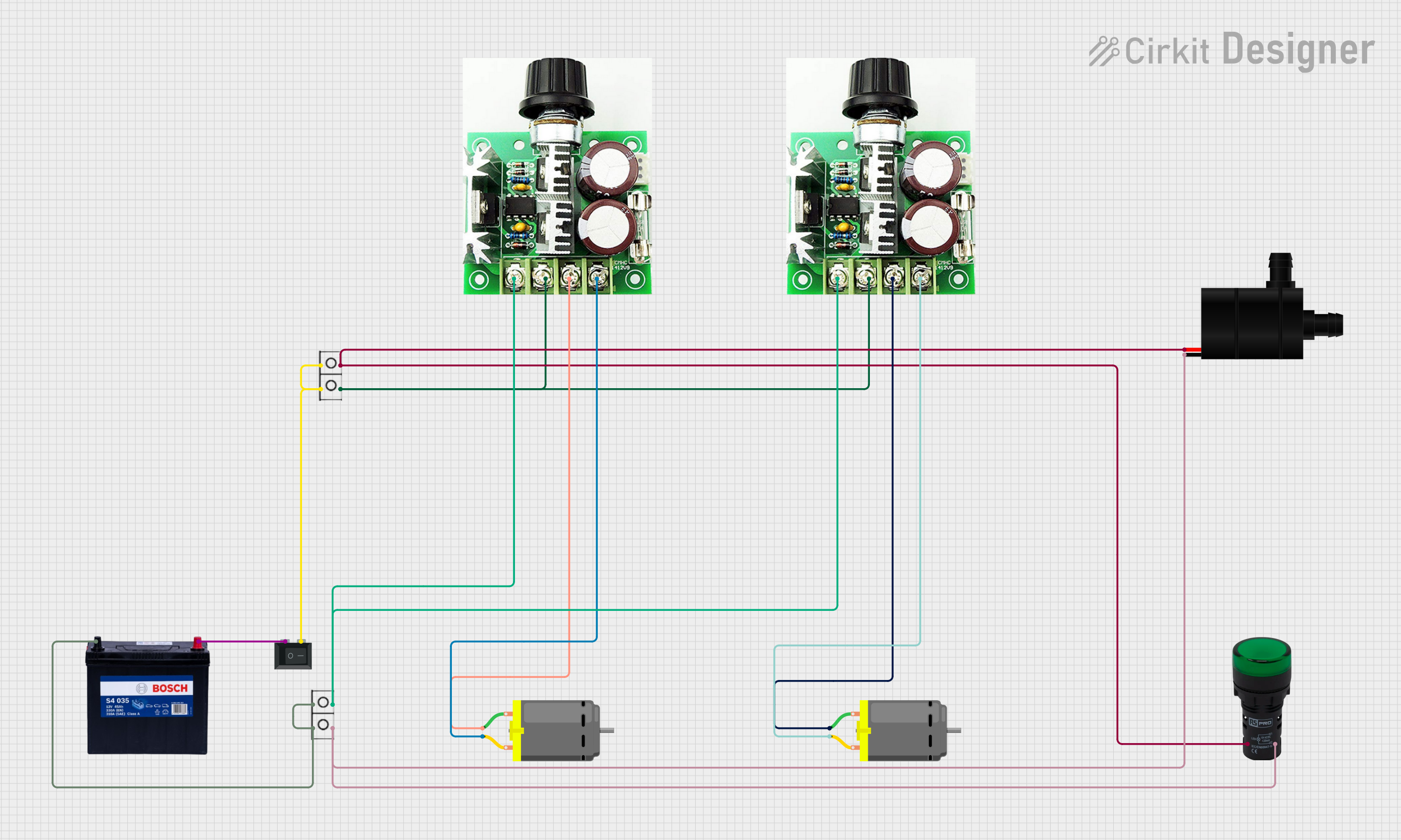
Image of Dual DC Motor Control Circuit with Speed Regulation and Indicator Lamp: A project utilizing 24v 100a Motor Speed Controller Pwm  Reverse Control Switch With Led Display - Motor Controller in a practical application
Dual DC Motor Control Circuit with Speed Regulation and Indicator Lamp

This circuit includes a 12V 200Ah battery that powers a water pump and two DC motors, each controlled by a separate 12v~40v 10A PWM DC motor speed controller. A rocker switch (SPST) is used to control the power flow to the water pump and a pilot lamp indicates when the pump is powered. The DC motors' speed can be adjusted by the PWM controllers, and wire connectors are used to organize the connections between components.

Open Project in Cirkit Designer
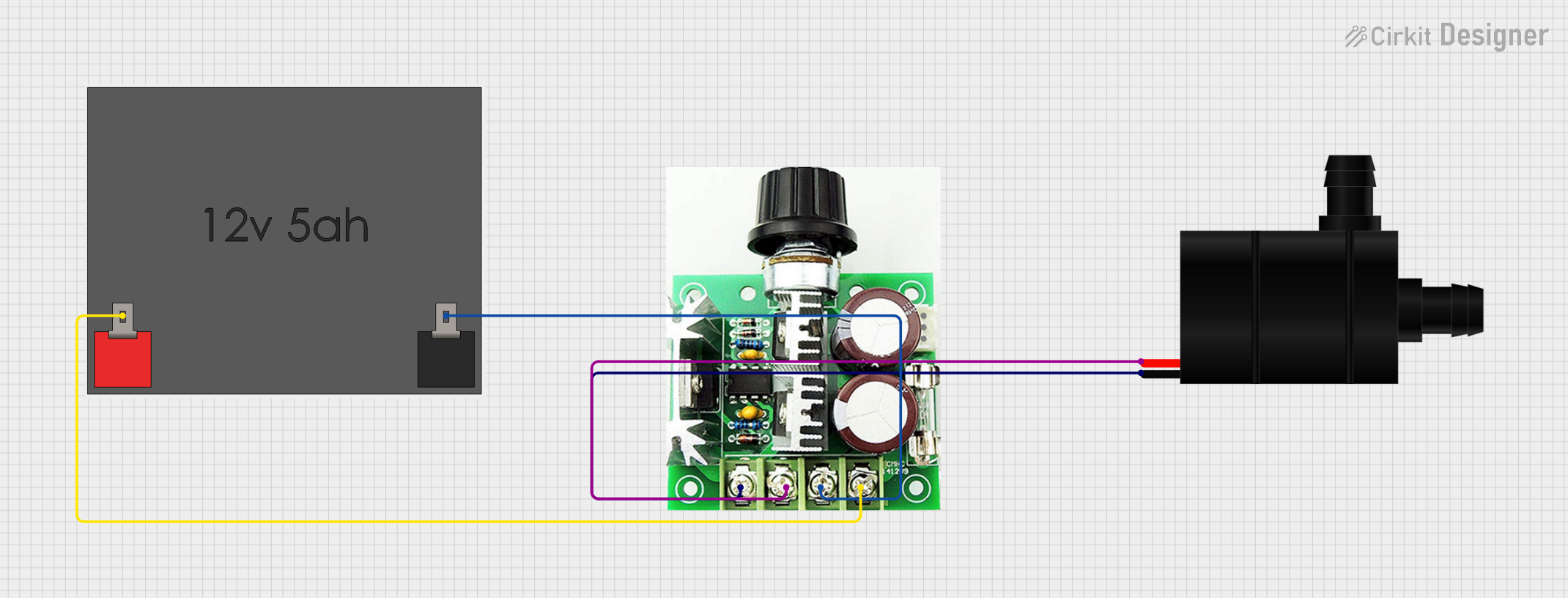
Image of 12V PWM-Controlled Water Pump System: A project utilizing 24v 100a Motor Speed Controller Pwm  Reverse Control Switch With Led Display - Motor Controller in a practical application
12V PWM-Controlled Water Pump System

This circuit is designed to control the speed of a water pump using a PWM DC motor speed controller. The 12V5Ah battery provides power to the speed controller, which in turn regulates the power supplied to the water pump, allowing for adjustable flow rates. There is no microcontroller code provided, indicating that the speed control is likely adjusted manually via the PWM controller.

Open Project in Cirkit Designer

Common Applications and Use Cases

Technical Specifications

Below are the key technical details of the motor controller:

Parameter Specification
Input Voltage 24V DC
Maximum Current 100A
Control Method PWM (Pulse Width Modulation)
Speed Adjustment Range 0% to 100%
Reverse Control Yes (via toggle switch)
Display LED display for speed level
Operating Temperature -10°C to 50°C
Dimensions 150mm x 80mm x 50mm
Weight 400g

Pin Configuration and Descriptions

The motor controller has the following input/output terminals:

Pin/Terminal Description
VIN+ Positive input terminal for 24V DC power supply.
VIN- Negative input terminal for 24V DC power supply.
M+ Positive terminal for the motor connection.
M- Negative terminal for the motor connection.
Reverse Switch Toggle switch for reversing motor direction.
Speed Knob Rotary potentiometer for adjusting motor speed (0% to 100%).
LED Display Displays the current speed setting as a percentage.

Usage Instructions

How to Use the Component in a Circuit

  1. Power Supply Connection:

    • Connect a 24V DC power supply to the VIN+ and VIN- terminals. Ensure the power supply can handle the required current (up to 100A).
    • Use appropriately rated wires to handle high current without overheating.
  2. Motor Connection:

    • Connect the motor's positive terminal to M+ and the negative terminal to M-.
    • Double-check the connections to avoid reversing polarity, which could damage the motor or controller.
  3. Speed Adjustment:

    • Use the rotary potentiometer (speed knob) to adjust the motor speed. The LED display will show the speed as a percentage (0% to 100%).
  4. Direction Control:

    • Use the reverse toggle switch to change the motor's direction. Ensure the motor is stopped before toggling the switch to prevent damage.
  5. Testing:

    • Power on the system and gradually increase the speed using the potentiometer. Monitor the LED display for feedback.

Important Considerations and Best Practices

Arduino UNO Integration Example

This motor controller can be integrated with an Arduino UNO for automated speed control. Below is an example code snippet:

// Arduino code to control the 24V 100A Motor Speed Controller
// using a PWM signal from pin 9 and a digital pin for direction control.

const int pwmPin = 9;       // PWM output pin for speed control
const int dirPin = 8;       // Digital output pin for direction control

void setup() {
  pinMode(pwmPin, OUTPUT);  // Set PWM pin as output
  pinMode(dirPin, OUTPUT);  // Set direction pin as output

  // Initialize motor direction to forward
  digitalWrite(dirPin, LOW);
}

void loop() {
  // Example: Gradually increase motor speed from 0% to 100%
  for (int speed = 0; speed <= 255; speed++) {
    analogWrite(pwmPin, speed);  // Send PWM signal to control speed
    delay(20);                   // Wait 20ms before increasing speed
  }

  // Reverse motor direction
  digitalWrite(dirPin, HIGH);    // Set direction to reverse
  delay(1000);                   // Wait for 1 second

  // Example: Gradually decrease motor speed from 100% to 0%
  for (int speed = 255; speed >= 0; speed--) {
    analogWrite(pwmPin, speed);  // Send PWM signal to control speed
    delay(20);                   // Wait 20ms before decreasing speed
  }

  // Set direction back to forward
  digitalWrite(dirPin, LOW);
  delay(1000);                   // Wait for 1 second
}

Troubleshooting and FAQs

Common Issues and Solutions

  1. Motor Does Not Start:

    • Cause: Incorrect wiring or insufficient power supply.
    • Solution: Verify all connections and ensure the power supply provides 24V and sufficient current.
  2. LED Display Not Working:

    • Cause: Faulty connection or damaged display.
    • Solution: Check the wiring to the display and ensure it is securely connected.
  3. Motor Runs in the Wrong Direction:

    • Cause: Reverse toggle switch is in the wrong position.
    • Solution: Toggle the reverse switch to change the direction.
  4. Controller Overheats:

    • Cause: Prolonged operation at high current without proper ventilation.
    • Solution: Install the controller in a well-ventilated area or use a heat sink.
  5. PWM Signal Not Detected (Arduino Integration):

    • Cause: Incorrect pin configuration or damaged Arduino pin.
    • Solution: Verify the Arduino code and connections. Ensure the correct pins are used.

FAQs