The DFRobot Gravity: MAX30102 (SKU: SEN0518) is a compact optical heart rate and SpO2 sensor module designed for non-invasive measurement of blood oxygen levels and heart rate. It utilizes photoplethysmography (PPG) technology to detect changes in blood volume and oxygen saturation. The module communicates via the I2C protocol, making it easy to integrate with microcontrollers such as Arduino, Raspberry Pi, and other development platforms.
Explore Projects Built with DFRobot Gravity: MAX30102
Use Cirkit Designer to design, explore, and prototype these projects online. Some projects support real-time simulation. Click "Open Project" to start designing instantly!
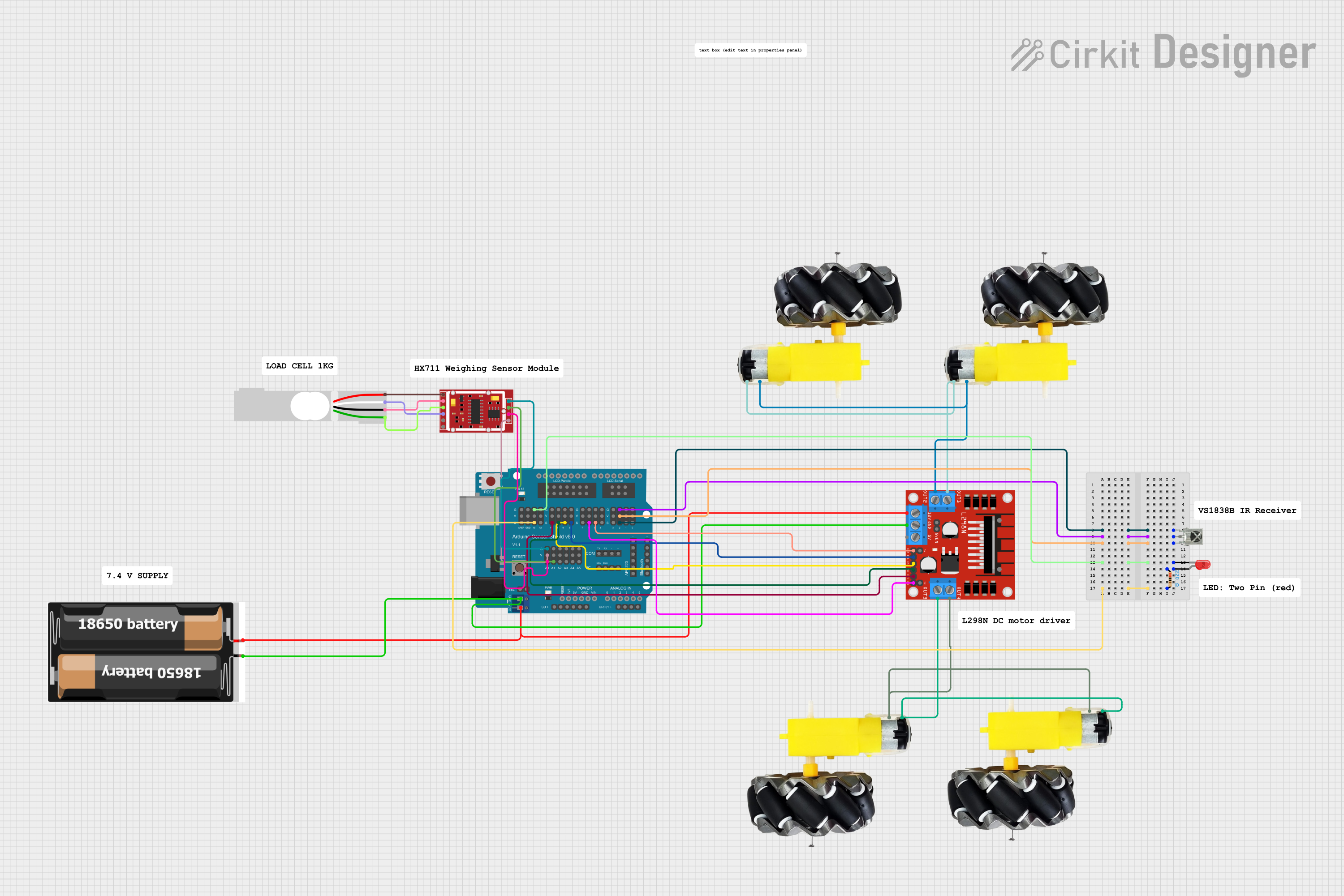
This is a mobile robotic platform with weight sensing and remote control features. It uses an Arduino UNO with a sensor shield to interface with an HX711 weighing sensor module and an L298N motor driver for driving four motors. The platform also includes an IR receiver for remote commands and an LED for status indication.
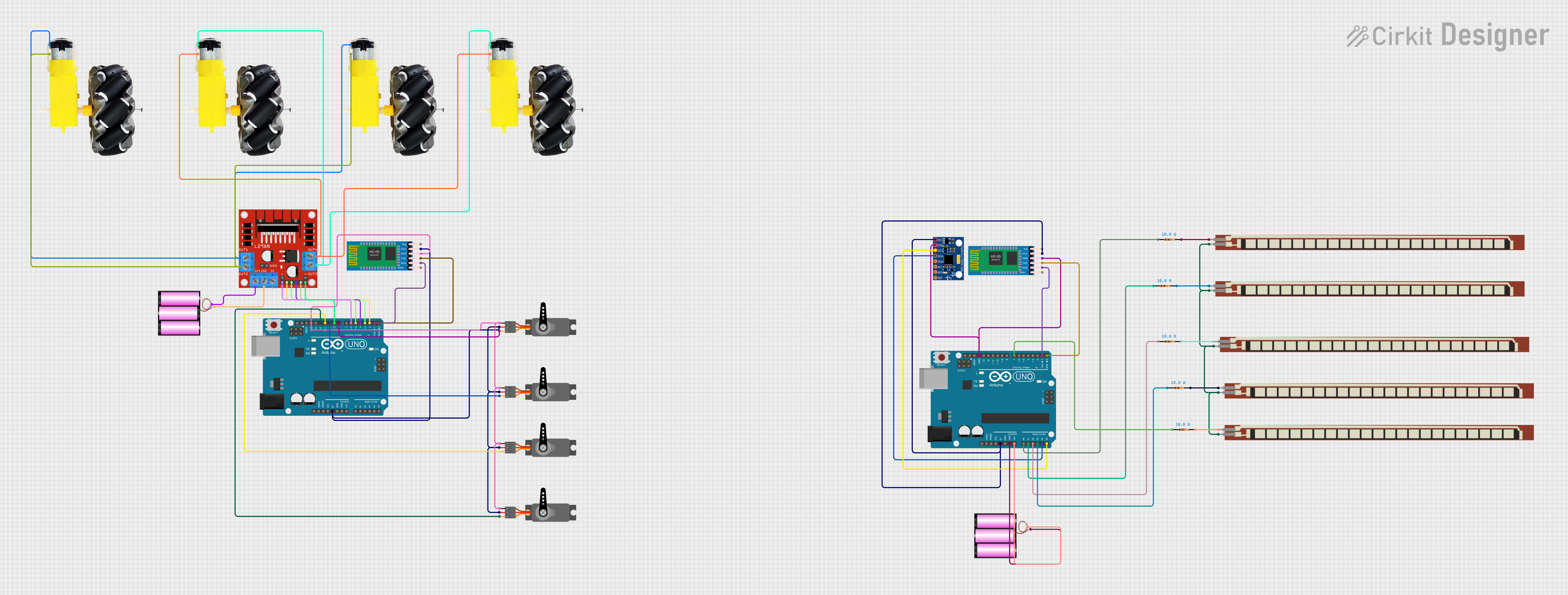
This is a robotic vehicle controlled by an Arduino UNO, equipped with an MPU-6050 for tilt-based movement, flex sensors for gesture control, and an L298N driver for motor control. It uses HC-05 Bluetooth modules for wireless communication, allowing remote operation and control of its movements and an attached robotic arm.
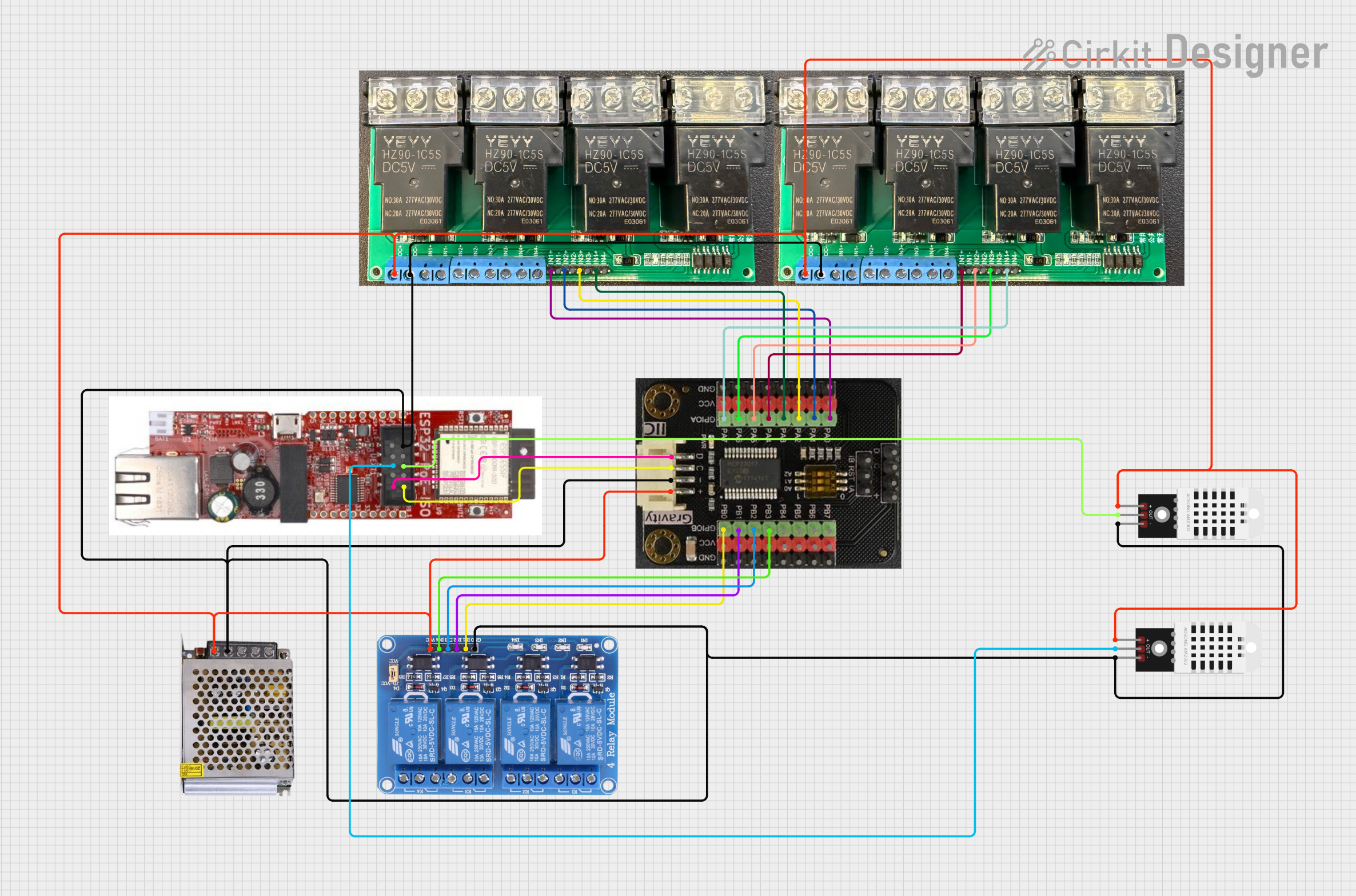
This circuit is a control system that uses an ESP32 microcontroller to manage multiple relays and read data from DHT22 temperature and humidity sensors. The DFRobot Gravity MCP23017 I2C module expands the GPIO capabilities of the ESP32, allowing it to control additional relays for switching high-power devices.
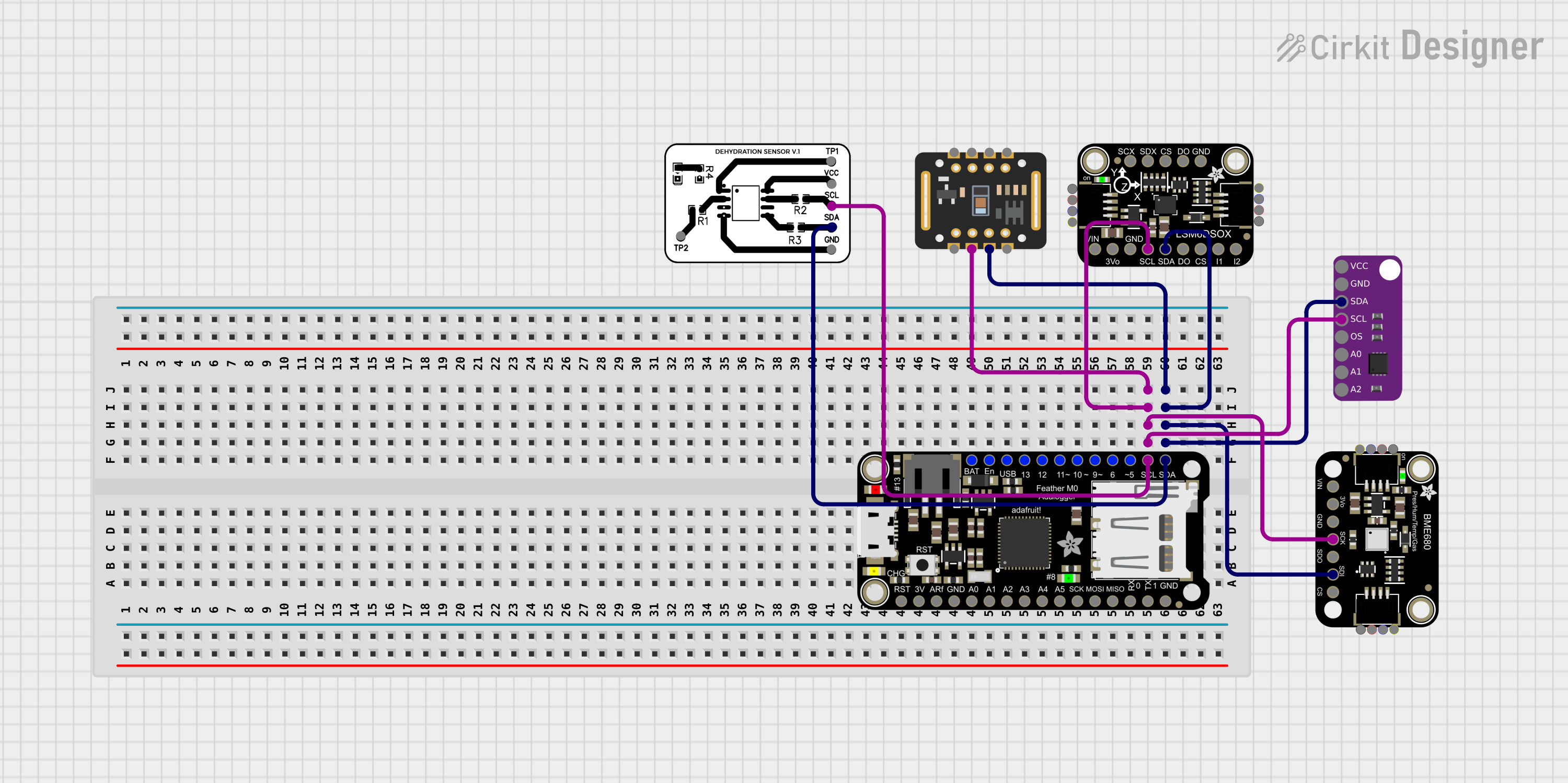
This circuit is designed to interface multiple sensors with an Adafruit Feather M0 Adalogger microcontroller for data logging purposes. The sensors include a MAX30205 temperature sensor, a body dehydration sensor, a MAX30102 pulse oximeter, an Adafruit LSM6DSOX 6-axis accelerometer and gyroscope, and an Adafruit BME680 environmental sensor. All sensors are connected to the microcontroller via an I2C bus, sharing the SDA and SCL lines for communication.
The following table outlines the key technical details of the DFRobot Gravity: MAX30102 module:
Parameter
Specification
Operating Voltage
3.3V to 5V
Communication Interface
I2C
I2C Address
0x57 (default)
Operating Current
5mA (typical)
Measurement Parameters
Heart rate, SpO2 (blood oxygen level)
Sensor Type
Optical (PPG)
Dimensions
22mm x 22mm
Weight
3g
Pin Configuration and Descriptions
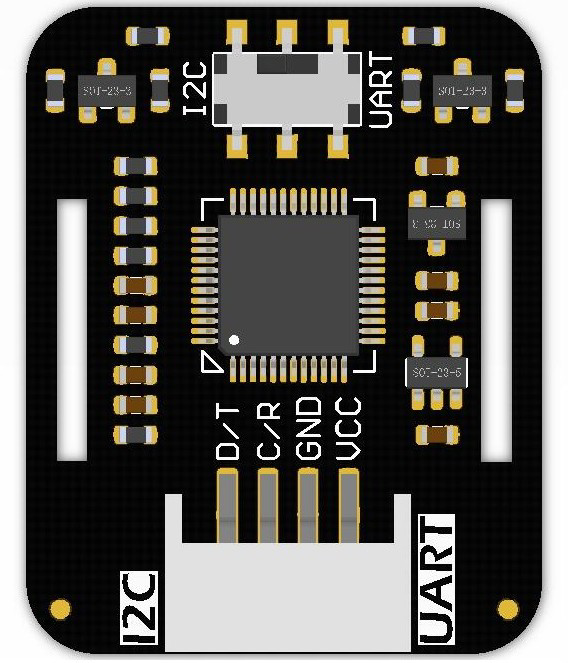
The module has a 4-pin interface for easy connection to microcontrollers. The pinout is as follows:
Pin
Name
Description
1
VCC
Power supply input (3.3V to 5V)
2
GND
Ground connection
3
SDA
I2C data line
4
SCL
I2C clock line
Usage Instructions
How to Use the Component in a Circuit
Power the Module: Connect the VCC pin to a 3.3V or 5V power source and the GND pin to ground.
Connect I2C Lines: Connect the SDA and SCL pins to the corresponding I2C pins on your microcontroller. For Arduino UNO, connect:
SDA to A4
SCL to A5
Install Required Libraries: Use the DFRobot MAX30102 library or the Adafruit MAX30102 library for Arduino. These libraries provide functions to initialize the sensor and read heart rate and SpO2 data.
Upload Code: Write and upload code to your microcontroller to initialize the sensor and read data.
Important Considerations and Best Practices
Ensure proper alignment of the sensor with the skin for accurate readings.
Avoid excessive ambient light interference by shielding the sensor during operation.
Use pull-up resistors (typically 4.7kΩ) on the SDA and SCL lines if not already included in your setup.
Allow the sensor to warm up for a few seconds after powering it on for stable readings.
Example Arduino Code
Below is an example Arduino sketch to read heart rate and SpO2 data from the MAX30102:
#include <Wire.h>
#include "DFRobot_MAX30102.h"

// Create an instance of the MAX30102 sensor
DFRobot_MAX30102 max30102;

void setup() {
  Serial.begin(9600); // Initialize serial communication
  Wire.begin();       // Initialize I2C communication

  // Initialize the MAX30102 sensor
  if (!max30102.begin()) {
    Serial.println("MAX30102 initialization failed!");
    while (1); // Halt execution if initialization fails
  }
  Serial.println("MAX30102 initialized successfully.");
}

void loop() {
  // Variables to store heart rate and SpO2 data
  uint8_t heartRate;
  uint8_t spo2;

  // Read data from the sensor
  if (max30102.read(&heartRate, &spo2)) {
    Serial.print("Heart Rate: ");
    Serial.print(heartRate);
    Serial.print(" bpm, SpO2: ");
    Serial.print(spo2);
    Serial.println(" %");
  } else {
    Serial.println("Failed to read data from MAX30102.");
  }

  delay(1000); // Wait 1 second before the next reading
}
Troubleshooting and FAQs
Common Issues and Solutions
Sensor Not Detected
Cause: Incorrect wiring or I2C address mismatch.
Solution: Verify the connections and ensure the I2C address matches the library settings.
Inaccurate Readings
Cause: Poor sensor placement or excessive ambient light.
Solution: Ensure the sensor is properly aligned with the skin and shield it from ambient light.
Library Errors During Compilation
Cause: Missing or outdated library.
Solution: Install or update the required library from the Arduino Library Manager.
No Data Output
Cause: Sensor initialization failure.
Solution: Check the power supply and ensure the sensor is properly connected.
FAQs
Q1: Can the MAX30102 measure SpO2 and heart rate simultaneously?
Yes, the MAX30102 can measure both parameters simultaneously using its dual LED and photodetector system.
Q2: What is the maximum I2C communication speed supported?
The MAX30102 supports I2C communication speeds up to 400kHz.
Q3: Can this module be used with a 3.3V microcontroller?
Yes, the module is compatible with both 3.3V and 5V systems.
Q4: How can I improve measurement accuracy?
Ensure the sensor is in direct contact with the skin, minimize motion, and shield the sensor from ambient light.
This concludes the documentation for the DFRobot Gravity: MAX30102. For further assistance, refer to the official DFRobot documentation or community forums.

 Open Project in Cirkit Designer