The Thermal-Magnetic Circuit Breaker 2A 2P is a protective device designed to safeguard electrical circuits by automatically interrupting the flow of current during overloads or short circuits. This component combines two protection mechanisms: thermal protection for prolonged overloads and magnetic protection for instantaneous short circuits. Rated for 2 Amperes and featuring a 2-pole design, it is ideal for low-current applications requiring reliable circuit protection.
Explore Projects Built with thermal-magnetic circuit breaker 2A 2P
Use Cirkit Designer to design, explore, and prototype these projects online. Some projects support real-time simulation. Click "Open Project" to start designing instantly!
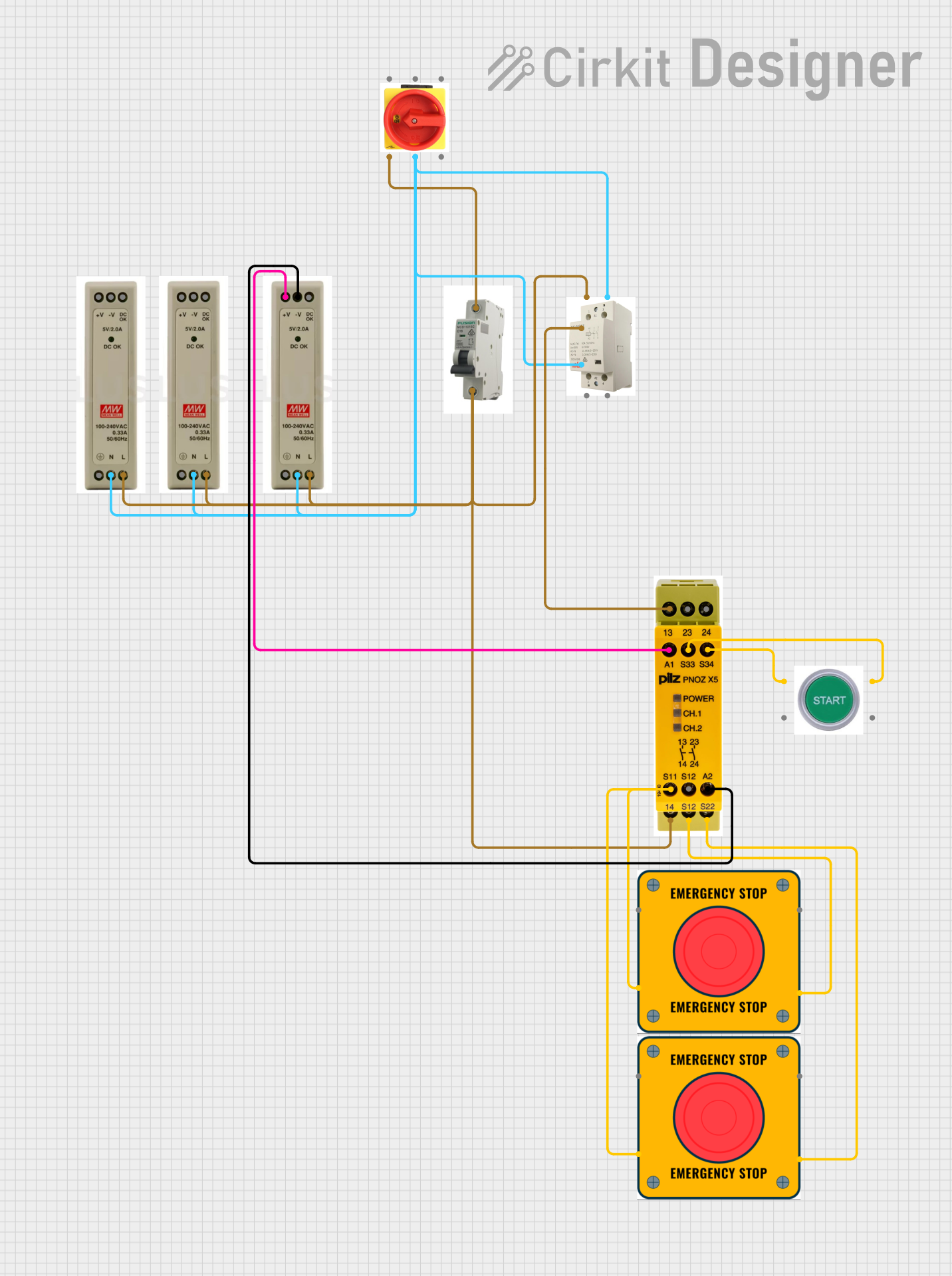
This circuit is designed for power distribution and safety control in an industrial setting. It features a main isolator and circuit breaker for power management, multiple PSUs for 5V, 12V, and 24V outputs, and a safety relay system that interfaces with E-stop buttons and a start switch to control a main contactor, ensuring safe operation and emergency power cut-off capabilities.
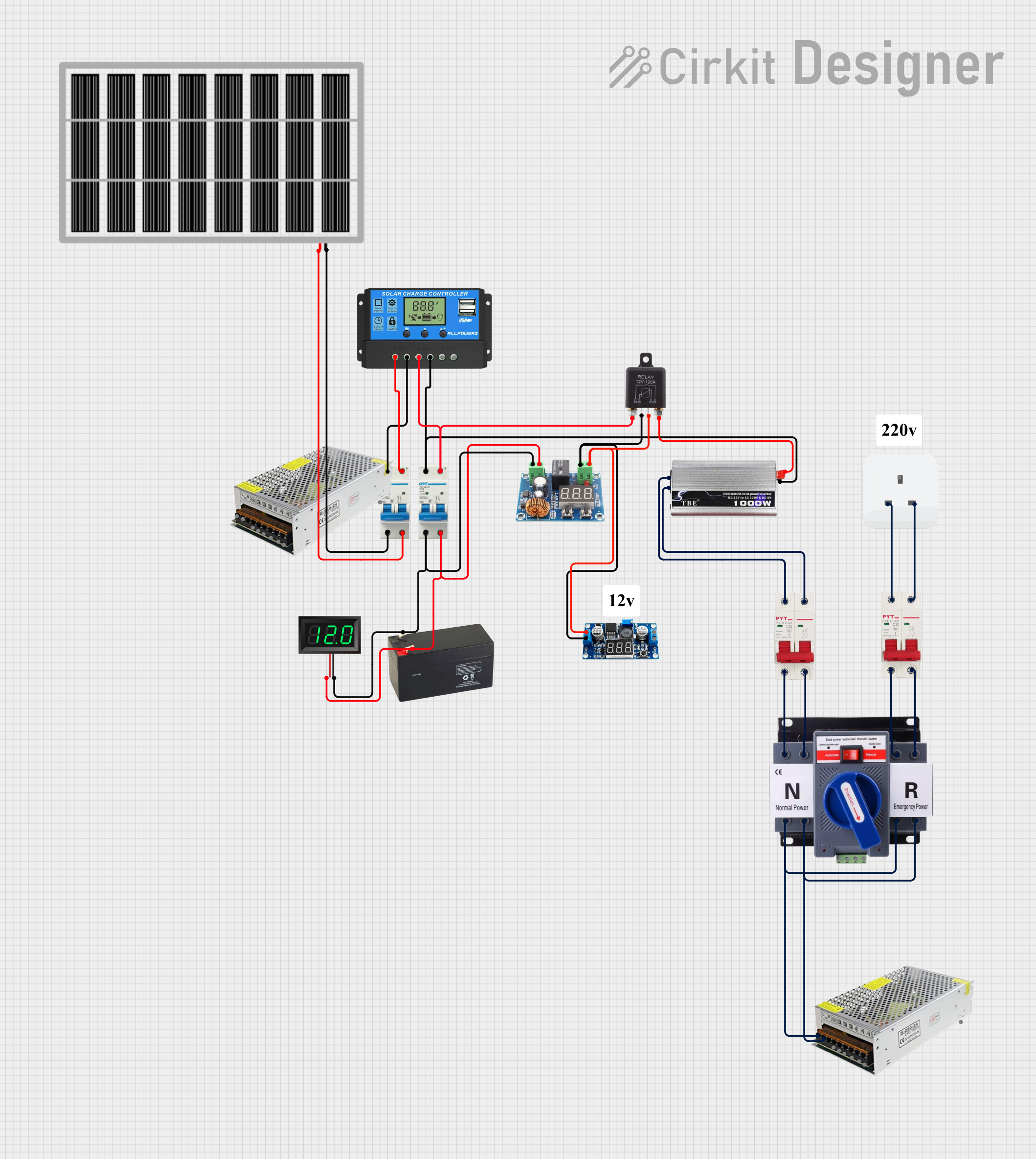
This circuit is a solar power management system that integrates a solar panel, battery, and inverter to provide a stable 12V DC and 220V AC output. It includes automatic transfer switches (ATS) and circuit breakers for safety and reliability, as well as a low voltage disconnect to protect the battery from deep discharge.
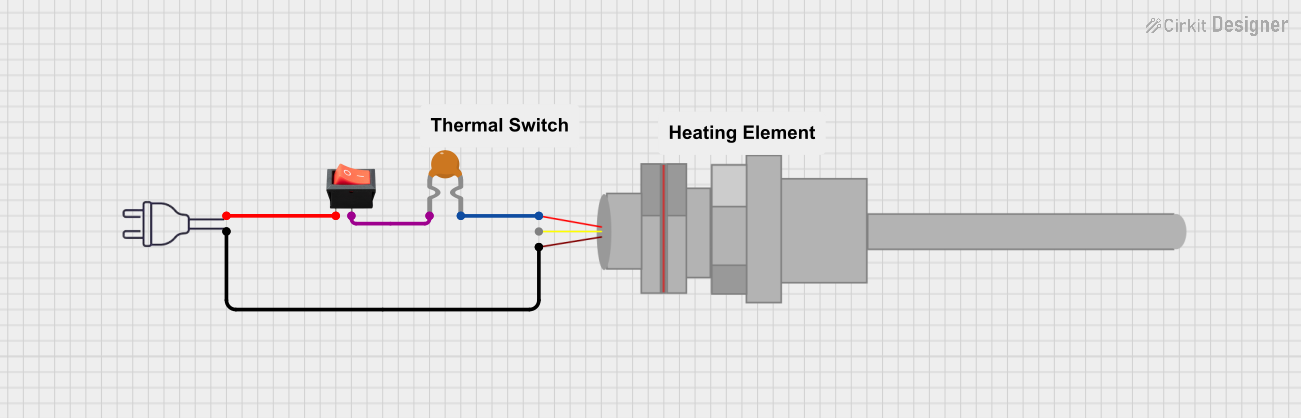
This circuit is a basic power control system that uses a rocker switch to control the flow of 220V power through a resettable fuse and a PT100 temperature sensor. The switch allows the user to turn the power on or off, while the fuse provides overcurrent protection and the PT100 sensor can be used for temperature monitoring.
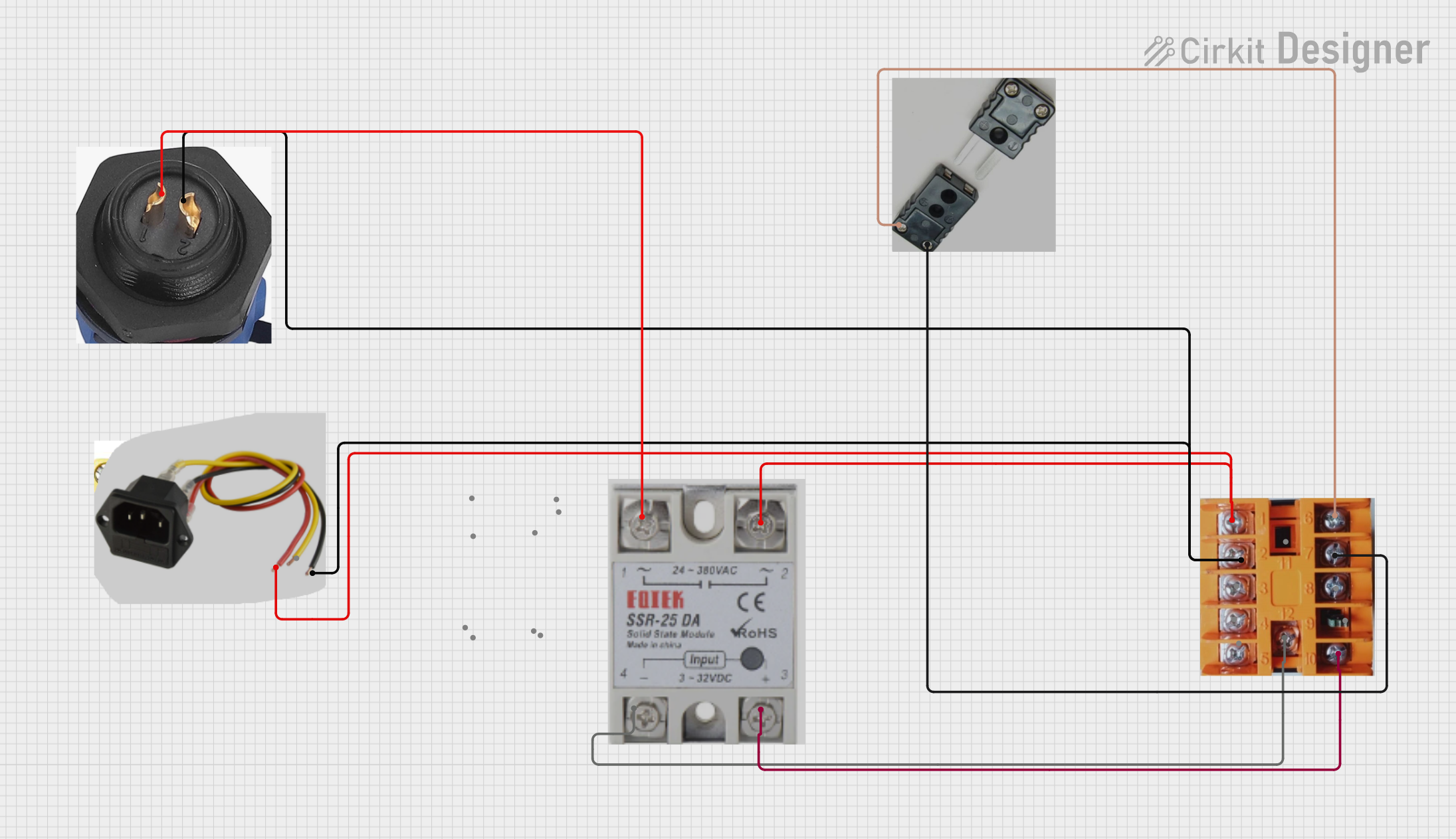
This circuit is a temperature control system that uses a thermocouple to measure temperature and a PID controller to regulate it. The PID controller drives a solid-state relay (SSR) to control an external load, with power supplied through an AC inlet socket.
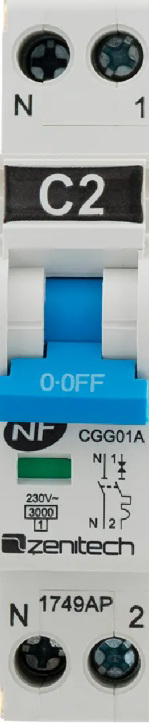
The thermal-magnetic circuit breaker does not have traditional "pins" like an IC but instead features screw terminals for electrical connections. Below is the terminal configuration:
Terminal Number
Description
1
Line input for Pole 1
2
Load output for Pole 1
3
Line input for Pole 2
4
Load output for Pole 2
Usage Instructions
How to Use the Component in a Circuit
Mounting the Circuit Breaker:
Secure the circuit breaker onto a standard 35mm DIN rail in your electrical panel.
Ensure the breaker is firmly locked into place to prevent movement during operation.
Wiring:
Connect the incoming power supply (line) to terminals 1 and 3.
Connect the outgoing load wires to terminals 2 and 4.
Tighten the screw terminals securely to ensure a reliable connection.
Operation:
Switch the breaker to the "ON" position to allow current flow.
In case of an overload or short circuit, the breaker will trip to the "OFF" position, interrupting the circuit.
Resetting After a Trip:
Identify and resolve the cause of the overload or short circuit.
Switch the breaker to the "OFF" position, then back to the "ON" position to reset it.
Important Considerations and Best Practices
Current Rating: Ensure the connected load does not exceed the 2A rating of the breaker.
Voltage Compatibility: Verify that the operating voltage of your circuit matches the breaker's voltage rating (240V AC or 48V DC).
Wiring: Use appropriately rated wires for the current and voltage of your circuit.
Environmental Conditions: Avoid installing the breaker in areas with excessive moisture, dust, or extreme temperatures.
Periodic Testing: Test the breaker periodically by manually tripping it to ensure proper functionality.
Example: Connecting to an Arduino UNO
While the thermal-magnetic circuit breaker is not directly interfaced with microcontrollers like the Arduino UNO, it can be used to protect circuits powered by the Arduino. Below is an example of how to integrate the breaker into a simple Arduino-powered circuit:
// Example: Using a thermal-magnetic circuit breaker to protect an Arduino circuit
// This setup assumes the breaker is installed between the power supply and the Arduino.

void setup() {
  // Initialize the Arduino
  pinMode(LED_BUILTIN, OUTPUT); // Set built-in LED as output
}

void loop() {
  digitalWrite(LED_BUILTIN, HIGH); // Turn on the LED
  delay(1000);                     // Wait for 1 second
  digitalWrite(LED_BUILTIN, LOW);  // Turn off the LED
  delay(1000);                     // Wait for 1 second
}

// Note: The circuit breaker will trip if the current exceeds 2A, protecting the Arduino
// and connected components from damage due to overload or short circuits.
Troubleshooting and FAQs
Common Issues Users Might Face
Breaker Trips Frequently:
Cause: The connected load exceeds the 2A rating.
Solution: Reduce the load or use a breaker with a higher current rating.
Breaker Does Not Reset:
Cause: The fault condition (overload or short circuit) has not been resolved.
Solution: Inspect the circuit for faults and resolve them before attempting to reset the breaker.
Loose Connections:
Cause: Improperly tightened screw terminals.
Solution: Ensure all terminals are securely tightened to prevent arcing or overheating.
Breaker Does Not Trip During a Fault:
Cause: The breaker may be defective or improperly installed.
Solution: Test the breaker using a known fault condition or replace it if necessary.
Solutions and Tips for Troubleshooting
Verify Wiring: Double-check all connections to ensure they are correct and secure.
Inspect the Load: Measure the current draw of the connected load to ensure it does not exceed 2A.
Test the Breaker: Use a test circuit to confirm the breaker's functionality.
Environmental Factors: Ensure the breaker is installed in a suitable environment to avoid malfunction due to extreme conditions.
By following this documentation, users can effectively integrate and maintain the Thermal-Magnetic Circuit Breaker 2A 2P in their electrical systems, ensuring reliable circuit protection and safe operation.

 Open Project in Cirkit Designer