
How to Use Jetson Orin Nano: Examples, Pinouts, and Specs
 Design with Jetson Orin Nano in Cirkit Designer
Introduction
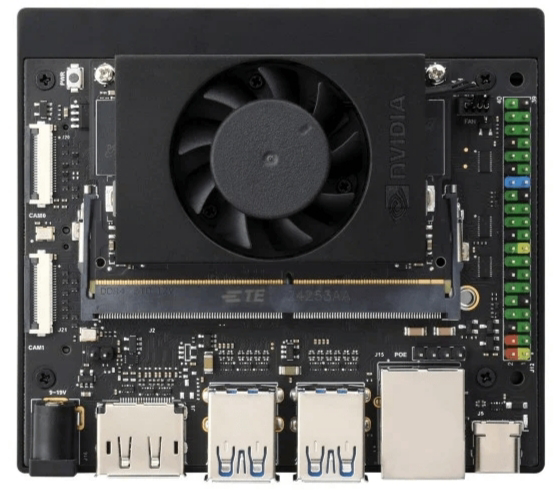
The NVIDIA Jetson Orin Nano is a compact and powerful AI computing platform designed for edge applications. It features a high-performance GPU and CPU, making it ideal for machine learning, computer vision, and robotics tasks. With its small form factor and energy efficiency, the Jetson Orin Nano is well-suited for applications requiring real-time AI processing at the edge.
Explore Projects Built with Jetson Orin Nano
 Open Project in Cirkit Designer
 Open Project in Cirkit Designer
 Open Project in Cirkit Designer
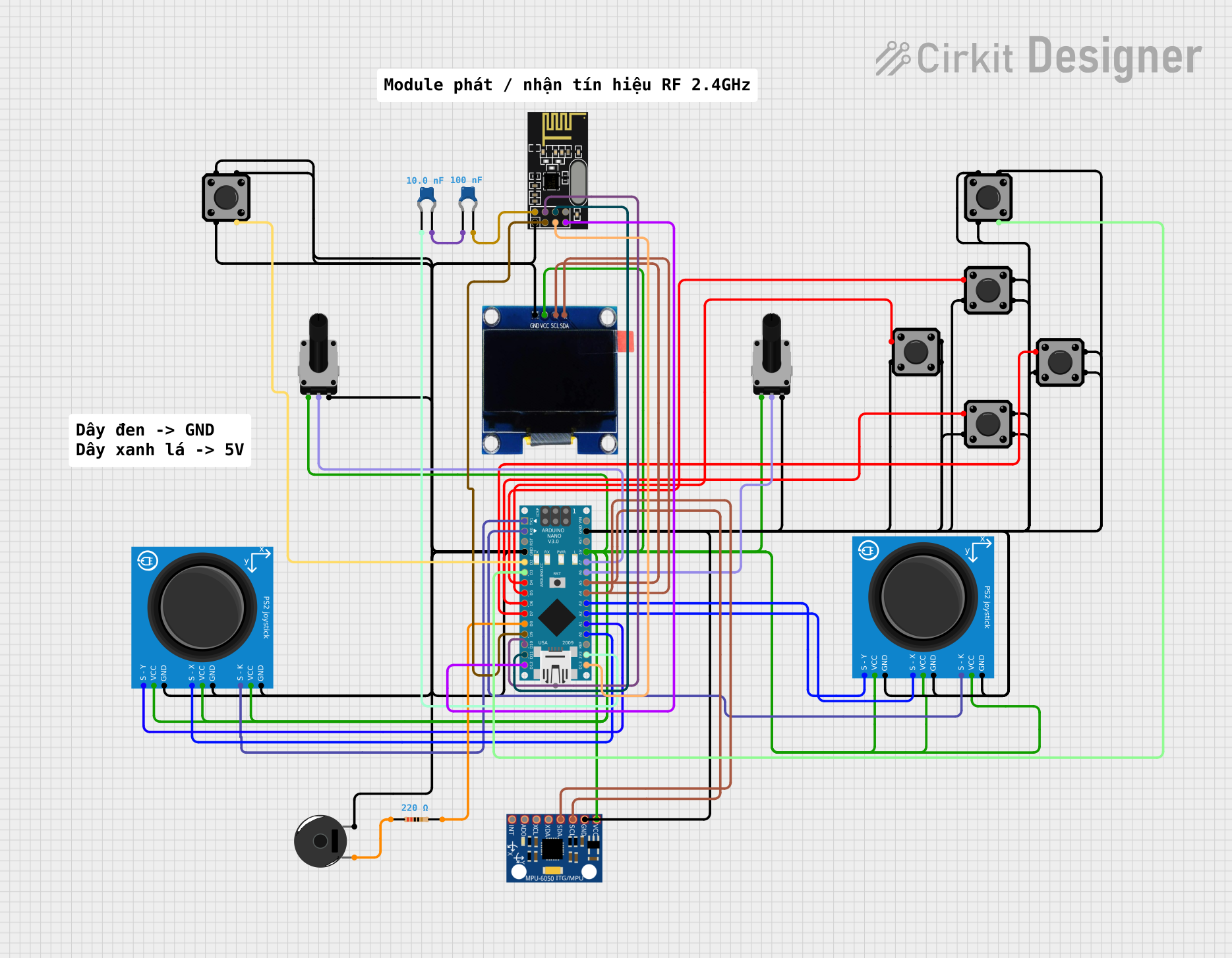 Open Project in Cirkit Designer
Explore Projects Built with Jetson Orin Nano
Open Project in Cirkit DesignerOpen Project in Cirkit DesignerOpen Project in Cirkit DesignerOpen Project in Cirkit DesignerCommon Applications and Use Cases
- Autonomous robots and drones
- Smart cameras and video analytics
- Industrial automation and IoT devices
- Natural language processing and speech recognition
- Edge AI for healthcare and retail
Technical Specifications
The Jetson Orin Nano is available in multiple configurations, offering flexibility for various performance and power requirements. Below are the key technical details:
Key Specifications
| Specification | Details |
|---|---|
| Manufacturer | NVIDIA |
| Part ID | Jetson Orin Nano |
| GPU | NVIDIA Ampere architecture with 1024 CUDA cores and 32 Tensor Cores |
| CPU | 6-core ARM Cortex-A78AE v8.2 64-bit CPU |
| Memory | 4GB or 8GB LPDDR5 (depending on model) |
| Storage | eMMC 5.1 (16GB) and microSD card support |
| AI Performance | Up to 40 TOPS (Tera Operations Per Second) |
| Power Consumption | Configurable: 7W, 10W, or 15W |
| Connectivity | 1x Gigabit Ethernet, USB 3.2, I2C, SPI, UART |
| Display Support | HDMI 2.1, DP 1.2, and MIPI DSI |
| Operating System | NVIDIA JetPack SDK (based on Ubuntu Linux) |
| Dimensions | 100mm x 80mm |
Pin Configuration and Descriptions
The Jetson Orin Nano features a 260-pin SO-DIMM connector for interfacing with carrier boards. Below is a summary of key pin groups:
| Pin Group | Description |
|---|---|
| GPIO | General-purpose input/output pins for custom peripherals |
| I2C | Inter-Integrated Circuit for communication with sensors |
| SPI | Serial Peripheral Interface for high-speed peripherals |
| UART | Universal Asynchronous Receiver-Transmitter for serial communication |
| CSI | Camera Serial Interface for connecting cameras |
| USB | USB 3.2 for peripherals and data transfer |
| Power | Input power pins (5V and 3.3V) |
For detailed pinout information, refer to the official NVIDIA Jetson Orin Nano datasheet.
Usage Instructions
How to Use the Jetson Orin Nano in a Circuit
- Power Supply: Ensure a stable power source (5V, 4A minimum) is available. Use a compatible carrier board for easy integration.
- Peripheral Connections: Connect peripherals such as cameras, sensors, and displays to the appropriate interfaces (e.g., CSI for cameras, HDMI for displays).
- Storage: Insert a microSD card with the NVIDIA JetPack SDK pre-installed or use the onboard eMMC storage.
- Booting: Power on the device and follow the on-screen instructions to complete the initial setup.
- Programming: Use Python, C++, or other supported languages to develop AI applications. Leverage NVIDIA libraries like TensorRT and DeepStream for optimized performance.
Important Considerations and Best Practices
- Thermal Management: Use a heatsink or active cooling solution to prevent overheating during intensive workloads.
- Power Modes: Configure the power mode (7W, 10W, or 15W) based on your application's performance and energy requirements.
- Software Updates: Regularly update the JetPack SDK to access the latest features and security patches.
- GPIO Safety: Avoid exceeding the voltage and current limits of GPIO pins to prevent damage.
Example: Using Jetson Orin Nano with an Arduino UNO
The Jetson Orin Nano can communicate with an Arduino UNO via UART. Below is an example Python script for sending data from the Jetson Orin Nano to the Arduino:
import serial
import time
Initialize serial communication with Arduino
Replace '/dev/ttyUSB0' with the correct port for your setup
arduino = serial.Serial('/dev/ttyUSB0', baudrate=9600, timeout=1)
time.sleep(2) # Allow time for the connection to initialize
try: while True: # Send a message to the Arduino arduino.write(b'Hello from Jetson Orin Nano!\n') print("Message sent to Arduino.")
    # Wait for a response from the Arduino
    response = arduino.readline().decode('utf-8').strip()
    if response:
        print(f"Received from Arduino: {response}")

    time.sleep(1)  # Delay between messages
except KeyboardInterrupt: print("Exiting program.") finally: arduino.close() # Close the serial connection
Notes:
- Ensure the Arduino is programmed to handle incoming serial data.
- Use a logic level converter if the Jetson Orin Nano's UART voltage levels differ from the Arduino's.
Troubleshooting and FAQs
Common Issues and Solutions
Device Not Booting
- Cause: Insufficient power supply.
- Solution: Verify the power source provides at least 5V and 4A. Check the power cable and connections.
Overheating
- Cause: Prolonged high-performance workloads without adequate cooling.
- Solution: Install a heatsink or fan. Ensure proper ventilation around the device.
Peripheral Not Detected
- Cause: Incorrect connection or driver issue.
- Solution: Double-check the connections and ensure the required drivers are installed via the JetPack SDK.
UART Communication Issues
- Cause: Incorrect baud rate or port configuration.
- Solution: Verify the baud rate and port settings match between the Jetson Orin Nano and the connected device.
FAQs
Q: Can the Jetson Orin Nano run on battery power?
A: Yes, it can run on a battery, but ensure the battery provides a stable 5V output with sufficient current (4A or more).
Q: What cameras are compatible with the Jetson Orin Nano?
A: The Jetson Orin Nano supports MIPI CSI cameras and USB cameras. Popular options include the Raspberry Pi Camera Module and Logitech USB webcams.
Q: How do I update the JetPack SDK?
A: Use the NVIDIA SDK Manager on a host PC to download and flash the latest JetPack SDK to the Jetson Orin Nano.
Q: Can I use the Jetson Orin Nano for gaming?
A: While it is not designed for gaming, it can handle lightweight gaming applications. Its primary focus is AI and edge computing tasks.
For additional support, refer to the official NVIDIA Jetson Orin Nano documentation and community forums.