Cirkit Designer Logo
Cirkit Designer
Your all-in-one circuit design IDE
Home / 
Component Documentation

How to Use Battery AAx5 7.5V: Examples, Pinouts, and Specs
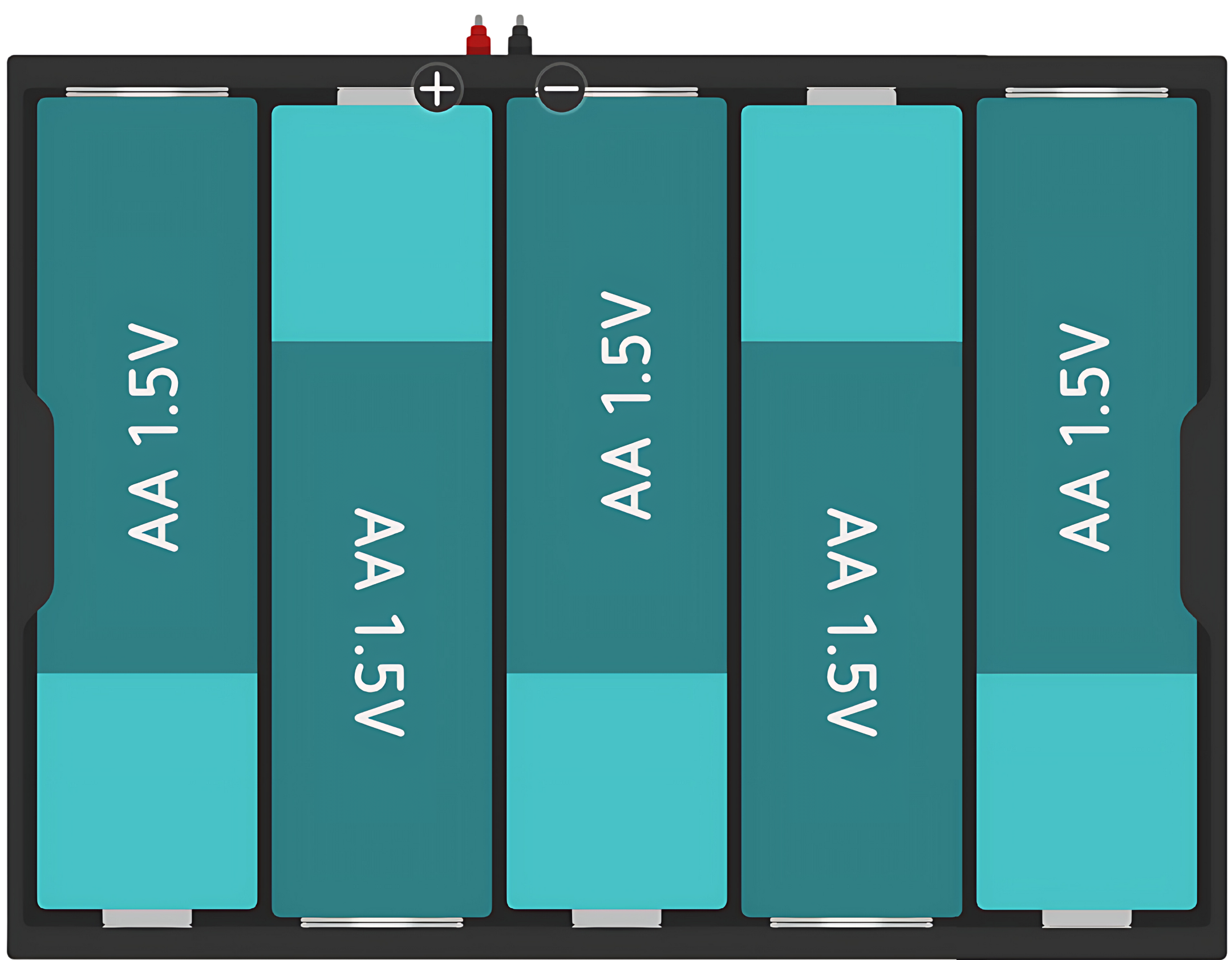

Image of Battery AAx5 7.5V
Cirkit Designer LogoDesign with Battery AAx5 7.5V in Cirkit Designer

Introduction

The Battery Holder for 5 AA Batteries is a simple and convenient way to power electronic devices that require a 7.5V power supply. It is designed to hold five AA batteries in series, which collectively provide a nominal voltage of 7.5V. This type of battery holder is commonly used in portable devices, DIY projects, and when prototyping with development boards like the Arduino UNO.

Explore Projects Built with Battery AAx5 7.5V

Use Cirkit Designer to design, explore, and prototype these projects online. Some projects support real-time simulation. Click "Open Project" to start designing instantly!
12V UPS System with Dual 18650 Li-ion Battery Backup and Voltage Regulation
Image of Power supply: A project utilizing Battery AAx5 7.5V in a practical application
This circuit is designed to provide an uninterruptible power supply (UPS) system with a 12V DC output. It includes a 12V 5A power supply connected to an AC source through a toggle switch, which charges a pair of 18650 Li-ion batteries via a voltage regulator (XL4016). The UPS module ensures a continuous power supply to the load by switching between the power supply and the battery bank.
Cirkit Designer LogoOpen Project in Cirkit Designer
Battery-Powered 18650 Li-ion Charger with USB Output and Adjustable Voltage Regulator
Image of Breadboard: A project utilizing Battery AAx5 7.5V in a practical application
This circuit is a battery management and power supply system that uses three 3.7V batteries connected to a 3S 10A Li-ion 18650 Charger Protection Board Module for balanced charging and protection. The system includes a TP4056 Battery Charging Protection Module for additional charging safety, a Step Up Boost Power Converter to regulate and boost the voltage, and a USB regulator to provide a stable 5V output, controlled by a push switch.
Cirkit Designer LogoOpen Project in Cirkit Designer
Battery-Powered Adjustable Voltage Regulator with Li-ion 18650 Batteries and BMS
Image of mini ups: A project utilizing Battery AAx5 7.5V in a practical application
This circuit is a power management system that uses four Li-ion 18650 batteries connected to a 2S 30A BMS for battery management and protection. The system includes step-up and step-down voltage regulators to provide adjustable output voltages, controlled by a rocker switch, and multiple DC jacks for power input and output.
Cirkit Designer LogoOpen Project in Cirkit Designer
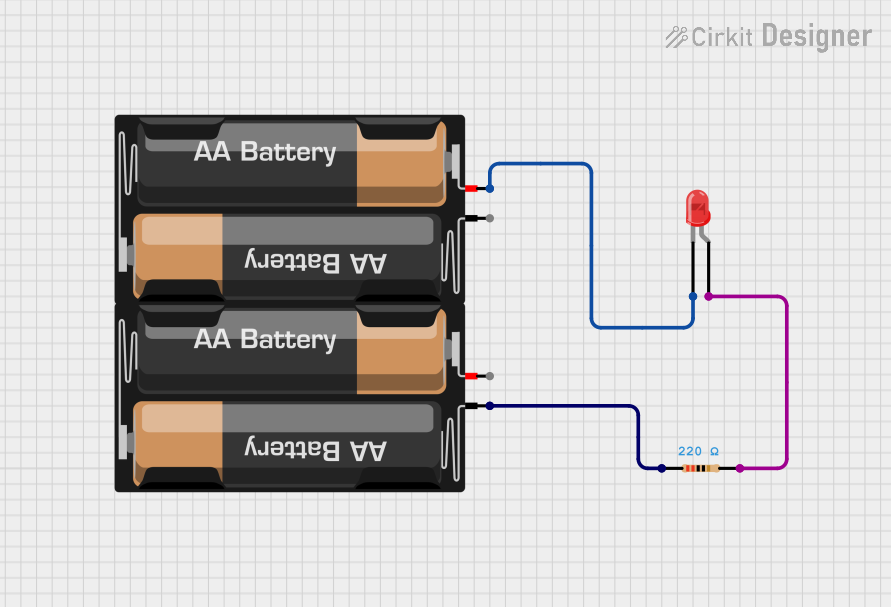
Simple Battery-Powered Red LED Circuit
Image of project 2: A project utilizing Battery AAx5 7.5V in a practical application
This circuit is a simple LED lighting circuit powered by two AA batteries. The LED's anode is connected through a 220 Ohm resistor to the positive terminal of one battery mount, and its cathode is directly connected to the negative terminal of the other battery mount. The resistor limits the current to protect the LED from excessive current that could damage it.
Cirkit Designer LogoOpen Project in Cirkit Designer

Explore Projects Built with Battery AAx5 7.5V

Use Cirkit Designer to design, explore, and prototype these projects online. Some projects support real-time simulation. Click "Open Project" to start designing instantly!
Image of Power supply: A project utilizing Battery AAx5 7.5V in a practical application
12V UPS System with Dual 18650 Li-ion Battery Backup and Voltage Regulation
This circuit is designed to provide an uninterruptible power supply (UPS) system with a 12V DC output. It includes a 12V 5A power supply connected to an AC source through a toggle switch, which charges a pair of 18650 Li-ion batteries via a voltage regulator (XL4016). The UPS module ensures a continuous power supply to the load by switching between the power supply and the battery bank.
Cirkit Designer LogoOpen Project in Cirkit Designer
Image of Breadboard: A project utilizing Battery AAx5 7.5V in a practical application
Battery-Powered 18650 Li-ion Charger with USB Output and Adjustable Voltage Regulator
This circuit is a battery management and power supply system that uses three 3.7V batteries connected to a 3S 10A Li-ion 18650 Charger Protection Board Module for balanced charging and protection. The system includes a TP4056 Battery Charging Protection Module for additional charging safety, a Step Up Boost Power Converter to regulate and boost the voltage, and a USB regulator to provide a stable 5V output, controlled by a push switch.
Cirkit Designer LogoOpen Project in Cirkit Designer
Image of mini ups: A project utilizing Battery AAx5 7.5V in a practical application
Battery-Powered Adjustable Voltage Regulator with Li-ion 18650 Batteries and BMS
This circuit is a power management system that uses four Li-ion 18650 batteries connected to a 2S 30A BMS for battery management and protection. The system includes step-up and step-down voltage regulators to provide adjustable output voltages, controlled by a rocker switch, and multiple DC jacks for power input and output.
Cirkit Designer LogoOpen Project in Cirkit Designer
Image of project 2: A project utilizing Battery AAx5 7.5V in a practical application
Simple Battery-Powered Red LED Circuit
This circuit is a simple LED lighting circuit powered by two AA batteries. The LED's anode is connected through a 220 Ohm resistor to the positive terminal of one battery mount, and its cathode is directly connected to the negative terminal of the other battery mount. The resistor limits the current to protect the LED from excessive current that could damage it.
Cirkit Designer LogoOpen Project in Cirkit Designer

Technical Specifications

General Specifications

  • Nominal Voltage: 7.5V (1.5V per AA battery)
  • Battery Type: AA
  • Number of Batteries: 5
  • Configuration: Series
  • Material: Plastic
  • Connector Type: Wires, 9V battery clip, or PCB pins

Pin Configuration and Descriptions

Pin Description
+ Positive terminal (red wire)
- Negative terminal (black wire)

Usage Instructions

Installing Batteries

  1. Open the battery holder compartment.
  2. Insert five AA batteries following the polarity markings inside the holder.
  3. Close the compartment securely.

Connecting to a Circuit

  • With Wires: Connect the red wire to the positive terminal of your device and the black wire to the negative terminal.
  • With 9V Battery Clip: Attach the clip to a compatible connector on your device, ensuring correct polarity.
  • With PCB Pins: Solder the pins to a printed circuit board, respecting the polarity.

Best Practices

  • Always check the polarity before connecting the battery holder to your device.
  • Remove batteries when the holder is not in use to prevent battery leakage.
  • Use batteries of the same brand and charge level to ensure consistent performance.
  • Do not mix old and new batteries, or different types of batteries.

Troubleshooting and FAQs

Common Issues

  • Device not powering on: Ensure that the batteries are correctly installed and that the holder's terminals are properly connected to your device.
  • Low power output: Check if the batteries are depleted and replace them if necessary.

FAQs

Q: Can I use rechargeable AA batteries with this holder? A: Yes, as long as they are AA size and the correct voltage (1.2V to 1.5V per battery).

Q: What happens if I insert the batteries in the wrong polarity? A: Reversing the polarity can damage your device. Always double-check the polarity before use.

Q: Can I use this battery holder with an Arduino UNO? A: Yes, the Arduino UNO can be powered with a 7.5V supply, but ensure that the input voltage does not exceed the recommended range for the board.

Example Code for Arduino UNO

// This example demonstrates how to power an Arduino UNO using the 7.5V battery holder.

void setup() {
  // Initialize digital pin LED_BUILTIN as an output.
  pinMode(LED_BUILTIN, OUTPUT);
}

void loop() {
  // Turn the LED on (HIGH is the voltage level)
  digitalWrite(LED_BUILTIN, HIGH);
  // Wait for a second
  delay(1000);
  // Turn the LED off by making the voltage LOW
  digitalWrite(LED_BUILTIN, LOW);
   // Wait for a second
  delay(1000);
}

// Note: This code does not directly interact with the battery holder but
// demonstrates a simple application powered by the battery holder.

Remember to disconnect the battery holder from the Arduino UNO when uploading code to prevent any potential interference or damage to the USB port.