Cirkit Designer LogoCirkit DesignerYour all-in-one circuit design IDE Launch Cirkit Designer App

How to Use GY273: Examples, Pinouts, and Specs

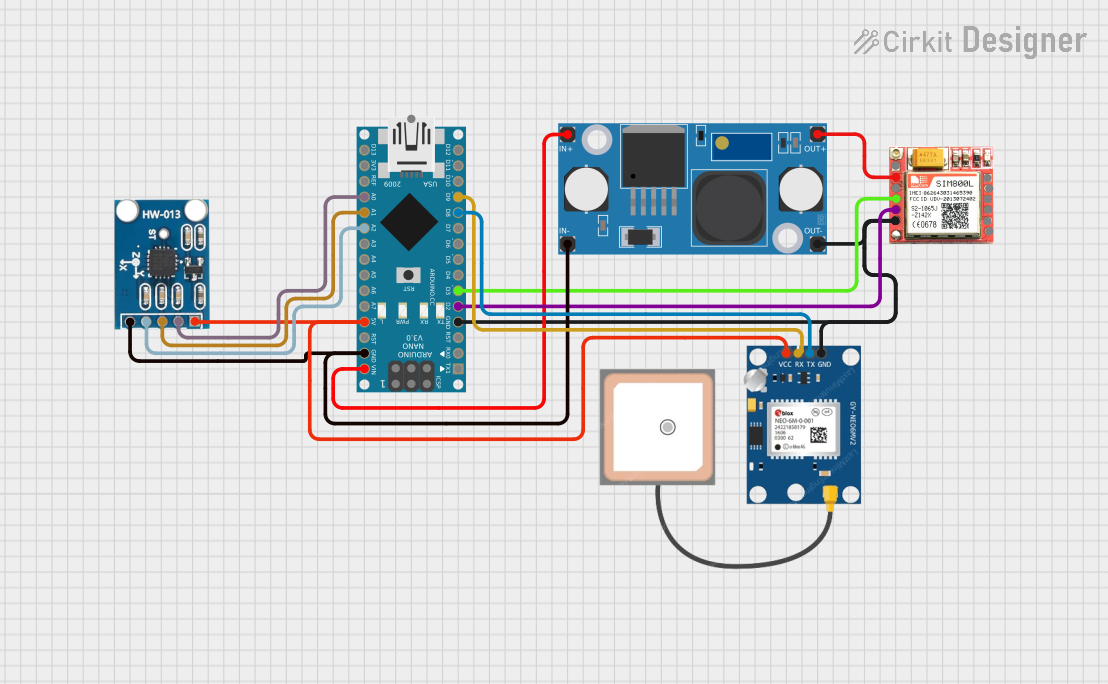
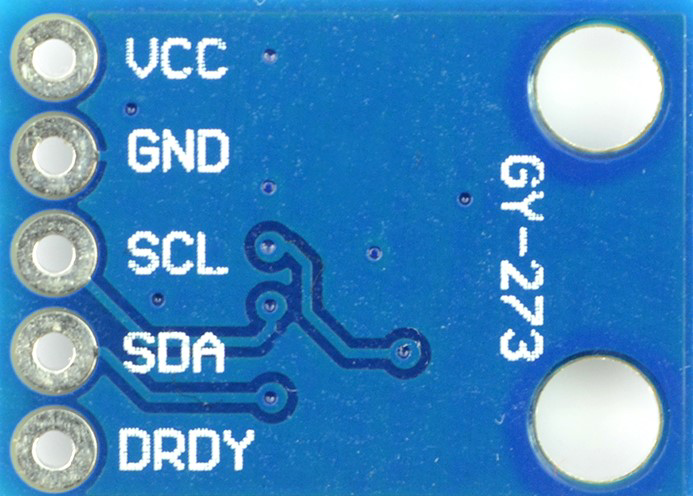
Image of GY273Design with GY273 in Cirkit Designer

Introduction

The GY-273 is a 3-axis digital compass module based on the HMC5883L sensor. It is designed to measure magnetic fields and determine orientation, making it an essential component in navigation systems, robotics, and various other applications requiring precise directional data. The module communicates via the I2C interface, making it easy to integrate with microcontrollers such as the Arduino UNO.

Explore Projects Built with GY273

Use Cirkit Designer to design, explore, and prototype these projects online. Some projects support real-time simulation. Click "Open Project" to start designing instantly!
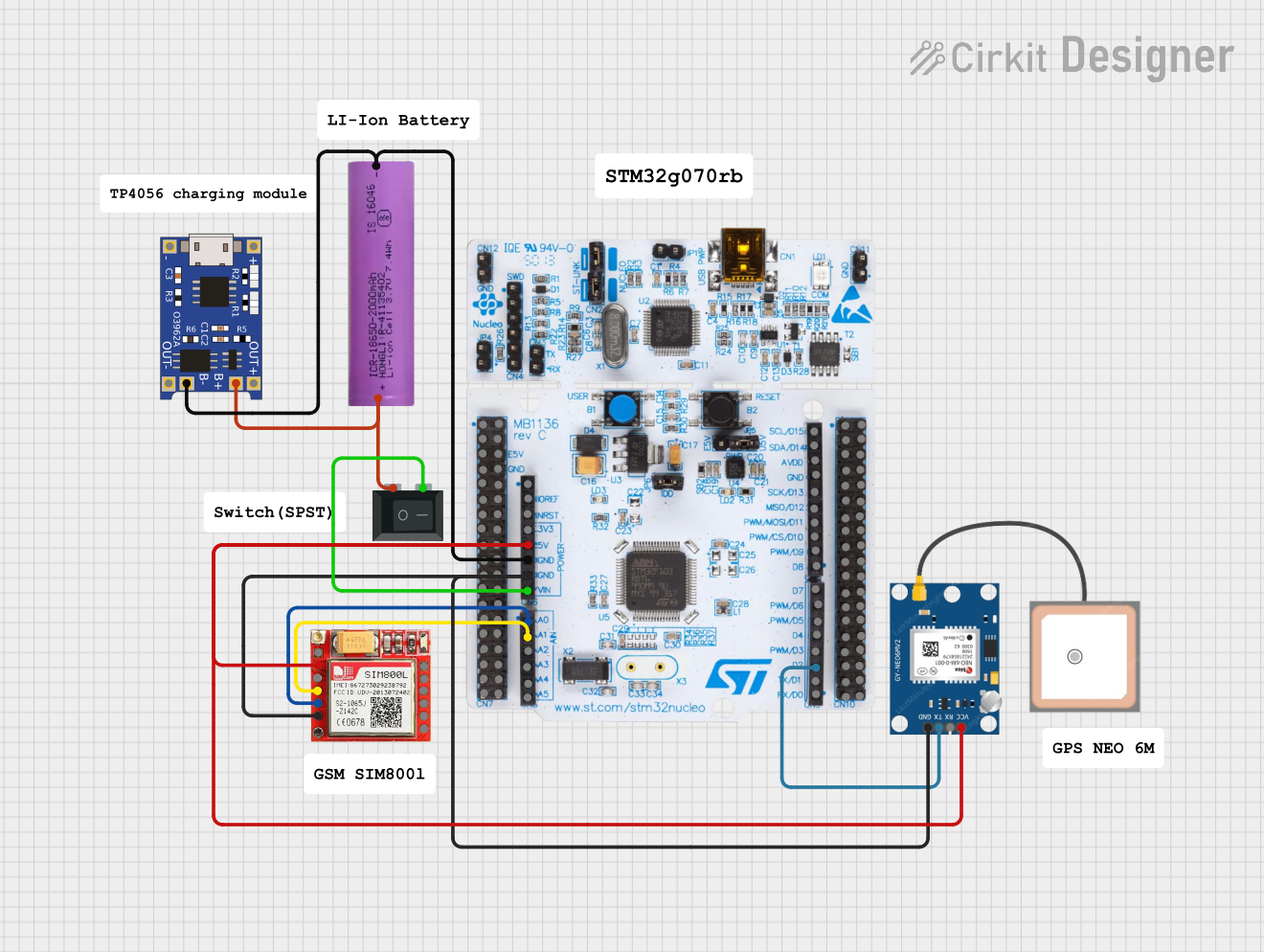
Image of Arduino Mega 2560 Based Security System with Fingerprint Authentication and SMS Alerts: A project utilizing GY273 in a practical application
Arduino Mega 2560 Based Security System with Fingerprint Authentication and SMS Alerts

This circuit features an Arduino Mega 2560 microcontroller interfaced with a SIM800L GSM module, two fingerprint scanners, an I2C LCD display, an IR sensor, and a piezo buzzer. Power management is handled by a PowerBoost 1000 Basic Pad USB, a TP4056 charging module, and a Li-ion 18650 battery, with an option to use a Mini AC-DC 110V-230V to 5V 700mA module for direct power supply. The primary functionality appears to be a security system with GSM communication capabilities, biometric access control, and visual/audible feedback.

Open Project in Cirkit Designer
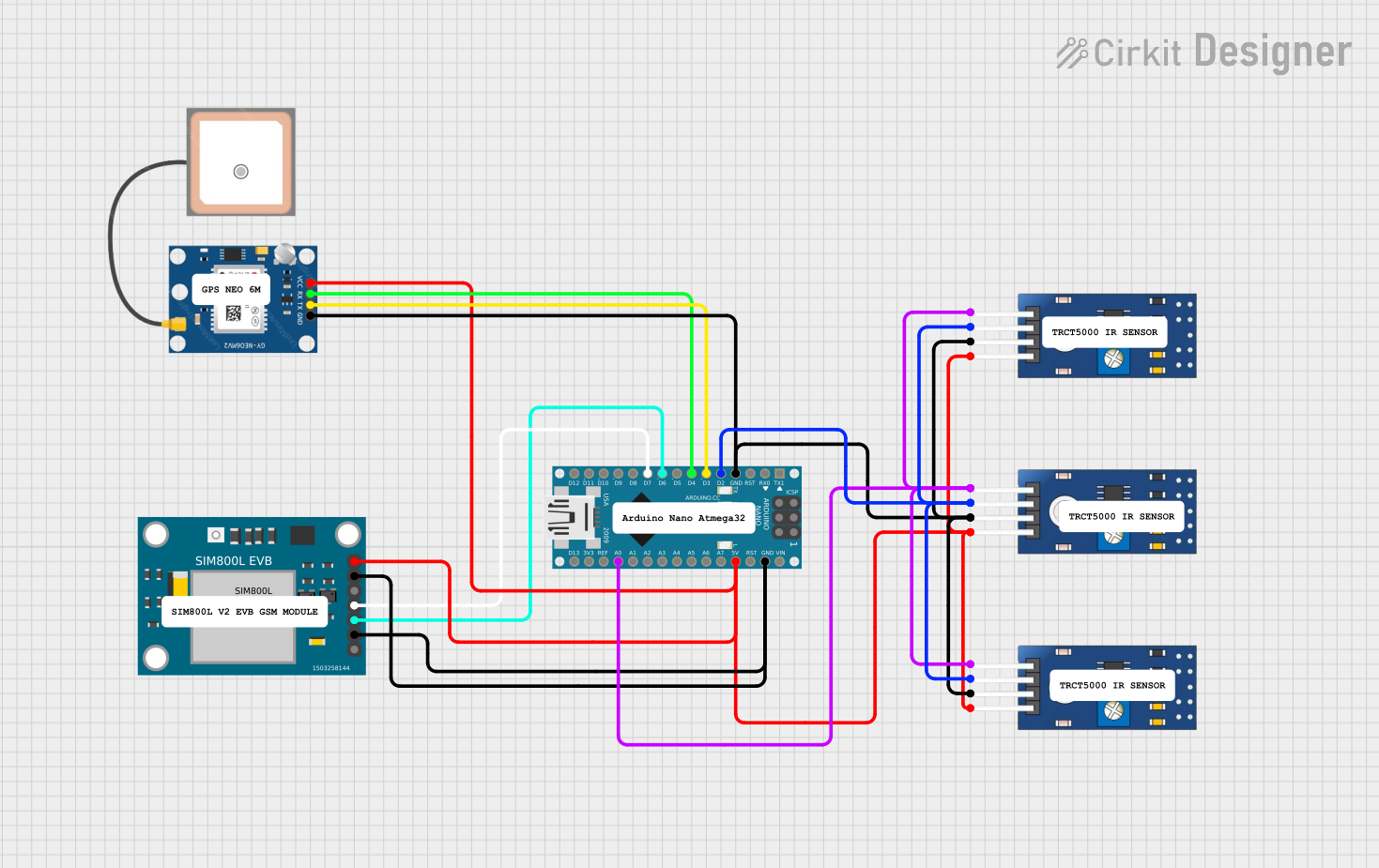
Image of Arduino Nano-Based GPS Tracker with GSM Communication and IR Obstacle Detection: A project utilizing GY273 in a practical application
Arduino Nano-Based GPS Tracker with GSM Communication and IR Obstacle Detection

This circuit features an Arduino Nano interfaced with a SIM800L EVB GSM module for cellular communication, a GPS NEO 6M module for location tracking, and three TCRT 5000 IR sensors for object detection or line tracking. The Arduino facilitates data exchange between the GPS and GSM modules and processes signals from the IR sensors. The provided code skeleton suggests that the Arduino is programmed to perform tasks in a loop, but specific functionality is not detailed in the code.

Open Project in Cirkit Designer

Technical Specifications

Key Technical Details

Parameter Value
Operating Voltage 3.3V to 5V
Operating Current 100 µA
Communication I2C
Measurement Range ±1.3 to ±8 Gauss
Resolution 160 to 1370 LSB/Gauss
Dimensions 14mm x 13mm x 3.5mm

Pin Configuration and Descriptions

Pin Name Description
1 VCC Power supply (3.3V to 5V)
2 GND Ground
3 SCL Serial Clock Line for I2C communication
4 SDA Serial Data Line for I2C communication
5 DRDY Data Ready (optional, not commonly used)

Usage Instructions

How to Use the GY-273 in a Circuit

  1. Power Supply: Connect the VCC pin to a 3.3V or 5V power supply and the GND pin to the ground.
  2. I2C Communication: Connect the SCL pin to the SCL pin on the Arduino (A5 on the UNO) and the SDA pin to the SDA pin on the Arduino (A4 on the UNO).
  3. Optional Pin: The DRDY pin can be left unconnected if not used.

Important Considerations and Best Practices

Sample Arduino Code

#include <Wire.h>
#include <Adafruit_Sensor.h>
#include <Adafruit_HMC5883_U.h>

// Create an instance of the HMC5883L sensor
Adafruit_HMC5883_Unified mag = Adafruit_HMC5883_Unified(12345);

void setup() {
  Serial.begin(9600);
  // Initialize the sensor
  if (!mag.begin()) {
    Serial.println("Could not find a valid HMC5883 sensor, check wiring!");
    while (1);
  }
}

void loop() {
  // Get a new sensor event
  sensors_event_t event;
  mag.getEvent(&event);

  // Display the results (magnetic vector values are in micro-Tesla (uT))
  Serial.print("X: "); Serial.print(event.magnetic.x); Serial.print("  ");
  Serial.print("Y: "); Serial.print(event.magnetic.y); Serial.print("  ");
  Serial.print("Z: "); Serial.print(event.magnetic.z); Serial.print("  ");
  Serial.println("uT");

  // Delay before the next reading
  delay(500);
}

Troubleshooting and FAQs

Common Issues and Solutions

  1. No Data Output:

    • Solution: Check the wiring connections, especially the I2C lines (SCL and SDA). Ensure the module is powered correctly.
  2. Inaccurate Readings:

    • Solution: Perform a calibration routine. Ensure the module is away from magnetic interference.
  3. I2C Communication Errors:

    • Solution: Verify the pull-up resistors on the I2C lines. Check the I2C address (default is 0x1E) and ensure no address conflicts.

FAQs

Q1: Can the GY-273 be used with a 3.3V microcontroller?

Q2: How do I calibrate the GY-273?

Q3: What is the default I2C address of the GY-273?

By following this documentation, users can effectively integrate and utilize the GY-273 3-axis digital compass module in their projects, ensuring accurate and reliable orientation measurements.