The Cytron SDD-30 (SmartDriveDuo-30) is a high-performance DC motor driver designed by Cytron Technologies. It is capable of controlling two DC motors simultaneously with bidirectional control. The SDD-30 is engineered to handle up to 30A of continuous current per channel, making it ideal for demanding applications such as robotics, automation systems, and electric vehicles. Its compact design and robust features make it a popular choice for hobbyists and professionals alike.
Explore Projects Built with Cytron SDD-30
Use Cirkit Designer to design, explore, and prototype these projects online. Some projects support real-time simulation. Click "Open Project" to start designing instantly!
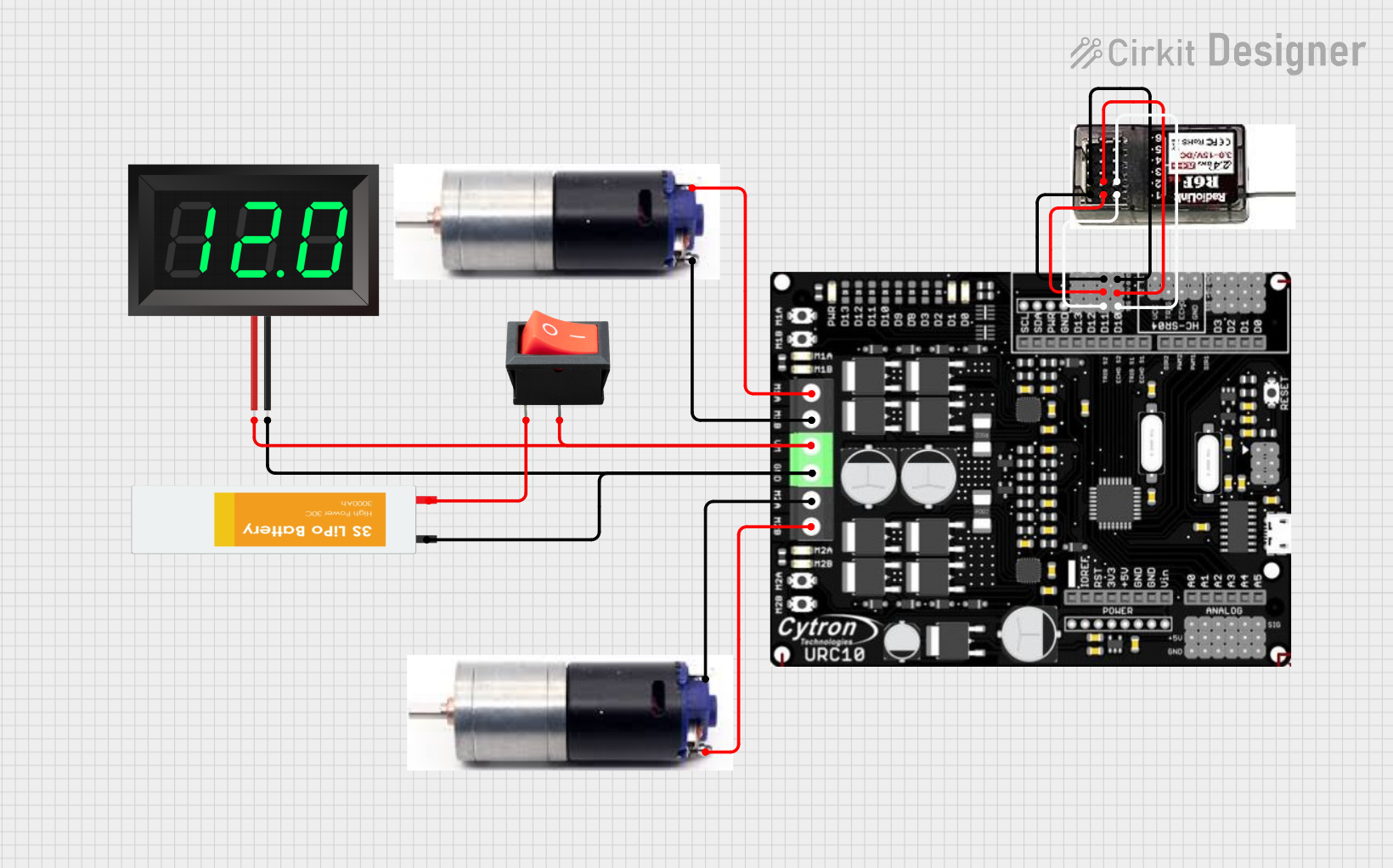
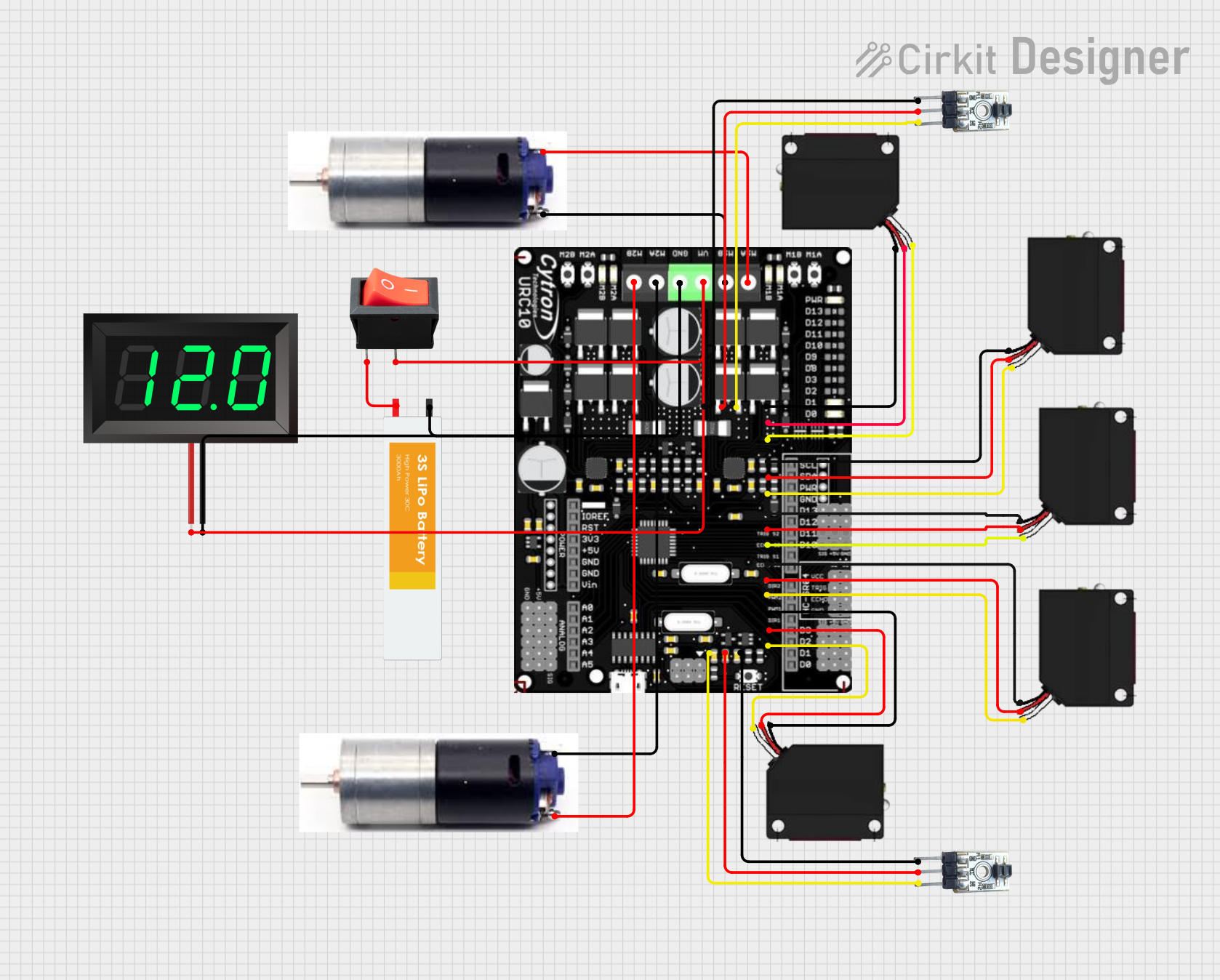
This circuit is a robotic control system that uses multiple IR sensors for line detection and obstacle avoidance, powered by a 3S LiPo battery. The Cytron URC10 motor driver, controlled by a microcontroller, drives two GM25 DC motors based on input from the sensors and a rocker switch, with a 7-segment panel voltmeter displaying the battery voltage.
This circuit is a remote-controlled dual DC motor driver system powered by a 3S LiPo battery. It uses a Cytron URC10 motor driver to control two GM25 DC motors based on signals received from an R6FG receiver, with a rocker switch for power control and a 7-segment panel voltmeter for monitoring the battery voltage.
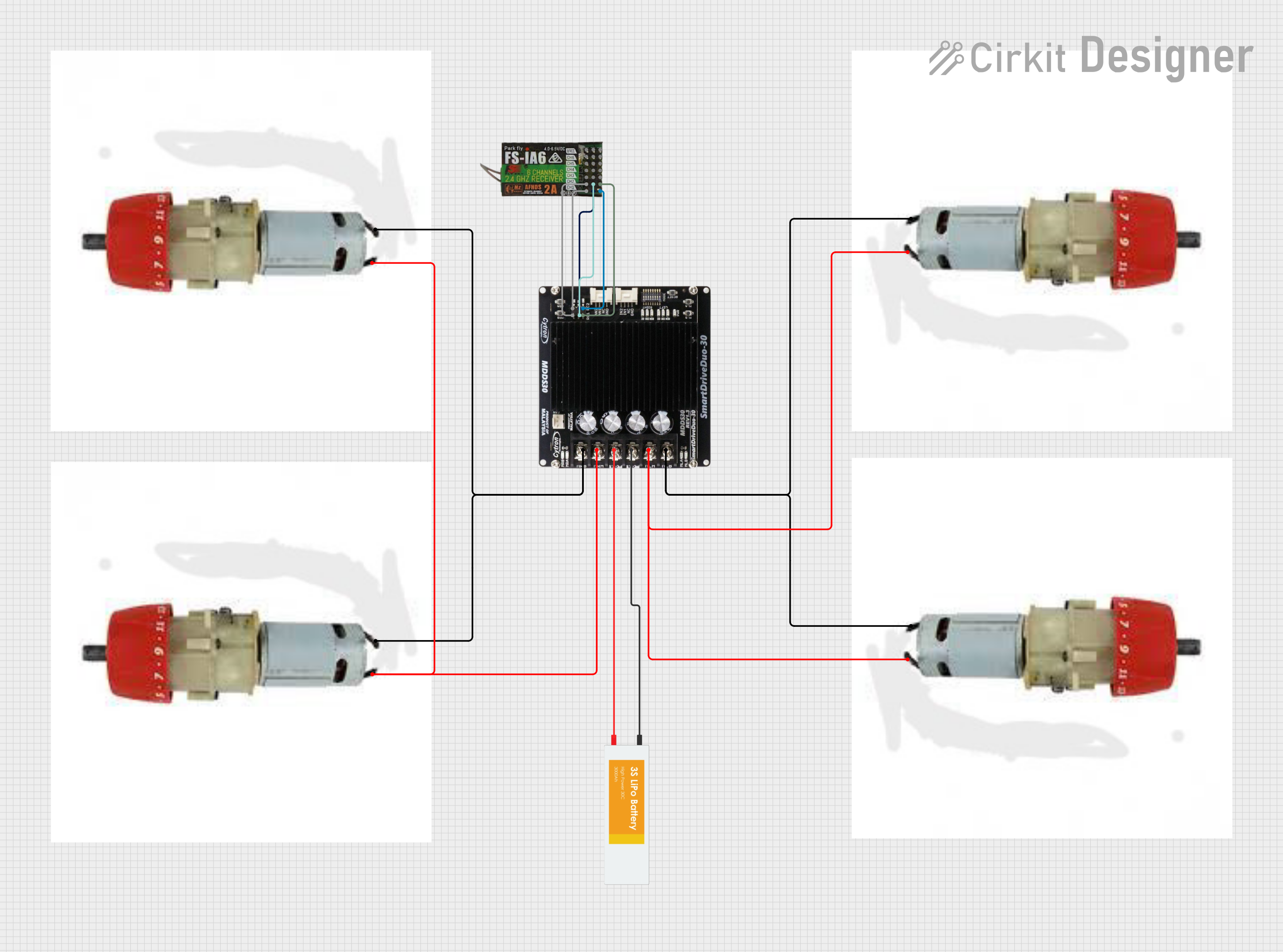
The circuit is a motor control system that uses a FlySky FS-IA6 receiver to control four motors via a Cytron MDDS30 motor driver. The system is powered by a LiPo battery, and the receiver sends control signals to the motor driver, which then drives the motors accordingly.
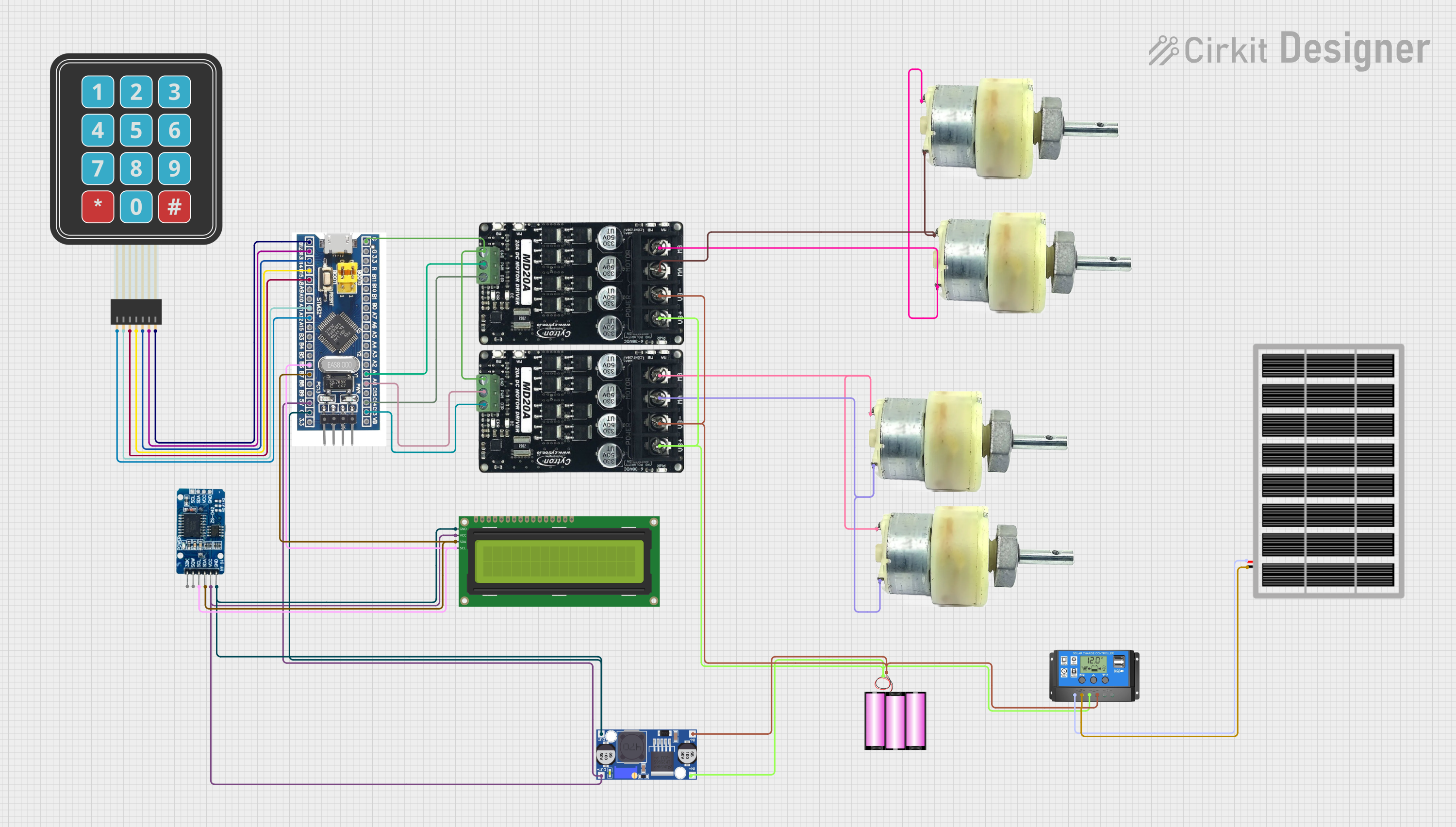
This circuit features an STM32F103C8T6 microcontroller interfaced with a membrane matrix keypad for input, an RTC DS3231 for real-time clock functionality, and a 16x2 I2C LCD for display. It controls four 12V geared motors through two MD20 CYTRON motor drivers, with the motor power supplied by a 12V battery regulated by a buck converter. The battery is charged via a solar panel connected through a solar charge controller, ensuring a renewable energy source for the system.
Electric vehicles (e.g., small electric cars, scooters)
Conveyor belts and industrial machinery
Remote-controlled vehicles and drones
Technical Specifications
The following table outlines the key technical specifications of the Cytron SDD-30:
Parameter
Specification
Operating Voltage
7V to 35V DC
Continuous Current
30A per channel
Peak Current
80A per channel (for 1 second)
Control Modes
PWM, RC (Radio Control), Analog, UART
PWM Frequency
Up to 20 kHz
Motor Channels
2
Protection Features
Overcurrent, Overtemperature, Undervoltage
Dimensions
84mm x 69mm x 17mm
Weight
100g
Pin Configuration and Descriptions
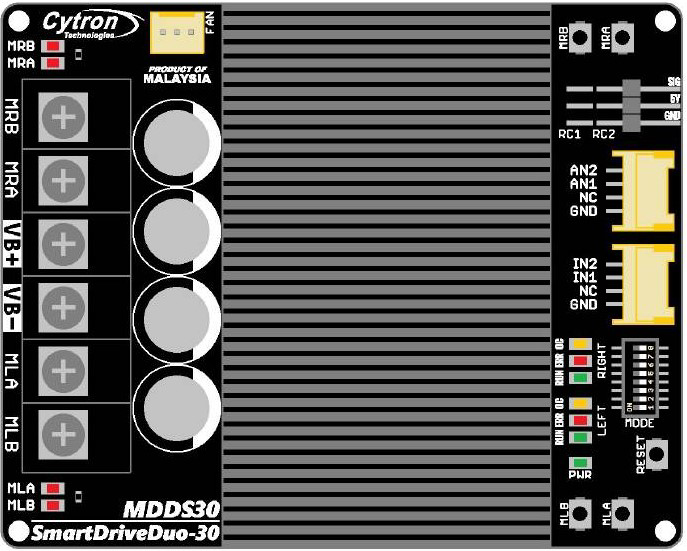
The Cytron SDD-30 has multiple input and output pins for motor control and power connections. Below is the pin configuration:
Power and Motor Connections
Pin Name
Description
VM
Motor power supply (7V to 35V DC)
GND
Ground connection
M1A, M1B
Motor 1 output terminals
M2A, M2B
Motor 2 output terminals
Control Input Pins
Pin Name
Description
PWM1
PWM input for Motor 1
PWM2
PWM input for Motor 2
DIR1
Direction control for Motor 1
DIR2
Direction control for Motor 2
RC1, RC2
RC signal inputs for Motor 1 and Motor 2
UART_RX
UART receive pin for serial control
UART_TX
UART transmit pin for serial control
Usage Instructions
The Cytron SDD-30 is versatile and can be used in various control modes. Below are the steps to use it in a typical PWM control setup with an Arduino UNO.
Connecting the SDD-30 to an Arduino UNO
Power Supply: Connect the VM pin to a DC power source (7V to 35V) and GND to the ground of the power source.
Motor Connections: Connect the DC motors to the M1A/M1B and M2A/M2B terminals.
Control Pins: Connect the PWM1 and DIR1 pins to the Arduino's PWM-capable pins (e.g., D9 and D8). Similarly, connect PWM2 and DIR2 to other PWM-capable pins (e.g., D10 and D11).
Common Ground: Ensure the Arduino's GND is connected to the SDD-30's GND.
Sample Arduino Code
The following code demonstrates how to control two DC motors using the Cytron SDD-30 in PWM mode:
// Define motor control pins
const int PWM1 = 9;  // PWM pin for Motor 1
const int DIR1 = 8;  // Direction pin for Motor 1
const int PWM2 = 10; // PWM pin for Motor 2
const int DIR2 = 11; // Direction pin for Motor 2

void setup() {
  // Set motor control pins as outputs
  pinMode(PWM1, OUTPUT);
  pinMode(DIR1, OUTPUT);
  pinMode(PWM2, OUTPUT);
  pinMode(DIR2, OUTPUT);
}

void loop() {
  // Example: Rotate Motor 1 forward at 50% speed
  digitalWrite(DIR1, HIGH); // Set direction forward
  analogWrite(PWM1, 128);   // Set speed (128/255 = 50%)

  // Example: Rotate Motor 2 backward at 75% speed
  digitalWrite(DIR2, LOW);  // Set direction backward
  analogWrite(PWM2, 192);   // Set speed (192/255 = 75%)

  delay(2000); // Run motors for 2 seconds

  // Stop both motors
  analogWrite(PWM1, 0);
  analogWrite(PWM2, 0);

  delay(2000); // Wait for 2 seconds before repeating
}
Important Considerations
Power Supply: Ensure the power supply can provide sufficient current for the motors and the SDD-30.
Heat Dissipation: The SDD-30 may heat up during operation. Use a heatsink or active cooling if necessary.
Protection Features: The SDD-30 includes built-in protections (e.g., overcurrent, overtemperature). If the driver shuts down, check for these conditions.
Troubleshooting and FAQs
Common Issues and Solutions
Motors Not Running
Cause: Incorrect wiring or insufficient power supply.
Solution: Double-check all connections and ensure the power supply meets the voltage and current requirements.
Overheating
Cause: Prolonged operation at high current or inadequate cooling.
Solution: Add a heatsink or fan to improve heat dissipation.
Erratic Motor Behavior
Cause: Noise or interference in the control signals.
Solution: Use shielded cables for control signals and ensure proper grounding.
Driver Shuts Down
Cause: Overcurrent, overtemperature, or undervoltage protection triggered.
Solution: Check the motor load, ensure adequate cooling, and verify the power supply voltage.
FAQs
Q: Can the SDD-30 control brushless motors?
A: No, the SDD-30 is designed for brushed DC motors only.
Q: What is the maximum PWM frequency supported?
A: The SDD-30 supports PWM frequencies up to 20 kHz.
Q: Can I use the SDD-30 with a Raspberry Pi?
A: Yes, the SDD-30 can be controlled using GPIO pins on a Raspberry Pi. Ensure proper voltage level shifting if needed.
Q: How do I reset the driver after a fault condition?
A: Remove power from the SDD-30, resolve the fault condition, and then reapply power.
This concludes the documentation for the Cytron SDD-30. For further details, refer to the official Cytron Technologies user manual.

 Open Project in Cirkit Designer