
How to Use ATS: Examples, Pinouts, and Specs
 Design with ATS in Cirkit Designer
Introduction
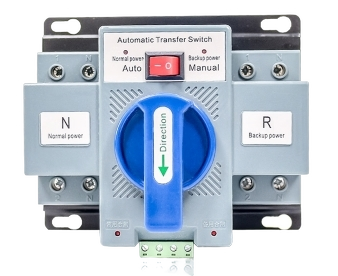
An Automatic Transfer Switch (ATS) is a critical device used in power management systems. It automatically transfers a power load between two power sources, typically switching between utility power and a backup generator. This ensures an uninterrupted power supply during outages or power failures. ATS devices are widely used in residential, commercial, and industrial applications where continuous power is essential.
Explore Projects Built with ATS
 Open Project in Cirkit Designer
 Open Project in Cirkit Designer
 Open Project in Cirkit Designer
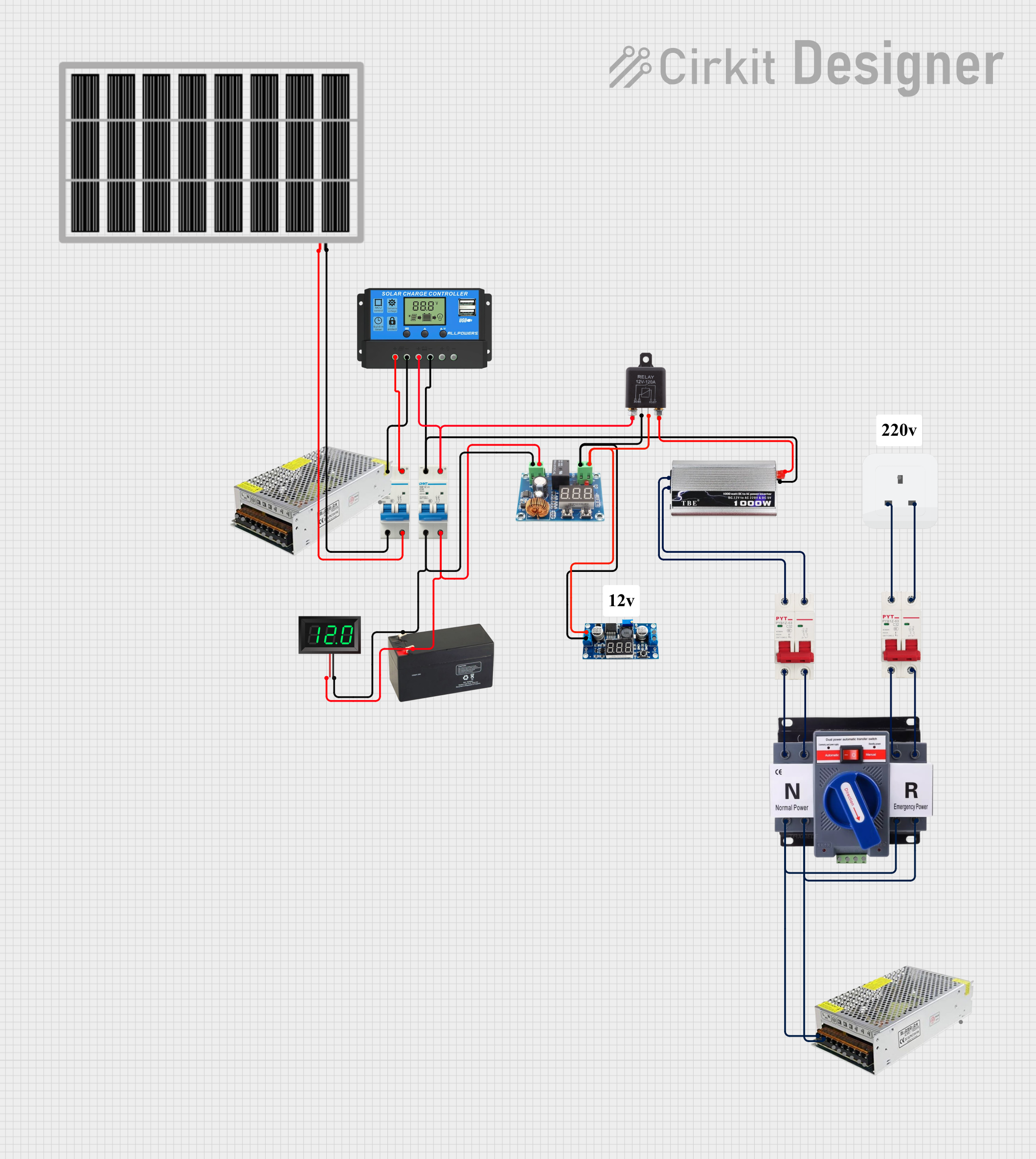 Open Project in Cirkit Designer
Explore Projects Built with ATS
Open Project in Cirkit DesignerOpen Project in Cirkit DesignerOpen Project in Cirkit DesignerOpen Project in Cirkit DesignerCommon Applications and Use Cases
- Data Centers: Ensures uninterrupted power for servers and critical IT infrastructure.
- Hospitals: Maintains power for life-support systems and essential medical equipment.
- Industrial Facilities: Keeps production lines operational during power outages.
- Residential Buildings: Provides backup power during utility failures.
- Telecommunication Systems: Ensures continuous operation of communication networks.
Technical Specifications
Below are the general technical specifications for a typical ATS. Note that specific models may vary, so always refer to the manufacturer's datasheet for exact details.
Key Technical Details
- Voltage Rating: 120V to 480V AC (depending on the model)
- Current Rating: 30A to 4000A
- Frequency: 50Hz or 60Hz
- Switching Time: Typically 1 to 10 seconds
- Control Voltage: 12V DC or 24V DC (for control circuits)
- Operating Temperature: -20°C to 70°C
- Enclosure Rating: IP20 to IP65 (depending on the environment)
Pin Configuration and Descriptions
The ATS typically has terminals for power input, output, and control signals. Below is a general pin configuration:
| Pin/Terminal | Description |
|---|---|
| L1 (Utility) | Line 1 input from the utility power source. |
| L2 (Utility) | Line 2 input from the utility power source. |
| L1 (Generator) | Line 1 input from the backup generator. |
| L2 (Generator) | Line 2 input from the backup generator. |
| Load L1 | Line 1 output to the load. |
| Load L2 | Line 2 output to the load. |
| Control Signal In | Input for control signals (e.g., start/stop generator). |
| Ground | Ground connection for safety. |
Usage Instructions
How to Use the ATS in a Circuit
Connect Power Sources:
- Connect the utility power source to the L1 and L2 (Utility) terminals.
- Connect the backup generator to the L1 and L2 (Generator) terminals.
Connect the Load:
- Connect the load (e.g., appliances, equipment) to the Load L1 and Load L2 terminals.
Control Signal Wiring:
- If the ATS supports generator start/stop control, connect the control signal wires to the generator's control input.
Grounding:
- Ensure the ATS and all connected devices are properly grounded to prevent electrical hazards.
Testing:
- Test the ATS by simulating a power outage. Verify that it switches to the generator and back to utility power when restored.
Important Considerations and Best Practices
- Sizing: Ensure the ATS is rated for the voltage and current requirements of your system.
- Generator Compatibility: Verify that the generator is compatible with the ATS and can handle the load.
- Maintenance: Regularly inspect and test the ATS to ensure proper operation.
- Safety: Always disconnect power before performing any wiring or maintenance.
Example: Connecting an ATS to an Arduino UNO
If you want to monitor the ATS status using an Arduino UNO, you can connect the control signal output of the ATS to a digital input pin on the Arduino. Below is an example code snippet:
// ATS Monitoring with Arduino UNO
// This code monitors the ATS status and indicates whether the load is powered
// by the utility or the generator.

const int atsStatusPin = 2; // Digital pin connected to ATS status output
const int ledUtility = 3;   // LED to indicate utility power
const int ledGenerator = 4; // LED to indicate generator power

void setup() {
  pinMode(atsStatusPin, INPUT); // Set ATS status pin as input
  pinMode(ledUtility, OUTPUT);  // Set utility LED as output
  pinMode(ledGenerator, OUTPUT); // Set generator LED as output
  Serial.begin(9600); // Initialize serial communication
}

void loop() {
  int atsStatus = digitalRead(atsStatusPin); // Read ATS status

  if (atsStatus == HIGH) {
    // Utility power is active
    digitalWrite(ledUtility, HIGH); // Turn on utility LED
    digitalWrite(ledGenerator, LOW); // Turn off generator LED
    Serial.println("Utility power is active.");
  } else {
    // Generator power is active
    digitalWrite(ledUtility, LOW); // Turn off utility LED
    digitalWrite(ledGenerator, HIGH); // Turn on generator LED
    Serial.println("Generator power is active.");
  }

  delay(1000); // Wait for 1 second before checking again
}
Troubleshooting and FAQs
Common Issues and Solutions
ATS Does Not Switch to Generator:
- Cause: Generator is not starting or is incompatible.
- Solution: Check the generator's fuel, battery, and compatibility with the ATS.
Frequent Switching Between Sources:
- Cause: Unstable utility power or incorrect sensitivity settings.
- Solution: Adjust the sensitivity settings or stabilize the utility power source.
Load Not Receiving Power:
- Cause: Loose connections or blown fuses.
- Solution: Inspect all connections and replace any blown fuses.
Control Signal Not Working:
- Cause: Faulty wiring or incorrect control voltage.
- Solution: Verify the control signal wiring and voltage levels.
FAQs
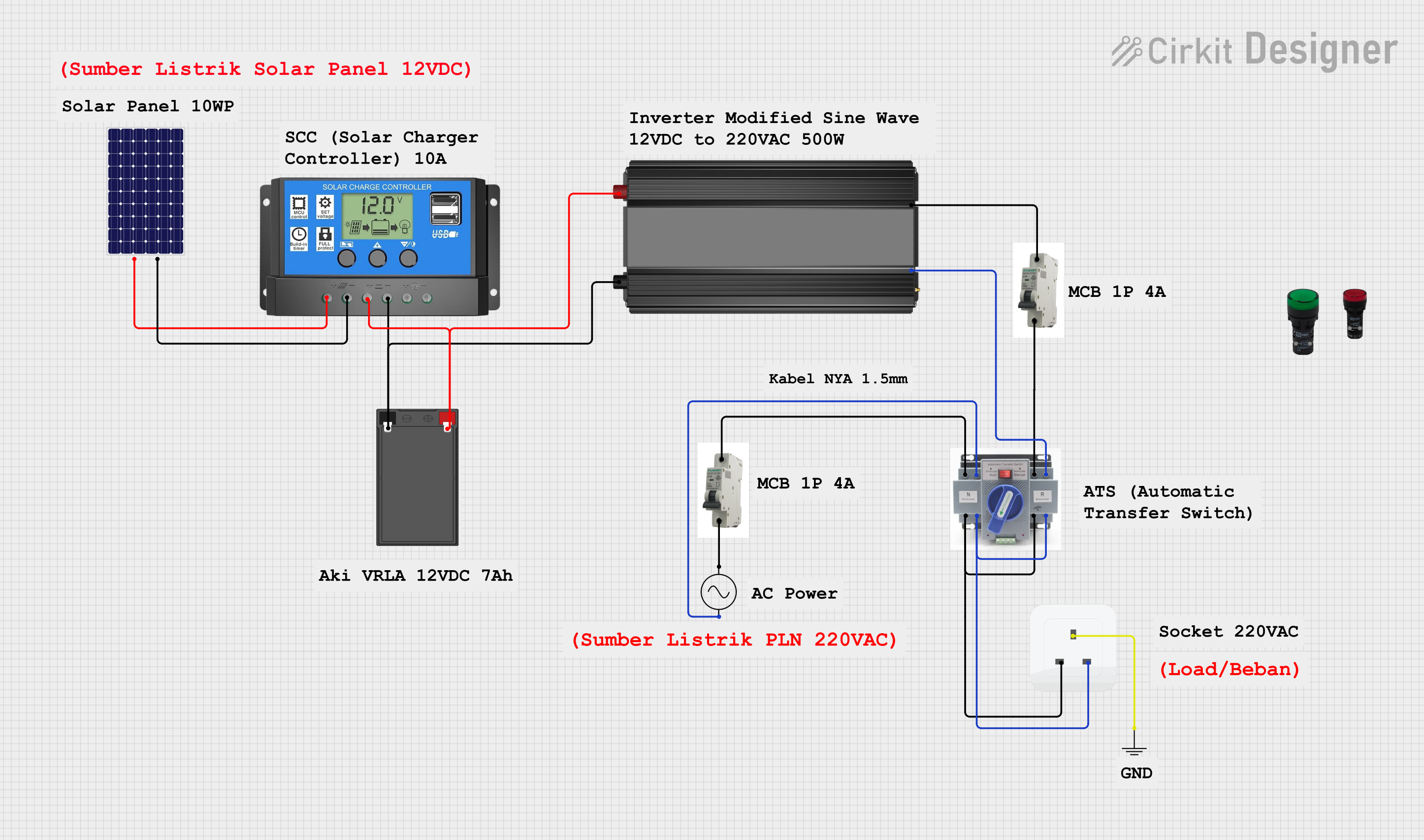
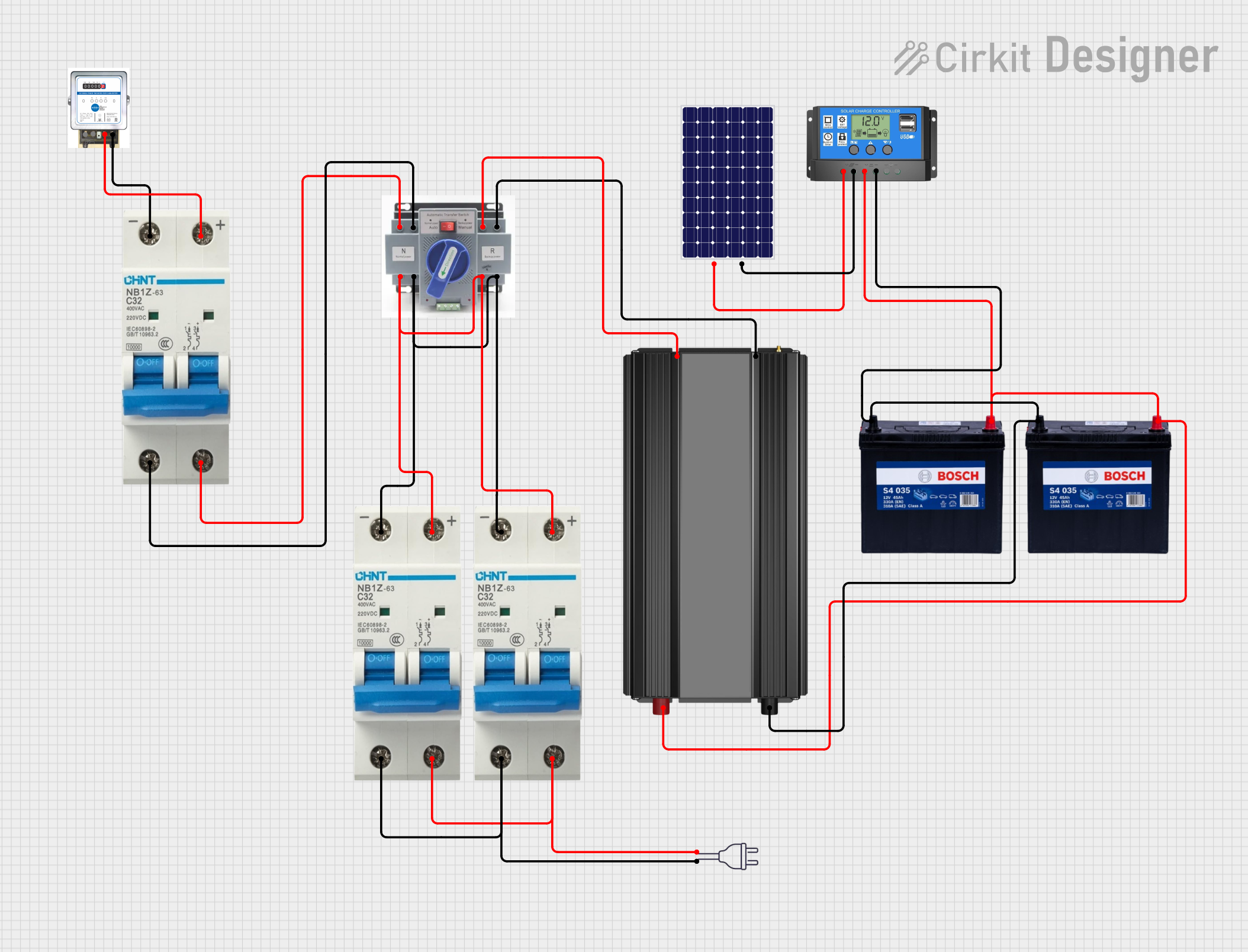
Q: Can I use an ATS with solar power systems?
A: Yes, but ensure the ATS is compatible with the inverter and solar setup.Q: How often should I test my ATS?
A: It is recommended to test the ATS monthly or as per the manufacturer's guidelines.Q: Can I install an ATS myself?
A: Installation should be performed by a qualified electrician to ensure safety and compliance with local regulations.