
How to Use CQRobot: Examples, Pinouts, and Specs
 Design with CQRobot in Cirkit Designer
Introduction
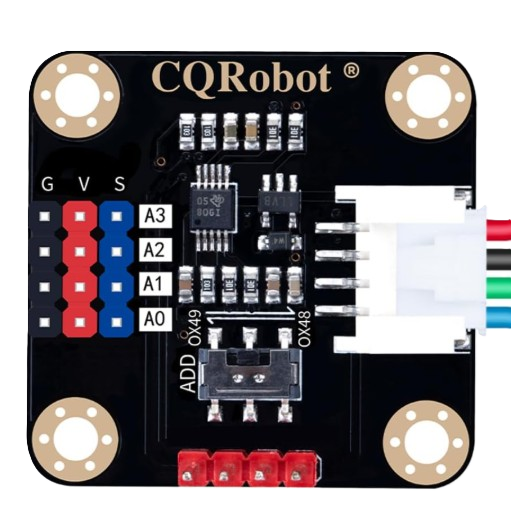
The CQRobot ADS1115 is a high-precision, 16-bit analog-to-digital converter (ADC) module designed for applications requiring accurate analog signal measurement. It is based on the Texas Instruments ADS1115 IC and features an I2C interface for easy integration with microcontrollers and development boards like the Arduino UNO and Raspberry Pi. The module is compact, versatile, and ideal for projects involving sensors, data acquisition, and signal processing.
Explore Projects Built with CQRobot
 Open Project in Cirkit Designer
 Open Project in Cirkit Designer
 Open Project in Cirkit Designer
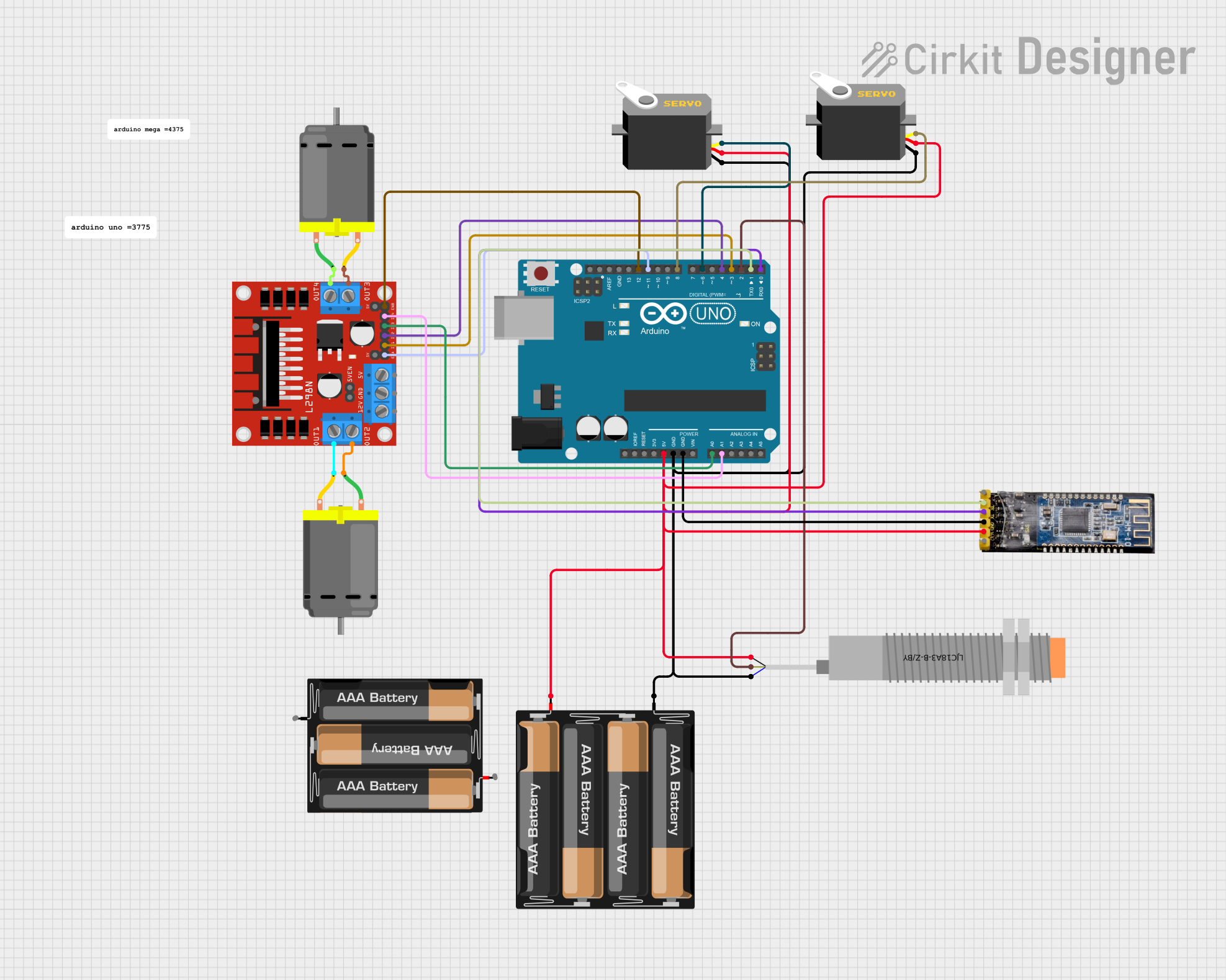 Open Project in Cirkit Designer
Explore Projects Built with CQRobot
Open Project in Cirkit DesignerOpen Project in Cirkit DesignerOpen Project in Cirkit DesignerOpen Project in Cirkit DesignerCommon Applications and Use Cases
- Sensor data acquisition (e.g., temperature, pressure, light sensors)
- Battery voltage monitoring
- Industrial control systems
- Robotics and automation
- Educational and hobbyist projects requiring precise analog measurements
Technical Specifications
The CQRobot ADS1115 module offers the following key technical details:
| Parameter | Specification |
|---|---|
| ADC Resolution | 16-bit |
| Input Voltage Range | 0V to VDD (typically 3.3V or 5V) |
| Programmable Gain Amplifier (PGA) | ±0.256V to ±6.144V |
| Sampling Rate | Up to 860 samples per second (SPS) |
| Communication Interface | I2C (2-wire) |
| Operating Voltage | 2.0V to 5.5V |
| Current Consumption | 150 µA (typical) |
| Operating Temperature | -40°C to +125°C |
| Dimensions | 27mm x 20mm |
Pin Configuration and Descriptions
The CQRobot ADS1115 module has the following pinout:
| Pin | Name | Description |
|---|---|---|
| 1 | VDD | Power supply input (2.0V to 5.5V) |
| 2 | GND | Ground connection |
| 3 | SCL | I2C clock line |
| 4 | SDA | I2C data line |
| 5 | ADDR | Address pin (used to set I2C address; connect to GND, VDD, or leave floating) |
| 6 | AIN0 | Analog input channel 0 |
| 7 | AIN1 | Analog input channel 1 |
| 8 | AIN2 | Analog input channel 2 |
| 9 | AIN3 | Analog input channel 3 |
Usage Instructions
How to Use the CQRobot ADS1115 in a Circuit
- Power the Module: Connect the VDD pin to a 3.3V or 5V power source and the GND pin to ground.
- Connect the I2C Interface: Connect the SCL and SDA pins to the corresponding I2C pins on your microcontroller (e.g., Arduino UNO: A5 for SCL, A4 for SDA).
- Set the I2C Address: Use the ADDR pin to configure the I2C address:
- Connect to GND for address
0x48 - Connect to VDD for address
0x49 - Leave floating for address
0x4A
- Connect to GND for address
- Connect Analog Inputs: Attach your analog sensors or signals to the AIN0–AIN3 pins. The module supports single-ended or differential input configurations.
- Install Required Libraries: If using an Arduino, install the "Adafruit ADS1X15" library from the Arduino Library Manager.
Example Arduino Code
Below is an example of how to read analog values from the CQRobot ADS1115 using an Arduino UNO:
#include <Wire.h>
#include <Adafruit_ADS1X15.h>

// Create an ADS1115 object
Adafruit_ADS1115 ads;

void setup() {
  Serial.begin(9600); // Initialize serial communication at 9600 baud
  if (!ads.begin()) {
    Serial.println("Failed to initialize ADS1115! Check connections.");
    while (1); // Halt execution if initialization fails
  }
  Serial.println("ADS1115 initialized successfully.");
}

void loop() {
  int16_t adc0 = ads.readADC_SingleEnded(0); // Read from AIN0
  float voltage = adc0 * 0.1875 / 1000; // Convert to voltage (0.1875mV per bit)

  Serial.print("AIN0 Voltage: ");
  Serial.print(voltage, 4); // Print voltage with 4 decimal places
  Serial.println(" V");

  delay(1000); // Wait 1 second before the next reading
}
Important Considerations and Best Practices
- Input Voltage Range: Ensure the input voltage to the analog pins does not exceed the configured PGA range.
- I2C Pull-Up Resistors: If your microcontroller does not have built-in pull-up resistors on the I2C lines, add external resistors (4.7kΩ recommended) between SCL/SDA and VDD.
- Noise Reduction: Use proper grounding and shielding techniques to minimize noise in analog signals.
- Sampling Rate: Adjust the sampling rate based on your application's requirements to balance speed and resolution.
Troubleshooting and FAQs
Common Issues and Solutions
ADS1115 Not Detected on I2C Bus
- Solution: Verify the wiring of the SCL and SDA pins. Ensure the I2C address matches the configuration of the ADDR pin.
- Tip: Use an I2C scanner sketch to confirm the module's address.
Incorrect or Fluctuating Readings
- Solution: Check the input voltage range and ensure it does not exceed the PGA settings. Verify that the analog signal source is stable.
- Tip: Add decoupling capacitors near the module to reduce noise.
Module Overheating
- Solution: Ensure the supply voltage does not exceed 5.5V. Check for short circuits in the wiring.
Low Resolution or Accuracy
- Solution: Adjust the PGA settings to match the expected input voltage range for better resolution.
FAQs
Q: Can I use the CQRobot ADS1115 with a 3.3V microcontroller?
A: Yes, the module is compatible with both 3.3V and 5V systems.
Q: How many ADS1115 modules can I connect to a single I2C bus?
A: Up to four modules can be connected by configuring different I2C addresses using the ADDR pin.
Q: Does the ADS1115 support differential measurements?
A: Yes, the ADS1115 supports both single-ended and differential input configurations.
Q: What is the maximum sampling rate of the ADS1115?
A: The maximum sampling rate is 860 samples per second (SPS).
By following this documentation, you can effectively integrate the CQRobot ADS1115 into your projects for precise analog-to-digital conversion.