
How to Use orp sensor: Examples, Pinouts, and Specs
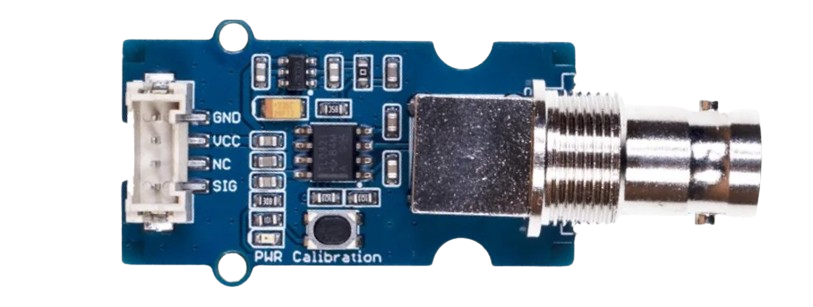
 Design with orp sensor in Cirkit Designer
Introduction
An ORP (Oxidation-Reduction Potential) sensor measures the cleanliness of water and its ability to break down contaminants. It provides a quantitative value for the water's oxidation-reduction potential, which is an essential parameter in water quality analysis. ORP sensors are widely used in applications such as water treatment, aquariums, swimming pools, and environmental monitoring.
Explore Projects Built with orp sensor
 Open Project in Cirkit Designer
 Open Project in Cirkit Designer
 Open Project in Cirkit Designer
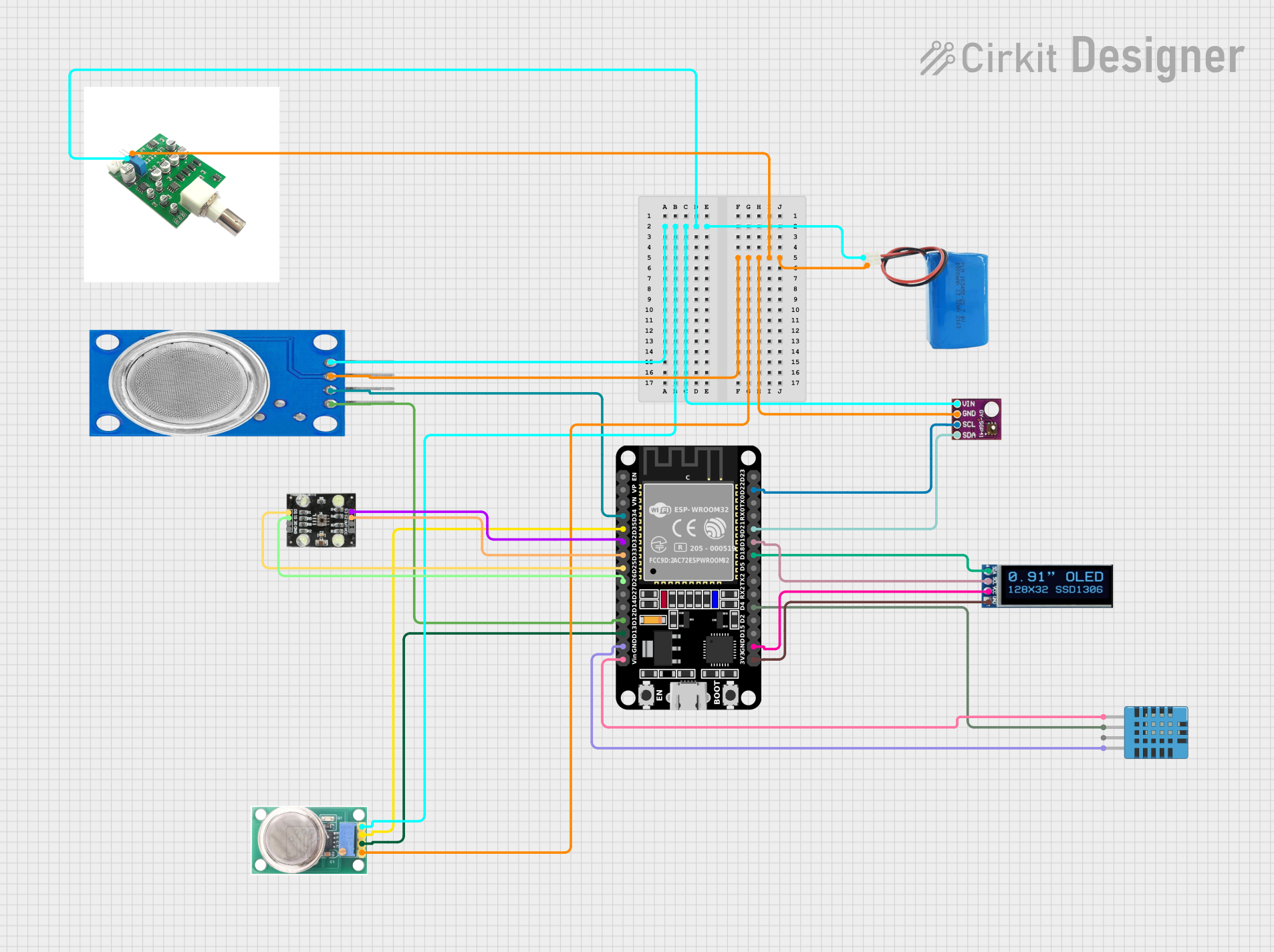 Open Project in Cirkit Designer
Explore Projects Built with orp sensor
Open Project in Cirkit DesignerOpen Project in Cirkit DesignerOpen Project in Cirkit DesignerOpen Project in Cirkit DesignerCommon Applications and Use Cases
- Monitoring water quality in aquariums and fish tanks
- Ensuring proper disinfection in swimming pools and spas
- Industrial water treatment and wastewater management
- Environmental monitoring of natural water bodies
- Laboratory experiments and research
Technical Specifications
Below are the key technical details for a typical ORP sensor:
| Parameter | Value |
|---|---|
| Measurement Range | -2000 mV to +2000 mV |
| Accuracy | ±5 mV |
| Response Time | ≤10 seconds |
| Operating Temperature | 0°C to 60°C |
| Storage Temperature | -10°C to 60°C |
| Output Signal | Analog voltage (mV) |
| Power Supply (if needed) | 3.3V to 5V (for signal amplifier) |
Pin Configuration and Descriptions
If the ORP sensor is used with a signal amplifier module, the pin configuration is as follows:
| Pin Name | Description |
|---|---|
| VCC | Power supply input (3.3V to 5V) |
| GND | Ground connection |
| OUT | Analog output signal (ORP value in mV) |
Usage Instructions
How to Use the ORP Sensor in a Circuit
Connect the Sensor:
- If using a signal amplifier module, connect the
VCCpin to a 3.3V or 5V power source, theGNDpin to ground, and theOUTpin to an analog input pin on your microcontroller (e.g., Arduino). - Submerge the ORP sensor probe in the water sample to be measured. Ensure the probe is fully immersed and avoid air bubbles around the sensing element.
- If using a signal amplifier module, connect the
Calibrate the Sensor:
- Use a standard ORP calibration solution (e.g., 225 mV or 475 mV) to calibrate the sensor for accurate readings.
- Adjust the calibration potentiometer on the signal amplifier module (if available) to match the known ORP value of the solution.
Read the Output:
- The sensor outputs an analog voltage corresponding to the ORP value in millivolts (mV). Use an analog-to-digital converter (ADC) on your microcontroller to read the voltage and convert it to an ORP value.
Important Considerations and Best Practices
- Probe Maintenance: Clean the ORP probe regularly to prevent fouling and ensure accurate readings.
- Temperature Compensation: ORP readings can be affected by temperature. Use a temperature sensor for compensation if high accuracy is required.
- Avoid Damage: Do not expose the probe to extreme temperatures or corrosive chemicals that could damage the sensing element.
- Stabilization Time: Allow the sensor to stabilize for a few minutes after submersion before taking readings.
Example Code for Arduino UNO
Below is an example of how to interface an ORP sensor with an Arduino UNO:
// ORP Sensor Example Code for Arduino UNO
// Reads the analog output from the ORP sensor and converts it to mV

const int ORP_PIN = A0; // Analog pin connected to the sensor's OUT pin
float voltage;          // Variable to store the sensor's output voltage
float orpValue;         // Variable to store the calculated ORP value

void setup() {
  Serial.begin(9600); // Initialize serial communication at 9600 baud
  pinMode(ORP_PIN, INPUT); // Set the ORP pin as input
}

void loop() {
  int sensorValue = analogRead(ORP_PIN); // Read the analog value from the sensor
  voltage = sensorValue * (5.0 / 1023.0); // Convert ADC value to voltage (5V reference)

  // Convert voltage to ORP value in mV
  // Note: Adjust the offset (e.g., 1500) based on your sensor's calibration
  orpValue = (voltage * 1000) - 1500;

  // Print the ORP value to the Serial Monitor
  Serial.print("ORP Value: ");
  Serial.print(orpValue);
  Serial.println(" mV");

  delay(1000); // Wait for 1 second before the next reading
}
Troubleshooting and FAQs
Common Issues and Solutions
Inaccurate Readings:
- Cause: Dirty or fouled probe.
- Solution: Clean the probe with distilled water and a soft brush. Avoid abrasive materials.
Fluctuating Readings:
- Cause: Air bubbles around the probe or unstable power supply.
- Solution: Ensure the probe is fully submerged without air bubbles. Use a stable power source.
No Output Signal:
- Cause: Incorrect wiring or damaged probe.
- Solution: Verify the wiring connections and check the probe for physical damage.
Slow Response Time:
- Cause: Aging probe or low water temperature.
- Solution: Replace the probe if it is old. Allow more time for the sensor to stabilize in cold water.
FAQs
Q1: Can the ORP sensor be used in seawater?
A1: Yes, most ORP sensors are compatible with seawater. However, ensure the probe material is resistant to corrosion.
Q2: How often should I calibrate the ORP sensor?
A2: Calibration frequency depends on usage. For critical applications, calibrate weekly. For general use, monthly calibration is sufficient.
Q3: What is a good ORP value for drinking water?
A3: A positive ORP value between +200 mV and +600 mV typically indicates good water quality.
Q4: Can I use the ORP sensor without a signal amplifier?
A4: It is possible, but the raw signal may be too weak or noisy. A signal amplifier is recommended for accurate readings.
By following this documentation, you can effectively use an ORP sensor for water quality monitoring and other applications.