Cirkit Designer Logo
Cirkit Designer
Your all-in-one circuit design IDE
Home / 
Component Documentation

How to Use C1001: Examples, Pinouts, and Specs
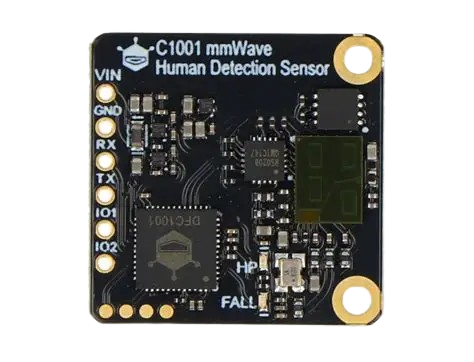

Image of C1001
Cirkit Designer LogoDesign with C1001 in Cirkit Designer

Introduction

The C1001 is a capacitor designed to store electrical energy in an electric field. It is commonly used in electronic circuits to smooth out voltage fluctuations, filter noise, and stabilize power supply lines. Capacitors like the C1001 are essential components in both analog and digital circuits, ensuring reliable operation and protecting sensitive components from voltage spikes.

Explore Projects Built with C1001

Use Cirkit Designer to design, explore, and prototype these projects online. Some projects support real-time simulation. Click "Open Project" to start designing instantly!
Satellite-Based Timing and Navigation System with SDR and Atomic Clock Synchronization
Image of GPS 시스템 측정 구성도_Confirm: A project utilizing C1001 in a practical application
This circuit appears to be a complex system involving power supply management, GPS and timing synchronization, and data communication. It includes a SI-TEX G1 Satellite Compass for GPS data, an XHTF1021 Atomic Rubidium Clock for precise timing, and Ettus USRP B200 units for software-defined radio communication. Power is supplied through various SMPS units and distributed via terminal blocks and DC jacks. Data communication is facilitated by Beelink MINI S12 N95 computers, RS232 splitters, and a 1000BASE-T Media Converter for network connectivity. RF Directional Couplers are used to interface antennas with the USRP units, and the entire system is likely contained within cases for protection and organization.
Cirkit Designer LogoOpen Project in Cirkit Designer
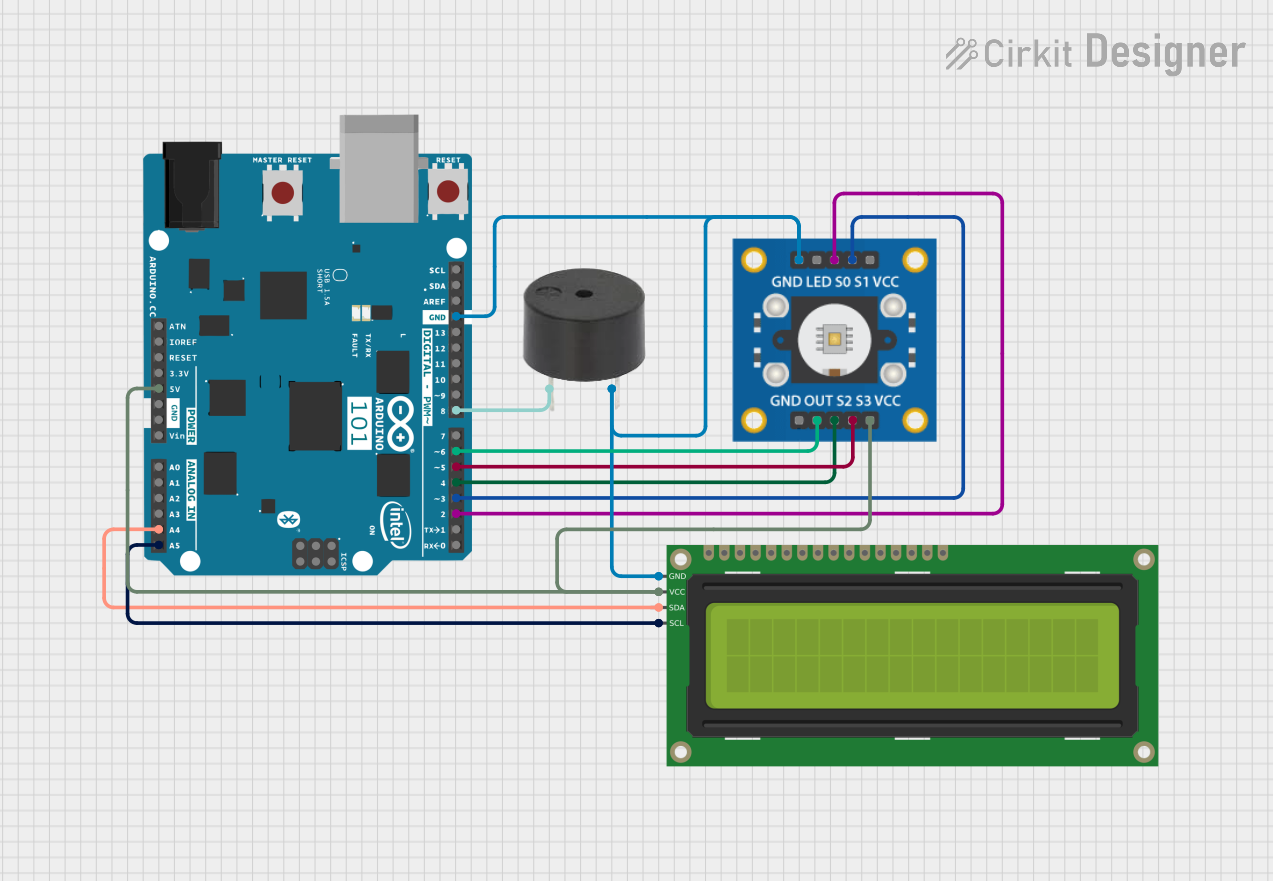
Arduino 101 Based Color Sensing Display with Buzzer Notification
Image of ADC Lab 10: A project utilizing C1001 in a practical application
This circuit features an Arduino 101 microcontroller connected to a TCS3200 color sensor and a 16x2 I2C LCD display for output. The Arduino is configured to communicate with the LCD via I2C (using A4/SDA and A5/SCL pins for data exchange) and to receive color frequency signals from the TCS3200 on its D6 PWM pin. Additionally, a buzzer is connected to the D8 pin of the Arduino, potentially for audio signaling based on color detection or other programmed conditions.
Cirkit Designer LogoOpen Project in Cirkit Designer
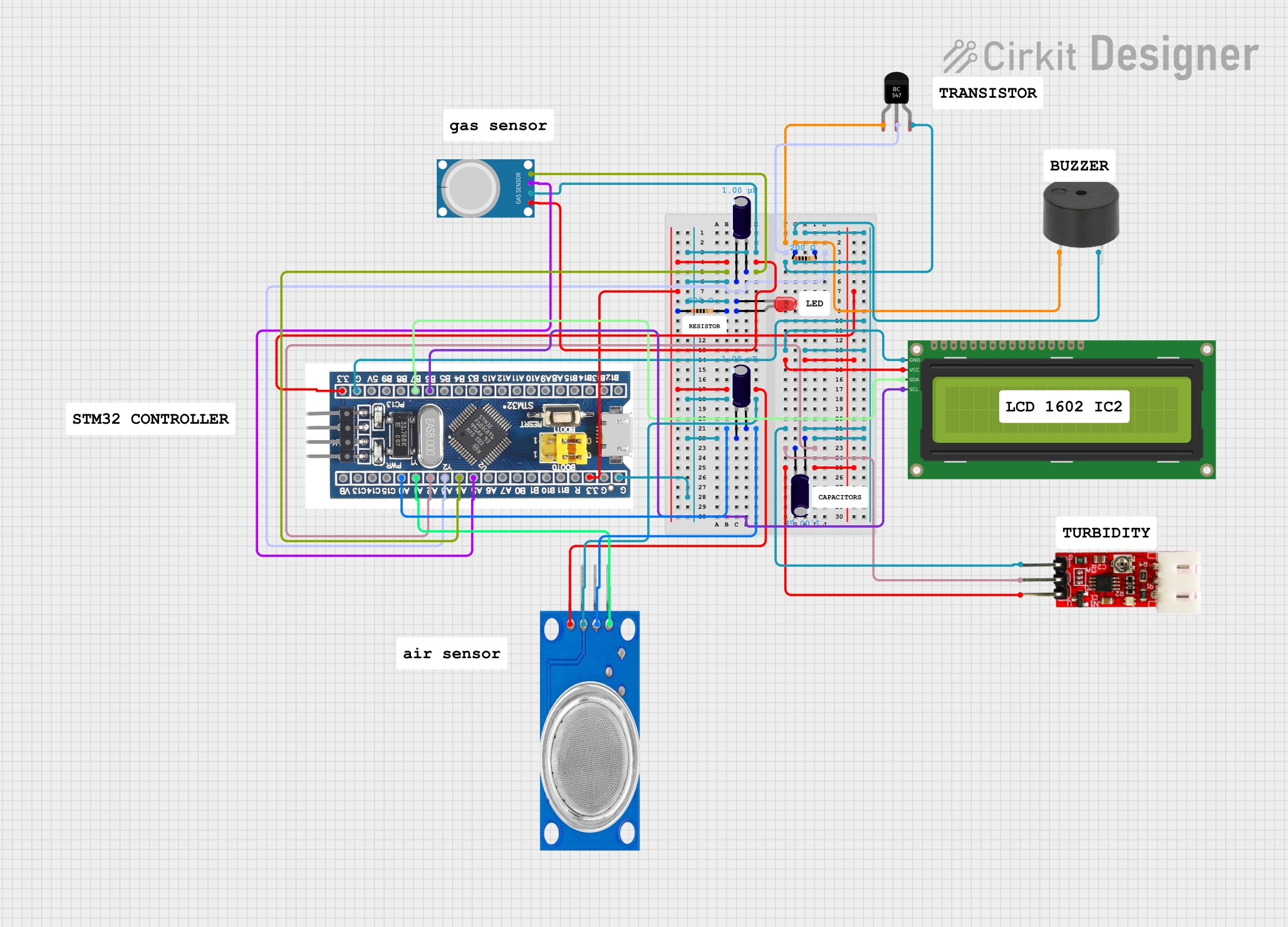
STM32F103C8T6-Based Environmental Monitoring System with Multi-Sensor Integration
Image of NMKT: A project utilizing C1001 in a practical application
This circuit features an STM32F103C8T6 microcontroller as the central processing unit, interfacing with various sensors and output devices. It includes an MQ-4 methane gas sensor and an MQ135 air quality sensor for environmental monitoring, both connected to analog inputs. The circuit also controls a buzzer via a BC547 transistor, indicating certain conditions, and displays information on a 16x2 I2C LCD. Turbidity measurement is facilitated by a dedicated module, and a red LED indicates operational status or alerts, with resistors for current limiting and capacitors for power supply stabilization.
Cirkit Designer LogoOpen Project in Cirkit Designer
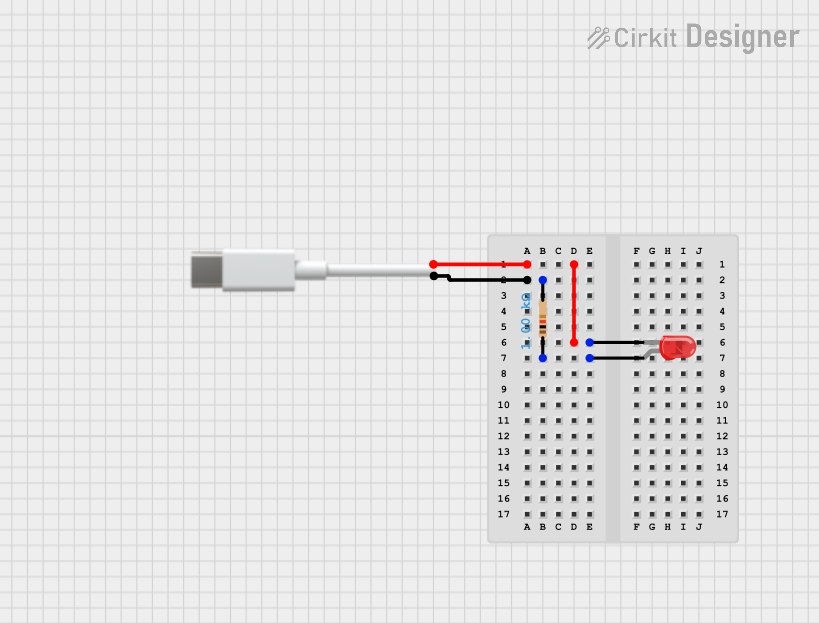
USB Type-C Powered LED Circuit with Resistor
Image of Scheme1: A project utilizing C1001 in a practical application
This circuit consists of a USB Type-C port providing power to a red LED through a 1000 Ohm resistor. The resistor limits the current flowing through the LED, which lights up when the circuit is powered.
Cirkit Designer LogoOpen Project in Cirkit Designer

Explore Projects Built with C1001

Use Cirkit Designer to design, explore, and prototype these projects online. Some projects support real-time simulation. Click "Open Project" to start designing instantly!
Image of GPS 시스템 측정 구성도_Confirm: A project utilizing C1001 in a practical application
Satellite-Based Timing and Navigation System with SDR and Atomic Clock Synchronization
This circuit appears to be a complex system involving power supply management, GPS and timing synchronization, and data communication. It includes a SI-TEX G1 Satellite Compass for GPS data, an XHTF1021 Atomic Rubidium Clock for precise timing, and Ettus USRP B200 units for software-defined radio communication. Power is supplied through various SMPS units and distributed via terminal blocks and DC jacks. Data communication is facilitated by Beelink MINI S12 N95 computers, RS232 splitters, and a 1000BASE-T Media Converter for network connectivity. RF Directional Couplers are used to interface antennas with the USRP units, and the entire system is likely contained within cases for protection and organization.
Cirkit Designer LogoOpen Project in Cirkit Designer
Image of ADC Lab 10: A project utilizing C1001 in a practical application
Arduino 101 Based Color Sensing Display with Buzzer Notification
This circuit features an Arduino 101 microcontroller connected to a TCS3200 color sensor and a 16x2 I2C LCD display for output. The Arduino is configured to communicate with the LCD via I2C (using A4/SDA and A5/SCL pins for data exchange) and to receive color frequency signals from the TCS3200 on its D6 PWM pin. Additionally, a buzzer is connected to the D8 pin of the Arduino, potentially for audio signaling based on color detection or other programmed conditions.
Cirkit Designer LogoOpen Project in Cirkit Designer
Image of NMKT: A project utilizing C1001 in a practical application
STM32F103C8T6-Based Environmental Monitoring System with Multi-Sensor Integration
This circuit features an STM32F103C8T6 microcontroller as the central processing unit, interfacing with various sensors and output devices. It includes an MQ-4 methane gas sensor and an MQ135 air quality sensor for environmental monitoring, both connected to analog inputs. The circuit also controls a buzzer via a BC547 transistor, indicating certain conditions, and displays information on a 16x2 I2C LCD. Turbidity measurement is facilitated by a dedicated module, and a red LED indicates operational status or alerts, with resistors for current limiting and capacitors for power supply stabilization.
Cirkit Designer LogoOpen Project in Cirkit Designer
Image of Scheme1: A project utilizing C1001 in a practical application
USB Type-C Powered LED Circuit with Resistor
This circuit consists of a USB Type-C port providing power to a red LED through a 1000 Ohm resistor. The resistor limits the current flowing through the LED, which lights up when the circuit is powered.
Cirkit Designer LogoOpen Project in Cirkit Designer

Common Applications:

  • Power supply filtering to reduce voltage ripple
  • Decoupling in digital circuits to stabilize voltage levels
  • Energy storage in timing and oscillator circuits
  • Noise suppression in audio and RF circuits

Technical Specifications

The C1001 capacitor is a general-purpose component with the following key specifications:

Parameter Value
Capacitance 100 µF
Voltage Rating 25 V
Tolerance ±20%
Type Electrolytic
Operating Temperature -40°C to +85°C
ESR (Equivalent Series Resistance) 0.1 Ω (typical)

Pin Configuration and Descriptions

The C1001 capacitor has two leads (pins) with the following configuration:

Pin Description
Positive (+) Connected to the higher voltage side of the circuit.
Negative (-) Connected to the lower voltage or ground. Marked with a stripe.

Note: The negative pin is typically shorter and marked with a stripe on the capacitor body.

Usage Instructions

How to Use the C1001 in a Circuit

  1. Polarity Check: The C1001 is a polarized capacitor, meaning it must be connected with the correct polarity. The positive pin should be connected to the higher voltage, and the negative pin to the ground or lower voltage.
  2. Voltage Rating: Ensure the applied voltage does not exceed the capacitor's 25 V rating to avoid damage or failure.
  3. Placement: Place the capacitor as close as possible to the component or circuit section it is stabilizing to minimize inductance and resistance in the connections.
  4. Soldering: When soldering, avoid excessive heat to prevent damage to the capacitor.

Example: Using C1001 with an Arduino UNO

The C1001 can be used to stabilize the power supply for an Arduino UNO. Below is an example of connecting the capacitor to smooth out voltage fluctuations from a 5V power source.

Circuit Diagram:

  • Connect the positive pin of the C1001 to the 5V pin of the Arduino.
  • Connect the negative pin of the C1001 to the GND pin of the Arduino.

Code Example:

Although the capacitor itself does not require programming, here is an example of how it can be used in a circuit with an Arduino to stabilize a sensor reading:

// Example: Reading a sensor with stabilized power using the C1001 capacitor
const int sensorPin = A0; // Analog pin connected to the sensor
int sensorValue = 0;      // Variable to store the sensor reading

void setup() {
  Serial.begin(9600); // Initialize serial communication
}

void loop() {
  sensorValue = analogRead(sensorPin); // Read the sensor value
  Serial.println(sensorValue);        // Print the value to the Serial Monitor
  delay(500);                         // Wait for 500ms before the next reading
}

Note: The C1001 capacitor helps reduce noise in the sensor's power supply, leading to more stable readings.

Best Practices:

  • Always verify the capacitor's polarity before connecting it to the circuit.
  • Use capacitors with a voltage rating at least 1.5 times higher than the expected operating voltage for added safety.
  • Avoid exposing the capacitor to temperatures beyond its operating range.

Troubleshooting and FAQs

Common Issues and Solutions:

  1. Issue: The capacitor gets hot during operation.

    • Solution: Check if the applied voltage exceeds the capacitor's 25 V rating. Replace the capacitor if it is damaged.
  2. Issue: The circuit is not functioning as expected.

    • Solution: Verify the polarity of the capacitor. Reversing the polarity can cause malfunction or damage.
  3. Issue: The capacitor is physically swollen or leaking.

    • Solution: Replace the capacitor immediately. This is a sign of failure due to overvoltage, overheating, or aging.
  4. Issue: Noise or voltage fluctuations persist in the circuit.

    • Solution: Ensure the capacitor is placed close to the component it is stabilizing. Check for loose connections or damaged traces.

FAQs:

  • Q: Can I use the C1001 in an AC circuit?
    A: No, the C1001 is a polarized capacitor and is designed for DC circuits only. Using it in an AC circuit can cause damage.

  • Q: What happens if I connect the capacitor with reversed polarity?
    A: Reversing the polarity can cause the capacitor to overheat, leak, or even explode. Always double-check the polarity before connecting.

  • Q: Can I use a higher capacitance value instead of the C1001?
    A: Yes, but ensure the replacement capacitor has a similar or higher voltage rating and fits within the circuit's design requirements.

By following this documentation, you can effectively use the C1001 capacitor in your electronic projects and troubleshoot common issues with ease.