
How to Use ESP32-C3 Super Mini: Examples, Pinouts, and Specs
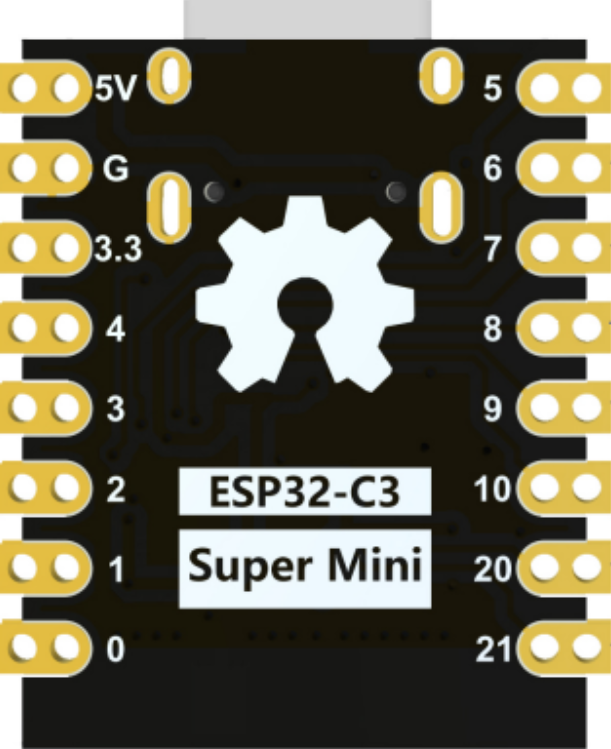
 Design with ESP32-C3 Super Mini in Cirkit Designer
Introduction
The ESP32-C3 Super Mini, manufactured by Espressif, is a compact, low-power microcontroller designed for Internet of Things (IoT) applications. It features integrated Wi-Fi and Bluetooth Low Energy (BLE) capabilities, making it ideal for wireless communication in smart devices. Built on the RISC-V architecture, the ESP32-C3 offers efficient processing, enhanced security features, and a small form factor, making it suitable for space-constrained designs.
Explore Projects Built with ESP32-C3 Super Mini
 Open Project in Cirkit Designer
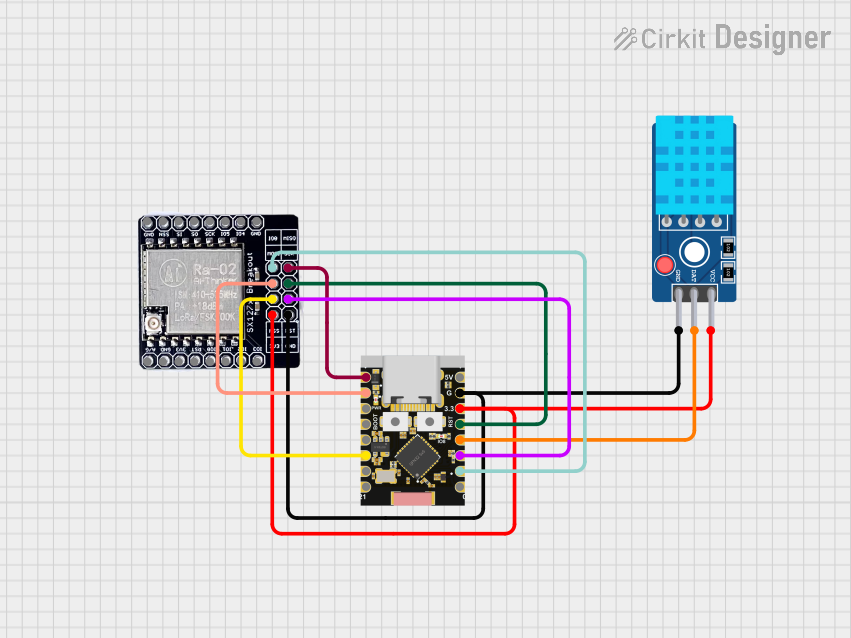 Open Project in Cirkit Designer
 Open Project in Cirkit Designer
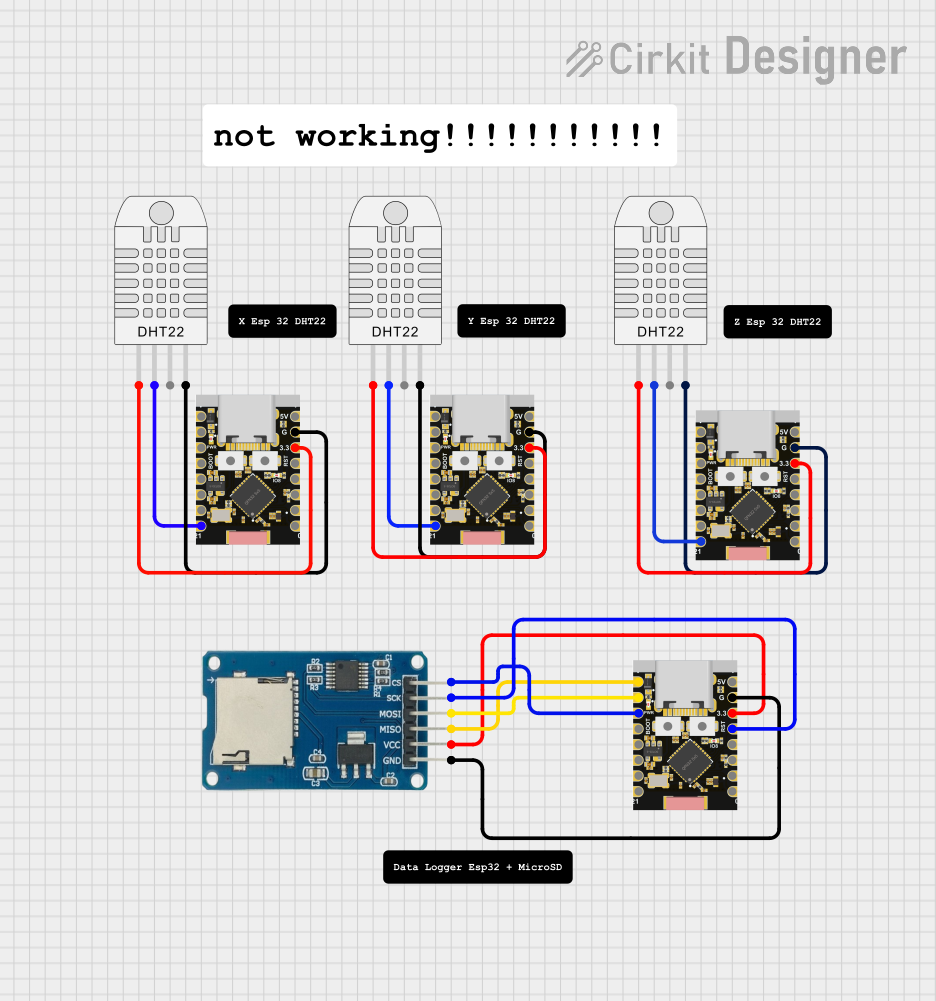 Open Project in Cirkit Designer
Explore Projects Built with ESP32-C3 Super Mini
Open Project in Cirkit DesignerOpen Project in Cirkit DesignerOpen Project in Cirkit DesignerOpen Project in Cirkit DesignerCommon Applications and Use Cases
- Smart home devices (e.g., smart plugs, light switches)
- Wearable electronics
- Industrial IoT sensors and controllers
- Wireless data logging and monitoring
- Low-power Bluetooth beacons
- Prototyping IoT projects with Arduino or other development platforms
Technical Specifications
The following table outlines the key technical details of the ESP32-C3 Super Mini:
| Parameter | Specification |
|---|---|
| Manufacturer | Espressif |
| Part ID | ESP32-C3 |
| Architecture | RISC-V 32-bit single-core processor |
| Clock Speed | Up to 160 MHz |
| Flash Memory | 4 MB (varies by module) |
| SRAM | 400 KB |
| Wireless Connectivity | Wi-Fi 4 (802.11 b/g/n) and Bluetooth 5.0 LE |
| Operating Voltage | 3.0V to 3.6V |
| GPIO Pins | 22 (multiplexed for various functions) |
| Communication Interfaces | UART, SPI, I2C, I2S, PWM, ADC |
| ADC Resolution | 12-bit |
| Power Consumption (Idle) | ~5 µA (deep sleep mode) |
| Security Features | Secure Boot, Flash Encryption, Cryptographic Hardware Acceleration |
| Operating Temperature Range | -40°C to +85°C |
| Dimensions | ~10 mm x 10 mm (varies by module) |
Pin Configuration and Descriptions
The ESP32-C3 Super Mini has a compact pinout. Below is a table summarizing the key pins and their functions:
| Pin Name | Function | Description |
|---|---|---|
| GPIO0 | General Purpose I/O, Boot Mode | Used for boot mode selection during startup. |
| GPIO1 | General Purpose I/O, UART TX | UART transmit pin, can also be used as GPIO. |
| GPIO2 | General Purpose I/O, ADC, PWM | Multipurpose pin for ADC, PWM, or GPIO. |
| GPIO3 | General Purpose I/O, UART RX | UART receive pin, can also be used as GPIO. |
| GPIO4 | General Purpose I/O, I2C SDA | I2C data line or GPIO. |
| GPIO5 | General Purpose I/O, I2C SCL | I2C clock line or GPIO. |
| EN | Enable | Active-high pin to enable or reset the module. |
| 3V3 | Power Input | 3.3V power supply input. |
| GND | Ground | Ground connection. |
Note: The exact pinout may vary slightly depending on the specific ESP32-C3 module variant.
Usage Instructions
How to Use the ESP32-C3 Super Mini in a Circuit
- Power Supply: Provide a stable 3.3V power supply to the
3V3pin and connect theGNDpin to ground. - Boot Mode: To upload firmware, connect
GPIO0to ground during reset. After uploading, disconnectGPIO0from ground. - Programming: Use a USB-to-UART adapter to connect the module to your computer. Connect:
UART TX(GPIO1) to the adapter's RX pin.UART RX(GPIO3) to the adapter's TX pin.GNDto the adapter's ground.
- Peripherals: Connect sensors, actuators, or other peripherals to the GPIO pins. Use appropriate pull-up or pull-down resistors if required.
- Wi-Fi and Bluetooth: Configure wireless communication in your firmware using Espressif's SDK or Arduino IDE.
Important Considerations and Best Practices
- Voltage Levels: Ensure all connected peripherals operate at 3.3V logic levels to avoid damaging the module.
- Antenna Placement: For optimal wireless performance, avoid placing metal objects or other components near the onboard antenna.
- Heat Dissipation: While the ESP32-C3 is efficient, ensure adequate ventilation if used in high-temperature environments.
- Firmware: Use Espressif's official ESP-IDF or Arduino IDE for programming. Keep the firmware updated for security and performance improvements.
Example Code for Arduino UNO Integration
Below is an example of using the ESP32-C3 Super Mini to connect to a Wi-Fi network and send data to a server:
#include <WiFi.h> // Include the Wi-Fi library

// Replace with your network credentials
const char* ssid = "Your_SSID";
const char* password = "Your_PASSWORD";

void setup() {
  Serial.begin(115200); // Initialize serial communication
  delay(1000);

  // Connect to Wi-Fi
  Serial.println("Connecting to Wi-Fi...");
  WiFi.begin(ssid, password);

  while (WiFi.status() != WL_CONNECTED) {
    delay(500);
    Serial.print(".");
  }

  Serial.println("\nWi-Fi connected!");
  Serial.print("IP Address: ");
  Serial.println(WiFi.localIP()); // Print the device's IP address
}

void loop() {
  // Add your main code here
}
Note: Replace
Your_SSIDandYour_PASSWORDwith your Wi-Fi network credentials.
Troubleshooting and FAQs
Common Issues and Solutions
Module Not Responding
- Cause: Incorrect wiring or insufficient power supply.
- Solution: Double-check all connections and ensure a stable 3.3V power source.
Wi-Fi Connection Fails
- Cause: Incorrect SSID/password or weak signal strength.
- Solution: Verify credentials and ensure the module is within range of the Wi-Fi router.
Firmware Upload Fails
- Cause: Boot mode not enabled or incorrect UART settings.
- Solution: Ensure
GPIO0is grounded during reset and check the baud rate in your programming tool.
Overheating
- Cause: Prolonged high-power operation or poor ventilation.
- Solution: Reduce processing load or improve airflow around the module.
FAQs
Q: Can the ESP32-C3 operate on 5V?
A: No, the ESP32-C3 operates at 3.3V. Using 5V can damage the module.Q: Is the ESP32-C3 compatible with the Arduino IDE?
A: Yes, the ESP32-C3 can be programmed using the Arduino IDE with the appropriate board package installed.Q: How do I enable deep sleep mode?
A: Use theesp_deep_sleep()function in your firmware to put the module into deep sleep mode.Q: Can I use the ESP32-C3 for Bluetooth audio?
A: No, the ESP32-C3 supports Bluetooth Low Energy (BLE) but does not support Bluetooth Classic, which is required for audio streaming.
This concludes the documentation for the ESP32-C3 Super Mini.