
How to Use 18650 Battery Charger Board - 1S 5A 4.2V li-ion BMS PCM battery protection board pcm for 18650 lithium ion li: Examples, Pinouts, and Specs
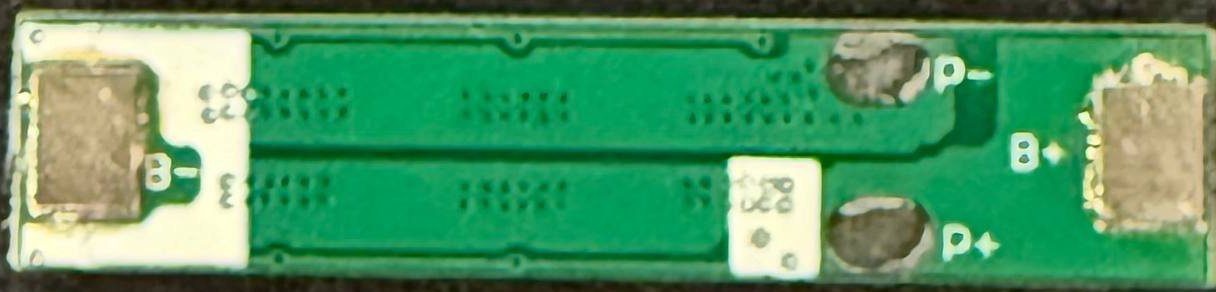
 Design with 18650 Battery Charger Board - 1S 5A 4.2V li-ion BMS PCM battery protection board pcm for 18650 lithium ion li in Cirkit Designer
Introduction
The 18650 Battery Charger Board - 1S 5A 4.2V li-ion BMS (Manufacturer: epartners, Part ID: mp7005-1) is a compact and efficient battery management system (BMS) designed for charging and protecting a single 18650 lithium-ion cell. It ensures safe operation by preventing overcharge, over-discharge, overcurrent, and short circuits. This board is ideal for applications requiring reliable power management, such as portable electronics, DIY projects, and battery-powered devices.
Explore Projects Built with 18650 Battery Charger Board - 1S 5A 4.2V li-ion BMS PCM battery protection board pcm for 18650 lithium ion li
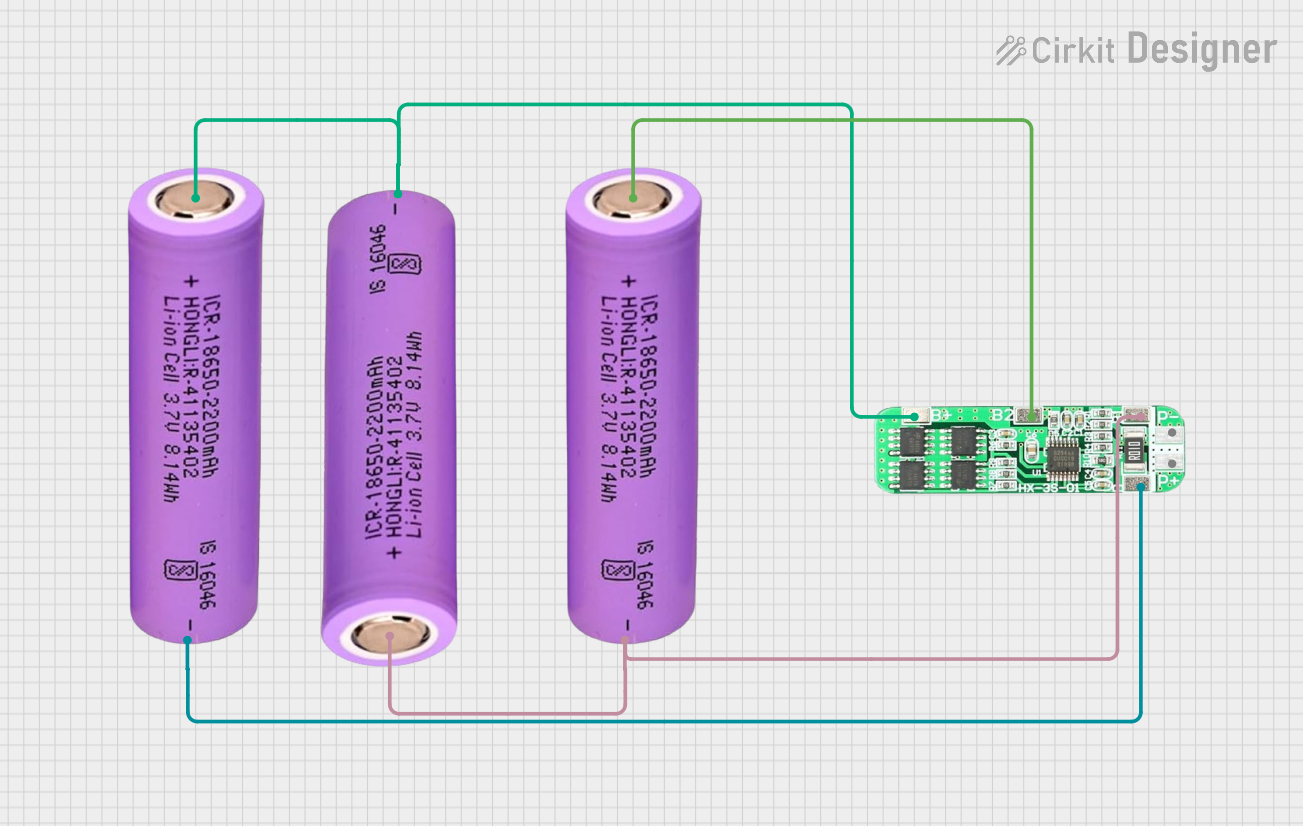 Open Project in Cirkit Designer
 Open Project in Cirkit Designer
 Open Project in Cirkit Designer
 Open Project in Cirkit Designer
Explore Projects Built with 18650 Battery Charger Board - 1S 5A 4.2V li-ion BMS PCM battery protection board pcm for 18650 lithium ion li
Open Project in Cirkit DesignerOpen Project in Cirkit DesignerOpen Project in Cirkit DesignerOpen Project in Cirkit DesignerCommon Applications
- Power banks
- Flashlights
- DIY electronics projects
- Robotics and IoT devices
- Portable audio systems
Technical Specifications
Below are the key technical details of the mp7005-1 BMS:
| Parameter | Value |
|---|---|
| Input Voltage Range | 4.5V - 5.5V |
| Charging Voltage | 4.2V ± 1% |
| Maximum Charging Current | 5A |
| Overcharge Protection | 4.25V ± 0.05V |
| Over-discharge Protection | 2.5V ± 0.1V |
| Overcurrent Protection | 5A ± 0.5A |
| Short Circuit Protection | Yes |
| Operating Temperature | -40°C to 85°C |
| Dimensions | 25mm x 20mm x 3mm |
Pin Configuration and Descriptions
The board has the following pin layout:
| Pin Name | Description |
|---|---|
| B+ | Positive terminal of the 18650 battery |
| B- | Negative terminal of the 18650 battery |
| P+ | Positive output terminal (connect to load or charging source) |
| P- | Negative output terminal (connect to load or charging source) |
Usage Instructions
How to Use the Component in a Circuit
Connect the Battery:
- Connect the positive terminal of the 18650 battery to the
B+pin. - Connect the negative terminal of the battery to the
B-pin.
Ensure the connections are secure and polarity is correct to avoid damage.
- Connect the positive terminal of the 18650 battery to the
Connect the Load or Charger:
- For charging, connect the positive terminal of the charging source to
P+and the negative terminal toP-. - For powering a load, connect the load's positive terminal to
P+and the negative terminal toP-.
- For charging, connect the positive terminal of the charging source to
Power On:
- Once connected, the board will automatically manage charging and discharging operations.
- The BMS will cut off the circuit if it detects overcharge, over-discharge, or a short circuit.
Important Considerations and Best Practices
- Battery Compatibility: Use only with a single 18650 lithium-ion cell. Do not connect multiple cells in series or parallel.
- Heat Dissipation: Ensure proper ventilation or heat sinking if the board operates near its maximum current rating (5A).
- Polarity Check: Double-check all connections to avoid reversing polarity, which can damage the board.
- Charging Source: Use a regulated 5V power supply for charging to ensure safe operation.
Arduino UNO Integration Example
While the BMS itself does not directly interface with an Arduino, you can monitor the battery voltage using an Arduino UNO. Below is an example code to read the battery voltage via an analog pin:
// Arduino code to monitor 18650 battery voltage
const int batteryPin = A0; // Analog pin connected to battery voltage divider
const float voltageDividerRatio = 2.0; // Adjust based on your resistor values
const float referenceVoltage = 5.0; // Arduino reference voltage (5V for UNO)

void setup() {
  Serial.begin(9600); // Initialize serial communication
  pinMode(batteryPin, INPUT); // Set the analog pin as input
}

void loop() {
  int analogValue = analogRead(batteryPin); // Read the analog value
  float batteryVoltage = (analogValue / 1023.0) * referenceVoltage * voltageDividerRatio;

  // Print the battery voltage to the Serial Monitor
  Serial.print("Battery Voltage: ");
  Serial.print(batteryVoltage);
  Serial.println(" V");

  delay(1000); // Wait for 1 second before the next reading
}
Note: Use a voltage divider circuit to step down the battery voltage to a safe range for the Arduino's analog input (0-5V). For example, use two resistors in a 1:1 ratio for a maximum input of 4.2V.
Troubleshooting and FAQs
Common Issues and Solutions
Board Not Charging the Battery:
- Cause: Incorrect wiring or insufficient input voltage.
- Solution: Verify all connections and ensure the input voltage is within the 4.5V-5.5V range.
Battery Overheating During Charging:
- Cause: Excessive charging current or damaged battery.
- Solution: Check the battery's specifications and ensure it supports a 5A charging current. Replace the battery if necessary.
No Output Voltage:
- Cause: Over-discharge protection has been triggered.
- Solution: Recharge the battery to reset the protection circuit.
Short Circuit Protection Triggered:
- Cause: Load or wiring issue causing a short circuit.
- Solution: Disconnect the load, inspect the wiring, and reconnect after resolving the issue.
FAQs
Q1: Can I use this board with multiple 18650 cells in parallel?
A1: No, this board is designed for a single 18650 cell. Using multiple cells may cause improper operation or damage.
Q2: What happens if I exceed the 5A current limit?
A2: The board's overcurrent protection will activate, cutting off the output to prevent damage.
Q3: Can I use this board for other lithium-ion batteries?
A3: Yes, as long as the battery's nominal voltage is 3.7V and its maximum charging voltage is 4.2V.
Q4: How do I reset the board after over-discharge protection is triggered?
A4: Simply connect a charging source to the P+ and P- pins to recharge the battery. The board will automatically reset.