
How to Use MicroSD to SD adapter: Examples, Pinouts, and Specs
 Design with MicroSD to SD adapter in Cirkit Designer
Introduction
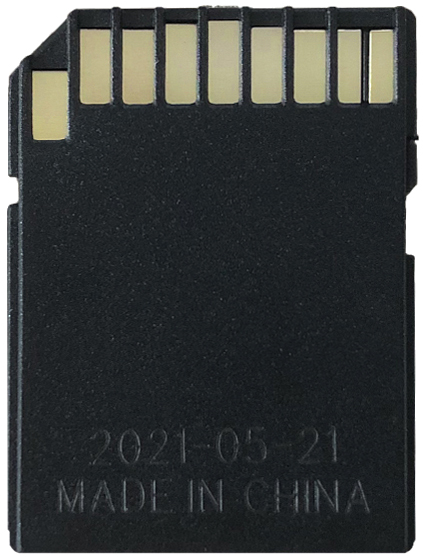
The MicroSD to SD adapter is a compact and versatile device that allows a MicroSD card to be used in devices with a standard SD card slot. By providing physical and electrical compatibility, this adapter enables seamless integration of MicroSD cards into cameras, laptops, card readers, and other devices that only support standard SD cards.
Explore Projects Built with MicroSD to SD adapter
 Open Project in Cirkit Designer
 Open Project in Cirkit Designer
 Open Project in Cirkit Designer
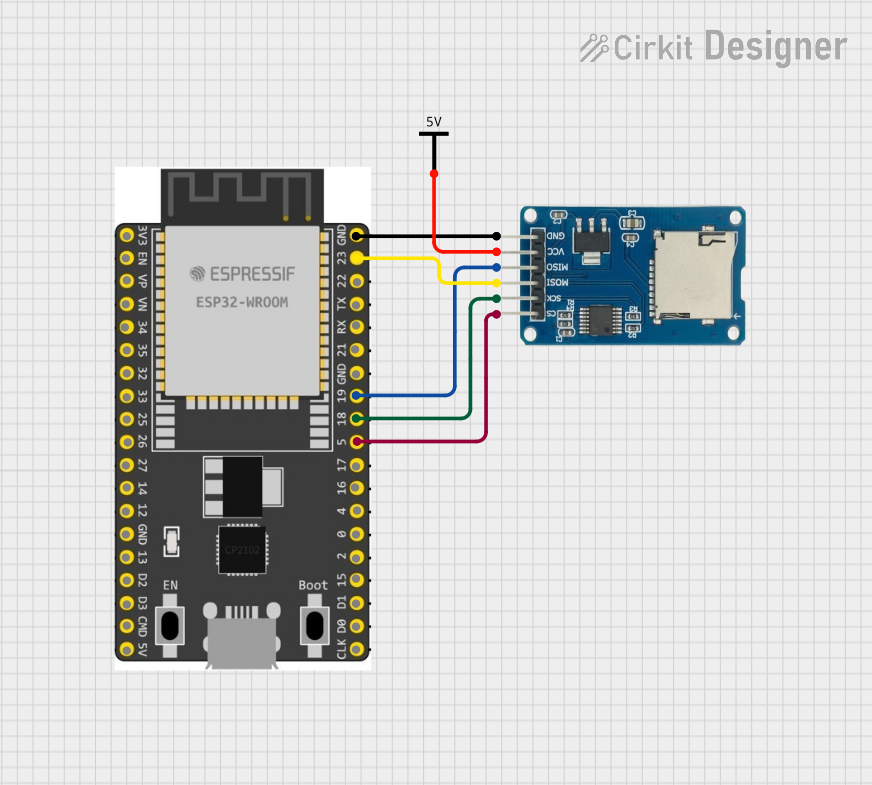 Open Project in Cirkit Designer
Explore Projects Built with MicroSD to SD adapter
Open Project in Cirkit DesignerOpen Project in Cirkit DesignerOpen Project in Cirkit DesignerOpen Project in Cirkit DesignerCommon Applications and Use Cases
- Digital Cameras: Use MicroSD cards in cameras with SD card slots.
- Laptops and Card Readers: Access MicroSD card data via SD-compatible devices.
- Embedded Systems: Simplify prototyping and development by using MicroSD cards in SD slots.
- Data Transfer: Easily transfer data between devices with different card slot types.
Technical Specifications
Key Technical Details
- Form Factor: Standard SD card dimensions (32mm x 24mm x 2.1mm)
- Compatibility: Supports MicroSD, MicroSDHC, and MicroSDXC cards
- Voltage: 2.7V to 3.6V (inherited from the MicroSD card)
- Data Transfer Speed: Dependent on the MicroSD card class and host device
- Durability: Typically rated for 10,000 insertion/removal cycles
Pin Configuration and Descriptions
The MicroSD to SD adapter maps the MicroSD card pins to the standard SD card interface. Below is the pin configuration:
| Pin Number (SD) | Pin Name | Description |
|---|---|---|
| 1 | DAT2 | Data Line 2 |
| 2 | CD/DAT3 | Card Detect/Data Line 3 |
| 3 | CMD | Command/Response Line |
| 4 | VDD | Power Supply (2.7V to 3.6V) |
| 5 | CLK | Clock Signal |
| 6 | VSS | Ground |
| 7 | DAT0 | Data Line 0 |
| 8 | DAT1 | Data Line 1 |
| 9 | NC | Not Connected (reserved for future use) |
Usage Instructions
How to Use the Component in a Circuit
- Insert the MicroSD Card: Gently insert the MicroSD card into the adapter, ensuring proper alignment with the adapter's slot.
- Connect to the Host Device: Insert the adapter into the SD card slot of the host device. Ensure the adapter is fully seated for proper electrical contact.
- Access Data: The host device will recognize the MicroSD card as a standard SD card. Use the device's interface to read or write data.
Important Considerations and Best Practices
- Handle with Care: Avoid bending or applying excessive force to the adapter to prevent damage.
- Check Compatibility: Ensure the MicroSD card format (e.g., FAT32, exFAT) is supported by the host device.
- Avoid Static Discharge: Handle the adapter and MicroSD card in a static-free environment to prevent damage to sensitive components.
- Insert Correctly: Always insert the MicroSD card and adapter in the correct orientation to avoid damaging the connectors.
- Use High-Quality Cards: For optimal performance, use MicroSD cards from reputable manufacturers.
Example: Using with Arduino UNO
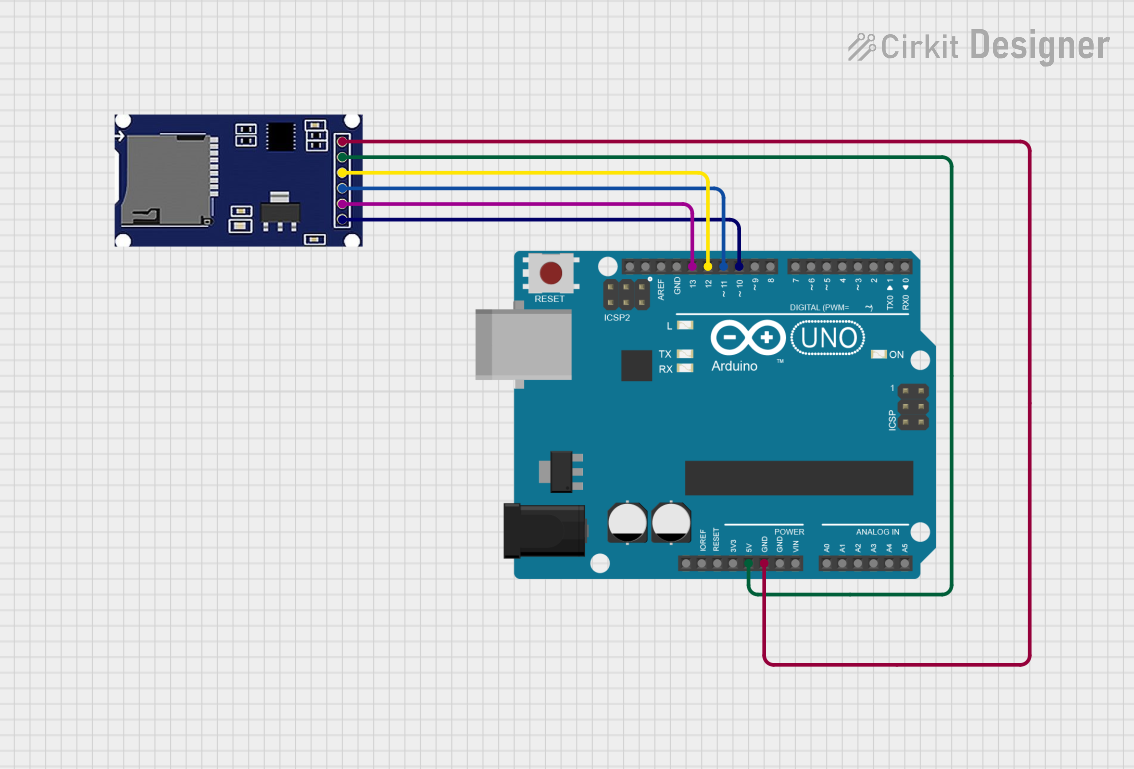
The MicroSD to SD adapter can be used with an Arduino UNO for data logging or file storage. Below is an example of interfacing the adapter with an Arduino UNO using the SD library.
Circuit Connections
- Insert the MicroSD card into the adapter.
- Connect the adapter to an SD card module, then wire the module to the Arduino UNO as follows:
- CS (Chip Select): Pin 10
- MOSI: Pin 11
- MISO: Pin 12
- SCK: Pin 13
- VCC: 5V
- GND: GND
Arduino Code Example
#include <SPI.h>
#include <SD.h>

// Define the chip select pin for the SD card module
const int chipSelect = 10;

void setup() {
  // Initialize serial communication for debugging
  Serial.begin(9600);
  while (!Serial) {
    ; // Wait for the serial port to connect (for native USB boards)
  }

  Serial.println("Initializing SD card...");

  // Check if the SD card is accessible
  if (!SD.begin(chipSelect)) {
    Serial.println("Card failed, or not present.");
    // Stop further execution if the card is not detected
    while (1);
  }
  Serial.println("Card initialized successfully.");
}

void loop() {
  // Example: Write data to a file on the SD card
  File dataFile = SD.open("example.txt", FILE_WRITE);

  if (dataFile) {
    dataFile.println("Hello, MicroSD to SD Adapter!");
    dataFile.close(); // Close the file to save changes
    Serial.println("Data written to file.");
  } else {
    Serial.println("Error opening file.");
  }

  delay(1000); // Wait for 1 second before repeating
}
Troubleshooting and FAQs
Common Issues and Solutions
MicroSD Card Not Detected:
- Ensure the MicroSD card is properly inserted into the adapter.
- Verify that the adapter is fully seated in the SD card slot.
- Check if the MicroSD card is formatted correctly (e.g., FAT32 for most devices).
Data Transfer Errors:
- Use a high-quality MicroSD card to avoid compatibility issues.
- Ensure the host device supports the speed class of the MicroSD card.
Adapter Not Recognized by Host Device:
- Inspect the adapter's connectors for dirt or damage.
- Try using the adapter in another device to rule out host device issues.
Physical Damage to the Adapter:
- Avoid bending or dropping the adapter. Replace it if damaged.
FAQs
Q: Can I use this adapter with a MicroSDXC card?
- A: Yes, as long as the host device supports SDXC cards and the card is formatted correctly.
Q: Does the adapter affect data transfer speed?
- A: No, the adapter itself does not limit speed. The speed depends on the MicroSD card and host device.
Q: Can I use this adapter for long-term storage?
- A: While the adapter is durable, it is recommended to use it primarily for data transfer or temporary use.
Q: Is the adapter compatible with all SD card slots?
- A: The adapter is designed to fit standard SD card slots. However, compatibility depends on the host device's specifications.