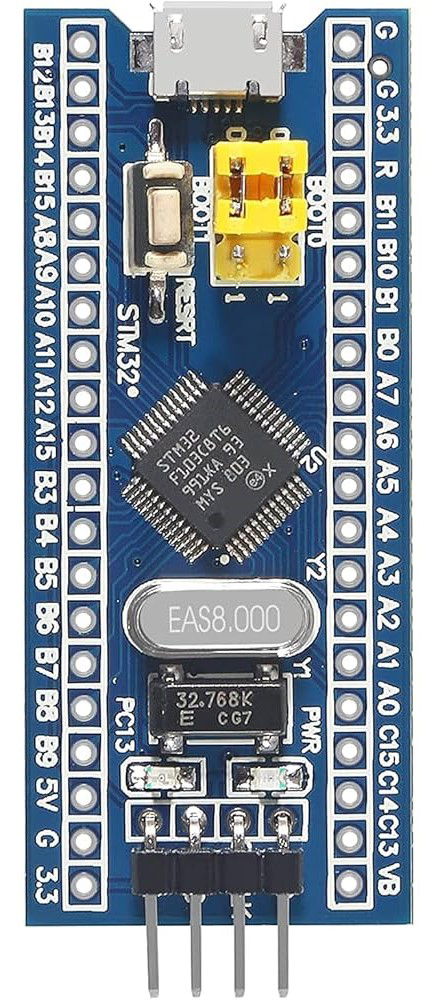
The STM32F103C8T6, commonly referred to as the "Blue Pill," is a versatile and cost-effective microcontroller unit (MCU) from STMicroelectronics. Based on the ARM Cortex-M3 processor, it offers a balanced combination of performance, power consumption, and peripherals. This MCU is widely used in a range of applications, including industrial control systems, medical devices, consumer electronics, and Internet of Things (IoT) devices.
Explore Projects Built with STM32F103C8T6
Use Cirkit Designer to design, explore, and prototype these projects online. Some projects support real-time simulation. Click "Open Project" to start designing instantly!
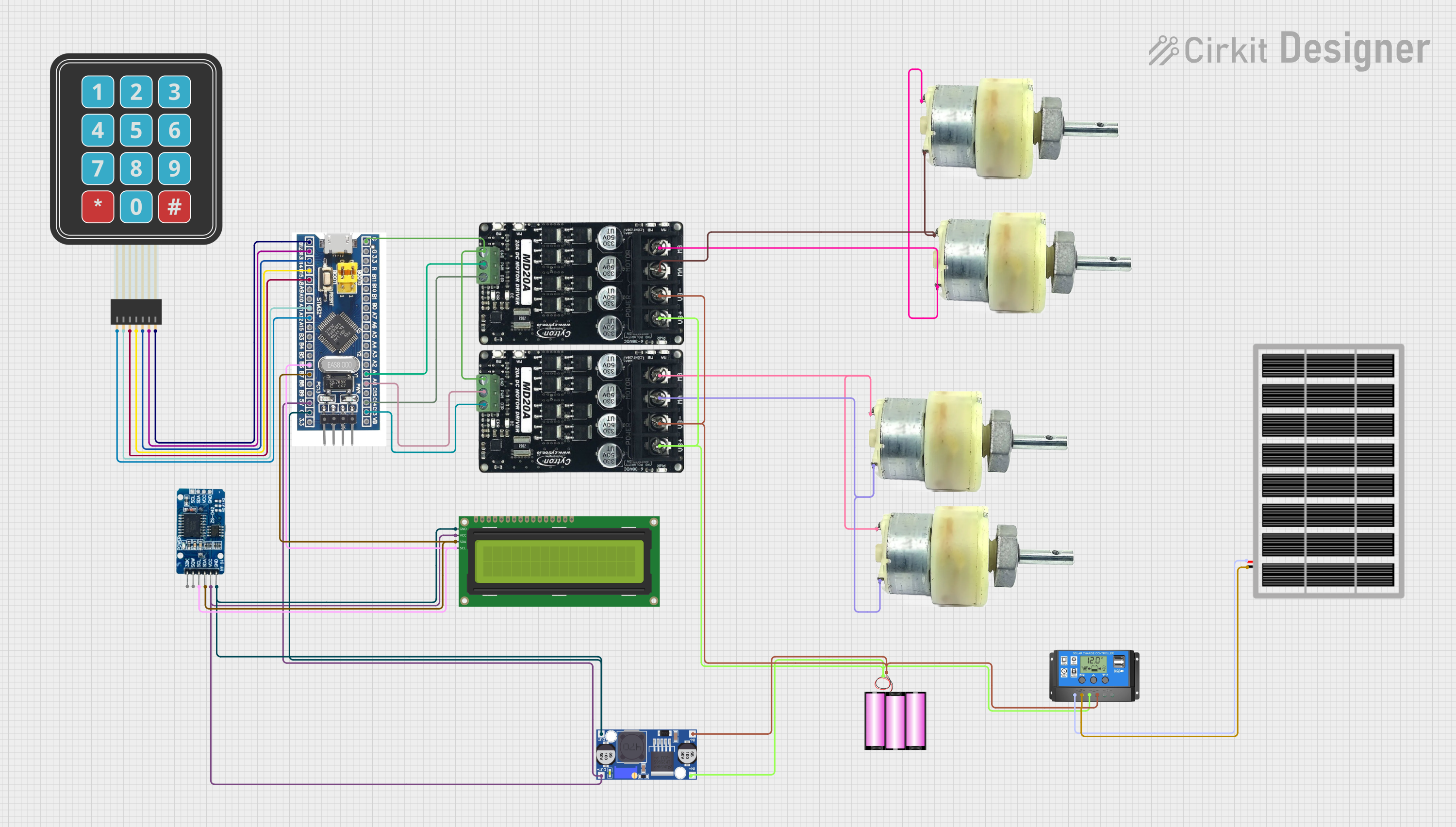
This circuit features an STM32F103C8T6 microcontroller interfaced with a membrane matrix keypad for input, an RTC DS3231 for real-time clock functionality, and a 16x2 I2C LCD for display. It controls four 12V geared motors through two MD20 CYTRON motor drivers, with the motor power supplied by a 12V battery regulated by a buck converter. The battery is charged via a solar panel connected through a solar charge controller, ensuring a renewable energy source for the system.
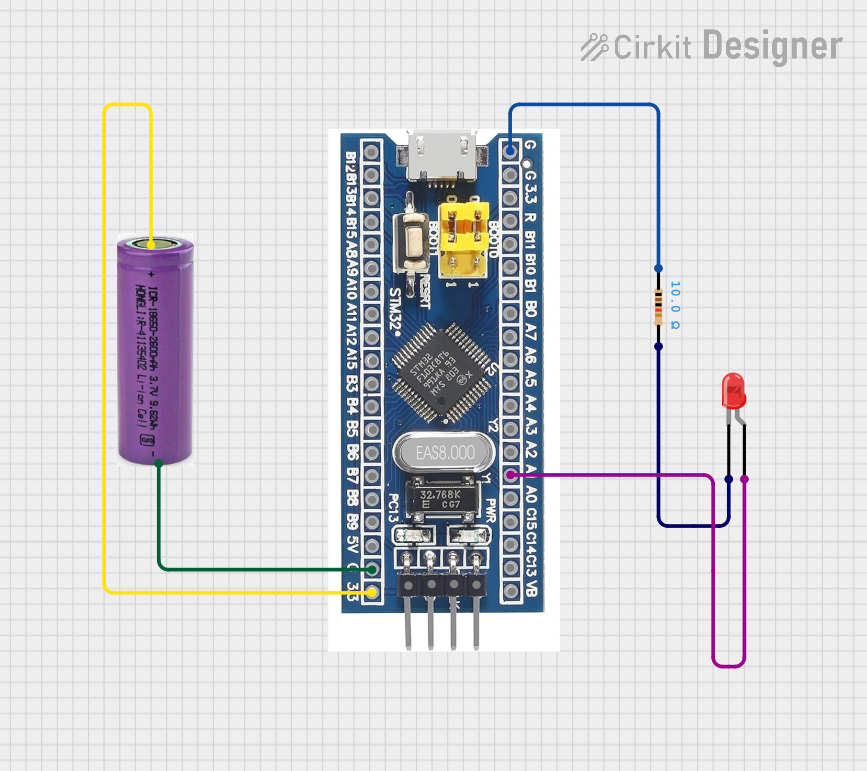
This circuit features an STM32F103C8T6 microcontroller powered by a 3.3V battery, which controls a red LED. The LED is connected to pin A1 of the microcontroller through a 10-ohm resistor to limit the current.
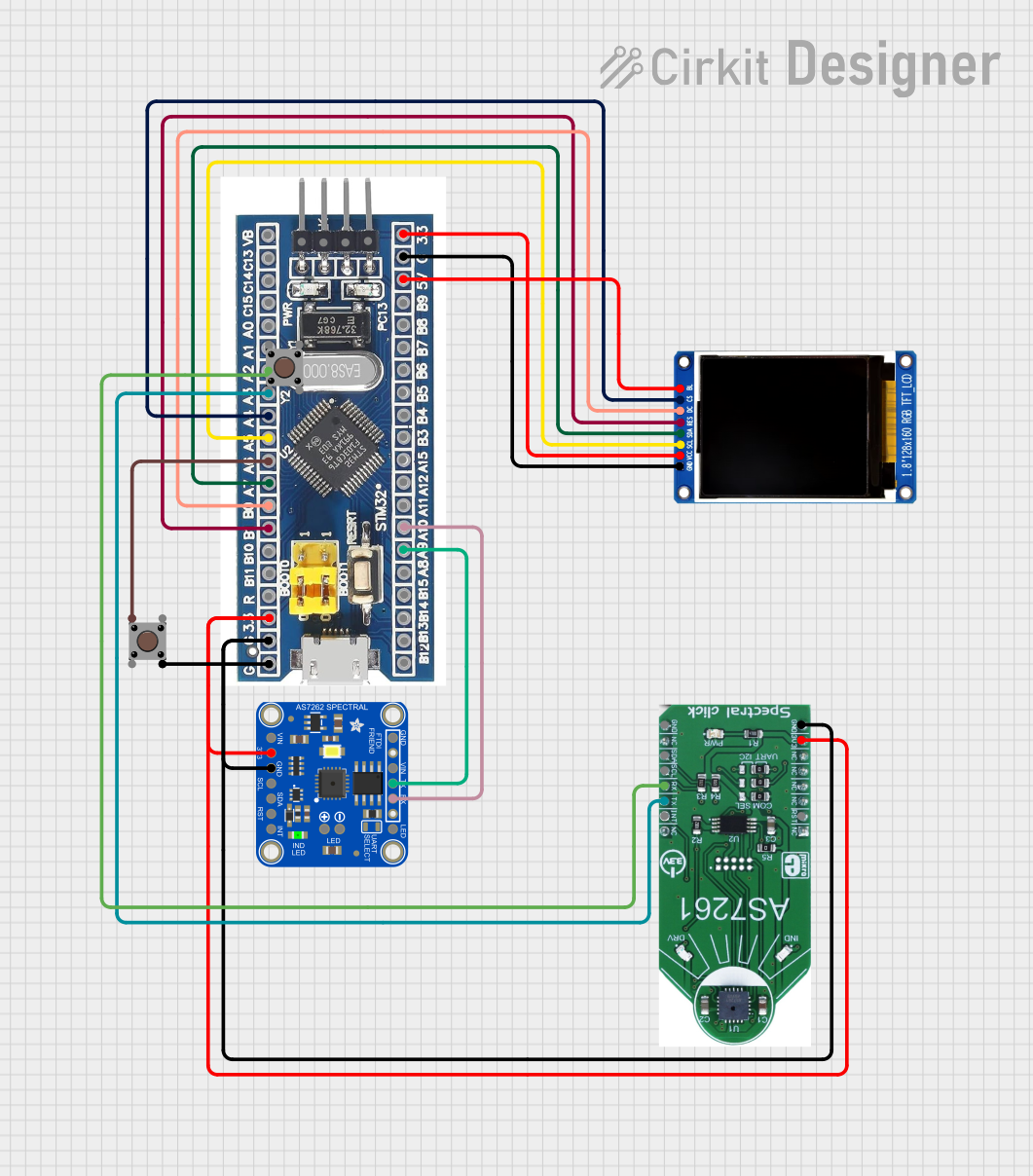
This circuit features an STM32F103C8T6 microcontroller interfaced with a China ST7735S 160x128 display and two spectral sensors (Adafruit AS7262 and AS7261). It also includes two pushbuttons for user input, with the microcontroller managing the display and sensor data processing.
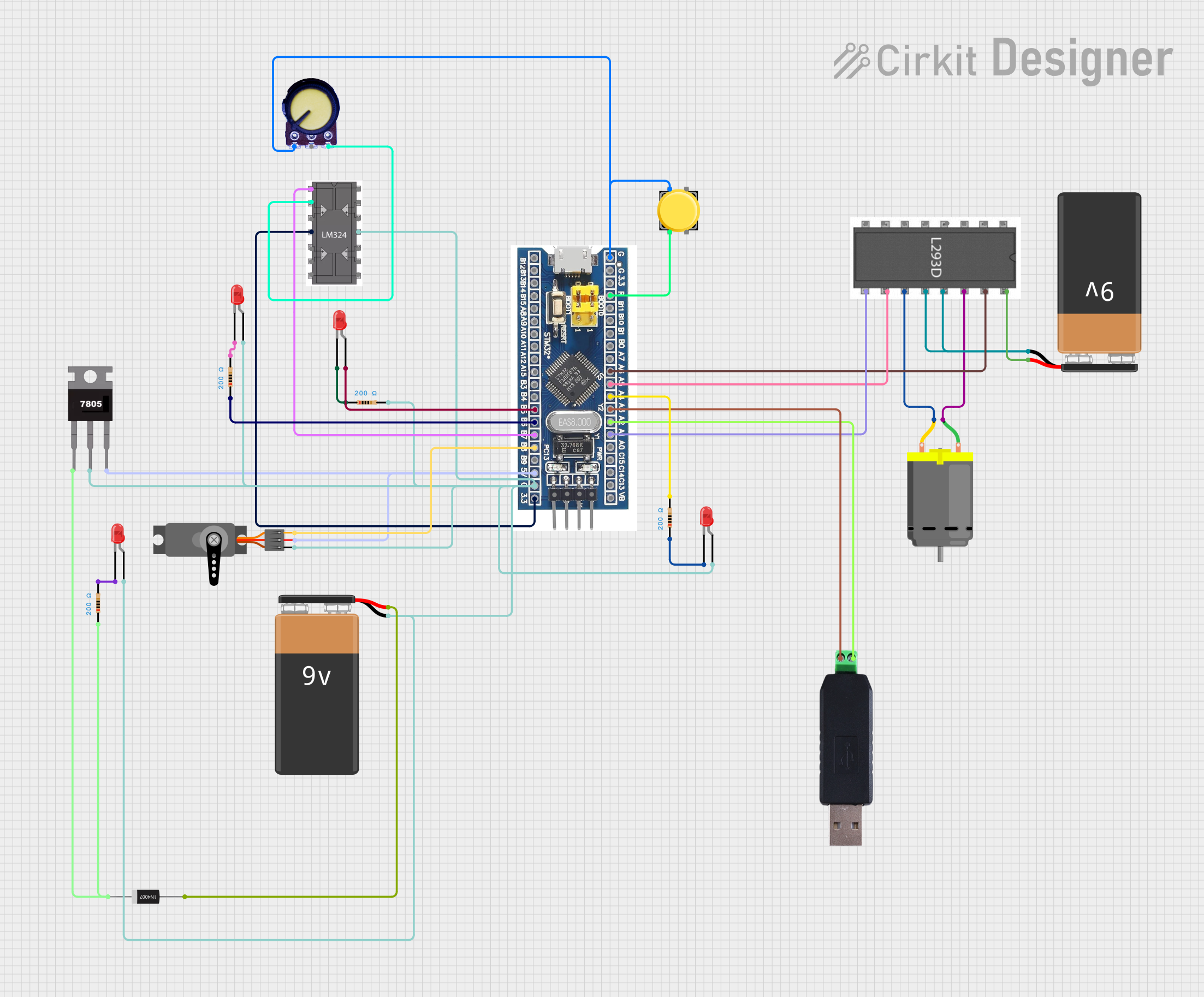
This circuit is designed to control LEDs, a DC motor, and a servo motor using an STM32F103C8T6 microcontroller. It includes a motor driver for the DC motor, a voltage regulator for stable power supply, and an RS485 to USB converter for communication. User inputs can be provided through pushbuttons, and a potentiometer allows for variable analog input.
Note: This example assumes you have installed the necessary STM32 core in the Arduino IDE.
Troubleshooting and FAQs
Common Issues
MCU Not Responding: Ensure that the power supply is correctly connected and within the specified range. Check for proper boot configuration.
Programming Errors: Verify connections to the programmer/debugger and ensure that the correct drivers are installed.
FAQs
Q: Can I program the STM32F103C8T6 using the Arduino IDE?
A: Yes, by installing the STM32 core for Arduino, you can program the Blue Pill using the Arduino IDE.
Q: What is the maximum operating temperature of the STM32F103C8T6?
A: The maximum operating temperature is typically 85°C. Refer to the datasheet for detailed thermal specifications.
Q: How can I reset the MCU?
A: The MCU can be reset by pulling the NRST pin low.
For more detailed troubleshooting, consult the STM32F103C8T6 datasheet and reference manual provided by STMicroelectronics.

 Open Project in Cirkit Designer