
How to Use screen: Examples, Pinouts, and Specs
 Design with screen in Cirkit Designer
Introduction
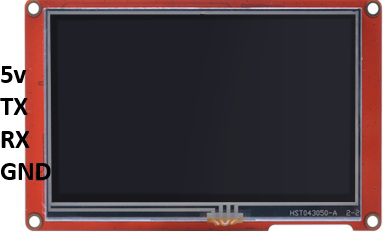
The Nextion NX4827P043_11 is a 4.3-inch intelligent display module designed to simplify the process of adding a graphical user interface (GUI) to your electronic projects. This display device integrates a TFT touchscreen, a microcontroller, and a graphical interface editor, making it an all-in-one solution for visually presenting information, images, or video output from a computer or electronic device.
Common applications for the Nextion NX4827P043_11 include:
- Home automation systems
- Industrial control panels
- IoT devices
- Medical equipment
- Educational and hobbyist projects
Explore Projects Built with screen
 Open Project in Cirkit Designer
 Open Project in Cirkit Designer
 Open Project in Cirkit Designer
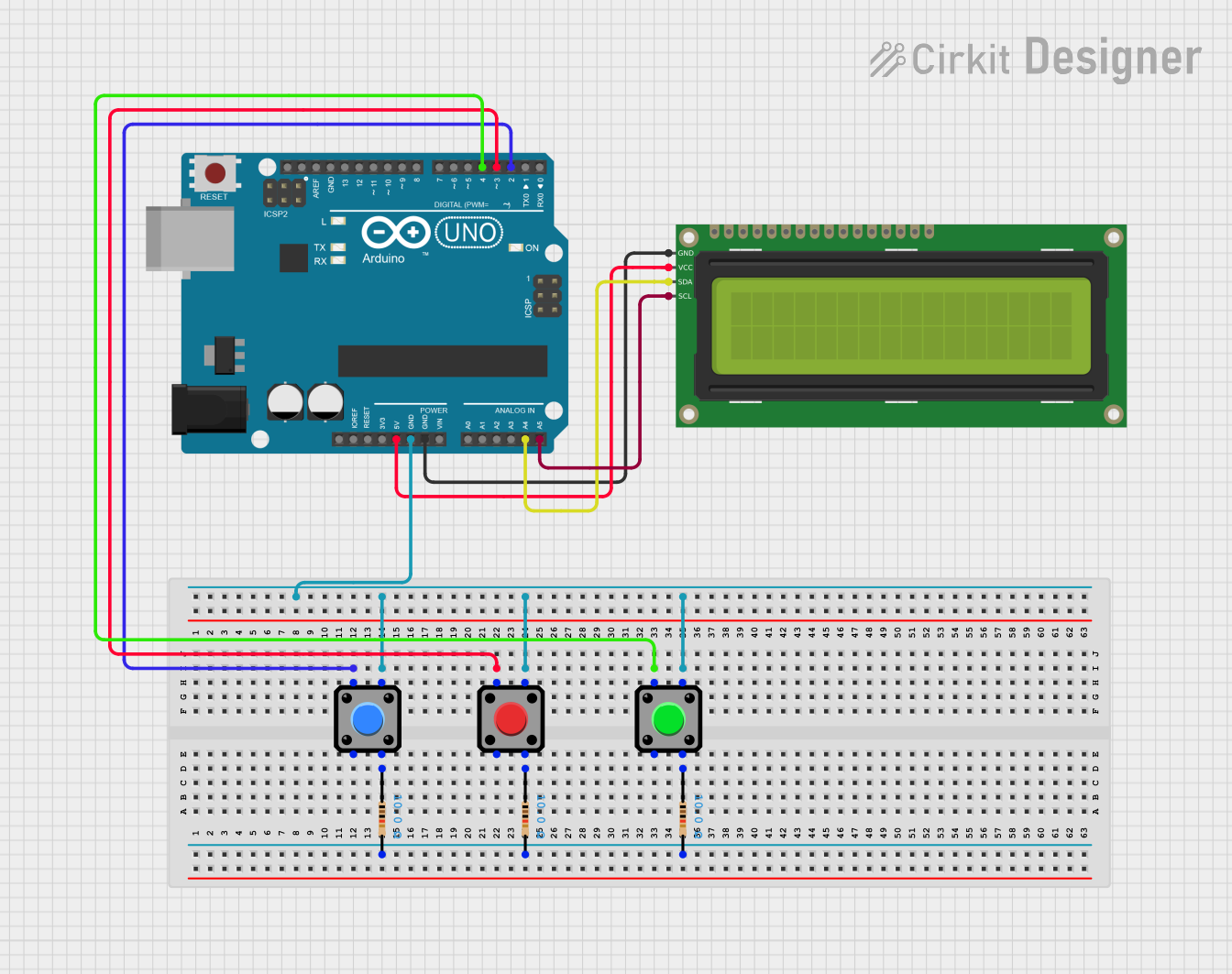 Open Project in Cirkit Designer
Explore Projects Built with screen
Open Project in Cirkit DesignerOpen Project in Cirkit DesignerOpen Project in Cirkit DesignerOpen Project in Cirkit DesignerTechnical Specifications
The following table outlines the key technical details of the Nextion NX4827P043_11:
| Parameter | Specification |
|---|---|
| Display Size | 4.3 inches |
| Resolution | 480 x 272 pixels |
| Display Type | TFT LCD with resistive touchscreen |
| Operating Voltage | 5V DC |
| Power Consumption | 500mW (typical) |
| Communication Interface | UART (TTL, 9600 baud default) |
| Flash Memory | 16MB |
| RAM | 3584 bytes |
| Operating Temperature | -20°C to 70°C |
| Dimensions | 120.5mm x 74.5mm x 5.1mm |
Pin Configuration and Descriptions
The Nextion NX4827P043_11 has a 4-pin interface for communication and power. The pin configuration is as follows:
| Pin | Name | Description |
|---|---|---|
| 1 | VCC | Power supply input (5V DC) |
| 2 | GND | Ground |
| 3 | TX | UART Transmit (data sent from the display) |
| 4 | RX | UART Receive (data sent to the display) |
Usage Instructions
How to Use the Component in a Circuit
- Power Supply: Connect the VCC pin to a 5V DC power source and the GND pin to the ground of your circuit.
- UART Communication: Connect the TX pin of the display to the RX pin of your microcontroller (e.g., Arduino UNO) and the RX pin of the display to the TX pin of your microcontroller.
- GUI Design: Use the Nextion Editor software to design your graphical interface. Upload the design to the display via a microSD card or UART.
- Programming: Write code on your microcontroller to send and receive commands to/from the display using the UART interface.
Important Considerations and Best Practices
- Voltage Levels: Ensure that the UART communication voltage levels match the display's requirements (3.3V or 5V). Use a level shifter if necessary.
- Baud Rate: Configure the baud rate of your microcontroller to match the display's default (9600 baud) or the custom baud rate set in the Nextion Editor.
- Power Supply: Use a stable 5V power source to avoid display flickering or malfunction.
- Touch Calibration: If the touchscreen is unresponsive or inaccurate, recalibrate it using the Nextion Editor.
Example Code for Arduino UNO
Below is an example of how to interface the Nextion NX4827P043_11 with an Arduino UNO:
#include <SoftwareSerial.h>

// Define RX and TX pins for SoftwareSerial
SoftwareSerial nextion(10, 11); // RX = Pin 10, TX = Pin 11

void setup() {
  // Initialize serial communication with Nextion display
  nextion.begin(9600); // Set baud rate to 9600
  Serial.begin(9600);  // For debugging via Serial Monitor

  // Send a command to the Nextion display
  nextion.print("page 0"); // Switch to page 0 on the display
  nextion.write(0xFF);     // End of command
  nextion.write(0xFF);     // End of command
  nextion.write(0xFF);     // End of command
}

void loop() {
  // Example: Send a text update to a component on the display
  nextion.print("t0.txt=\"Hello, World!\""); // Update text field t0
  nextion.write(0xFF);                       // End of command
  nextion.write(0xFF);                       // End of command
  nextion.write(0xFF);                       // End of command

  delay(1000); // Wait for 1 second
}
Troubleshooting and FAQs
Common Issues and Solutions
Display Not Powering On:
- Ensure the VCC pin is connected to a stable 5V power source.
- Verify that the GND pin is properly connected to the circuit ground.
No Communication Between Display and Microcontroller:
- Check the TX and RX connections. Ensure they are not swapped.
- Confirm that the baud rate of the microcontroller matches the display's baud rate.
Touchscreen Not Responding:
- Recalibrate the touchscreen using the Nextion Editor.
- Ensure the display is not physically damaged.
Flickering or Unstable Display:
- Use a power supply with sufficient current capacity (at least 500mA).
- Avoid long or thin power wires that may cause voltage drops.
FAQs
Q: Can I use the Nextion NX4827P043_11 with a Raspberry Pi?
A: Yes, the display can be connected to a Raspberry Pi via UART. Ensure proper voltage level shifting if required.
Q: How do I update the firmware or GUI on the display?
A: Use a microSD card to upload the firmware or GUI files generated by the Nextion Editor. Insert the card into the display and power it on to start the update process.
Q: What is the maximum cable length for UART communication?
A: For reliable communication, keep the cable length under 1 meter. Use shielded cables for longer distances.
Q: Can I use multiple Nextion displays in one project?
A: Yes, but each display must be connected to a separate UART port or controlled via a multiplexer.
This concludes the documentation for the Nextion NX4827P043_11 screen.