
How to Use ADS1115: Examples, Pinouts, and Specs
 Design with ADS1115 in Cirkit Designer
Introduction
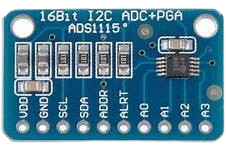
The ADS1115 is a high-precision 16-bit analog-to-digital converter (ADC) with an integrated programmable gain amplifier (PGA). It is designed to measure small analog signals with high accuracy and convert them into digital data for processing. The ADS1115 supports four single-ended or two differential input channels, making it versatile for a wide range of applications. It communicates via an I2C interface, ensuring compatibility with most microcontrollers. Additionally, it includes a built-in comparator for threshold-based signal monitoring.
Explore Projects Built with ADS1115
 Open Project in Cirkit Designer
 Open Project in Cirkit Designer
 Open Project in Cirkit Designer
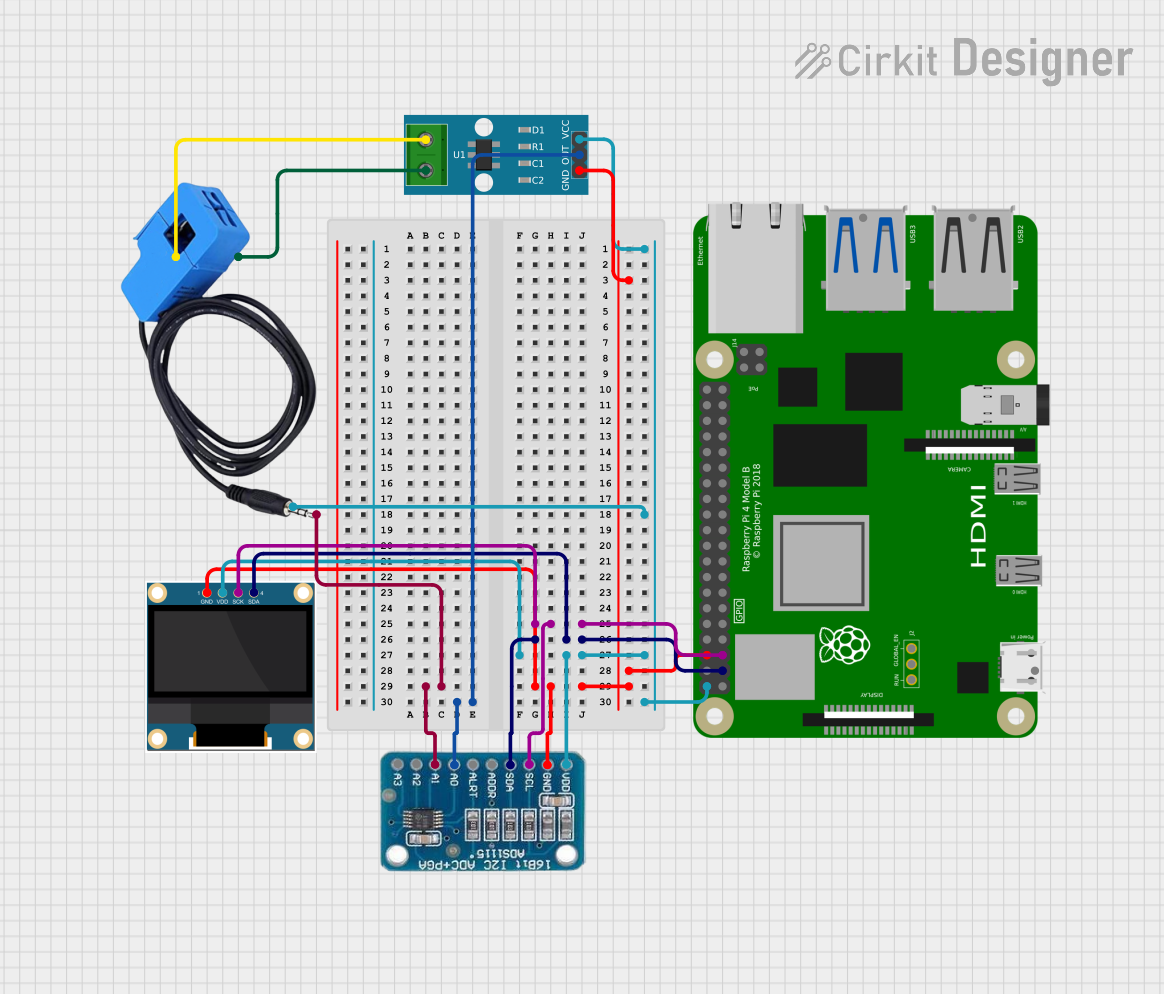 Open Project in Cirkit Designer
Explore Projects Built with ADS1115
Open Project in Cirkit DesignerOpen Project in Cirkit DesignerOpen Project in Cirkit DesignerOpen Project in Cirkit DesignerCommon Applications
- Sensor data acquisition (e.g., temperature, pressure, light sensors)
- Battery monitoring and management systems
- Industrial process control
- Portable instrumentation
- Data logging systems
- Precision measurement devices
Technical Specifications
Key Technical Details
- Resolution: 16 bits
- Input Channels: 4 single-ended or 2 differential
- Input Voltage Range: ±6.144V (adjustable via PGA)
- Programmable Gain Amplifier (PGA): Configurable gain from 2/3x to 16x
- Data Rate: Programmable, up to 860 samples per second (SPS)
- Interface: I2C (supports standard, fast, and high-speed modes)
- Operating Voltage: 2.0V to 5.5V
- Current Consumption:
- Active Mode: 150 µA (typical)
- Power-Down Mode: 0.5 µA
- Comparator: Built-in, with programmable thresholds
- Package: MSOP-10 or QFN-10
Pin Configuration and Descriptions
The ADS1115 has 10 pins. Below is the pinout and description:
| Pin Number | Pin Name | Description |
|---|---|---|
| 1 | VDD | Power supply input (2.0V to 5.5V). |
| 2 | GND | Ground reference. |
| 3 | SCL | I2C clock line. Connect to the microcontroller's I2C clock pin. |
| 4 | SDA | I2C data line. Connect to the microcontroller's I2C data pin. |
| 5 | ALERT/RDY | Comparator output or data ready signal (configurable). |
| 6 | A0 | I2C address selection bit 0. |
| 7 | A1 | I2C address selection bit 1. |
| 8 | IN0 | Analog input channel 0. |
| 9 | IN1 | Analog input channel 1. |
| 10 | IN2/IN3 | Analog input channels 2 and 3 (used for single-ended or differential mode). |
Usage Instructions
How to Use the ADS1115 in a Circuit
- Power Supply: Connect the VDD pin to a power source (2.0V to 5.5V) and the GND pin to ground.
- I2C Communication: Connect the SCL and SDA pins to the corresponding I2C pins on your microcontroller. Use pull-up resistors (typically 4.7kΩ) on both lines.
- Address Configuration: Set the I2C address by connecting the A0 and A1 pins to GND or VDD. This allows up to four ADS1115 devices on the same I2C bus.
- Analog Inputs: Connect the analog signals to the input pins (IN0–IN3). Configure the inputs as single-ended or differential in software.
- Comparator (Optional): Use the ALERT/RDY pin for threshold-based signal monitoring or as a data-ready indicator.
Important Considerations
- Input Voltage Range: Ensure the input voltage does not exceed the configured PGA range or the device's absolute maximum ratings.
- Bypass Capacitor: Place a 0.1µF ceramic capacitor close to the VDD pin for power supply decoupling.
- I2C Pull-Up Resistors: Use appropriate pull-up resistors on the SCL and SDA lines to ensure reliable communication.
- Sampling Rate: Choose a data rate that balances speed and noise performance for your application.
Example Code for Arduino UNO
Below is an example of how to use the ADS1115 with an Arduino UNO to read an analog signal:
#include <Wire.h>
#include <Adafruit_ADS1X15.h>

// Create an ADS1115 object
Adafruit_ADS1115 ads;

void setup() {
  Serial.begin(9600); // Initialize serial communication
  while (!Serial);    // Wait for Serial Monitor to open

  // Initialize the ADS1115
  if (!ads.begin()) {
    Serial.println("Failed to initialize ADS1115!");
    while (1); // Halt execution if initialization fails
  }
  Serial.println("ADS1115 initialized.");
}

void loop() {
  // Read the analog value from channel 0
  int16_t adcValue = ads.readADC_SingleEnded(0);

  // Convert the ADC value to voltage (assuming default gain of 2/3)
  float voltage = adcValue * 0.1875 / 1000; // 0.1875mV per LSB

  // Print the results
  Serial.print("ADC Value: ");
  Serial.print(adcValue);
  Serial.print(" | Voltage: ");
  Serial.print(voltage, 4); // Print voltage with 4 decimal places
  Serial.println(" V");

  delay(1000); // Wait 1 second before the next reading
}
Troubleshooting and FAQs
Common Issues
No I2C Communication:
- Cause: Incorrect wiring or missing pull-up resistors on the SCL and SDA lines.
- Solution: Verify the connections and ensure pull-up resistors (4.7kΩ) are present.
Incorrect Readings:
- Cause: Input voltage exceeds the configured PGA range or incorrect gain setting.
- Solution: Check the input voltage and adjust the PGA gain in software.
Device Not Detected:
- Cause: Incorrect I2C address configuration.
- Solution: Verify the A0 and A1 pin connections and ensure the correct address is used in the code.
High Noise in Readings:
- Cause: Poor grounding or high sampling rate.
- Solution: Improve grounding and reduce the sampling rate to filter noise.
FAQs
Q1: Can I use the ADS1115 with a 3.3V microcontroller?
A1: Yes, the ADS1115 operates with a supply voltage as low as 2.0V, making it compatible with 3.3V systems.
Q2: How do I measure differential signals?
A2: Connect the positive signal to one input (e.g., IN0) and the negative signal to another input (e.g., IN1). Configure the ADS1115 in differential mode in software.
Q3: What is the maximum sampling rate of the ADS1115?
A3: The maximum sampling rate is 860 samples per second (SPS). However, higher rates may introduce more noise.
Q4: Can I connect multiple ADS1115 devices to the same I2C bus?
A4: Yes, you can connect up to four ADS1115 devices by configuring their I2C addresses using the A0 and A1 pins.