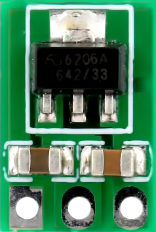
The LDO DD0403MA 3V3 300mA is a low dropout voltage regulator designed to provide a stable 3.3V output with a maximum current of 300mA. Manufactured in China, this component is ideal for applications requiring efficient voltage regulation in compact electronic circuits. Its low dropout voltage ensures reliable operation even with minimal input-output voltage differences, making it suitable for battery-powered devices and other low-voltage systems.
Explore Projects Built with LDO DD0403MA 3V3 300mA
Use Cirkit Designer to design, explore, and prototype these projects online. Some projects support real-time simulation. Click "Open Project" to start designing instantly!
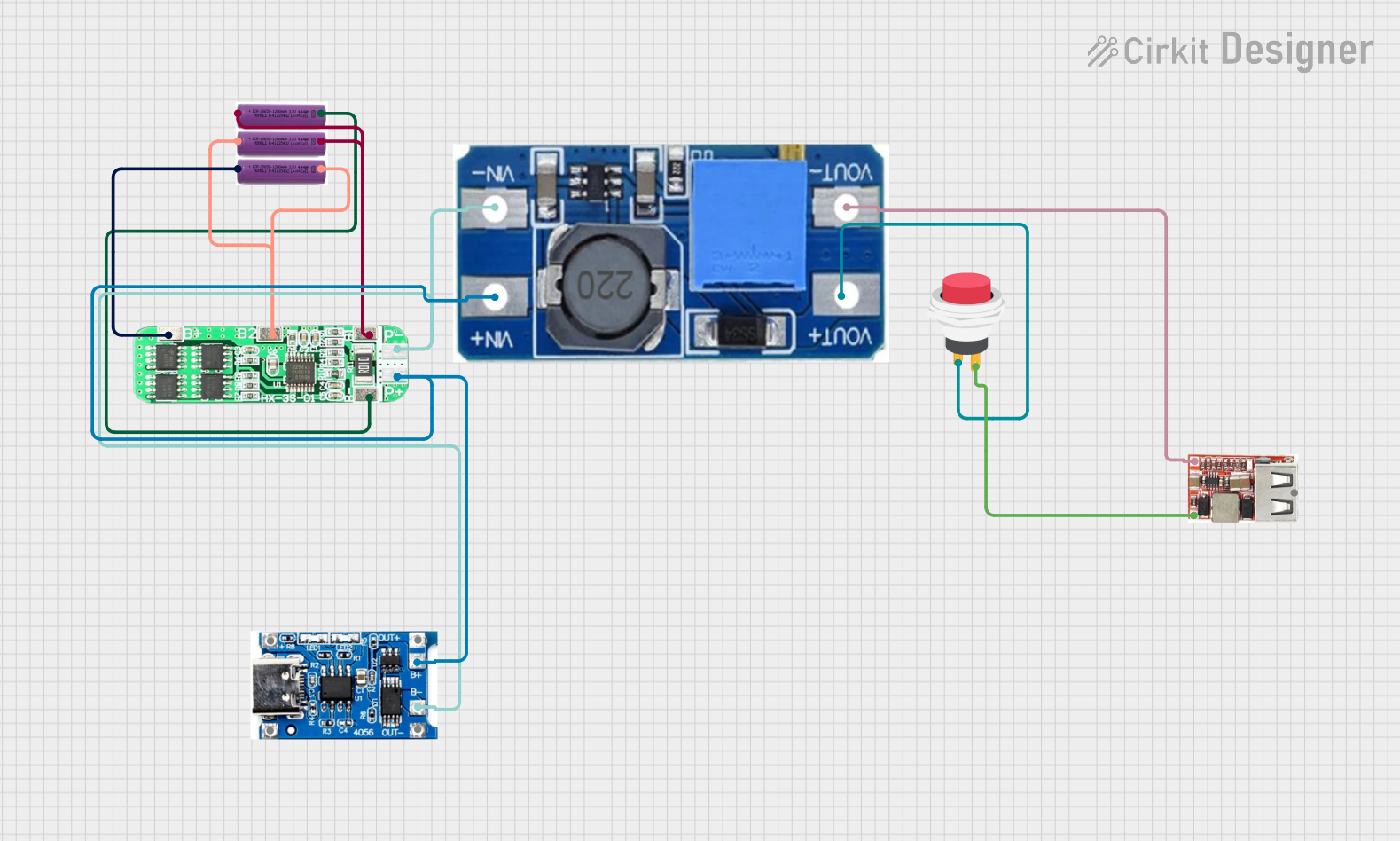
This circuit is a battery management and power supply system that uses three 3.7V batteries connected to a 3S 10A Li-ion 18650 Charger Protection Board Module for balanced charging and protection. The system includes a TP4056 Battery Charging Protection Module for additional charging safety, a Step Up Boost Power Converter to regulate and boost the voltage, and a USB regulator to provide a stable 5V output, controlled by a push switch.
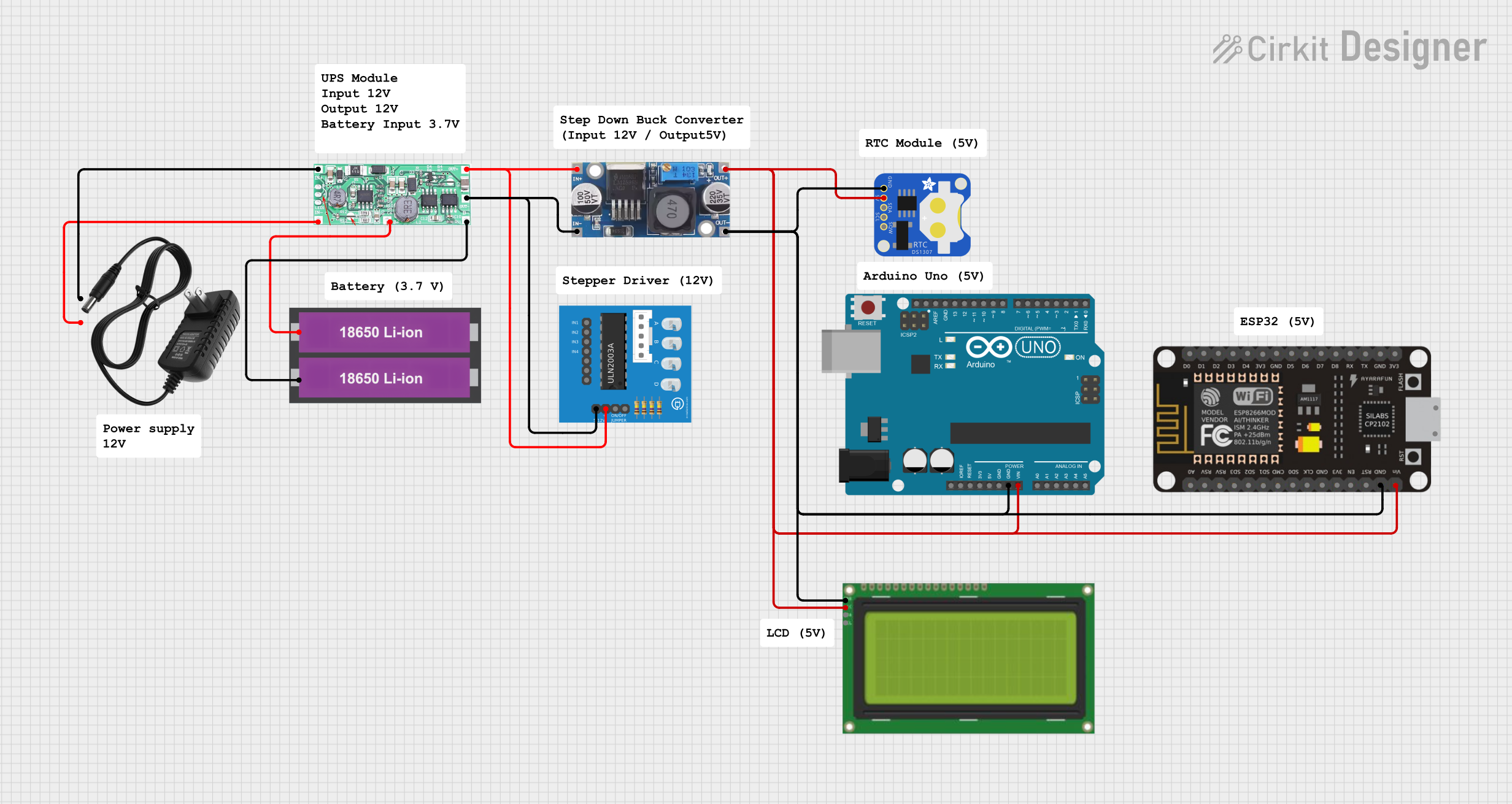
This circuit is a power management and control system that uses a 12V power supply and a 18650 Li-ion battery pack to provide a stable 5V output through a step-down buck converter. It includes an Arduino UNO, an ESP-8266 controller, a DS1307 RTC module, and a 20x4 I2C LCD display for monitoring and control purposes. The ULN2003A breakout board is used for driving higher current loads.
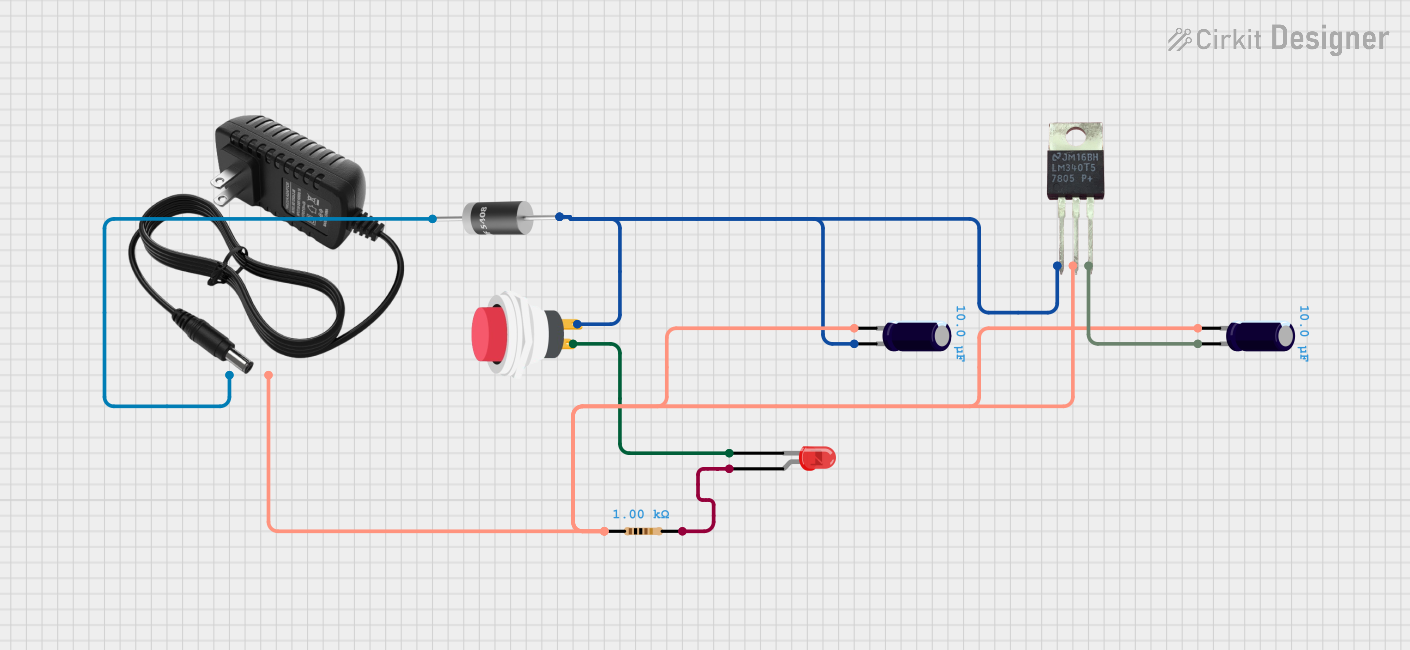
This circuit is a 12V to 5V regulated power supply with an LED indicator. It uses a 5408 diode for reverse polarity protection, an LM340T5 7805 voltage regulator to step down the voltage to 5V, and a push switch to control the LED indicator. The circuit also includes capacitors for filtering and a resistor to limit the current through the LED.
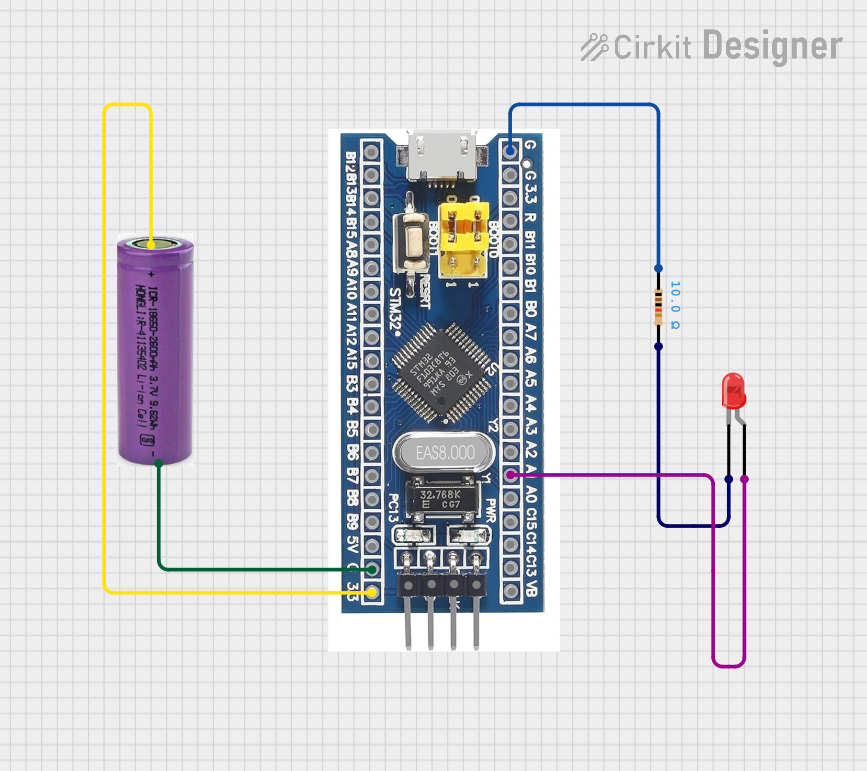
This circuit features an STM32F103C8T6 microcontroller powered by a 3.3V battery, which controls a red LED. The LED is connected to pin A1 of the microcontroller through a 10-ohm resistor to limit the current.
The following table outlines the key technical details of the LDO DD0403MA 3V3 300mA:
Parameter
Value
Output Voltage
3.3V
Maximum Output Current
300mA
Input Voltage Range
3.5V to 12V
Dropout Voltage
0.2V (typical at 300mA load)
Quiescent Current
50µA (typical)
Operating Temperature
-40°C to +85°C
Package Type
SOT-23-3
Pin Configuration and Descriptions
The LDO DD0403MA 3V3 300mA is typically available in a 3-pin SOT-23 package. The pin configuration is as follows:
Pin Number
Pin Name
Description
1
GND
Ground connection
2
VOUT
Regulated 3.3V output
3
VIN
Input voltage (3.5V to 12V)
Usage Instructions
How to Use the Component in a Circuit
Input Voltage: Connect the input voltage (VIN) to a DC power source within the range of 3.5V to 12V. Ensure the input voltage is at least 0.2V higher than the desired 3.3V output for proper regulation.
Output Voltage: Connect the VOUT pin to the load circuit that requires a 3.3V supply.
Ground Connection: Connect the GND pin to the ground of the circuit.
Capacitors:
Place a 1µF ceramic capacitor close to the VIN pin to stabilize the input voltage.
Place a 1µF ceramic capacitor close to the VOUT pin to ensure stable output and reduce noise.
Important Considerations and Best Practices
Thermal Management: Ensure adequate heat dissipation, especially when operating near the maximum current limit of 300mA.
Input Voltage Ripple: Minimize input voltage ripple by using a low-ESR capacitor at the input.
Load Regulation: Avoid sudden changes in load current to maintain stable output voltage.
Reverse Polarity Protection: Add a diode in series with the VIN pin to protect the regulator from reverse polarity connections.
Example: Connecting to an Arduino UNO
The LDO DD0403MA 3V3 300mA can be used to power an Arduino UNO or its peripherals. Below is an example of how to connect the regulator to an Arduino UNO:
Circuit Diagram
Connect the VIN pin of the LDO to a 5V power source.
Connect the VOUT pin to the 3.3V pin of the Arduino UNO.
Connect the GND pin to the Arduino's GND.
Sample Code
The following Arduino code demonstrates reading a sensor powered by the LDO's 3.3V output:
// Example: Reading a sensor powered by the LDO DD0403MA 3V3 300mA
// Ensure the sensor is connected to the 3.3V output of the LDO regulator.

const int sensorPin = A0; // Analog pin connected to the sensor output
int sensorValue = 0;      // Variable to store the sensor reading

void setup() {
  Serial.begin(9600); // Initialize serial communication at 9600 baud
  pinMode(sensorPin, INPUT); // Set the sensor pin as input
}

void loop() {
  sensorValue = analogRead(sensorPin); // Read the sensor value
  Serial.print("Sensor Value: ");
  Serial.println(sensorValue); // Print the sensor value to the Serial Monitor
  delay(1000); // Wait for 1 second before the next reading
}
Troubleshooting and FAQs
Common Issues and Solutions
No Output Voltage:
Verify that the input voltage is within the specified range (3.5V to 12V).
Check for proper connections to the VIN, VOUT, and GND pins.
Ensure the input capacitor is properly connected and functional.
Output Voltage is Unstable:
Add or replace the output capacitor with a low-ESR 1µF ceramic capacitor.
Check for excessive load current exceeding 300mA.
Overheating:
Ensure the input voltage is not excessively high.
Reduce the load current or improve heat dissipation by adding a heatsink.
Reverse Polarity Damage:
Add a protection diode in series with the VIN pin to prevent damage from reverse polarity.
FAQs
Q1: Can the LDO DD0403MA 3V3 300mA be used with a 12V input?
A1: Yes, the regulator supports input voltages up to 12V. However, ensure proper heat dissipation as higher input voltages can increase power dissipation.
Q2: What happens if the load exceeds 300mA?
A2: Exceeding the maximum current rating may cause the regulator to overheat or shut down. Always operate within the specified limits.
Q3: Can I use electrolytic capacitors instead of ceramic capacitors?
A3: While electrolytic capacitors can be used, ceramic capacitors are recommended due to their low ESR and better performance in high-frequency applications.
Q4: Is the LDO DD0403MA 3V3 300mA suitable for powering RF circuits?
A4: Yes, the low noise and stable output make it suitable for noise-sensitive applications, including RF circuits.

 Open Project in Cirkit Designer