
How to Use ESP32-S3: Examples, Pinouts, and Specs
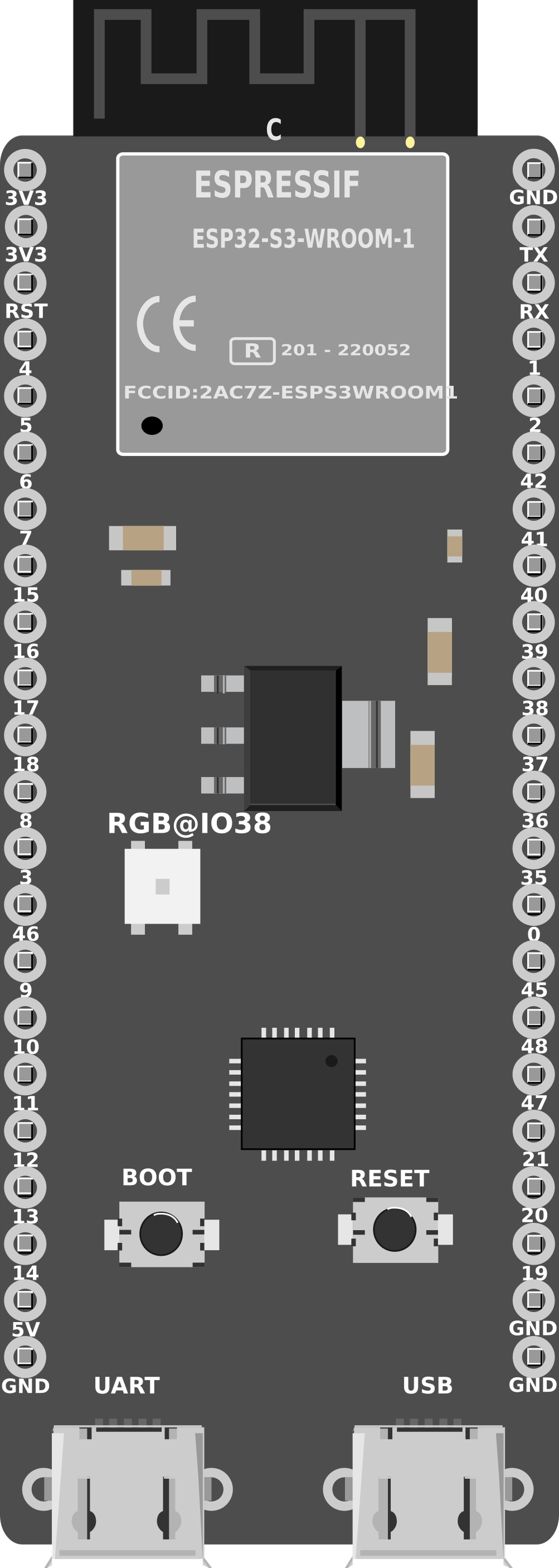
 Design with ESP32-S3 in Cirkit Designer
Introduction
The ESP32-S3 is a powerful and versatile microcontroller designed for Internet of Things (IoT) applications. It features integrated Wi-Fi and Bluetooth Low Energy (BLE) capabilities, making it ideal for wireless communication. With its dual-core processor, ample GPIO pins, and support for various peripherals, the ESP32-S3 is well-suited for complex projects that require high performance and connectivity.
Explore Projects Built with ESP32-S3
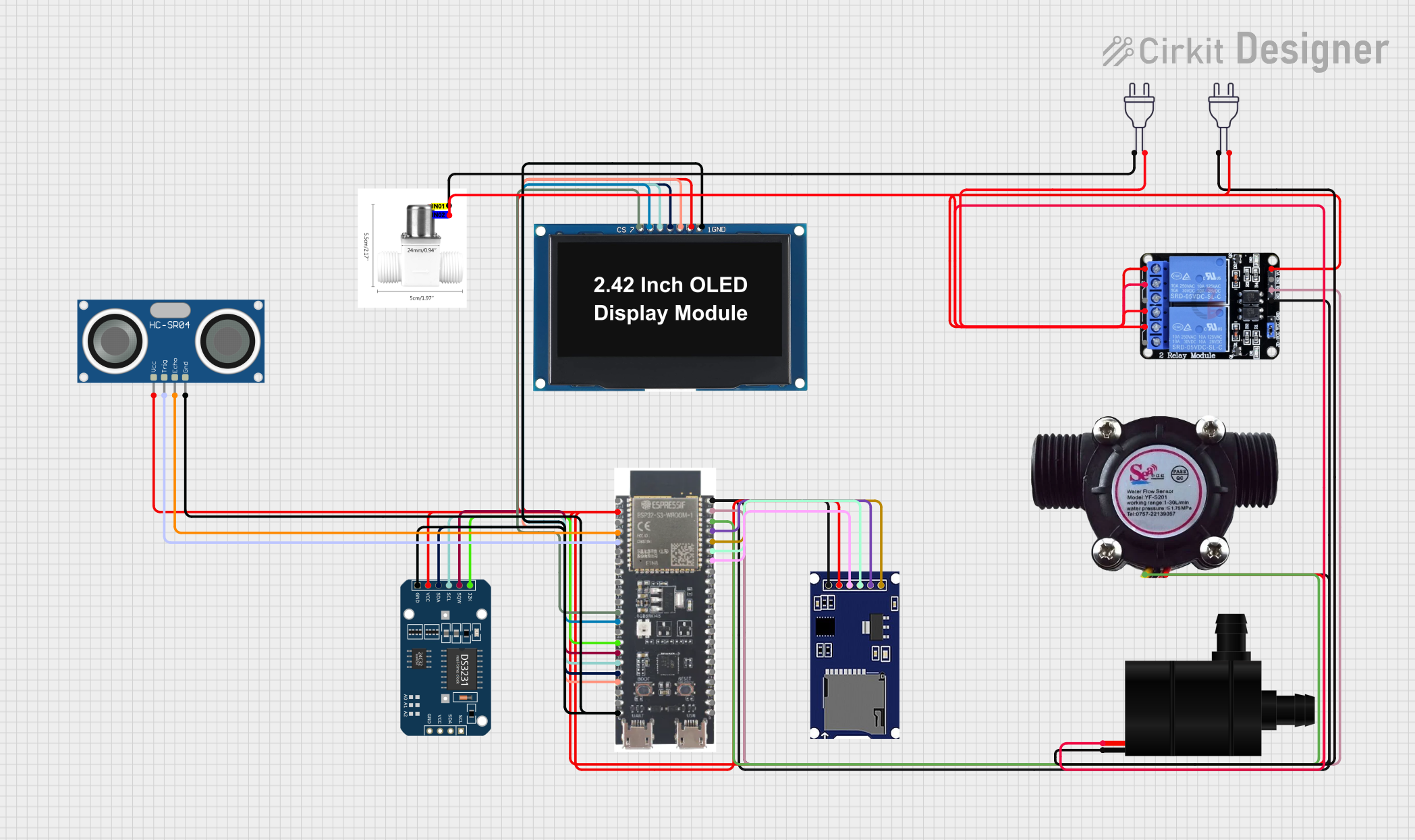 Open Project in Cirkit Designer
 Open Project in Cirkit Designer
 Open Project in Cirkit Designer
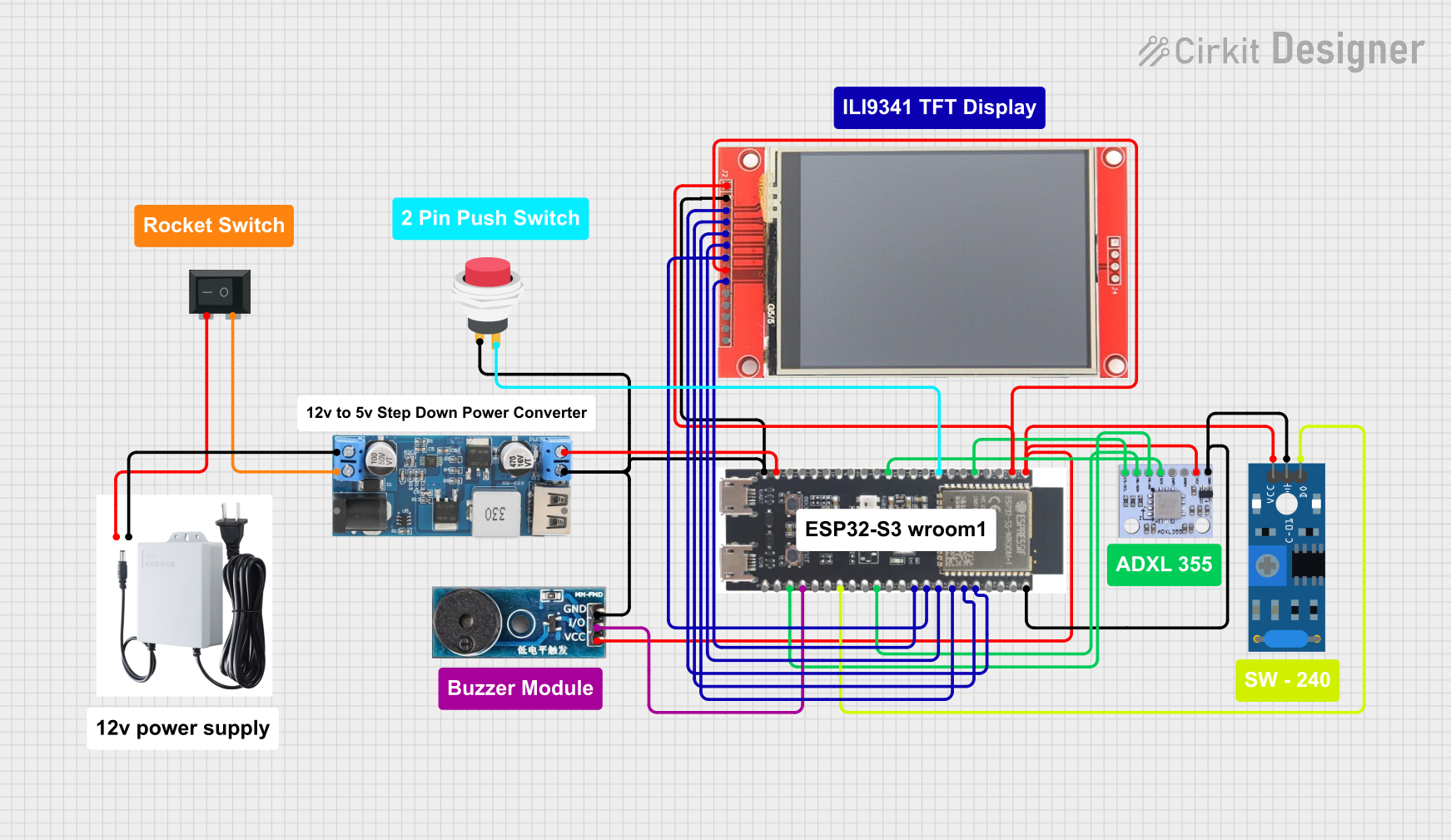 Open Project in Cirkit Designer
Explore Projects Built with ESP32-S3
Open Project in Cirkit DesignerOpen Project in Cirkit DesignerOpen Project in Cirkit DesignerOpen Project in Cirkit DesignerCommon Applications and Use Cases
- Smart home devices (e.g., smart lights, thermostats)
- Wearable technology
- Industrial IoT systems
- Wireless sensor networks
- Robotics and automation
- Audio streaming and voice recognition systems
Technical Specifications
The ESP32-S3 offers a range of features and specifications that make it a robust choice for IoT and embedded systems.
Key Technical Details
| Feature | Specification |
|---|---|
| Processor | Dual-core Xtensa® LX7, up to 240 MHz |
| Wireless Connectivity | Wi-Fi 802.11 b/g/n (2.4 GHz), Bluetooth 5.0 LE |
| Flash Memory | Up to 16 MB external flash |
| RAM | 512 KB internal SRAM, support for external PSRAM |
| GPIO Pins | 45 GPIO pins (multiplexed with other functions) |
| ADC Channels | 20 channels, 12-bit resolution |
| DAC Channels | 2 channels, 8-bit resolution |
| Communication Interfaces | SPI, I2C, I2S, UART, CAN, Ethernet MAC, USB OTG |
| Operating Voltage | 3.0V to 3.6V |
| Power Consumption | Ultra-low power modes available (deep sleep current < 10 µA) |
| Security Features | AES, RSA, SHA, HMAC, Digital Signature, Secure Boot, Flash Encryption |
| Operating Temperature Range | -40°C to +85°C |
Pin Configuration and Descriptions
The ESP32-S3 has a flexible pinout, with GPIO pins that can be configured for various functions. Below is a summary of the key pins:
| Pin Name | Function(s) | Description |
|---|---|---|
| GPIO0 | GPIO, Boot Mode Selection | Used for boot mode selection during startup. |
| GPIO1 | UART TX, GPIO | Default UART transmit pin. |
| GPIO2 | GPIO, ADC, DAC | Can be used as a general-purpose pin or for analog input/output. |
| GPIO3 | UART RX, GPIO | Default UART receive pin. |
| GPIO4 | GPIO, ADC | General-purpose pin with ADC functionality. |
| GPIO21 | I2C SDA, GPIO | Default I2C data pin. |
| GPIO22 | I2C SCL, GPIO | Default I2C clock pin. |
| GPIO36 | ADC, GPIO | Analog input pin. |
| GPIO39 | ADC, GPIO | Analog input pin. |
| EN | Enable | Chip enable pin. Pull high to enable the chip. |
| 3V3 | Power | 3.3V power supply input. |
| GND | Ground | Ground connection. |
For a complete pinout, refer to the ESP32-S3 datasheet.
Usage Instructions
The ESP32-S3 can be used in a wide range of applications. Below are the steps to get started and important considerations for using the component effectively.
How to Use the ESP32-S3 in a Circuit
- Power Supply: Provide a stable 3.3V power supply to the 3V3 pin. Ensure the current rating of the power source meets the requirements of your application.
- Boot Mode: To upload code, connect GPIO0 to GND during reset to enter bootloader mode.
- Programming: Use a USB-to-serial adapter or a development board with built-in USB connectivity to program the ESP32-S3.
- Peripherals: Connect sensors, actuators, or other peripherals to the GPIO pins. Configure the pins in your code as needed (e.g., input, output, ADC, etc.).
- Wi-Fi and Bluetooth: Use the ESP-IDF (Espressif IoT Development Framework) or Arduino IDE to configure and utilize the wireless capabilities.
Important Considerations and Best Practices
- Voltage Levels: Ensure all connected peripherals operate at 3.3V logic levels to avoid damaging the ESP32-S3.
- Decoupling Capacitors: Place decoupling capacitors (e.g., 0.1 µF) near the power pins to reduce noise and improve stability.
- Antenna Placement: For optimal wireless performance, ensure the onboard antenna is not obstructed by metal or other conductive materials.
- Deep Sleep Mode: Use deep sleep mode to minimize power consumption in battery-powered applications.
Example Code for Arduino IDE
Below is an example of how to connect the ESP32-S3 to a Wi-Fi network and blink an LED:
#include <WiFi.h> // Include the Wi-Fi library

// Replace with your network credentials
const char* ssid = "Your_SSID";
const char* password = "Your_PASSWORD";

const int ledPin = 2; // GPIO2 is connected to the onboard LED

void setup() {
  pinMode(ledPin, OUTPUT); // Set GPIO2 as an output
  Serial.begin(115200);    // Initialize serial communication

  // Connect to Wi-Fi
  Serial.print("Connecting to Wi-Fi");
  WiFi.begin(ssid, password);
  while (WiFi.status() != WL_CONNECTED) {
    delay(500);
    Serial.print(".");
  }
  Serial.println("\nWi-Fi connected!");
}

void loop() {
  digitalWrite(ledPin, HIGH); // Turn the LED on
  delay(1000);                // Wait for 1 second
  digitalWrite(ledPin, LOW);  // Turn the LED off
  delay(1000);                // Wait for 1 second
}
Troubleshooting and FAQs
Common Issues and Solutions
ESP32-S3 Not Connecting to Wi-Fi
- Ensure the SSID and password are correct.
- Check that the Wi-Fi network is operating at 2.4 GHz (the ESP32-S3 does not support 5 GHz networks).
- Verify that the antenna is unobstructed and properly positioned.
Code Upload Fails
- Ensure GPIO0 is connected to GND during reset to enter bootloader mode.
- Check the USB cable and port for proper connection.
- Install the correct USB-to-serial drivers for your operating system.
Unstable Operation
- Verify that the power supply provides sufficient current and is free of noise.
- Add decoupling capacitors near the power pins.
FAQs
Q: Can the ESP32-S3 operate on battery power?
A: Yes, the ESP32-S3 can operate on battery power. Use a 3.7V LiPo battery with a voltage regulator to provide a stable 3.3V supply.
Q: How do I enable Bluetooth on the ESP32-S3?
A: Use the ESP-IDF or Arduino IDE to configure and initialize Bluetooth. The ESP32-S3 supports Bluetooth 5.0 LE for low-power communication.
Q: Can I use the ESP32-S3 for audio processing?
A: Yes, the ESP32-S3 supports I2S for audio input/output and has sufficient processing power for audio applications like voice recognition or streaming.
Q: Is the ESP32-S3 compatible with the Arduino IDE?
A: Yes, the ESP32-S3 is compatible with the Arduino IDE. Install the ESP32 board package to program it using Arduino.