
How to Use GPS NEO-M8N : Examples, Pinouts, and Specs
 Design with GPS NEO-M8N in Cirkit Designer
Introduction
The GPS NEO-M8N is a high-performance GPS module designed to provide accurate positioning and timing information. It supports multiple Global Navigation Satellite Systems (GNSS), including GPS, GLONASS, Galileo, and BeiDou, ensuring reliable and precise location data in a wide range of environments. This module is widely used in applications such as navigation systems, robotics, drones, and Internet of Things (IoT) devices.
With its compact design, low power consumption, and advanced features like Assisted GPS (A-GPS) and configurable update rates, the NEO-M8N is an ideal choice for projects requiring robust and efficient location tracking.
Explore Projects Built with GPS NEO-M8N
 Open Project in Cirkit Designer
 Open Project in Cirkit Designer
 Open Project in Cirkit Designer
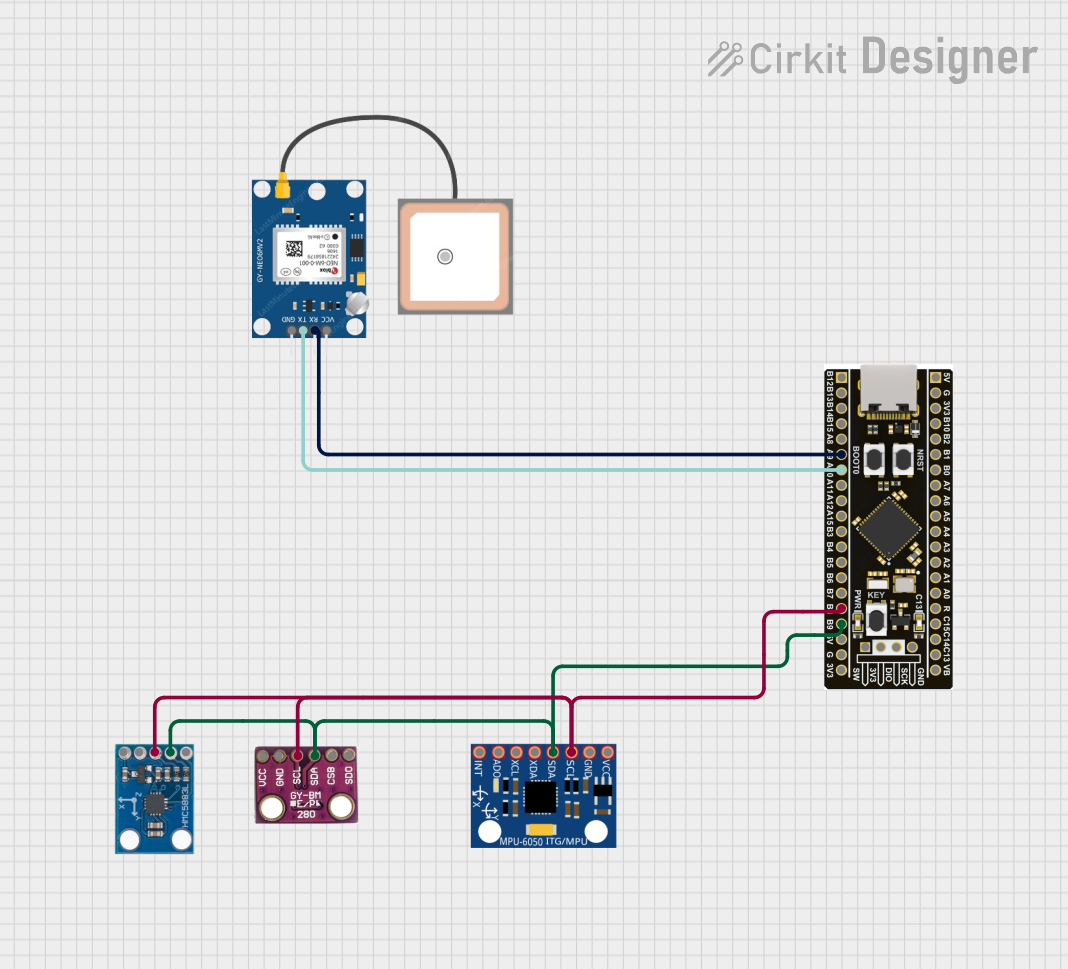 Open Project in Cirkit Designer
Explore Projects Built with GPS NEO-M8N
Open Project in Cirkit DesignerOpen Project in Cirkit DesignerOpen Project in Cirkit DesignerOpen Project in Cirkit DesignerTechnical Specifications
Below are the key technical details of the GPS NEO-M8N module:
| Parameter | Specification |
|---|---|
| GNSS Support | GPS, GLONASS, Galileo, BeiDou |
| Position Accuracy | 2.5 meters CEP (Circular Error Probable) |
| Update Rate | Up to 10 Hz |
| Operating Voltage | 2.7V to 3.6V |
| Power Consumption | ~45 mA (typical) |
| Communication Interface | UART, I2C, SPI |
| Operating Temperature Range | -40°C to +85°C |
| Dimensions | 16 x 12.2 x 2.4 mm |
Pin Configuration and Descriptions
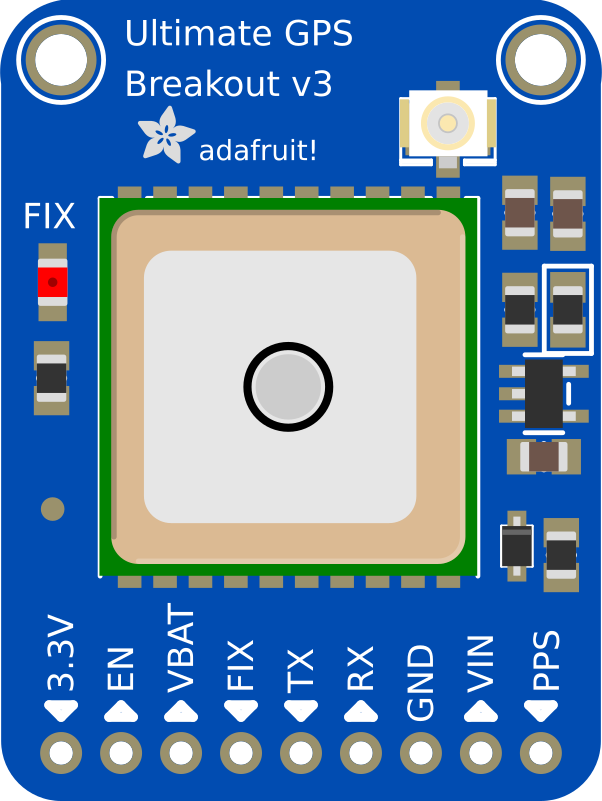
The NEO-M8N module typically comes with a breakout board for easier integration. Below is the pin configuration:
| Pin | Name | Description |
|---|---|---|
| 1 | VCC | Power supply input (2.7V to 3.6V). |
| 2 | GND | Ground connection. |
| 3 | TXD | UART Transmit pin. Sends data to the host microcontroller. |
| 4 | RXD | UART Receive pin. Receives data from the host microcontroller. |
| 5 | SDA | I2C Data line (optional, for I2C communication). |
| 6 | SCL | I2C Clock line (optional, for I2C communication). |
| 7 | PPS | Pulse Per Second output for precise timing synchronization. |
| 8 | EN | Enable pin. Pull high to enable the module, or low to disable it. |
Usage Instructions
How to Use the GPS NEO-M8N in a Circuit
- Power Supply: Connect the VCC pin to a 3.3V power source and the GND pin to ground.
- Communication Interface: Use either UART, I2C, or SPI for communication with a microcontroller. For most applications, UART is the simplest and most commonly used interface.
- Antenna: Attach an active GPS antenna to the module's antenna connector for optimal signal reception.
- Microcontroller Connection:
- Connect the TXD pin of the NEO-M8N to the RX pin of the microcontroller.
- Connect the RXD pin of the NEO-M8N to the TX pin of the microcontroller.
- Enable Pin: Ensure the EN pin is pulled high to activate the module.
Important Considerations and Best Practices
- Antenna Placement: Place the GPS antenna in an open area with a clear view of the sky for the best signal reception.
- Power Supply: Use a stable and noise-free power source to avoid interference with GPS signals.
- Baud Rate: The default UART baud rate is 9600 bps. Ensure your microcontroller is configured to match this rate.
- Cold Start vs. Warm Start: A cold start (first-time satellite acquisition) may take up to 30 seconds, while a warm start (reacquisition) is faster.
Example: Using GPS NEO-M8N with Arduino UNO
Below is an example code to interface the GPS NEO-M8N with an Arduino UNO using the TinyGPS++ library:
#include <TinyGPS++.h>
#include <SoftwareSerial.h>

// Create a TinyGPS++ object to parse GPS data
TinyGPSPlus gps;

// Define RX and TX pins for SoftwareSerial
SoftwareSerial gpsSerial(4, 3); // RX = Pin 4, TX = Pin 3

void setup() {
  Serial.begin(9600); // Initialize Serial Monitor
  gpsSerial.begin(9600); // Initialize GPS module communication

  Serial.println("GPS NEO-M8N Test");
}

void loop() {
  // Read data from GPS module
  while (gpsSerial.available() > 0) {
    char c = gpsSerial.read();
    // Feed data to TinyGPS++ for parsing
    if (gps.encode(c)) {
      // If a valid GPS sentence is received, display data
      if (gps.location.isUpdated()) {
        Serial.print("Latitude: ");
        Serial.println(gps.location.lat(), 6);
        Serial.print("Longitude: ");
        Serial.println(gps.location.lng(), 6);
        Serial.print("Altitude: ");
        Serial.println(gps.altitude.meters());
        Serial.print("Satellites: ");
        Serial.println(gps.satellites.value());
      }
    }
  }
}
Notes:
- Install the TinyGPS++ library in the Arduino IDE before uploading the code.
- Connect the GPS module's TXD pin to Arduino's Pin 4 and RXD pin to Arduino's Pin 3.
Troubleshooting and FAQs
Common Issues and Solutions
No GPS Fix:
- Ensure the antenna has a clear view of the sky.
- Check the power supply for stability and proper voltage.
- Wait for a cold start if the module is being used for the first time.
No Data on Serial Monitor:
- Verify the baud rate of the GPS module and Arduino Serial Monitor.
- Check the wiring between the GPS module and the Arduino.
Weak Signal:
- Use an active GPS antenna for better signal reception.
- Avoid placing the module near sources of electromagnetic interference.
Module Not Powering On:
- Confirm the VCC and GND connections.
- Ensure the EN pin is pulled high.
FAQs
Q: Can the NEO-M8N work indoors?
A: While the module may work indoors, signal reception is significantly weaker. Use it outdoors for optimal performance.Q: How can I increase the update rate?
A: The update rate can be configured up to 10 Hz using u-blox's u-center software.Q: What is the default communication protocol?
A: The default protocol is UART with a baud rate of 9600 bps.Q: Can I use the NEO-M8N with a 5V microcontroller?
A: Yes, but you will need a level shifter to safely interface the 3.3V logic of the GPS module with the 5V logic of the microcontroller.