
How to Use MCB 10A: Examples, Pinouts, and Specs
 Design with MCB 10A in Cirkit Designer
Introduction
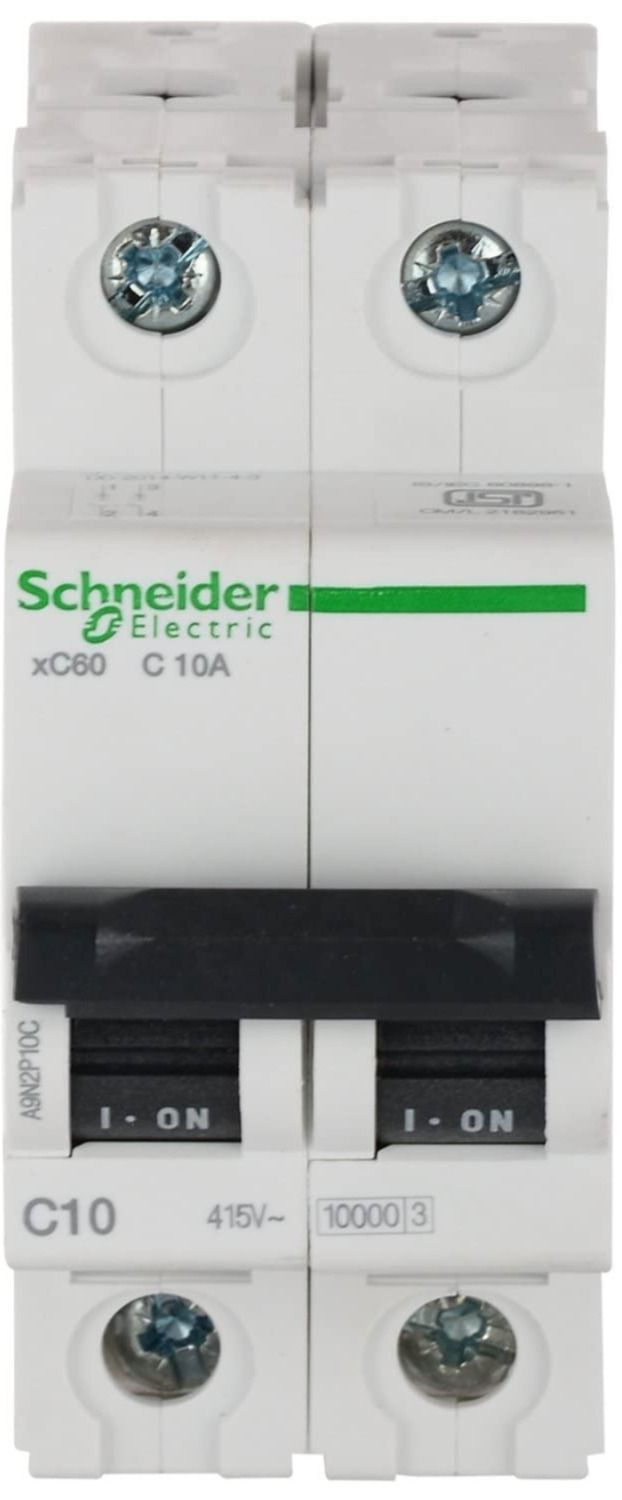
- The MCB 10A (Miniature Circuit Breaker) is an essential safety device designed to protect electrical circuits from overload and short circuit conditions. It automatically disconnects the circuit when the current exceeds its rated capacity of 10 Amperes.
- Commonly used in residential, commercial, and industrial electrical systems, the MCB 10A ensures the safety of wiring, appliances, and users by preventing potential hazards such as overheating, fire, or equipment damage.
Explore Projects Built with MCB 10A
 Open Project in Cirkit Designer
 Open Project in Cirkit Designer
 Open Project in Cirkit Designer
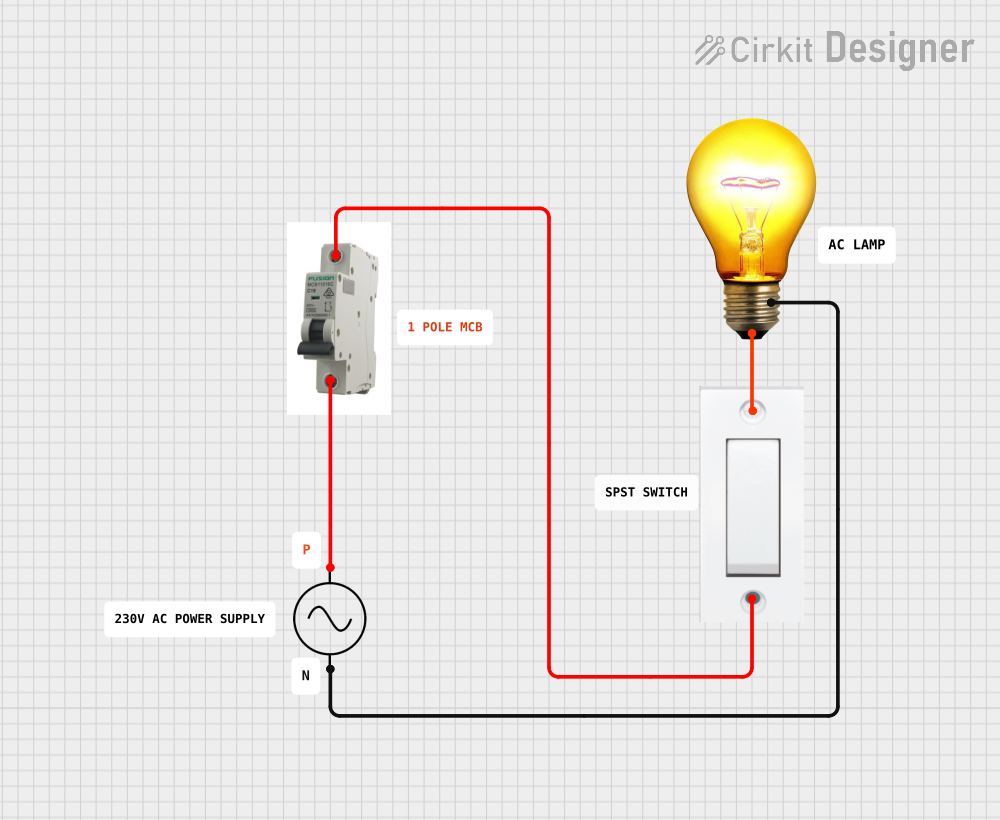 Open Project in Cirkit Designer
Explore Projects Built with MCB 10A
Open Project in Cirkit DesignerOpen Project in Cirkit DesignerOpen Project in Cirkit DesignerOpen Project in Cirkit DesignerTechnical Specifications
- Rated Current: 10 Amperes (A)
- Rated Voltage: 230/400V AC (single-phase or three-phase systems)
- Breaking Capacity: 6 kA (kiloamperes)
- Trip Curve: Type C (suitable for general-purpose loads with moderate inrush currents)
- Frequency: 50/60 Hz
- Poles: Single Pole (SP) or Double Pole (DP) variants available
- Mounting: DIN rail compatible
- Operating Temperature: -5°C to +40°C
- Standards Compliance: IEC 60898-1
Pin Configuration and Descriptions
The MCB 10A does not have traditional pins like electronic components but instead features terminals for wiring. Below is a description of its terminals:
| Terminal Name | Description |
|---|---|
| Line (Input) | Connects to the incoming live wire from the power source. |
| Load (Output) | Connects to the outgoing live wire leading to the protected circuit/load. |
| Neutral (Optional, DP) | For double-pole MCBs, connects to the incoming and outgoing neutral wires. |
Usage Instructions
Installation:
- Ensure the power supply is turned off before installation.
- Mount the MCB 10A onto a standard DIN rail in the distribution box.
- Connect the live wire from the power source to the Line (Input) terminal.
- Connect the live wire leading to the load to the Load (Output) terminal.
- For double-pole MCBs, connect the neutral wires to the respective terminals.
Operation:
- Once installed, switch the MCB to the "ON" position to allow current flow.
- In case of an overload or short circuit, the MCB will trip to the "OFF" position automatically.
- To reset, inspect and resolve the fault, then switch the MCB back to the "ON" position.
Important Considerations:
- Ensure the total load current does not exceed 10A to prevent nuisance tripping.
- Use appropriately rated wires and connectors to handle the current safely.
- Regularly inspect the MCB for signs of wear, damage, or overheating.
Arduino Integration (Optional Monitoring): While the MCB itself is not directly connected to an Arduino, you can monitor its status using a current sensor (e.g., ACS712) and an Arduino UNO. Below is an example code snippet for monitoring current:
/* * Example code to monitor current using ACS712 sensor and Arduino UNO. * This can help detect if the MCB trips by observing current flow. */ const int sensorPin = A0; // ACS712 sensor connected to analog pin A0 float sensitivity = 0.185; // Sensitivity for ACS712 5A module (in V/A) float offsetVoltage = 2.5; // Offset voltage at 0A (in volts) float current; // Variable to store calculated current void setup() { Serial.begin(9600); // Initialize serial communication } void loop() { int sensorValue = analogRead(sensorPin); // Read sensor value float voltage = (sensorValue / 1023.0) * 5.0; // Convert to voltage current = (voltage - offsetVoltage) / sensitivity; // Calculate current // Print current to Serial Monitor Serial.print("Current: "); Serial.print(current); Serial.println(" A"); delay(1000); // Wait for 1 second before next reading }- Note: This code is for monitoring purposes only and does not control the MCB.
Troubleshooting and FAQs
Common Issues
MCB Trips Frequently:
- Cause: Overload or short circuit in the connected circuit.
- Solution: Check the total load current and ensure it does not exceed 10A. Inspect for any short circuits or faulty appliances.
MCB Does Not Trip During Fault:
- Cause: Faulty MCB or incorrect installation.
- Solution: Verify the wiring connections and replace the MCB if necessary.
MCB Feels Hot to the Touch:
- Cause: Loose connections or excessive current.
- Solution: Tighten all terminal screws and ensure the load does not exceed the rated current.
FAQs
Can I use the MCB 10A for DC circuits?
- No, the MCB 10A is designed for AC circuits. Use a DC-rated circuit breaker for DC applications.
What is the difference between Type C and Type B MCBs?
- Type C MCBs are designed for circuits with moderate inrush currents (e.g., motors), while Type B MCBs are suitable for purely resistive loads (e.g., lighting).
How do I know if the MCB is faulty?
- If the MCB does not trip during a fault or trips without any load, it may be faulty and should be replaced.
By following this documentation, users can safely and effectively use the MCB 10A to protect their electrical circuits.