
How to Use adxl345: Examples, Pinouts, and Specs
 Design with adxl345 in Cirkit Designer
Introduction
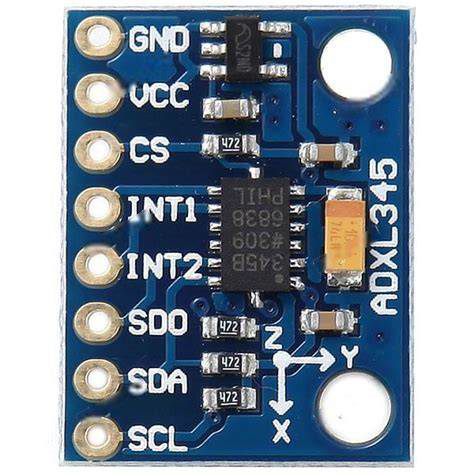
The ADXL345 is a small, thin, low-power, 3-axis accelerometer manufactured by Arduino with the part ID "UNO". It provides high-resolution (13-bit) measurements of acceleration up to ±16g. The device features a digital output accessible via I2C or SPI interfaces, making it versatile and easy to integrate into a wide range of applications.
Explore Projects Built with adxl345
 Open Project in Cirkit Designer
 Open Project in Cirkit Designer
 Open Project in Cirkit Designer
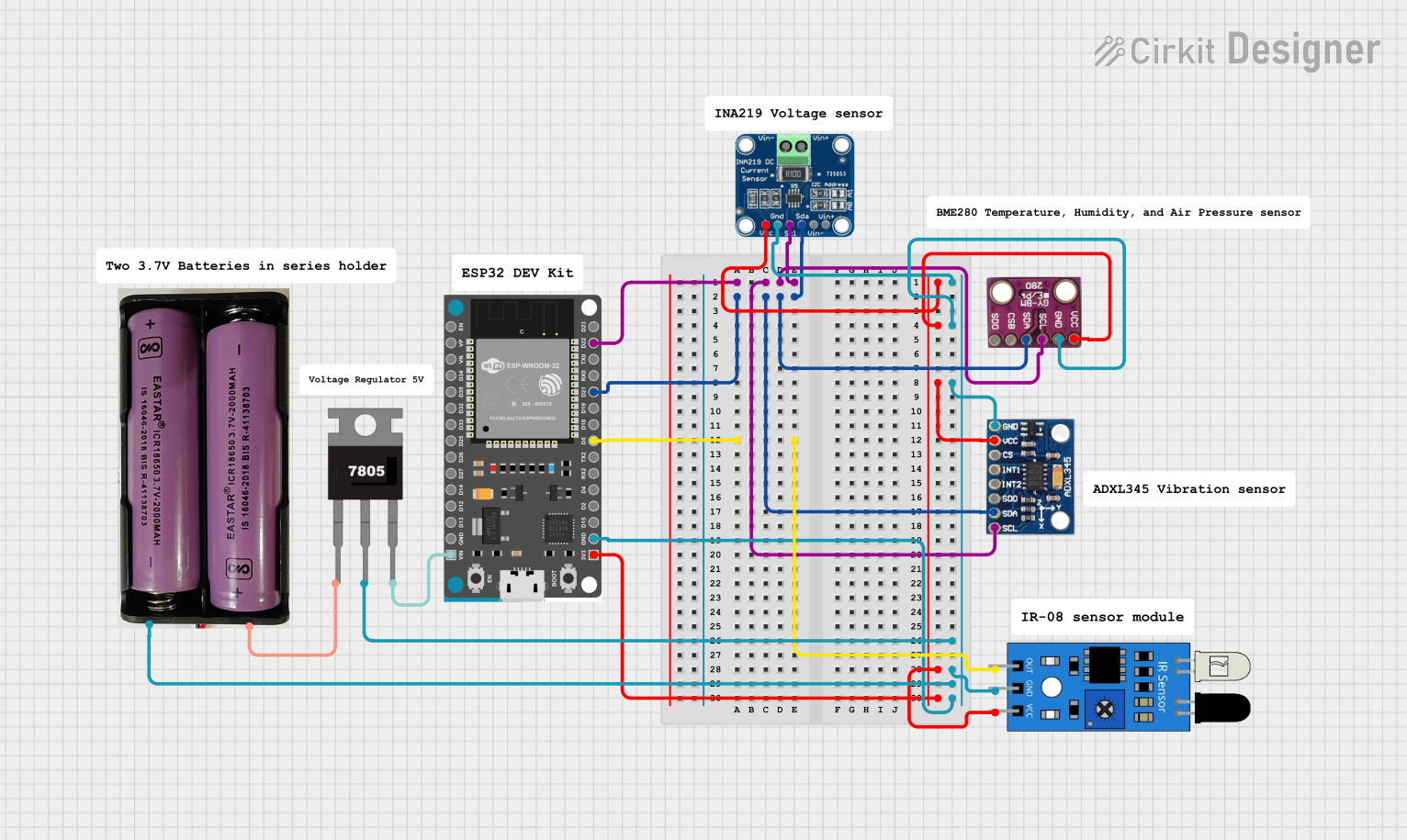 Open Project in Cirkit Designer
Explore Projects Built with adxl345
Open Project in Cirkit DesignerOpen Project in Cirkit DesignerOpen Project in Cirkit DesignerOpen Project in Cirkit DesignerCommon Applications and Use Cases
- Motion sensing in portable devices
- Tilt detection for user interface control
- Gesture recognition in gaming and robotics
- Vibration monitoring in industrial systems
- Fall detection in healthcare devices
Technical Specifications
The ADXL345 is designed for precision and flexibility, with the following key specifications:
| Parameter | Value |
|---|---|
| Measurement Range | ±2g, ±4g, ±8g, ±16g |
| Resolution | 13-bit |
| Supply Voltage (VDD) | 2.0V to 3.6V |
| Interface | I2C or SPI |
| Operating Temperature | -40°C to +85°C |
| Power Consumption | 40 µA in measurement mode |
| Output Data Rate (ODR) | 0.1 Hz to 3200 Hz |
| Dimensions | 3 mm × 5 mm × 1 mm |
Pin Configuration and Descriptions
The ADXL345 has 8 pins, as described in the table below:
| Pin | Name | Description |
|---|---|---|
| 1 | VDD | Power supply input (2.0V to 3.6V). |
| 2 | GND | Ground connection. |
| 3 | CS | Chip Select: Used to select SPI mode (active low). Tie high for I2C mode. |
| 4 | INT1 | Interrupt 1: Configurable interrupt output. |
| 5 | INT2 | Interrupt 2: Configurable interrupt output. |
| 6 | SCL/SCLK | Serial Clock: I2C clock line or SPI clock input. |
| 7 | SDA/SDI | Serial Data: I2C data line or SPI data input. |
| 8 | SDO/ALT | SPI data output or I2C alternate address select. Tie low for default I2C address. |
Usage Instructions
The ADXL345 can be used in either I2C or SPI mode, depending on the application. Below are the steps to integrate the ADXL345 into a circuit and communicate with it using an Arduino UNO.
Connecting the ADXL345 to an Arduino UNO (I2C Mode)
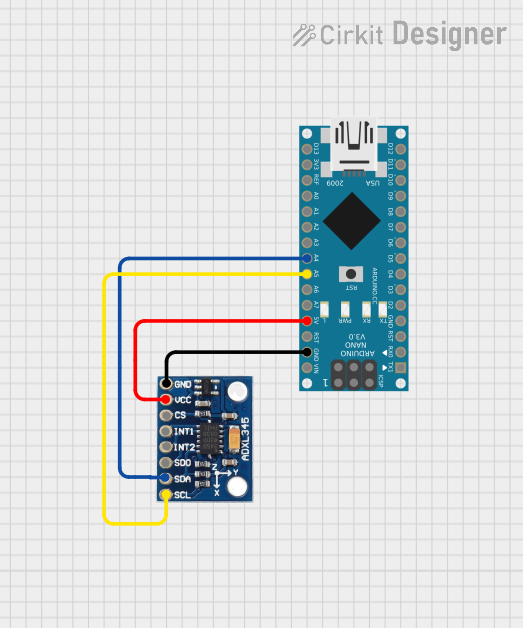
Wiring:
- Connect the ADXL345's
VDDpin to the Arduino's3.3Vpin. - Connect the
GNDpin to the Arduino'sGND. - Connect the
SCLpin to the Arduino'sA5pin (I2C clock line). - Connect the
SDApin to the Arduino'sA4pin (I2C data line). - Tie the
CSpin toVDDto enable I2C mode. - Optionally, connect
INT1orINT2to a digital pin on the Arduino for interrupt handling.
- Connect the ADXL345's
Arduino Code Example: Below is an example code snippet to read acceleration data from the ADXL345 using the Arduino Wire library:
#include <Wire.h>

#define ADXL345_ADDRESS 0x53 // Default I2C address for ADXL345
#define POWER_CTL 0x2D       // Power control register
#define DATA_FORMAT 0x31    // Data format register
#define DATAX0 0x32         // X-axis data register (low byte)

void setup() {
  Wire.begin(); // Initialize I2C communication
  Serial.begin(9600); // Start serial communication for debugging

  // Initialize ADXL345
  Wire.beginTransmission(ADXL345_ADDRESS);
  Wire.write(POWER_CTL); // Select power control register
  Wire.write(0x08);      // Set measurement mode
  Wire.endTransmission();

  Wire.beginTransmission(ADXL345_ADDRESS);
  Wire.write(DATA_FORMAT); // Select data format register
  Wire.write(0x0B);        // Set full resolution and ±16g range
  Wire.endTransmission();
}

void loop() {
  int16_t x, y, z;

  // Request 6 bytes of acceleration data (X, Y, Z)
  Wire.beginTransmission(ADXL345_ADDRESS);
  Wire.write(DATAX0); // Start reading from DATAX0 register
  Wire.endTransmission(false);
  Wire.requestFrom(ADXL345_ADDRESS, 6);

  if (Wire.available() == 6) {
    x = (Wire.read() | (Wire.read() << 8)); // Combine low and high bytes
    y = (Wire.read() | (Wire.read() << 8));
    z = (Wire.read() | (Wire.read() << 8));
  }

  // Print acceleration values to Serial Monitor
  Serial.print("X: "); Serial.print(x);
  Serial.print(" Y: "); Serial.print(y);
  Serial.print(" Z: "); Serial.println(z);

  delay(500); // Delay for readability
}
Important Considerations and Best Practices
- Power Supply: Ensure the ADXL345 is powered with a stable voltage between 2.0V and 3.6V. Using a voltage higher than 3.6V may damage the device.
- Pull-Up Resistors: For I2C communication, use pull-up resistors (typically 4.7kΩ) on the
SCLandSDAlines if not already present on the breakout board. - Interrupts: Configure the
INT1andINT2pins for advanced features like activity detection or free-fall detection. - Mounting: Secure the ADXL345 to minimize vibrations or noise that could affect measurements.
Troubleshooting and FAQs
Common Issues
No Data or Incorrect Readings:
- Ensure the wiring is correct and matches the pin configuration.
- Verify that the ADXL345 is in measurement mode by checking the
POWER_CTLregister.
I2C Communication Fails:
- Check the I2C address (default is
0x53). If theSDO/ALTpin is tied high, the address changes to0x1D. - Ensure pull-up resistors are present on the
SCLandSDAlines.
- Check the I2C address (default is
Unstable or Noisy Data:
- Verify that the ADXL345 is securely mounted to avoid mechanical vibrations.
- Use filtering techniques or adjust the output data rate (ODR) to reduce noise.
FAQs
Q: Can the ADXL345 operate in both I2C and SPI modes simultaneously?
A: No, the ADXL345 operates in either I2C or SPI mode, determined by the state of the CS pin. Tie CS high for I2C mode or low for SPI mode.
Q: What is the maximum cable length for I2C communication?
A: The maximum cable length depends on the pull-up resistor values and the capacitance of the I2C bus. For typical setups, keep the length under 1 meter to ensure reliable communication.
Q: How do I change the measurement range?
A: Modify the DATA_FORMAT register to set the desired range (±2g, ±4g, ±8g, or ±16g). Refer to the datasheet for specific register values.
By following this documentation, users can effectively integrate and utilize the ADXL345 in their projects.