
How to Use SWITCH-MOMENTARY-2: Examples, Pinouts, and Specs
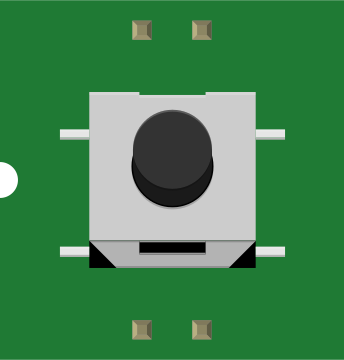
 Design with SWITCH-MOMENTARY-2 in Cirkit Designer
Introduction
The SWITCH-MOMENTARY-2 is a momentary push-button switch that temporarily closes a circuit only while it is being pressed. Once released, the circuit is opened again. This type of switch is widely used in applications where a temporary connection is required, such as in doorbells, reset buttons, and user input interfaces.
Explore Projects Built with SWITCH-MOMENTARY-2
 Open Project in Cirkit Designer
 Open Project in Cirkit Designer
 Open Project in Cirkit Designer
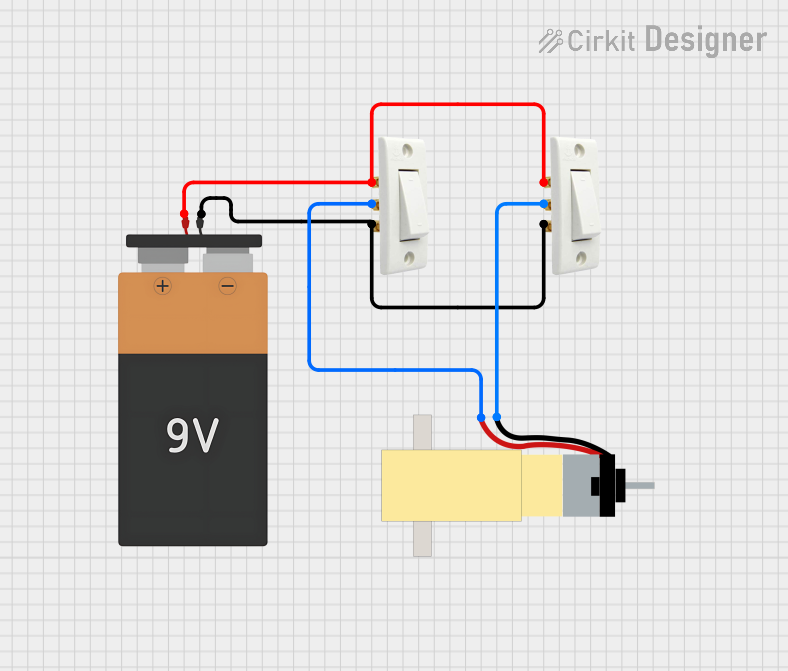 Open Project in Cirkit Designer
Explore Projects Built with SWITCH-MOMENTARY-2
Open Project in Cirkit DesignerOpen Project in Cirkit DesignerOpen Project in Cirkit DesignerOpen Project in Cirkit DesignerCommon Applications and Use Cases
- Doorbell systems
- Reset buttons on electronic devices
- User input for microcontroller projects (e.g., Arduino)
- Triggering events in circuits
- Testing and debugging circuits
Technical Specifications
The SWITCH-MOMENTARY-2 is a simple yet versatile component. Below are its key technical details:
| Parameter | Value |
|---|---|
| Switch Type | Momentary (Normally Open) |
| Operating Voltage | 3V to 24V DC |
| Maximum Current Rating | 50mA |
| Contact Resistance | ≤ 50 mΩ |
| Insulation Resistance | ≥ 100 MΩ at 500V DC |
| Operating Temperature | -20°C to +70°C |
| Mechanical Lifespan | 100,000 cycles |
Pin Configuration and Descriptions
The SWITCH-MOMENTARY-2 typically has two pins. Below is the pin configuration:
| Pin | Description |
|---|---|
| Pin 1 | Connects to one side of the circuit |
| Pin 2 | Connects to the other side of the circuit |
Note: The switch is non-polarized, meaning the pins are interchangeable.
Usage Instructions
How to Use the Component in a Circuit
- Basic Connection: Connect one pin of the switch to the positive side of the circuit and the other pin to the load or input device. When the button is pressed, the circuit will close, allowing current to flow.
- Pull-Down Resistor: When using the switch with a microcontroller (e.g., Arduino), it is recommended to use a pull-down resistor (typically 10kΩ) to ensure the input pin reads a stable LOW state when the switch is not pressed.
- Debouncing: Mechanical switches like the SWITCH-MOMENTARY-2 may produce noise or "bouncing" when pressed. Use a capacitor or software debouncing techniques to eliminate this issue.
Example: Connecting to an Arduino UNO
Below is an example of how to connect the SWITCH-MOMENTARY-2 to an Arduino UNO and read its state:
Circuit Diagram
- Connect one pin of the switch to digital pin 2 on the Arduino.
- Connect the other pin of the switch to GND.
- Add a 10kΩ pull-up resistor between digital pin 2 and 5V.
Arduino Code
// Define the pin connected to the switch
const int switchPin = 2;

// Variable to store the switch state
int switchState = 0;

void setup() {
  // Set the switch pin as input with an internal pull-up resistor
  pinMode(switchPin, INPUT_PULLUP);

  // Initialize serial communication for debugging
  Serial.begin(9600);
}

void loop() {
  // Read the state of the switch
  switchState = digitalRead(switchPin);

  // Print the switch state to the Serial Monitor
  if (switchState == LOW) {
    Serial.println("Switch Pressed");
  } else {
    Serial.println("Switch Released");
  }

  // Add a small delay to avoid spamming the Serial Monitor
  delay(100);
}
Important Considerations and Best Practices
- Voltage and Current Ratings: Ensure the switch operates within its specified voltage and current ratings to avoid damage.
- Debouncing: Always account for switch bouncing in your circuit design, especially in digital applications.
- Mechanical Lifespan: Avoid excessive force or rapid pressing to maximize the switch's lifespan.
Troubleshooting and FAQs
Common Issues and Solutions
Switch Not Responding
- Cause: Loose or incorrect wiring.
- Solution: Double-check the connections and ensure the switch is properly wired.
Unstable Readings in Microcontroller Applications
- Cause: Switch bouncing.
- Solution: Implement hardware (capacitor) or software debouncing techniques.
Switch Feels Stuck or Unresponsive
- Cause: Dirt or debris inside the switch.
- Solution: Clean the switch carefully or replace it if necessary.
Switch Fails to Close the Circuit
- Cause: Exceeding the current or voltage rating.
- Solution: Verify the circuit's voltage and current requirements and replace the switch if damaged.
FAQs
Q: Can I use the SWITCH-MOMENTARY-2 with AC circuits?
A: No, this switch is designed for low-voltage DC circuits only. Using it with AC circuits may damage the switch or pose safety risks.
Q: How do I debounce the switch in software?
A: You can use a delay or a state-checking algorithm in your code to filter out rapid changes in the switch state caused by bouncing.
Q: Is the switch waterproof?
A: No, the SWITCH-MOMENTARY-2 is not waterproof. Avoid using it in environments with high humidity or exposure to liquids.
Q: Can I use this switch for high-power applications?
A: No, the switch is rated for a maximum current of 50mA. For high-power applications, consider using a relay or a switch with higher ratings.
This concludes the documentation for the SWITCH-MOMENTARY-2.