
How to Use AC: Examples, Pinouts, and Specs
 Design with AC in Cirkit Designer
Introduction
Alternating Current (AC) is an electric current that periodically reverses its direction, unlike Direct Current (DC), which flows in a single direction. AC is the standard form of electricity used in power supply systems for homes, businesses, and industries due to its efficiency in transmitting power over long distances. The frequency of AC varies by region, with 50 Hz being common in Europe and Asia, and 60 Hz in North America.
Explore Projects Built with AC
 Open Project in Cirkit Designer
 Open Project in Cirkit Designer
 Open Project in Cirkit Designer
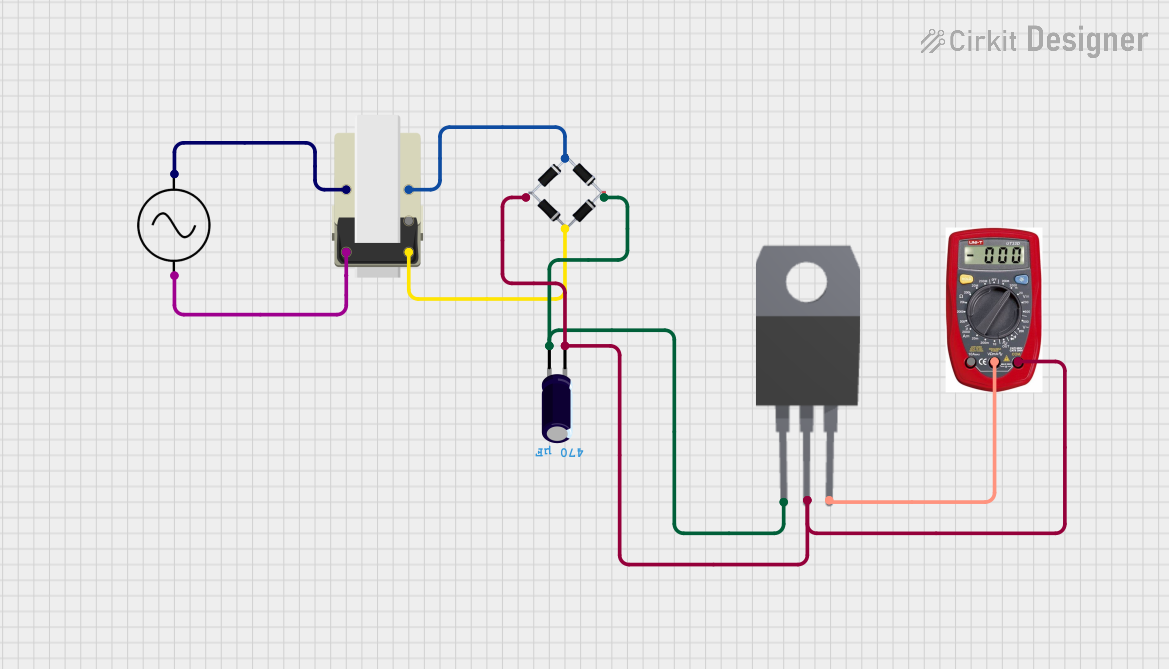 Open Project in Cirkit Designer
Explore Projects Built with AC
Open Project in Cirkit DesignerOpen Project in Cirkit DesignerOpen Project in Cirkit DesignerOpen Project in Cirkit DesignerCommon Applications and Use Cases
- Powering household appliances (e.g., refrigerators, air conditioners, and televisions)
- Industrial machinery and equipment
- Lighting systems
- Electric power transmission and distribution
- Audio and radio signal transmission
Technical Specifications
The characteristics of AC depend on the specific application and region. Below are general technical details:
| Parameter | Description |
|---|---|
| Voltage Range | Typically 110V to 240V (varies by country and application) |
| Frequency | 50 Hz or 60 Hz (depending on the region) |
| Waveform | Sine wave (most common), square wave, or triangular wave (in specialized cases) |
| Phase | Single-phase or three-phase (used in industrial and high-power applications) |
| Power Factor | Typically ranges from 0.7 to 1.0, depending on the load |
AC Power Pin Configuration
AC power is delivered through various plug and socket configurations. Below is an example of a standard single-phase AC power outlet:
| Pin | Description |
|---|---|
| Live (L) | Carries the current to the load |
| Neutral (N) | Returns the current from the load |
| Ground (G) | Safety connection to prevent shocks |
Usage Instructions
How to Use AC in a Circuit
- Understand the Voltage and Frequency: Ensure the AC voltage and frequency match the requirements of your device or circuit.
- Use Proper Insulation: AC circuits operate at high voltages, so use insulated wires and components rated for the voltage.
- Include Safety Features: Use fuses, circuit breakers, and ground fault interrupters (GFIs) to protect against overcurrent and electrical faults.
- Step Down Voltage if Necessary: For low-voltage devices, use a transformer or an AC-DC converter to step down the voltage.
- Connect to Load: Connect the live and neutral wires to the load, ensuring proper polarity. Ground the circuit for safety.
Important Considerations and Best Practices
- Safety First: Always turn off the power supply before working on an AC circuit.
- Use Proper Tools: Use a multimeter to measure voltage and ensure connections are correct.
- Avoid Overloading: Ensure the load does not exceed the current rating of the circuit.
- Grounding: Proper grounding is essential to prevent electric shocks and equipment damage.
Example: Using AC with an Arduino UNO
While Arduino boards typically operate on DC, you can use an AC-DC adapter to power the board or interface with AC devices using relays. Below is an example of controlling an AC load (e.g., a light bulb) using an Arduino and a relay module:
/*
  Example: Controlling an AC Load with Arduino and Relay
  This code toggles an AC load (e.g., a light bulb) on and off every second.
  Ensure proper isolation between the AC and DC sides of the circuit.
*/

const int relayPin = 7; // Pin connected to the relay module

void setup() {
  pinMode(relayPin, OUTPUT); // Set relay pin as output
}

void loop() {
  digitalWrite(relayPin, HIGH); // Turn on the relay (AC load ON)
  delay(1000);                  // Wait for 1 second
  digitalWrite(relayPin, LOW);  // Turn off the relay (AC load OFF)
  delay(1000);                  // Wait for 1 second
}
Note: Always use a relay module with proper isolation and ensure the relay's voltage and current ratings match the AC load.
Troubleshooting and FAQs
Common Issues
AC Device Not Powering On
- Cause: Incorrect wiring or insufficient voltage.
- Solution: Verify the wiring and ensure the voltage matches the device's requirements.
Circuit Breaker Trips Frequently
- Cause: Overloaded circuit or short circuit.
- Solution: Reduce the load or check for wiring faults.
Electric Shock Risk
- Cause: Improper grounding or exposed wires.
- Solution: Ensure all connections are insulated and the circuit is properly grounded.
Arduino Not Controlling AC Load
- Cause: Incorrect relay wiring or insufficient power to the relay.
- Solution: Check the relay connections and ensure the Arduino provides enough current to activate the relay.
FAQs
Q: Can I connect AC directly to an Arduino?
A: No, Arduino boards operate on DC voltage (typically 5V or 3.3V). Use an AC-DC adapter or a relay module to interface with AC devices.
Q: What is the difference between single-phase and three-phase AC?
A: Single-phase AC has one live wire and is commonly used in homes. Three-phase AC has three live wires and is used in industrial applications for higher power efficiency.
Q: How do I measure AC voltage?
A: Use a multimeter set to AC voltage mode. Ensure the probes are properly insulated and rated for the voltage being measured.
Q: Is AC dangerous?
A: Yes, AC can be dangerous due to its high voltage and current. Always follow safety precautions when working with AC circuits.