
How to Use sd card reader: Examples, Pinouts, and Specs
 Design with sd card reader in Cirkit Designer
Introduction
An SD card reader is a device that facilitates reading and writing data to Secure Digital (SD) memory cards. These readers are widely used in applications requiring portable storage, such as digital cameras, smartphones, and embedded systems. In electronics projects, SD card readers are often employed to log data, store configuration files, or retrieve multimedia content.
Explore Projects Built with sd card reader
 Open Project in Cirkit Designer
 Open Project in Cirkit Designer
 Open Project in Cirkit Designer
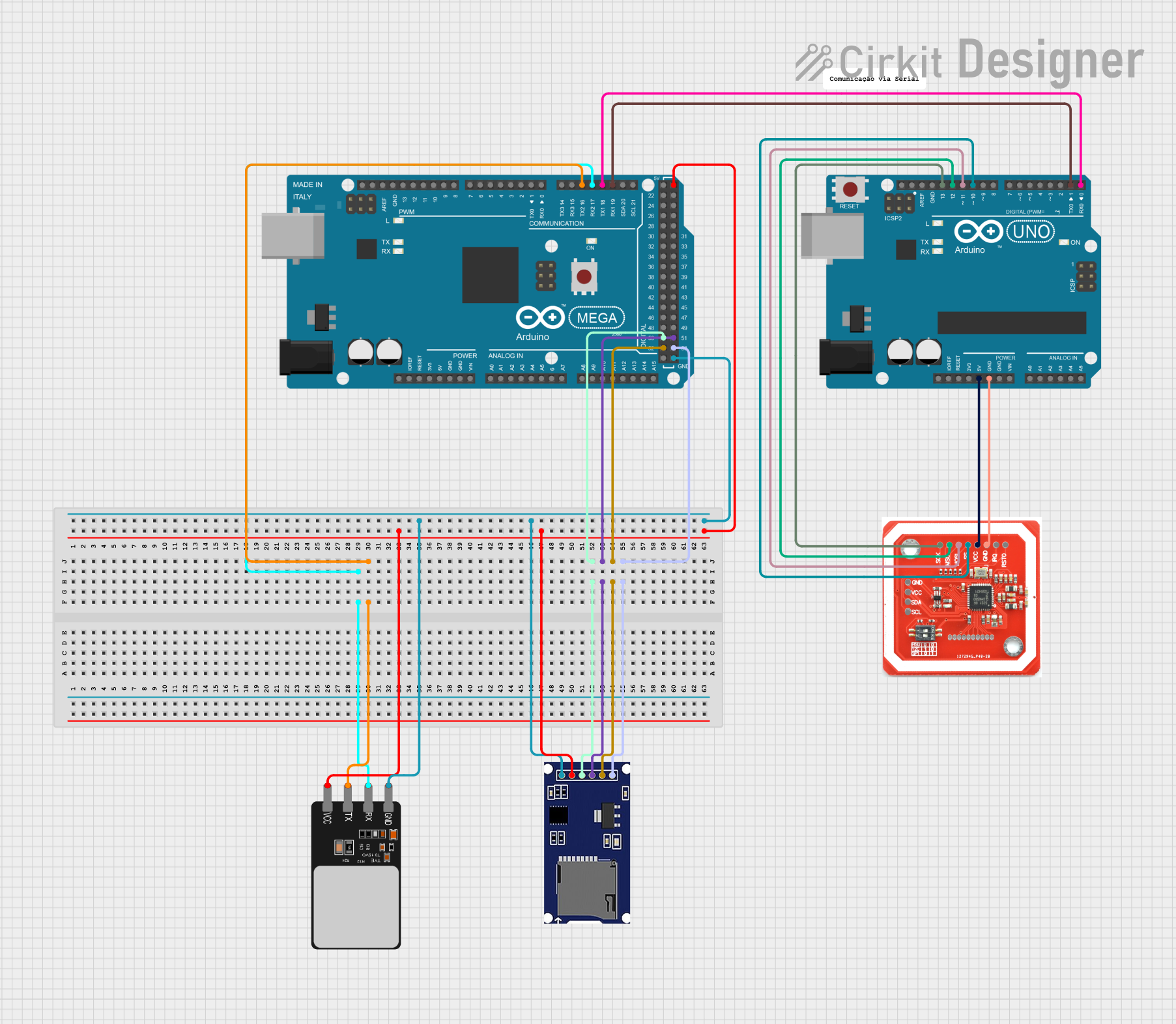 Open Project in Cirkit Designer
Explore Projects Built with sd card reader
Open Project in Cirkit DesignerOpen Project in Cirkit DesignerOpen Project in Cirkit DesignerOpen Project in Cirkit DesignerCommon Applications:
- Data logging in IoT and embedded systems
- Storing multimedia files (e.g., images, audio, video)
- Configuration file storage for microcontroller-based projects
- Portable storage for consumer electronics
Technical Specifications
Below are the general technical specifications for a typical SD card reader module used in electronics projects:
| Specification | Details |
|---|---|
| Operating Voltage | 3.3V or 5V (depending on the module) |
| Communication Protocol | SPI (Serial Peripheral Interface) |
| Supported SD Card Types | SD, SDHC, and sometimes microSD (with adapter) |
| Maximum SD Card Capacity | Typically up to 32GB (FAT32 format) |
| Current Consumption | ~50mA (varies with usage) |
| Operating Temperature | -25°C to 85°C |
Pin Configuration
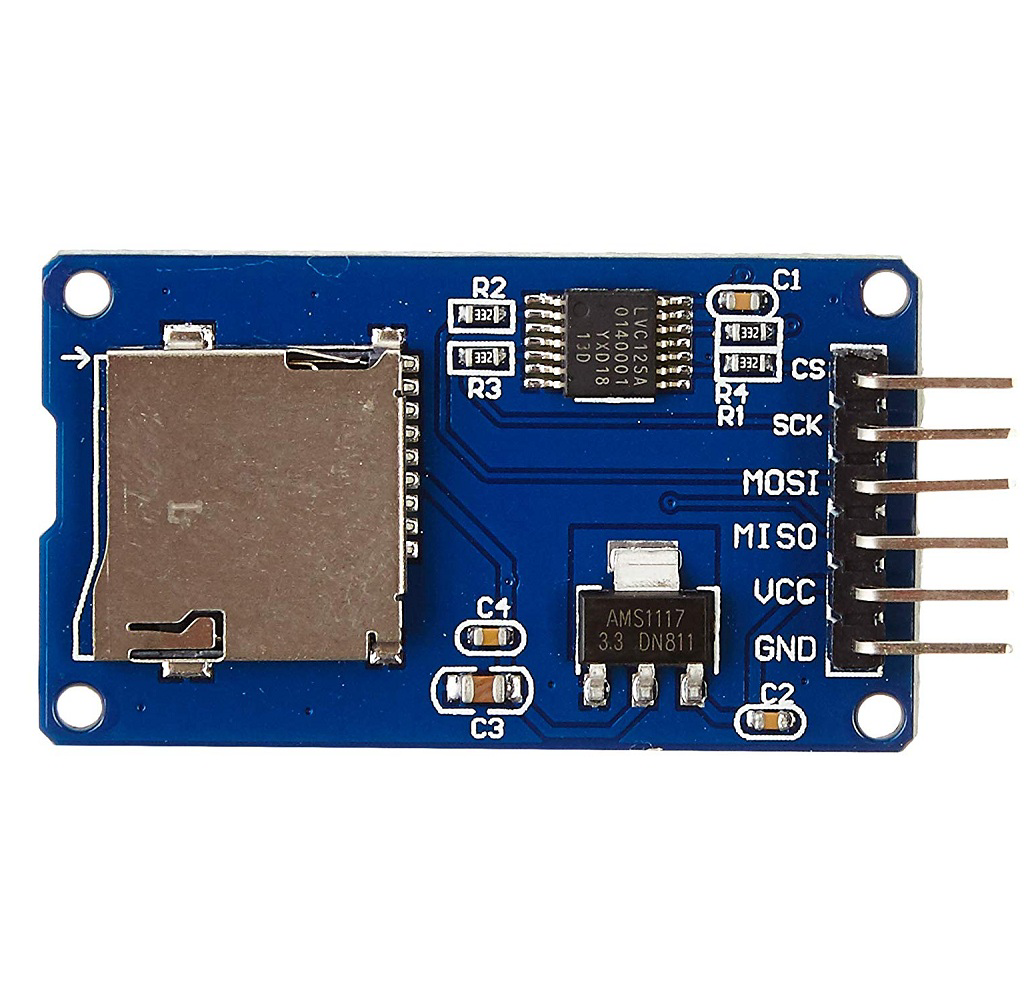
The SD card reader module typically has the following pinout:
| Pin Name | Description |
|---|---|
| VCC | Power supply input (3.3V or 5V, depending on the module) |
| GND | Ground connection |
| MISO | Master In Slave Out - Data output from SD card to MCU |
| MOSI | Master Out Slave In - Data input from MCU to SD card |
| SCK | Serial Clock - Clock signal for SPI communication |
| CS | Chip Select - Activates the SD card for communication |
Usage Instructions
Connecting the SD Card Reader to a Microcontroller
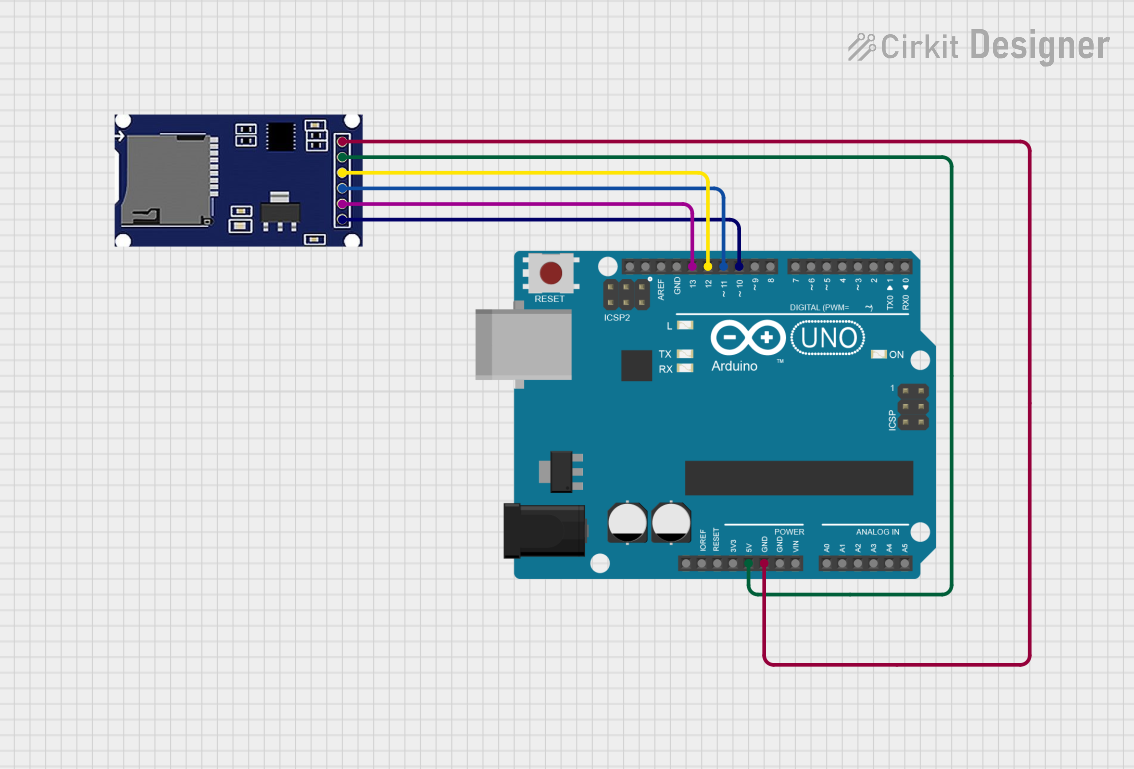
To use an SD card reader in a circuit, connect it to a microcontroller (e.g., Arduino UNO) via the SPI interface. Below is a typical wiring guide for an Arduino UNO:
| SD Card Reader Pin | Arduino UNO Pin |
|---|---|
| VCC | 5V |
| GND | GND |
| MISO | Pin 12 |
| MOSI | Pin 11 |
| SCK | Pin 13 |
| CS | Pin 10 |
Important Considerations:
- SD Card Format: Ensure the SD card is formatted as FAT16 or FAT32. Most SD card libraries do not support exFAT.
- Voltage Levels: Some SD card readers require 3.3V logic levels. If your microcontroller operates at 5V, use a level shifter to avoid damaging the SD card.
- Library Support: Use an appropriate library, such as the Arduino SD library, to simplify communication with the SD card.
Example Code for Arduino UNO
Below is an example code snippet to initialize an SD card and write data to a file:
#include <SPI.h>
#include <SD.h>

// Define the chip select pin for the SD card reader
const int chipSelect = 10;

void setup() {
  // Initialize serial communication for debugging
  Serial.begin(9600);
  while (!Serial) {
    ; // Wait for the serial port to connect (for native USB boards)
  }

  Serial.println("Initializing SD card...");

  // Check if the SD card is present and can be initialized
  if (!SD.begin(chipSelect)) {
    Serial.println("Card failed, or not present");
    // Don't proceed if the card is not initialized
    while (1);
  }
  Serial.println("Card initialized successfully!");

  // Open a file for writing
  File dataFile = SD.open("example.txt", FILE_WRITE);

  // Check if the file opened successfully
  if (dataFile) {
    dataFile.println("Hello, SD card!"); // Write data to the file
    dataFile.close(); // Close the file
    Serial.println("Data written to file.");
  } else {
    Serial.println("Error opening file for writing.");
  }
}

void loop() {
  // Nothing to do here
}
Best Practices:
- Always close files after reading or writing to prevent data corruption.
- Avoid removing the SD card while the module is powered to ensure data integrity.
- Use pull-up resistors on SPI lines if communication issues occur.
Troubleshooting and FAQs
Common Issues:
SD Card Initialization Fails:
- Ensure the SD card is properly inserted into the reader.
- Verify the SD card is formatted as FAT16 or FAT32.
- Check the wiring between the SD card reader and the microcontroller.
File Not Found or Cannot Open File:
- Confirm the file name matches exactly, including case sensitivity.
- Ensure the file exists on the SD card if attempting to read.
Data Corruption:
- Avoid removing the SD card while the module is powered.
- Ensure files are properly closed after writing.
Communication Errors:
- Check for loose or incorrect connections.
- Verify the SPI clock speed is compatible with the SD card.
FAQs:
Q: Can I use a microSD card with this module?
A: Yes, you can use a microSD card with an appropriate adapter.
Q: What is the maximum SD card size supported?
A: Most modules support up to 32GB SD cards formatted as FAT32.
Q: Can I use multiple SD card readers with one microcontroller?
A: Yes, but each reader must have a unique Chip Select (CS) pin.
Q: Why is my SD card reader not working with a 5V microcontroller?
A: Some SD card readers require 3.3V logic levels. Use a level shifter if needed.
By following this documentation, you can effectively integrate an SD card reader into your electronics projects for reliable data storage and retrieval.