
How to Use Arduino UNO: Examples, Pinouts, and Specs
 Design with Arduino UNO in Cirkit Designer
Introduction
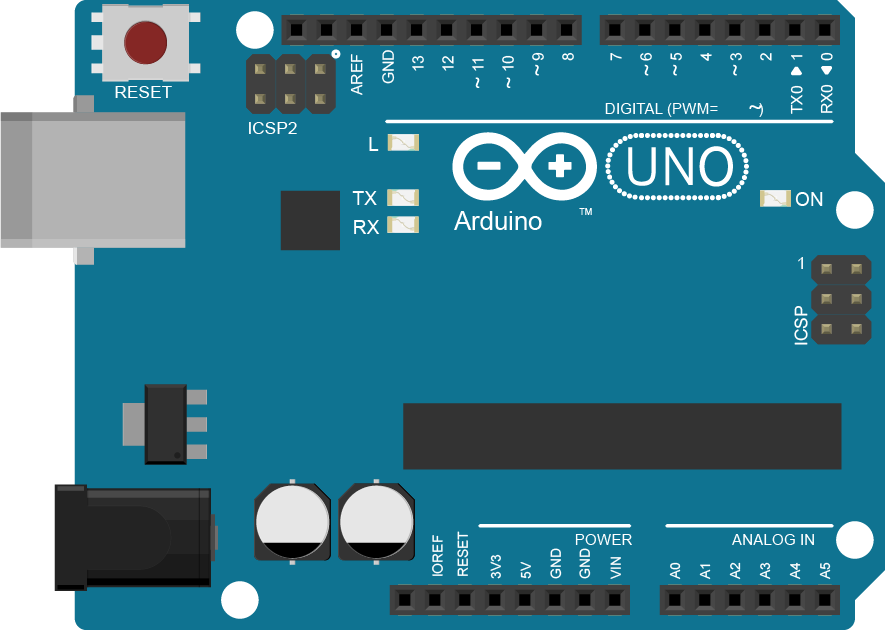
The Arduino UNO is a microcontroller board based on the ATmega328P. It is one of the most popular and versatile development boards in the Arduino ecosystem, widely used for building digital devices and interactive objects that can sense and control the physical world. Its simplicity, open-source nature, and extensive community support make it an excellent choice for beginners and professionals alike.
Explore Projects Built with Arduino UNO
 Open Project in Cirkit Designer
 Open Project in Cirkit Designer
 Open Project in Cirkit Designer
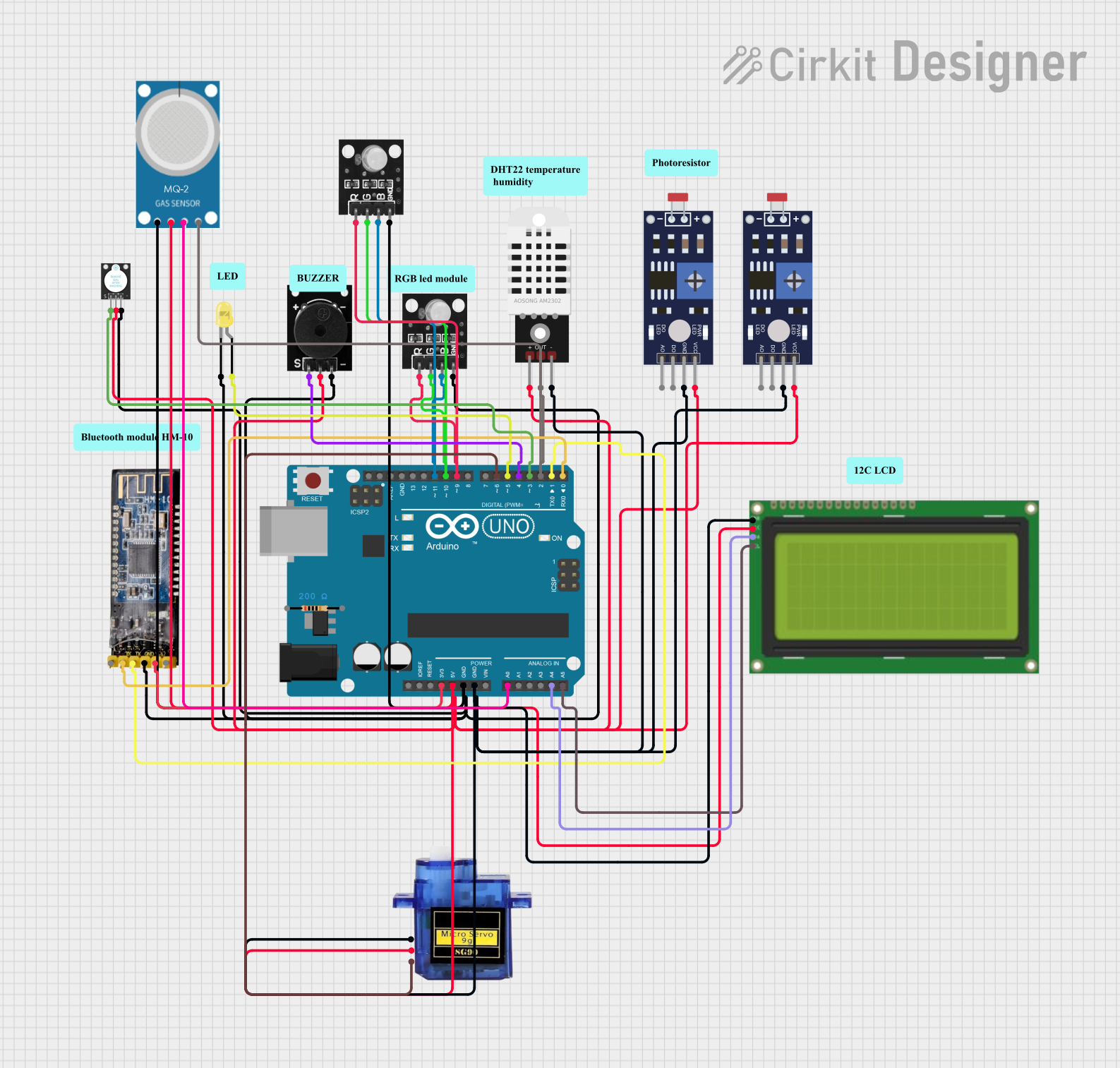 Open Project in Cirkit Designer
Explore Projects Built with Arduino UNO
Open Project in Cirkit DesignerOpen Project in Cirkit DesignerOpen Project in Cirkit DesignerOpen Project in Cirkit DesignerCommon Applications and Use Cases
- Prototyping and development of IoT devices
- Robotics and automation projects
- Sensor data acquisition and processing
- Home automation systems
- Educational purposes for learning programming and electronics
Technical Specifications
Key Technical Details
| Specification | Value |
|---|---|
| Microcontroller | ATmega328P |
| Operating Voltage | 5V |
| Input Voltage (VIN) | 7-12V |
| Digital I/O Pins | 14 (6 provide PWM output) |
| Analog Input Pins | 6 |
| DC Current per I/O Pin | 20 mA |
| Flash Memory | 32 KB (0.5 KB used by bootloader) |
| SRAM | 2 KB |
| EEPROM | 1 KB |
| Clock Speed | 16 MHz |
| USB Connector | Type-B |
| Dimensions | 68.6 mm x 53.4 mm |
Pin Configuration and Descriptions
| Pin Name | Description |
|---|---|
| Digital Pins | Pins 0-13: Used for digital input/output. Pins 3, 5, 6, 9, 10, and 11 support PWM. |
| Analog Pins | Pins A0-A5: Used for analog input (10-bit resolution). |
| Power Pins | VIN, 5V, 3.3V, GND: Provide power to the board or external components. |
| Reset | Resets the microcontroller. |
| ICSP Header | Used for in-circuit serial programming of the microcontroller. |
| TX/RX LEDs | Indicate serial communication (transmit/receive). |
Usage Instructions
How to Use the Arduino UNO in a Circuit
Powering the Board:
- Connect the Arduino UNO to your computer via a USB cable for power and programming.
- Alternatively, use an external power supply (7-12V) through the VIN pin or DC barrel jack.
Connecting Components:
- Use the digital pins for on/off signals or PWM for variable control (e.g., motor speed).
- Use the analog pins to read sensor values (e.g., temperature, light intensity).
Programming the Board:
- Install the Arduino IDE from the official Arduino website.
- Select "Arduino UNO" as the board type in the IDE.
- Write your code in the IDE, then upload it to the board via the USB connection.
Important Considerations and Best Practices
- Avoid exceeding the maximum current rating (20 mA per I/O pin) to prevent damage.
- Use pull-up or pull-down resistors for stable digital input signals.
- Ensure proper grounding between the Arduino and external components.
- Use a decoupling capacitor (e.g., 0.1 µF) near power pins for noise reduction.
Example Code: Blinking an LED
The following code demonstrates how to blink an LED connected to digital pin 13.
// This example code blinks an LED connected to pin 13 on the Arduino UNO.
// The LED will turn on for 1 second, then off for 1 second, repeatedly.

void setup() {
  pinMode(13, OUTPUT); // Set pin 13 as an output pin
}

void loop() {
  digitalWrite(13, HIGH); // Turn the LED on
  delay(1000);            // Wait for 1 second
  digitalWrite(13, LOW);  // Turn the LED off
  delay(1000);            // Wait for 1 second
}
Troubleshooting and FAQs
Common Issues and Solutions
The Arduino UNO is not detected by the computer:
- Ensure the USB cable is properly connected and functional.
- Install the necessary USB drivers from the Arduino website.
- Check if the correct COM port is selected in the Arduino IDE.
Code does not upload to the board:
- Verify that "Arduino UNO" is selected as the board type in the IDE.
- Ensure no other program is using the same COM port.
- Press the reset button on the board before uploading.
Components connected to the board are not working:
- Double-check the wiring and connections.
- Ensure the components are compatible with the Arduino UNO's voltage and current ratings.
- Use a multimeter to test for continuity and proper voltage levels.
FAQs
Can I power the Arduino UNO with a battery?
Yes, you can use a 9V battery connected to the DC barrel jack or VIN pin.What is the maximum current the Arduino UNO can supply?
The 5V pin can supply up to 500 mA when powered via USB, or up to 1A when using an external power supply.Can I use the Arduino UNO for wireless communication?
Yes, you can use external modules like Bluetooth (HC-05) or Wi-Fi (ESP8266) for wireless communication.
By following this documentation, you can effectively use the Arduino UNO for a wide range of projects and applications.