
How to Use BME 680: Examples, Pinouts, and Specs
 Design with BME 680 in Cirkit Designer
Introduction
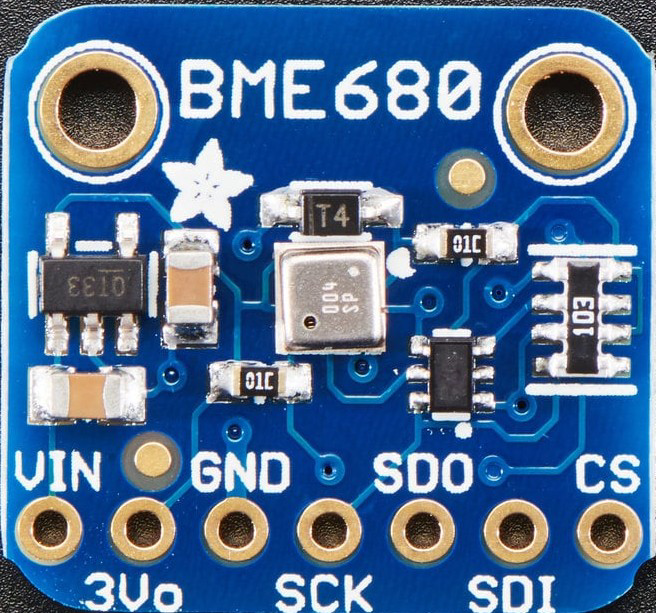
The BME 680 is a digital environmental sensor manufactured by Adafruit. It is a versatile component capable of measuring temperature, humidity, barometric pressure, and gas (air quality) levels. This sensor is widely used in applications such as environmental monitoring, weather stations, smart home devices, and IoT systems. Its compact design and high accuracy make it an excellent choice for projects requiring precise atmospheric data.
The BME 680 integrates a gas sensor to detect volatile organic compounds (VOCs), enabling air quality analysis. It communicates via I2C or SPI interfaces, making it compatible with a wide range of microcontrollers, including the Arduino UNO.
Explore Projects Built with BME 680
 Open Project in Cirkit Designer
 Open Project in Cirkit Designer
 Open Project in Cirkit Designer
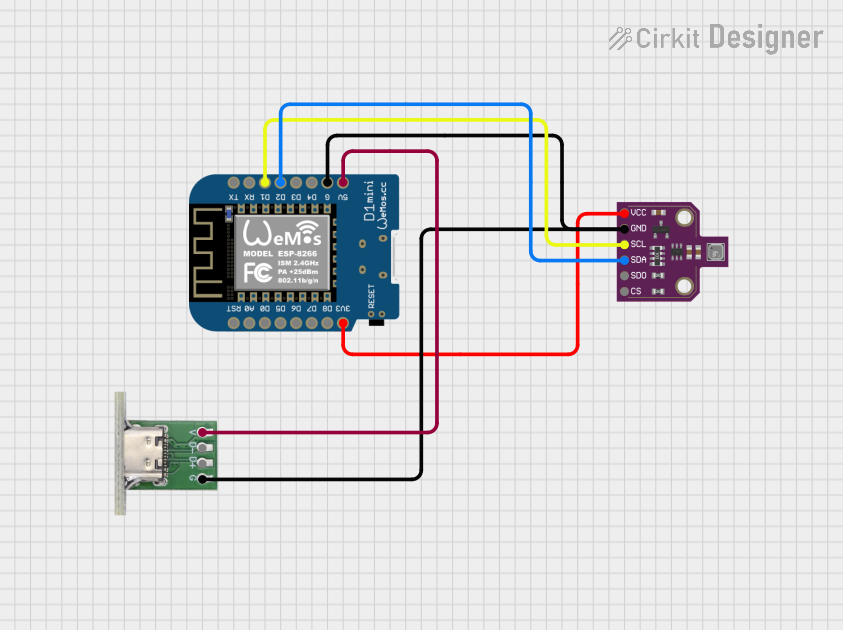 Open Project in Cirkit Designer
Explore Projects Built with BME 680
Open Project in Cirkit DesignerOpen Project in Cirkit DesignerOpen Project in Cirkit DesignerOpen Project in Cirkit DesignerTechnical Specifications
Below are the key technical details of the BME 680 sensor:
| Parameter | Value |
|---|---|
| Manufacturer | Adafruit |
| Part ID | BME 680 |
| Supply Voltage (VDD) | 1.7V to 3.6V |
| Interface | I2C, SPI |
| Temperature Range | -40°C to +85°C |
| Temperature Accuracy | ±1.0°C |
| Humidity Range | 0% to 100% RH |
| Humidity Accuracy | ±3% RH |
| Pressure Range | 300 hPa to 1100 hPa |
| Pressure Accuracy | ±1 hPa |
| Gas Sensor | Measures VOCs (air quality index) |
| Power Consumption | 0.15mA (low power mode) to 12mA (peak) |
Pin Configuration
The BME 680 sensor typically comes in a breakout board format. Below is the pin configuration:
| Pin Name | Description |
|---|---|
| VIN | Power supply input (3.3V or 5V) |
| GND | Ground |
| SCL | I2C clock line (or SPI clock) |
| SDA | I2C data line (or SPI MOSI) |
| CS | Chip select (used in SPI mode) |
| SDO | SPI MISO (or I2C address selection) |
Usage Instructions
Connecting the BME 680 to an Arduino UNO
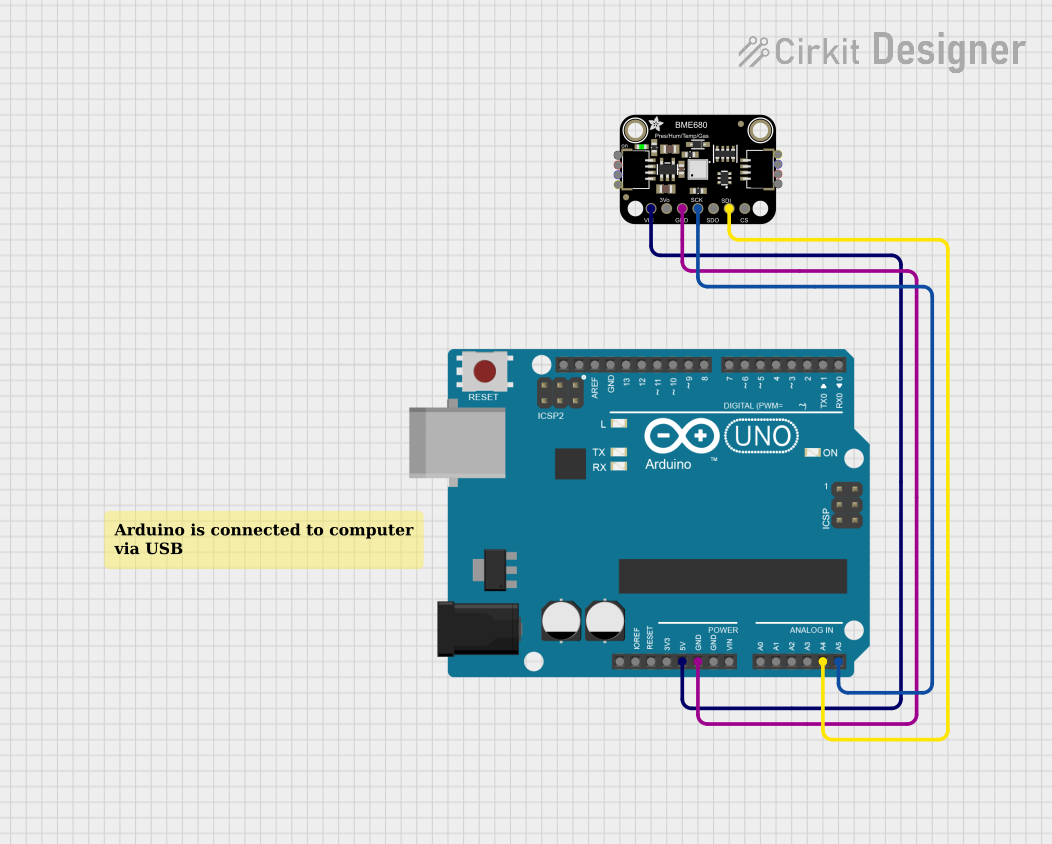
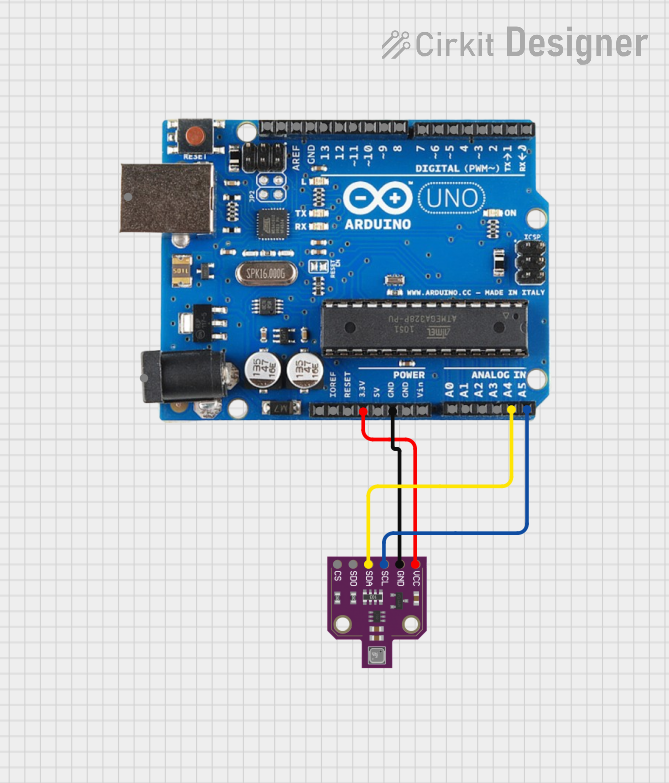
The BME 680 can be easily connected to an Arduino UNO using the I2C interface. Below is the wiring guide:
| BME 680 Pin | Arduino UNO Pin |
|---|---|
| VIN | 5V |
| GND | GND |
| SCL | A5 (I2C Clock) |
| SDA | A4 (I2C Data) |
Installing the Required Library
To use the BME 680 with Arduino, install the Adafruit BME680 Library:
- Open the Arduino IDE.
- Go to Sketch > Include Library > Manage Libraries.
- Search for "Adafruit BME680" and click Install.
Example Code
The following example demonstrates how to read temperature, humidity, pressure, and gas data from the BME 680:
#include <Wire.h>
#include <Adafruit_Sensor.h>
#include "Adafruit_BME680.h"

// Create an instance of the BME680 sensor
Adafruit_BME680 bme;

// Setup function to initialize the sensor
void setup() {
  Serial.begin(9600);
  while (!Serial); // Wait for serial monitor to open

  // Initialize the BME680 sensor
  if (!bme.begin()) {
    Serial.println("Could not find a valid BME680 sensor, check wiring!");
    while (1);
  }

  // Configure the sensor settings
  bme.setTemperatureOversampling(BME680_OS_8X);
  bme.setHumidityOversampling(BME680_OS_2X);
  bme.setPressureOversampling(BME680_OS_4X);
  bme.setIIRFilterSize(BME680_FILTER_SIZE_3);
  bme.setGasHeater(320, 150); // 320°C for 150 ms
}

// Loop function to read and display sensor data
void loop() {
  if (!bme.performReading()) {
    Serial.println("Failed to perform reading!");
    return;
  }

  // Print sensor readings to the serial monitor
  Serial.print("Temperature = ");
  Serial.print(bme.temperature);
  Serial.println(" °C");

  Serial.print("Humidity = ");
  Serial.print(bme.humidity);
  Serial.println(" %");

  Serial.print("Pressure = ");
  Serial.print(bme.pressure / 100.0);
  Serial.println(" hPa");

  Serial.print("Gas = ");
  Serial.print(bme.gas_resistance / 1000.0);
  Serial.println(" KOhms");

  Serial.println();
  delay(2000); // Wait 2 seconds before the next reading
}
Best Practices
- Use pull-up resistors (4.7kΩ) on the I2C lines (SCL and SDA) if not already included on the breakout board.
- Ensure the sensor is placed in an open area for accurate air quality readings.
- Avoid exposing the sensor to water or corrosive gases, as this may damage the gas sensor.
Troubleshooting and FAQs
Common Issues
Sensor not detected by Arduino:
- Ensure the wiring is correct and matches the pin configuration.
- Verify that the I2C address (default: 0x76 or 0x77) is correct in the code.
Incorrect or fluctuating readings:
- Check for stable power supply and proper grounding.
- Allow the sensor to stabilize for a few minutes after powering on.
Gas sensor readings are inconsistent:
- The gas sensor requires a burn-in period (up to 24 hours) for optimal performance.
- Ensure the sensor is not exposed to sudden temperature or humidity changes.
FAQs
Q: Can the BME 680 operate at 5V?
A: Yes, the breakout board includes a voltage regulator, allowing it to operate at 3.3V or 5V.
Q: How do I change the I2C address?
A: The I2C address can be changed by connecting the SDO pin to GND (0x76) or VIN (0x77).
Q: Can the BME 680 measure CO2 levels?
A: No, the BME 680 measures VOCs, which can be used as an indicator of air quality but does not directly measure CO2.
Q: Is the BME 680 suitable for outdoor use?
A: The sensor is not weatherproof and should be protected from water and extreme conditions if used outdoors.
By following this documentation, you can effectively integrate the BME 680 sensor into your projects for accurate environmental monitoring.