
How to Use Beam Sensors Curtains: Examples, Pinouts, and Specs
 Design with Beam Sensors Curtains in Cirkit Designer
Introduction
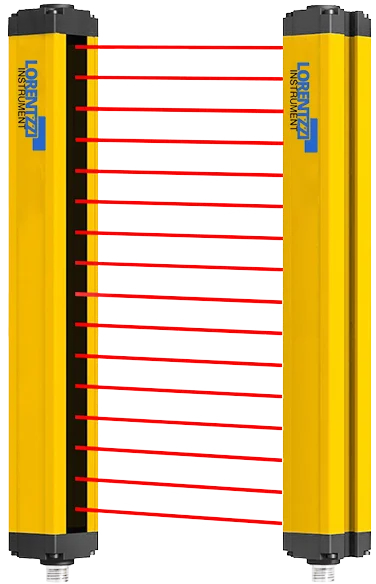
Beam sensor curtains are electronic devices designed to detect the interruption of infrared (IR) beams across a defined area. These sensors consist of an array of IR transmitters and receivers arranged in a curtain-like configuration. When an object or person passes through the curtain, the interruption of one or more beams triggers a signal.
Beam sensor curtains are commonly used in:
- Security systems (e.g., intrusion detection, perimeter monitoring)
- Automatic doors and elevators
- Industrial automation (e.g., object detection on conveyor belts)
- Safety systems (e.g., preventing accidents with machinery)
Explore Projects Built with Beam Sensors Curtains
 Open Project in Cirkit Designer
 Open Project in Cirkit Designer
 Open Project in Cirkit Designer
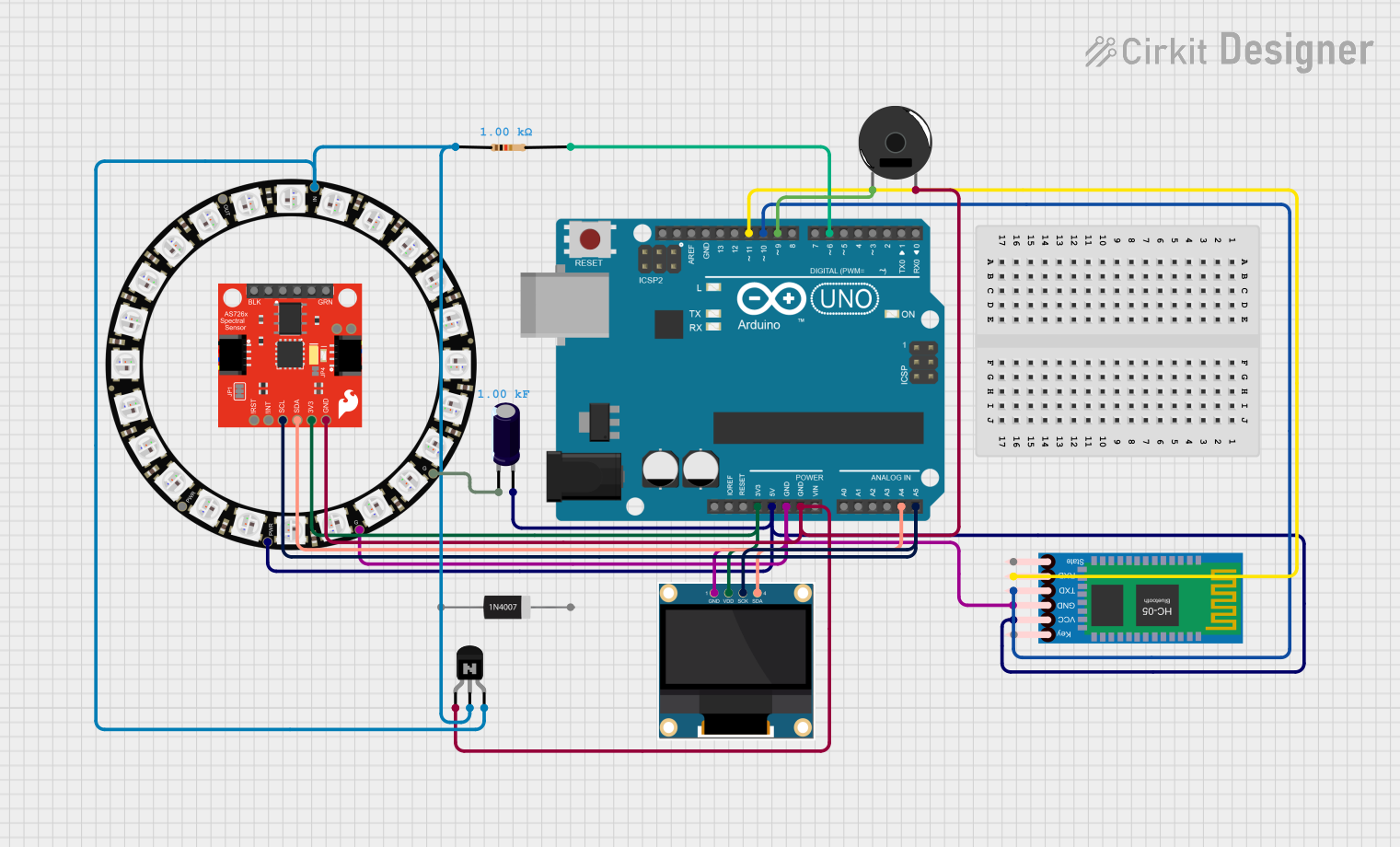 Open Project in Cirkit Designer
Explore Projects Built with Beam Sensors Curtains
Open Project in Cirkit DesignerOpen Project in Cirkit DesignerOpen Project in Cirkit DesignerOpen Project in Cirkit DesignerTechnical Specifications
Below are the key technical details for a typical beam sensor curtain:
| Parameter | Value |
|---|---|
| Operating Voltage | 12V DC (typical) |
| Current Consumption | 100-300 mA (depending on the model) |
| Detection Range | 0.5m to 10m (varies by model) |
| Number of Beams | 4 to 16 beams (depending on configuration) |
| Beam Wavelength | 940 nm (infrared) |
| Response Time | < 20 ms |
| Output Type | Digital (High/Low) or Relay Output |
| Operating Temperature | -10°C to 50°C |
| Dimensions | Varies by model (e.g., 30cm x 5cm x 3cm) |
Pin Configuration and Descriptions
The pinout for a typical beam sensor curtain is as follows:
| Pin | Name | Description |
|---|---|---|
| 1 | VCC | Power supply input (typically 12V DC) |
| 2 | GND | Ground connection |
| 3 | OUT | Digital output signal (High when beams are uninterrupted, Low when interrupted) |
| 4 | NC/NO (Optional) | Relay output for triggering external devices (Normally Closed/Normally Open) |
Usage Instructions
How to Use the Component in a Circuit
- Power the Sensor: Connect the
VCCpin to a 12V DC power source and theGNDpin to the ground of your circuit. - Connect the Output: Use the
OUTpin to interface with a microcontroller (e.g., Arduino) or other digital input devices. The output will toggle between High and Low based on beam interruptions. - Relay Output (Optional): If your model includes a relay output, connect it to external devices (e.g., alarms or motors) as per the Normally Closed (NC) or Normally Open (NO) configuration.
- Mounting: Install the transmitter and receiver units opposite each other, ensuring proper alignment of the beams. Use the alignment indicators (if available) for precise setup.
Important Considerations and Best Practices
- Alignment: Ensure the transmitter and receiver units are perfectly aligned for optimal performance. Misalignment can cause false triggers.
- Environmental Factors: Avoid placing the sensor in direct sunlight or near strong IR sources, as these can interfere with detection.
- Power Supply: Use a stable and regulated 12V DC power source to prevent malfunctions.
- Testing: Test the system after installation by interrupting the beams with an object to verify proper operation.
Example Code for Arduino UNO
Below is an example of how to interface a beam sensor curtain with an Arduino UNO:
// Define the pin connected to the sensor's output
const int sensorPin = 2;  // Digital pin 2
const int ledPin = 13;    // Built-in LED for status indication

void setup() {
  pinMode(sensorPin, INPUT);  // Set sensor pin as input
  pinMode(ledPin, OUTPUT);    // Set LED pin as output
  Serial.begin(9600);         // Initialize serial communication
}

void loop() {
  int sensorState = digitalRead(sensorPin);  // Read the sensor's output

  if (sensorState == LOW) {
    // Beam interrupted
    digitalWrite(ledPin, HIGH);  // Turn on LED
    Serial.println("Beam interrupted!");
  } else {
    // Beam uninterrupted
    digitalWrite(ledPin, LOW);   // Turn off LED
    Serial.println("Beam clear.");
  }

  delay(100);  // Small delay for stability
}
Troubleshooting and FAQs
Common Issues and Solutions
Sensor Not Detecting Interruptions
- Cause: Misalignment of transmitter and receiver.
- Solution: Re-align the units and ensure they are directly facing each other.
False Triggers
- Cause: Environmental interference (e.g., sunlight, reflective surfaces).
- Solution: Install the sensor in a shaded area or use shielding to block external IR sources.
No Output Signal
- Cause: Incorrect wiring or insufficient power supply.
- Solution: Double-check the wiring and ensure a stable 12V DC power source.
Relay Not Activating
- Cause: Incorrect relay configuration or load connection.
- Solution: Verify the relay's NC/NO configuration and ensure the load is properly connected.
FAQs
Q: Can I use a beam sensor curtain with a 5V power supply?
A: Most beam sensor curtains require 12V DC for proper operation. Using a 5V supply may result in malfunction or no operation.
Q: How do I extend the detection range?
A: The detection range is determined by the sensor's design. For longer ranges, use a model specifically designed for extended distances.
Q: Can I use multiple beam sensor curtains in the same area?
A: Yes, but ensure that the beams from different units do not cross or interfere with each other. Use models with different modulation frequencies if interference occurs.
Q: Is the sensor waterproof?
A: Some models are weatherproof, but not all. Check the manufacturer's specifications for outdoor use.