
How to Use 2 Point Terminal Block: Examples, Pinouts, and Specs

 Design with 2 Point Terminal Block in Cirkit Designer
Introduction
A 2 Point Terminal Block is a type of electrical connector designed to securely connect two wires. It features screw terminals that allow for easy and reliable wiring. This component is widely used in electrical and electronic systems to facilitate the distribution of power or signals. Its compact design and ease of use make it a popular choice for both industrial and DIY applications.
Explore Projects Built with 2 Point Terminal Block
 Open Project in Cirkit Designer
 Open Project in Cirkit Designer
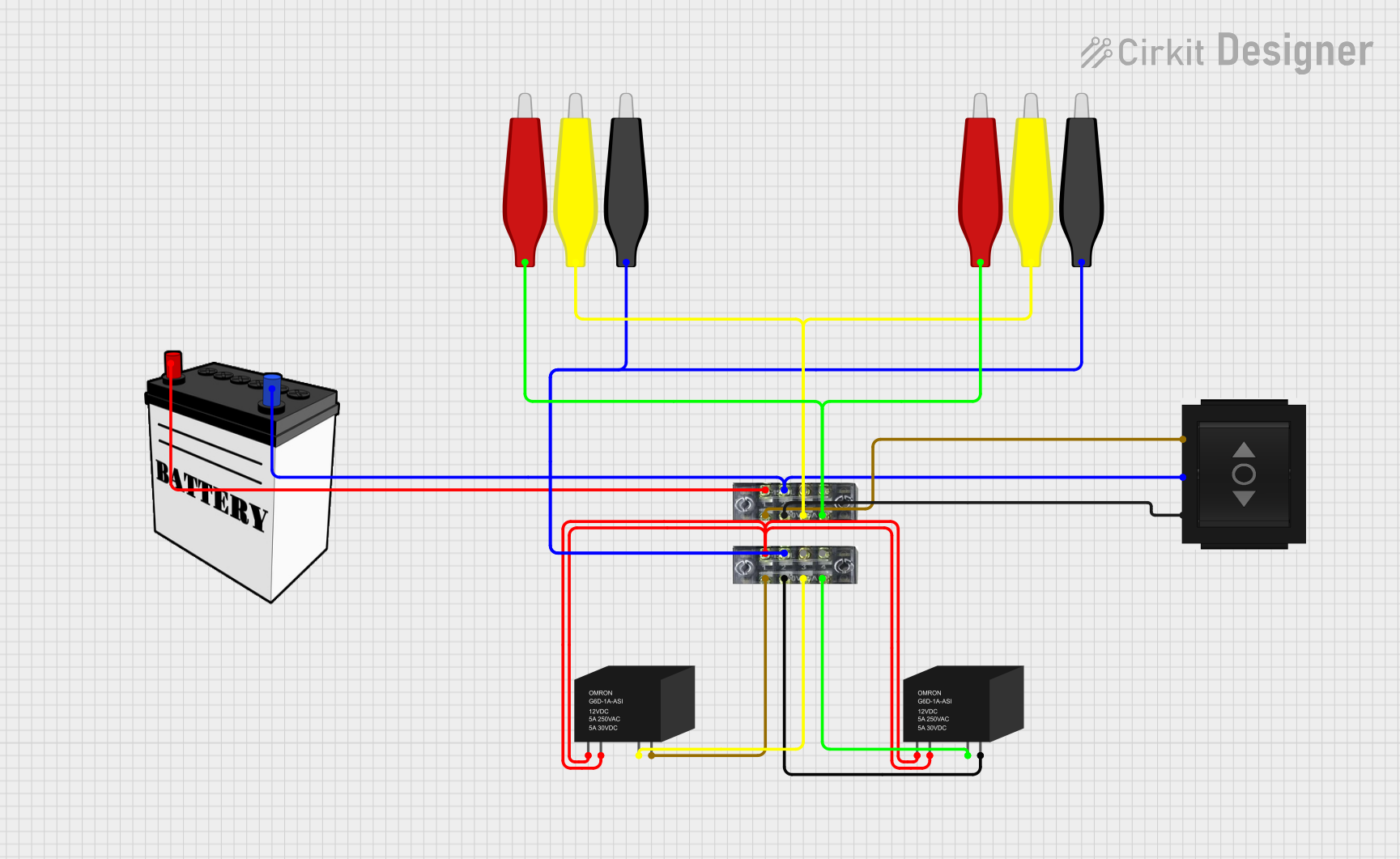 Open Project in Cirkit Designer
 Open Project in Cirkit Designer
Explore Projects Built with 2 Point Terminal Block
Open Project in Cirkit DesignerOpen Project in Cirkit DesignerOpen Project in Cirkit DesignerOpen Project in Cirkit DesignerCommon Applications and Use Cases
- Power distribution in electrical panels
- Signal connections in control systems
- Prototyping and testing circuits
- Connecting wires in home automation systems
- Industrial machinery and equipment wiring
Technical Specifications
Below are the key technical details of a standard 2 Point Terminal Block:
| Parameter | Value |
|---|---|
| Voltage Rating | Up to 300V (varies by model) |
| Current Rating | Typically 10A to 15A |
| Wire Size Compatibility | 22 AWG to 12 AWG |
| Terminal Type | Screw terminal |
| Material | Plastic housing, metal contacts |
| Mounting Type | PCB mount or free-standing |
| Operating Temperature | -40°C to +105°C |
Pin Configuration and Descriptions
The 2 Point Terminal Block has two connection points, each corresponding to a wire terminal. Below is a description of the pins:
| Pin Number | Description |
|---|---|
| 1 | Connection point for wire 1 |
| 2 | Connection point for wire 2 |
Usage Instructions
How to Use the 2 Point Terminal Block in a Circuit
- Prepare the Wires: Strip the insulation from the ends of the wires you want to connect. Ensure the exposed wire length matches the terminal block's specifications (typically 5-7mm).
- Insert the Wires: Loosen the screws on the terminal block using a screwdriver. Insert the stripped end of each wire into the corresponding terminal.
- Secure the Wires: Tighten the screws to clamp the wires securely in place. Ensure there is no exposed wire outside the terminal block to avoid short circuits.
- Connect to the Circuit: Mount the terminal block on a PCB (if applicable) or position it securely in your setup. Connect the terminal block to the rest of your circuit as needed.
Important Considerations and Best Practices
- Wire Compatibility: Ensure the wire gauge is compatible with the terminal block to avoid loose connections or damage.
- Tightening Screws: Do not overtighten the screws, as this may damage the wires or the terminal block.
- Insulation Check: Verify that no exposed wire is visible outside the terminal block to prevent accidental short circuits.
- Current and Voltage Ratings: Always check the terminal block's ratings to ensure it can handle the current and voltage of your application.
Example: Connecting a 2 Point Terminal Block to an Arduino UNO
The 2 Point Terminal Block can be used to connect external components, such as sensors or power supplies, to an Arduino UNO. Below is an example of how to use it to connect a 12V power supply to an Arduino project:
// Example: Using a 2 Point Terminal Block to power an Arduino UNO
// Ensure the terminal block is securely connected to the 12V power supply
// and the Arduino's VIN and GND pins.

void setup() {
  // No specific setup required for the terminal block itself.
  // This example assumes the terminal block is used for power distribution.
}

void loop() {
  // Your Arduino code goes here.
  // The terminal block simply facilitates the power connection.
}
Troubleshooting and FAQs
Common Issues and Solutions
Loose Connections:
- Issue: Wires are not securely clamped, leading to intermittent connections.
- Solution: Ensure the screws are tightened properly and the wire gauge is compatible.
Overheating:
- Issue: Terminal block gets hot during operation.
- Solution: Check that the current does not exceed the terminal block's rating. Use a terminal block with a higher current rating if necessary.
Wire Slippage:
- Issue: Wires slip out of the terminal block.
- Solution: Verify that the stripped wire length is correct and that the screws are tightened adequately.
Short Circuits:
- Issue: Exposed wires cause a short circuit.
- Solution: Ensure no exposed wire is visible outside the terminal block.
FAQs
Q: Can I use a 2 Point Terminal Block for high-frequency signals?
A: While it is possible, terminal blocks are not ideal for high-frequency signals due to potential signal degradation. Consider using specialized connectors for such applications.
Q: How do I mount a 2 Point Terminal Block on a PCB?
A: PCB-mounted terminal blocks have pins that can be soldered directly onto the PCB. Ensure the pin spacing matches the PCB layout.
Q: Can I use a 2 Point Terminal Block outdoors?
A: Standard terminal blocks are not weatherproof. For outdoor use, choose a terminal block with an IP-rated enclosure.
Q: What tools do I need to use a 2 Point Terminal Block?
A: You will need a wire stripper to prepare the wires and a screwdriver to tighten the screws.