
How to Use Matek BEC20S-PRO: Examples, Pinouts, and Specs
 Design with Matek BEC20S-PRO in Cirkit Designer
Introduction
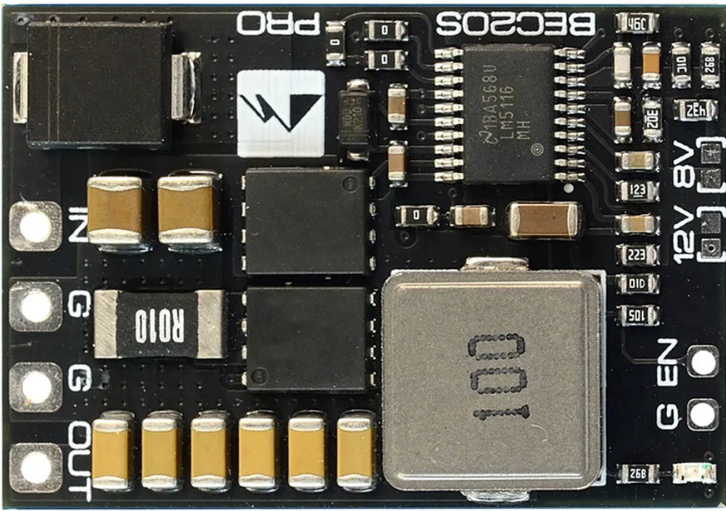
The Matek BEC20S-PRO is a high-efficiency voltage regulator designed to provide a stable output voltage of either 5V or 12V from a higher input voltage. With a maximum output current of 20A, this component is ideal for powering RC devices, drones, FPV systems, and other electronics requiring a reliable power source. Its compact design and robust performance make it a popular choice for hobbyists and professionals alike.
Explore Projects Built with Matek BEC20S-PRO
 Open Project in Cirkit Designer
 Open Project in Cirkit Designer
 Open Project in Cirkit Designer
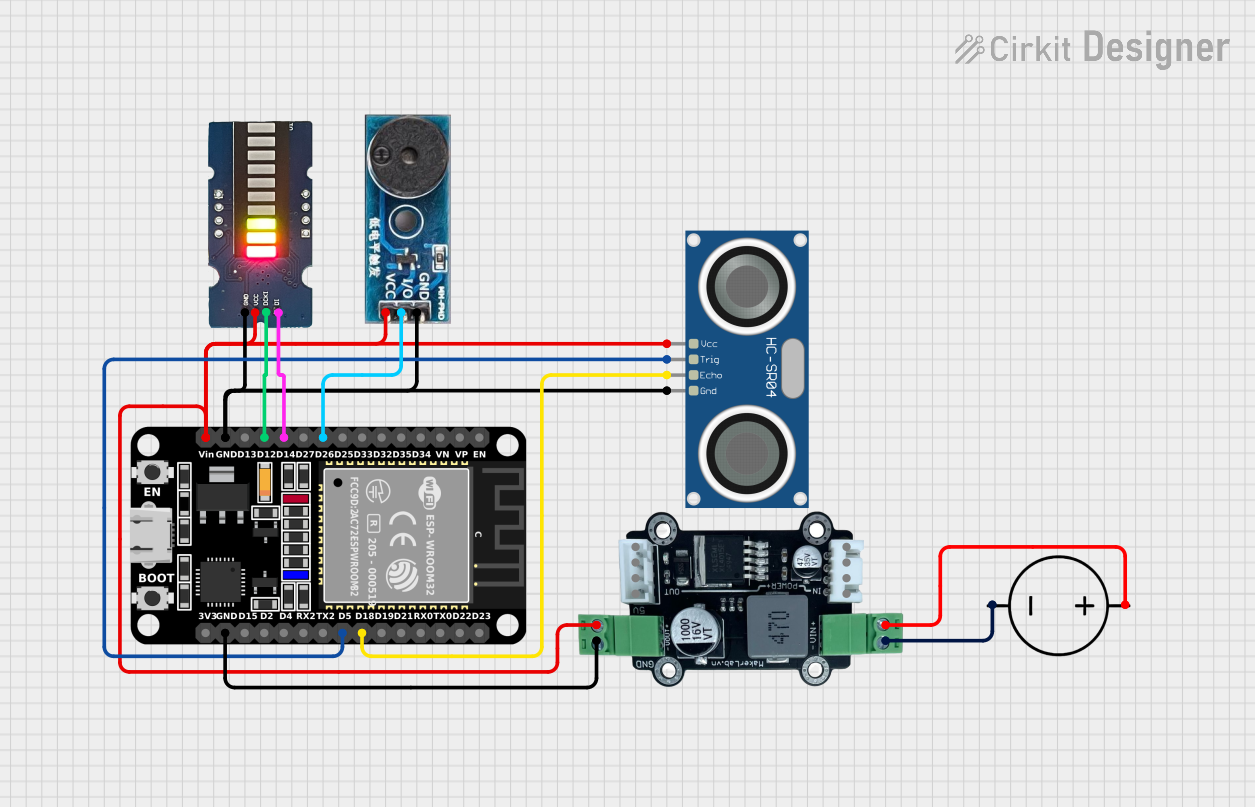 Open Project in Cirkit Designer
Explore Projects Built with Matek BEC20S-PRO
Open Project in Cirkit DesignerOpen Project in Cirkit DesignerOpen Project in Cirkit DesignerOpen Project in Cirkit DesignerCommon Applications and Use Cases
- Powering RC devices such as drones, planes, and cars
- Supplying stable voltage to FPV cameras, video transmitters, and receivers
- Providing regulated power to microcontrollers and other sensitive electronics
- High-current applications requiring efficient voltage conversion
Technical Specifications
The following table outlines the key technical details of the Matek BEC20S-PRO:
| Parameter | Value |
|---|---|
| Input Voltage Range | 9V to 60V (3S to 14S LiPo) |
| Output Voltage Options | 5V or 12V (selectable via jumper) |
| Maximum Output Current | 20A |
| Efficiency | Up to 95% |
| Dimensions | 50mm x 27mm x 12mm |
| Weight | 18g |
| Operating Temperature | -40°C to +85°C |
| Protection Features | Overcurrent, Overtemperature, and Short Circuit Protection |
Pin Configuration and Descriptions
The Matek BEC20S-PRO has the following pin configuration:
| Pin Name | Description |
|---|---|
| VIN+ | Positive input voltage terminal (connect to battery or power source) |
| VIN- | Negative input voltage terminal (connect to ground of power source) |
| VOUT+ | Positive output voltage terminal (connect to the load requiring regulated power) |
| VOUT- | Negative output voltage terminal (connect to ground of the load) |
| Jumper | Used to select the output voltage (5V or 12V) |
Usage Instructions
How to Use the Matek BEC20S-PRO in a Circuit
Connect the Input Voltage:
- Connect the VIN+ pin to the positive terminal of your power source (e.g., battery).
- Connect the VIN- pin to the ground terminal of your power source.
Set the Output Voltage:
- Use the onboard jumper to select the desired output voltage:
- Place the jumper on the 5V position for a 5V output.
- Place the jumper on the 12V position for a 12V output.
- Use the onboard jumper to select the desired output voltage:
Connect the Load:
- Connect the VOUT+ pin to the positive terminal of your load (e.g., FPV camera, microcontroller).
- Connect the VOUT- pin to the ground terminal of your load.
Power On:
- Once all connections are secure, power on the input source. The BEC20S-PRO will regulate the voltage and provide a stable output.
Important Considerations and Best Practices
- Ensure the input voltage is within the specified range (9V to 60V). Exceeding this range may damage the component.
- Verify the output voltage setting (5V or 12V) before connecting sensitive devices.
- Avoid exceeding the maximum output current of 20A to prevent overheating or triggering protection features.
- Use appropriate wire gauges for high-current applications to minimize voltage drops and heat generation.
- Mount the BEC20S-PRO in a well-ventilated area to ensure proper heat dissipation.
Example: Using the Matek BEC20S-PRO with an Arduino UNO
To power an Arduino UNO with the Matek BEC20S-PRO, follow these steps:
- Set the output voltage to 5V using the jumper.
- Connect the VIN+ and VIN- pins to a 3S LiPo battery (11.1V nominal).
- Connect the VOUT+ pin to the Arduino's 5V pin and the VOUT- pin to the Arduino's GND pin.
Here is an example Arduino sketch to blink an LED while powered by the BEC20S-PRO:
// Blink an LED connected to pin 13
// Ensure the Matek BEC20S-PRO is providing 5V to the Arduino UNO

void setup() {
  pinMode(13, OUTPUT); // Set pin 13 as an output
}

void loop() {
  digitalWrite(13, HIGH); // Turn the LED on
  delay(1000);            // Wait for 1 second
  digitalWrite(13, LOW);  // Turn the LED off
  delay(1000);            // Wait for 1 second
}
Troubleshooting and FAQs
Common Issues and Solutions
No Output Voltage:
- Cause: Input voltage is not connected or is outside the specified range.
- Solution: Verify the input voltage is between 9V and 60V and check all connections.
Output Voltage is Incorrect:
- Cause: Jumper is not set correctly.
- Solution: Ensure the jumper is placed in the correct position for 5V or 12V output.
Overheating:
- Cause: Excessive current draw or poor ventilation.
- Solution: Reduce the load current or improve airflow around the component.
Short Circuit Protection Triggered:
- Cause: Output terminals are shorted.
- Solution: Disconnect the power source, check for shorts, and reconnect after resolving the issue.
FAQs
Q: Can I use the Matek BEC20S-PRO with a 6S LiPo battery?
A: Yes, the BEC20S-PRO supports input voltages up to 60V, so a 6S LiPo (22.2V nominal) is compatible.
Q: Is the output voltage adjustable beyond 5V or 12V?
A: No, the output voltage is fixed at either 5V or 12V, selectable via the jumper.
Q: Can I power multiple devices simultaneously?
A: Yes, as long as the total current draw does not exceed 20A.
Q: Does the BEC20S-PRO have reverse polarity protection?
A: No, ensure correct polarity when connecting the input voltage to avoid damage.
This concludes the documentation for the Matek BEC20S-PRO.