
How to Use DEYE-SUN-12K: Examples, Pinouts, and Specs
 Design with DEYE-SUN-12K in Cirkit Designer
Introduction
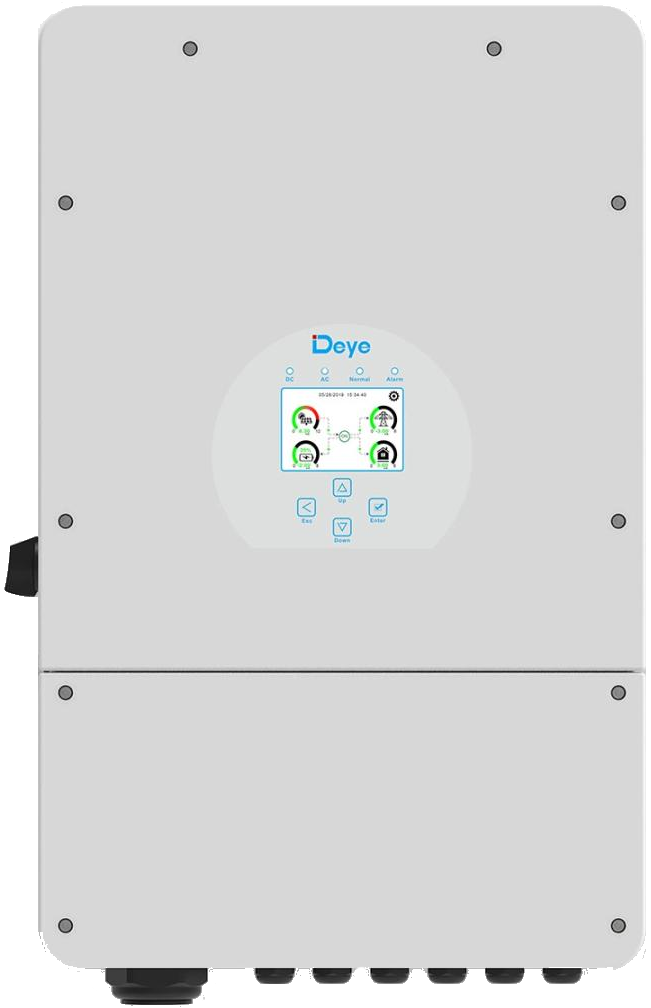
The DEYE-SUN-12K (Manufacturer Part ID: SUN-12K-SG02LP1-EU-AM3) is a high-performance solar inverter designed to convert DC electricity generated by solar panels into AC electricity suitable for residential and commercial use. Manufactured by DEYE, this inverter offers advanced monitoring capabilities, high efficiency, and robust performance, making it an ideal choice for modern solar energy systems.
Explore Projects Built with DEYE-SUN-12K
 Open Project in Cirkit Designer
 Open Project in Cirkit Designer
 Open Project in Cirkit Designer
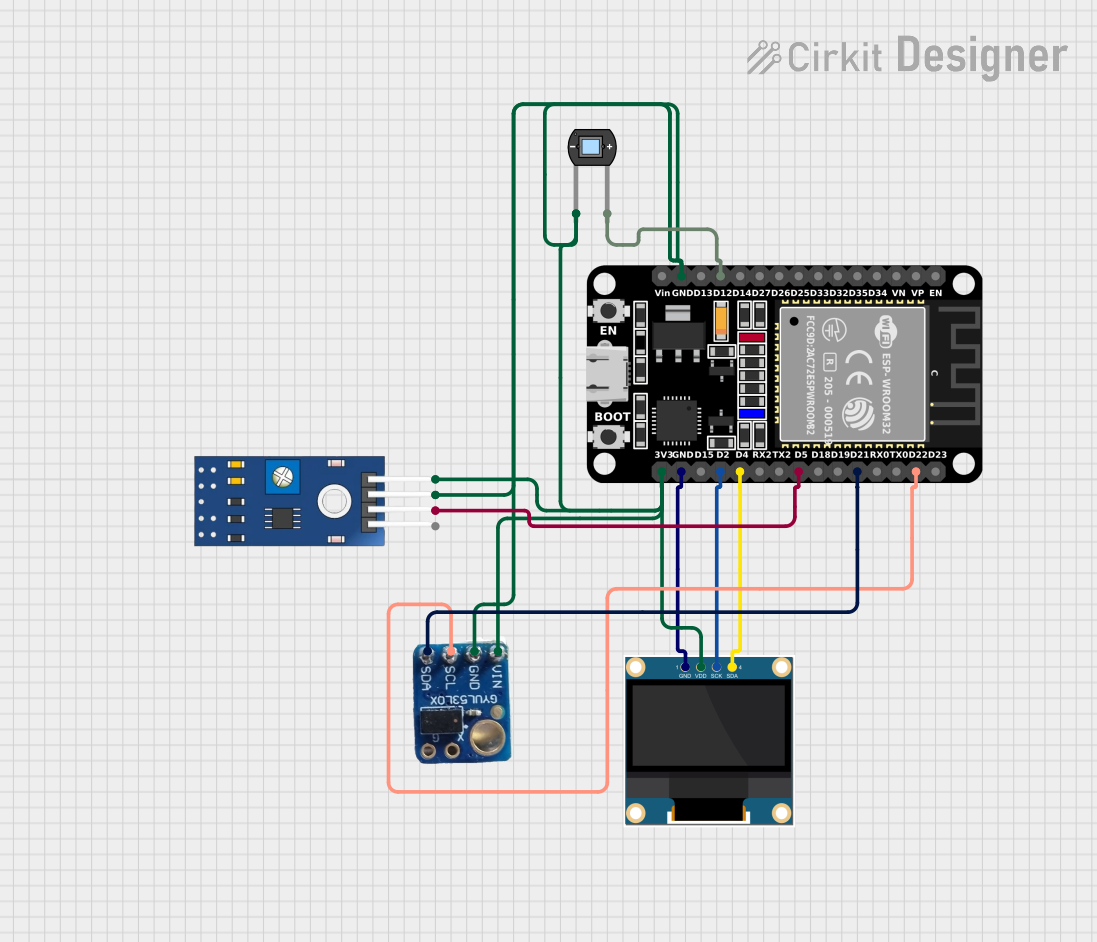 Open Project in Cirkit Designer
Explore Projects Built with DEYE-SUN-12K
Open Project in Cirkit DesignerOpen Project in Cirkit DesignerOpen Project in Cirkit DesignerOpen Project in Cirkit DesignerCommon Applications and Use Cases
- Residential solar energy systems
- Commercial and industrial solar installations
- Grid-tied solar power systems
- Backup power systems with battery integration
- Energy monitoring and optimization in renewable energy setups
Technical Specifications
Key Technical Details
| Parameter | Specification |
|---|---|
| Manufacturer | DEYE |
| Model | SUN-12K-SG02LP1-EU-AM3 |
| Rated Power Output | 12,000 W (12 kW) |
| Input Voltage Range (DC) | 180 V - 1000 V |
| Maximum Input Current (DC) | 26 A per MPPT (Maximum Power Point Tracker) |
| Number of MPPTs | 2 |
| Output Voltage (AC) | 230 V / 400 V (Three-phase) |
| Output Frequency | 50 Hz / 60 Hz |
| Efficiency | Up to 98.4% |
| Communication Interfaces | RS485, Wi-Fi, Ethernet, CAN |
| Operating Temperature Range | -25°C to 60°C |
| Protection Features | Overvoltage, Overcurrent, Short Circuit, Anti-islanding |
| Dimensions | 670 mm x 420 mm x 233 mm |
| Weight | 32 kg |
Pin Configuration and Descriptions
The DEYE-SUN-12K inverter features multiple input and output terminals for DC and AC connections, as well as communication ports. Below is a summary of the key connections:
DC Input Terminals
| Pin Name | Description |
|---|---|
| PV+ (MPPT1) | Positive terminal for solar panel input (MPPT1) |
| PV- (MPPT1) | Negative terminal for solar panel input (MPPT1) |
| PV+ (MPPT2) | Positive terminal for solar panel input (MPPT2) |
| PV- (MPPT2) | Negative terminal for solar panel input (MPPT2) |
AC Output Terminals
| Pin Name | Description |
|---|---|
| L1, L2, L3 | Line outputs for three-phase AC power |
| N | Neutral connection |
| PE | Protective Earth (Ground) |
Communication Ports
| Port Name | Description |
|---|---|
| RS485 | For external monitoring and control |
| Wi-Fi/Ethernet | For remote monitoring and firmware updates |
| CAN | For battery communication and system integration |
Usage Instructions
How to Use the DEYE-SUN-12K in a Solar Energy System
Installation:
- Mount the inverter securely on a wall or structure using the provided brackets.
- Ensure proper ventilation around the inverter to prevent overheating.
- Connect the DC input terminals to the solar panel array, ensuring correct polarity.
- Connect the AC output terminals to the main distribution panel or load.
Configuration:
- Use the built-in LCD screen or mobile app (via Wi-Fi/Ethernet) to configure system parameters such as grid voltage, frequency, and MPPT settings.
- If using a battery, connect it to the CAN port and configure the battery settings.
Monitoring:
- Use the DEYE monitoring platform or third-party software to track energy production, consumption, and system performance in real-time.
Safety Precautions:
- Always disconnect the inverter from the power supply before performing maintenance.
- Ensure all connections are secure and insulated to prevent electrical hazards.
Important Considerations and Best Practices
- System Sizing: Ensure the total power output of the solar panels does not exceed the inverter's maximum input capacity.
- Grounding: Properly ground the inverter to prevent electrical faults and ensure safety.
- Firmware Updates: Regularly update the inverter's firmware to access new features and improve performance.
- Environmental Conditions: Install the inverter in a location protected from direct sunlight, rain, and extreme temperatures.
Arduino Integration Example
While the DEYE-SUN-12K is not directly compatible with Arduino, you can use an Arduino to monitor the inverter's performance via the RS485 communication interface. Below is an example code snippet for reading data from the inverter:
#include <ModbusMaster.h>

// Instantiate ModbusMaster object
ModbusMaster node;

void setup() {
  Serial.begin(9600); // Initialize serial communication
  node.begin(1, Serial); // Set Modbus slave ID to 1
}

void loop() {
  uint8_t result;
  uint16_t data[2];

  // Read inverter voltage (example register address: 0x3100)
  result = node.readInputRegisters(0x3100, 2);
  if (result == node.ku8MBSuccess) {
    data[0] = node.getResponseBuffer(0); // Voltage high byte
    data[1] = node.getResponseBuffer(1); // Voltage low byte
    float voltage = (data[0] << 8 | data[1]) / 10.0; // Convert to volts
    Serial.print("Inverter Voltage: ");
    Serial.print(voltage);
    Serial.println(" V");
  } else {
    Serial.println("Failed to read data from inverter.");
  }

  delay(1000); // Wait 1 second before next read
}
Troubleshooting and FAQs
Common Issues and Solutions
| Issue | Possible Cause | Solution |
|---|---|---|
| Inverter not powering on | No DC input or incorrect wiring | Check solar panel connections and polarity |
| Low power output | Insufficient sunlight or shading | Ensure panels are clean and unobstructed |
| Communication failure | Incorrect RS485 or Wi-Fi configuration | Verify settings and cable connections |
| Overtemperature warning | Poor ventilation or high ambient temp | Improve airflow or relocate the inverter |
FAQs
Can the DEYE-SUN-12K work without a battery?
- Yes, it can operate as a grid-tied inverter without a battery.
What is the warranty period for this inverter?
- The standard warranty is typically 5 years, but this may vary by region.
How do I reset the inverter?
- Press and hold the reset button on the inverter for 10 seconds, or follow the instructions in the user manual.
Can I monitor the inverter remotely?
- Yes, the inverter supports remote monitoring via Wi-Fi or Ethernet using the DEYE app or web portal.
By following this documentation, users can effectively install, configure, and maintain the DEYE-SUN-12K inverter for optimal performance in their solar energy systems.