
How to Use HC-SR04 Ultrasonic Sensor: Examples, Pinouts, and Specs
 Design with HC-SR04 Ultrasonic Sensor in Cirkit Designer
Introduction
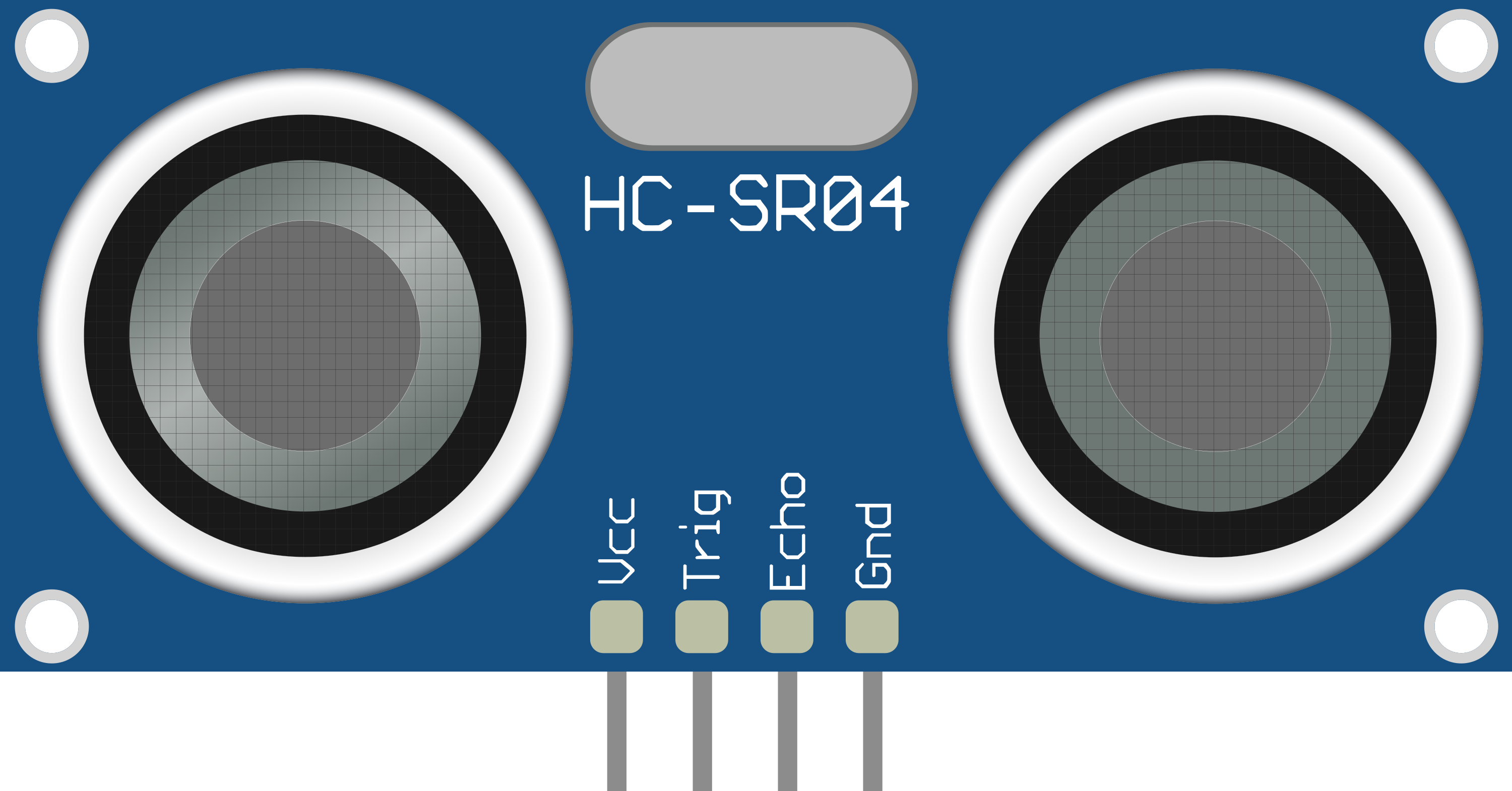
The HC-SR04 Ultrasonic Sensor, manufactured by FKR (Part ID: HCSR04), is a highly versatile and widely used distance measurement module. It operates by emitting ultrasonic waves and calculating the time it takes for the echo to return after bouncing off an object. This time is then used to determine the distance to the object with high precision.
Explore Projects Built with HC-SR04 Ultrasonic Sensor
 Open Project in Cirkit Designer
 Open Project in Cirkit Designer
 Open Project in Cirkit Designer
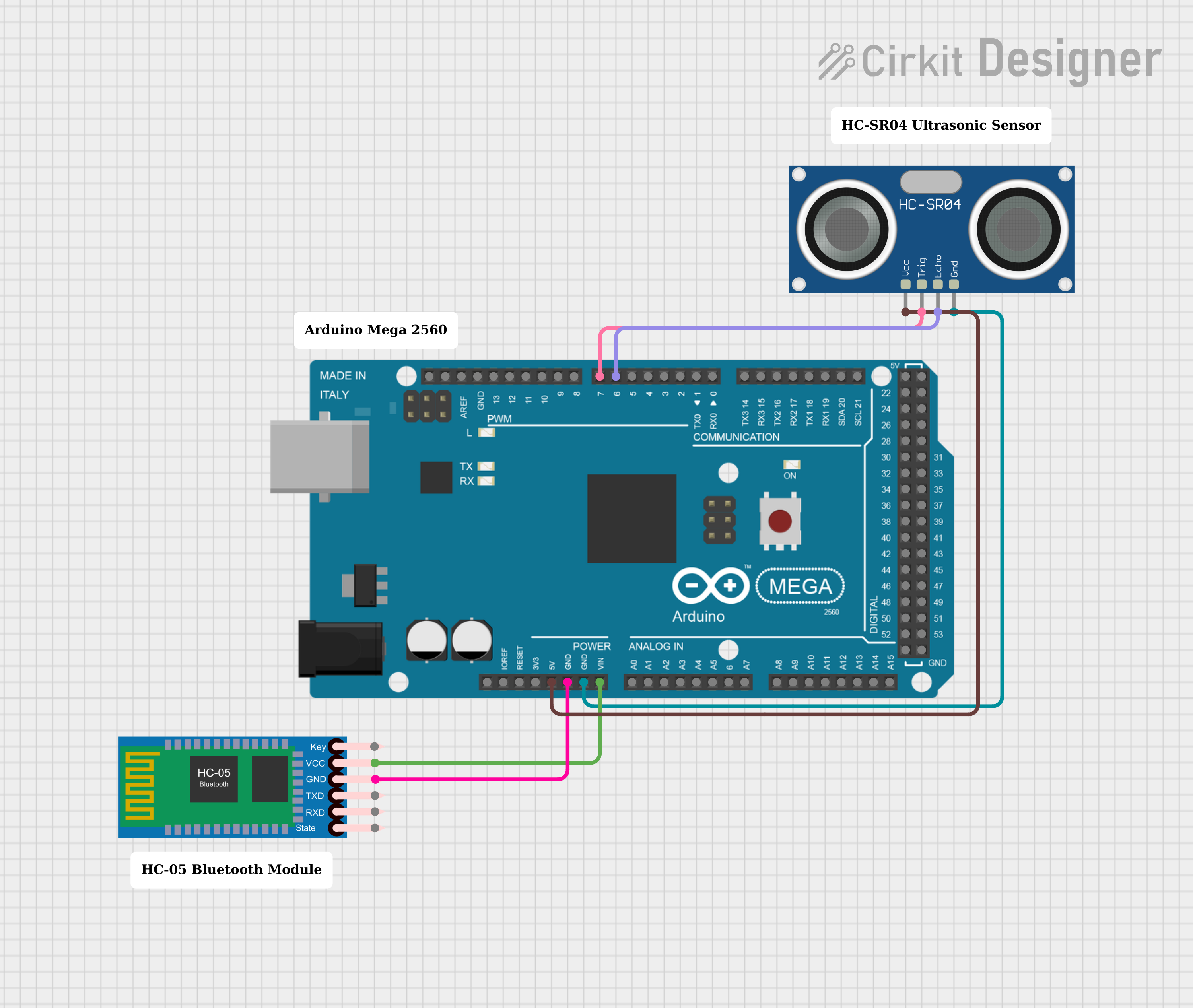 Open Project in Cirkit Designer
Explore Projects Built with HC-SR04 Ultrasonic Sensor
Open Project in Cirkit DesignerOpen Project in Cirkit DesignerOpen Project in Cirkit DesignerOpen Project in Cirkit DesignerCommon Applications and Use Cases
- Obstacle detection in robotics
- Distance measurement in automation systems
- Liquid level sensing
- Parking assistance systems
- Proximity detection in security systems
Technical Specifications
The HC-SR04 is designed for ease of use and reliable performance. Below are its key technical details:
| Parameter | Value |
|---|---|
| Operating Voltage | 5V DC |
| Operating Current | 15 mA |
| Measuring Range | 2 cm to 400 cm |
| Measuring Angle | 15° |
| Accuracy | ±3 mm |
| Signal Frequency | 40 kHz |
| Dimensions | 45 mm x 20 mm x 15 mm |
Pin Configuration and Descriptions
The HC-SR04 has four pins, as described in the table below:
| Pin | Name | Description |
|---|---|---|
| 1 | VCC | Power supply pin. Connect to a 5V DC source. |
| 2 | Trig | Trigger pin. A 10 µs HIGH pulse initiates the ultrasonic burst. |
| 3 | Echo | Echo pin. Outputs a pulse proportional to the distance of the detected object. |
| 4 | GND | Ground pin. Connect to the ground of the power supply. |
Usage Instructions
The HC-SR04 is simple to integrate into a circuit and can be used with microcontrollers like the Arduino UNO. Below are the steps to use the sensor:
Connecting the HC-SR04
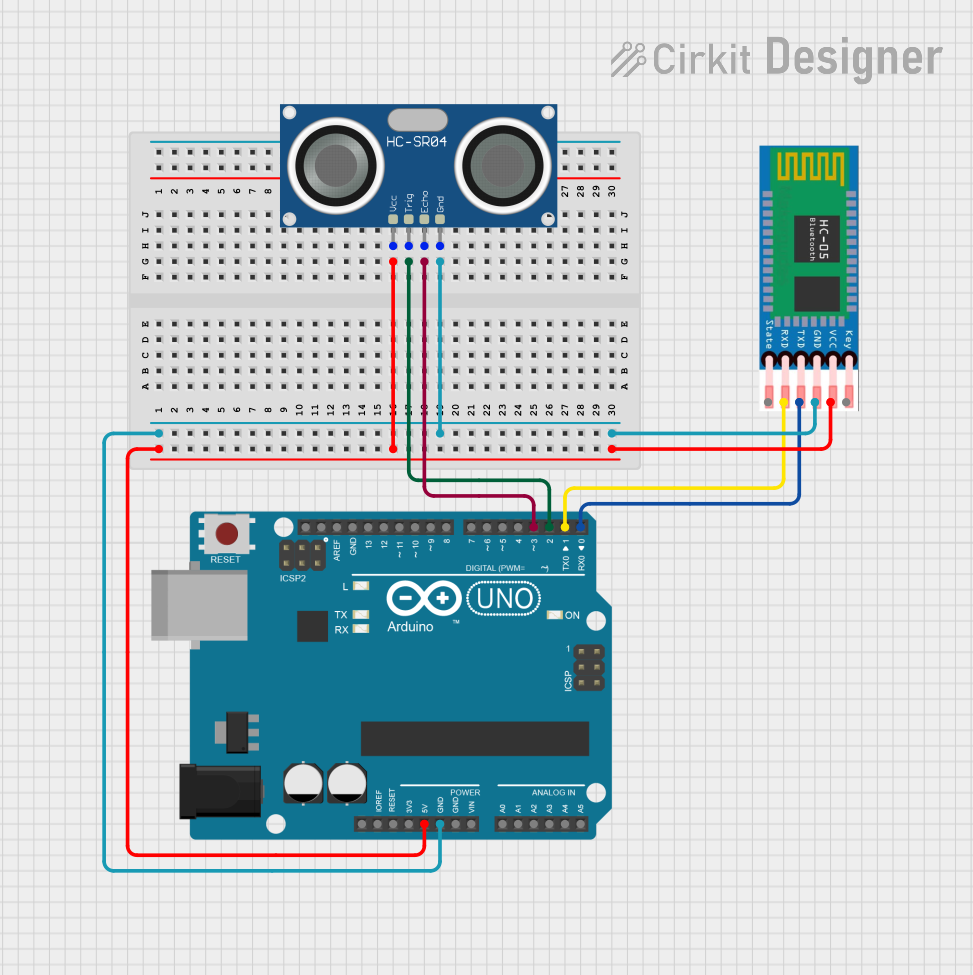
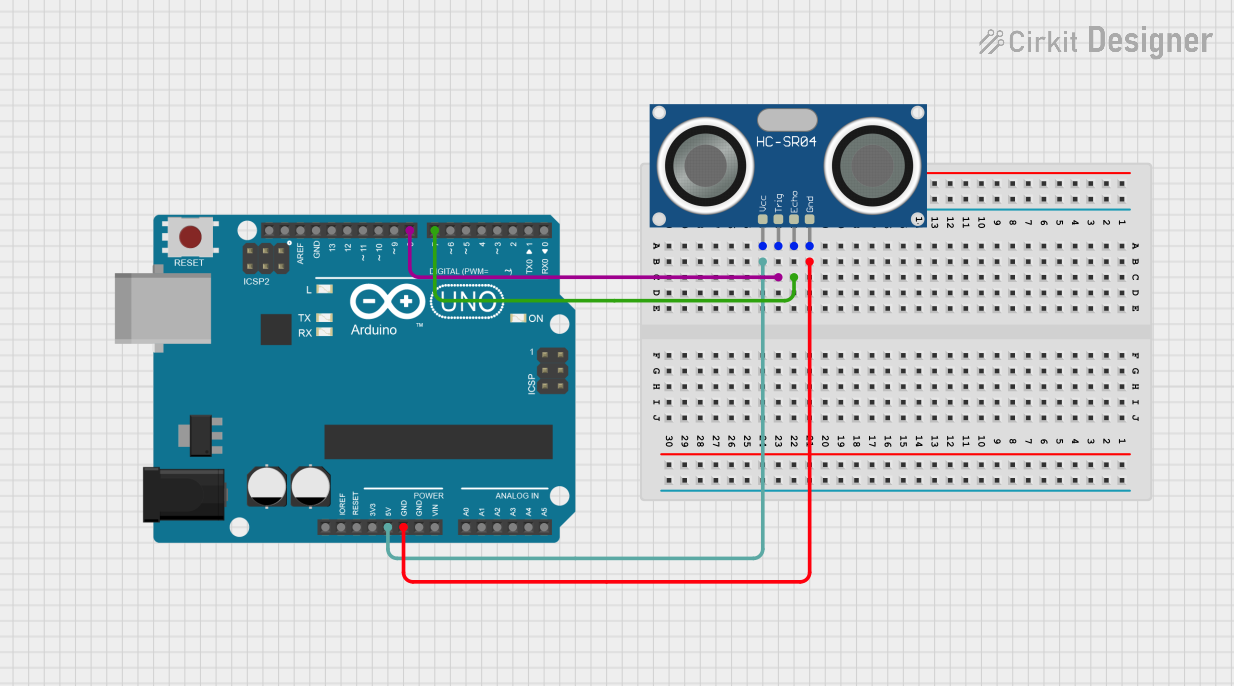
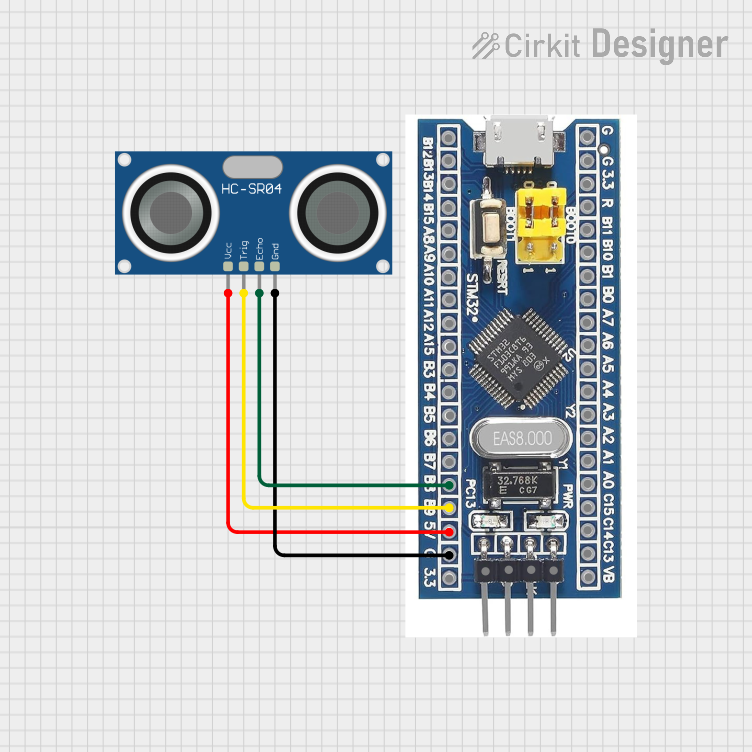
- Connect the VCC pin to the 5V pin of the microcontroller.
- Connect the GND pin to the ground (GND) of the microcontroller.
- Connect the Trig pin to a digital output pin on the microcontroller.
- Connect the Echo pin to a digital input pin on the microcontroller.
Important Considerations and Best Practices
- Ensure the sensor is mounted securely and aligned properly for accurate measurements.
- Avoid placing the sensor near ultrasonic noise sources, as this may interfere with its operation.
- Use a resistor divider or level shifter if connecting the Echo pin to a 3.3V logic microcontroller.
- The sensor works best in environments with minimal obstructions and reflective surfaces.
Example Code for Arduino UNO
Below is an example Arduino sketch to measure distance using the HC-SR04:
// Define pins for the HC-SR04 sensor
const int trigPin = 9; // Trigger pin connected to digital pin 9
const int echoPin = 10; // Echo pin connected to digital pin 10

void setup() {
  // Initialize serial communication for debugging
  Serial.begin(9600);

  // Set the trigPin as an output and echoPin as an input
  pinMode(trigPin, OUTPUT);
  pinMode(echoPin, INPUT);
}

void loop() {
  // Send a 10 µs HIGH pulse to the trigPin to trigger the sensor
  digitalWrite(trigPin, LOW);
  delayMicroseconds(2);
  digitalWrite(trigPin, HIGH);
  delayMicroseconds(10);
  digitalWrite(trigPin, LOW);

  // Measure the duration of the HIGH pulse on the echoPin
  long duration = pulseIn(echoPin, HIGH);

  // Calculate the distance in centimeters
  long distance = duration * 0.034 / 2;

  // Print the distance to the Serial Monitor
  Serial.print("Distance: ");
  Serial.print(distance);
  Serial.println(" cm");

  // Wait for a short period before the next measurement
  delay(500);
}
Troubleshooting and FAQs
Common Issues and Solutions
No Output or Incorrect Distance Readings
- Ensure all connections are secure and correct.
- Verify that the sensor is powered with 5V DC.
- Check for obstructions or reflective surfaces that may interfere with the ultrasonic waves.
Echo Pin Always HIGH or LOW
- Ensure the trigger pulse is exactly 10 µs.
- Verify that the Echo pin is connected to a digital input pin on the microcontroller.
Inconsistent Measurements
- Ensure the sensor is mounted on a stable surface.
- Avoid using the sensor in environments with high ultrasonic noise.
FAQs
Q: Can the HC-SR04 measure distances below 2 cm?
A: No, the minimum measurable distance is 2 cm. Objects closer than this may not be detected accurately.
Q: Can I use the HC-SR04 with a 3.3V microcontroller?
A: Yes, but you must use a level shifter or resistor divider to safely connect the Echo pin to the microcontroller.
Q: What is the maximum range of the HC-SR04?
A: The sensor can measure distances up to 400 cm (4 meters) under ideal conditions.
Q: How can I improve measurement accuracy?
A: Use the sensor in a controlled environment with minimal obstructions and ensure proper alignment with the target object.