Cirkit Designer Logo
Cirkit Designer
Your all-in-one circuit design IDE
Home / 
Component Documentation

How to Use terminalblock-04-01: Examples, Pinouts, and Specs
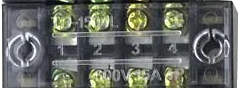

Image of terminalblock-04-01
Cirkit Designer LogoDesign with terminalblock-04-01 in Cirkit Designer

Introduction

The TerminalBlock-04-01 is a versatile and reliable terminal block designed for connecting multiple wires together in a secure and organized manner. It is commonly used in electrical and electronic systems to simplify wiring, reduce clutter, and ensure stable connections. This component is ideal for applications requiring frequent wire changes or where a durable and reusable connection point is needed.

Explore Projects Built with terminalblock-04-01

Use Cirkit Designer to design, explore, and prototype these projects online. Some projects support real-time simulation. Click "Open Project" to start designing instantly!
Modular Power Distribution System with Multiple SMPS Units and 120V Outlet
Image of Cellion-Tesla: A project utilizing terminalblock-04-01 in a practical application
This circuit is designed to convert 240V AC power to both 12V and 24V DC outputs using multiple SMPS units. Terminal blocks are used to organize and distribute the power, while a 120V outlet provides additional AC power access. The circuit is likely used for powering various electronic devices that require different voltage levels.
Cirkit Designer LogoOpen Project in Cirkit Designer
Peltier-Controlled Thermal Management System with SPST Switch
Image of Mini car refrigerator circuit: A project utilizing terminalblock-04-01 in a practical application
This circuit consists of multiple Peltier modules and fans connected in parallel to a digital power supply, with a rocker switch (SPST) controlling the power flow to one of the Peltier modules and multiple fans. The 2.1mm Barrel Jack with Terminal Block serves as the power input connector, and the rocker switch allows for selective enabling or disabling of the connected devices. The circuit is designed to provide cooling or heating through the Peltier modules while the fans assist in heat dissipation or air circulation.
Cirkit Designer LogoOpen Project in Cirkit Designer
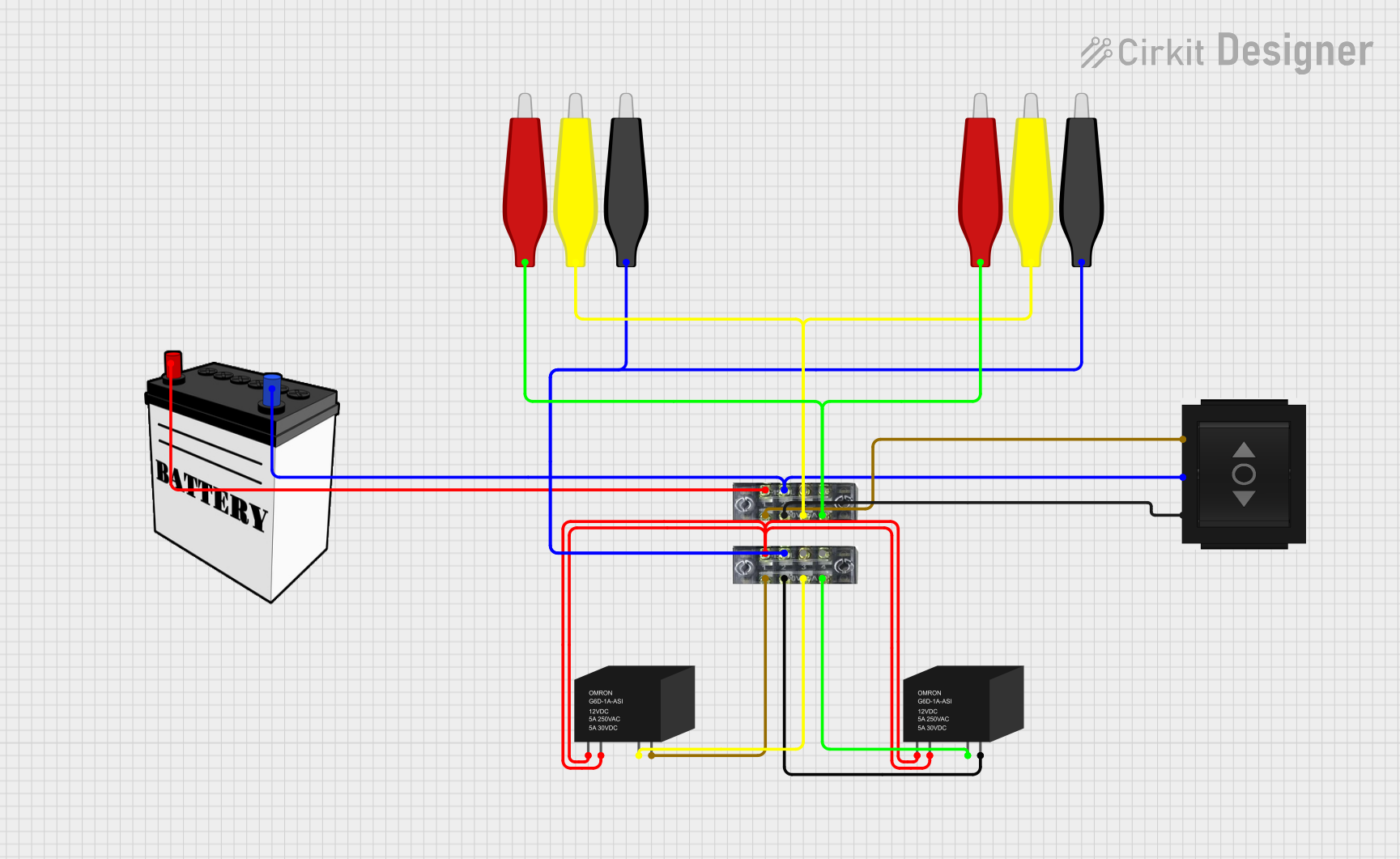
Battery-Powered Relay Control System with Directional Switch
Image of Skema Lampu D2: A project utilizing terminalblock-04-01 in a practical application
This circuit involves a 12V battery powering a relay system controlled by a directional switch. The relays are connected through terminal blocks and are used to switch between different outputs, indicated by the AdaGator Top components.
Cirkit Designer LogoOpen Project in Cirkit Designer
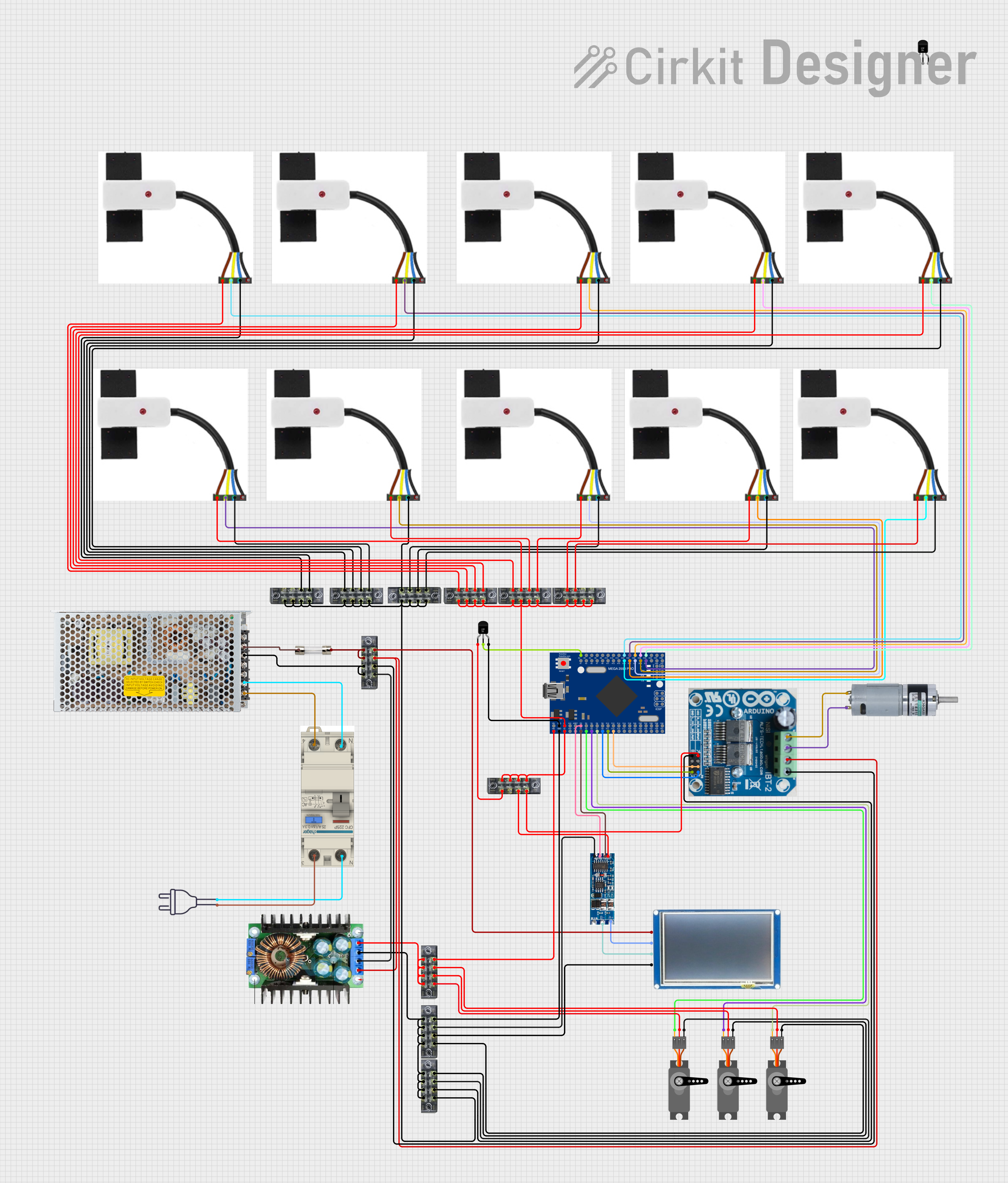
Mega2560-Controlled Automation System with Non-Contact Liquid Level Sensing and Motor Control
Image of Project_AutomaticBartender: A project utilizing terminalblock-04-01 in a practical application
This circuit appears to be a complex control system centered around an Arduino Mega2560 R3 Pro microcontroller, which interfaces with multiple sensors (XKC-Y26-V non-contact liquid level sensors and an LM35 temperature sensor), servo motors, a touch display, and an IBT-2 H-Bridge motor driver for controlling a planetary gearbox motor. The system also includes a UART TTL to RS485 converter for communication, likely with the touch display, and a power management subsystem with a switching power supply, fuses, and circuit breakers for safety and voltage regulation (XL4016). The absence of embedded code suggests that the functionality of the microcontroller is not defined within the provided data.
Cirkit Designer LogoOpen Project in Cirkit Designer

Explore Projects Built with terminalblock-04-01

Use Cirkit Designer to design, explore, and prototype these projects online. Some projects support real-time simulation. Click "Open Project" to start designing instantly!
Image of Cellion-Tesla: A project utilizing terminalblock-04-01 in a practical application
Modular Power Distribution System with Multiple SMPS Units and 120V Outlet
This circuit is designed to convert 240V AC power to both 12V and 24V DC outputs using multiple SMPS units. Terminal blocks are used to organize and distribute the power, while a 120V outlet provides additional AC power access. The circuit is likely used for powering various electronic devices that require different voltage levels.
Cirkit Designer LogoOpen Project in Cirkit Designer
Image of Mini car refrigerator circuit: A project utilizing terminalblock-04-01 in a practical application
Peltier-Controlled Thermal Management System with SPST Switch
This circuit consists of multiple Peltier modules and fans connected in parallel to a digital power supply, with a rocker switch (SPST) controlling the power flow to one of the Peltier modules and multiple fans. The 2.1mm Barrel Jack with Terminal Block serves as the power input connector, and the rocker switch allows for selective enabling or disabling of the connected devices. The circuit is designed to provide cooling or heating through the Peltier modules while the fans assist in heat dissipation or air circulation.
Cirkit Designer LogoOpen Project in Cirkit Designer
Image of Skema Lampu D2: A project utilizing terminalblock-04-01 in a practical application
Battery-Powered Relay Control System with Directional Switch
This circuit involves a 12V battery powering a relay system controlled by a directional switch. The relays are connected through terminal blocks and are used to switch between different outputs, indicated by the AdaGator Top components.
Cirkit Designer LogoOpen Project in Cirkit Designer
Image of Project_AutomaticBartender: A project utilizing terminalblock-04-01 in a practical application
Mega2560-Controlled Automation System with Non-Contact Liquid Level Sensing and Motor Control
This circuit appears to be a complex control system centered around an Arduino Mega2560 R3 Pro microcontroller, which interfaces with multiple sensors (XKC-Y26-V non-contact liquid level sensors and an LM35 temperature sensor), servo motors, a touch display, and an IBT-2 H-Bridge motor driver for controlling a planetary gearbox motor. The system also includes a UART TTL to RS485 converter for communication, likely with the touch display, and a power management subsystem with a switching power supply, fuses, and circuit breakers for safety and voltage regulation (XL4016). The absence of embedded code suggests that the functionality of the microcontroller is not defined within the provided data.
Cirkit Designer LogoOpen Project in Cirkit Designer

Common Applications and Use Cases

  • Industrial control panels and automation systems
  • Power distribution in electrical circuits
  • Prototyping and testing of electronic circuits
  • Home and building electrical wiring
  • Audio and speaker connections

Technical Specifications

The TerminalBlock-04-01 is designed to handle a wide range of electrical requirements. Below are its key technical specifications:

Parameter Value
Number of Terminals 4
Rated Voltage 300V AC/DC
Rated Current 15A
Wire Size Compatibility 22-12 AWG
Material Flame-retardant thermoplastic (UL94-V0)
Mounting Type Screw-down or DIN rail compatible
Operating Temperature -40°C to +105°C

Pin Configuration and Descriptions

The TerminalBlock-04-01 has four terminals, each designed to connect a pair of wires. Below is the pin configuration:

Terminal Description
1 Connects to wire pair 1 (input/output)
2 Connects to wire pair 2 (input/output)
3 Connects to wire pair 3 (input/output)
4 Connects to wire pair 4 (input/output)

Each terminal is equipped with a screw mechanism to securely fasten the wires in place.

Usage Instructions

How to Use the TerminalBlock-04-01 in a Circuit

  1. Prepare the Wires: Strip approximately 5-7 mm of insulation from the ends of the wires you wish to connect.
  2. Insert the Wires: Insert the stripped ends of the wires into the appropriate terminal slots.
  3. Secure the Connection: Tighten the screws on the terminal block to clamp the wires securely. Ensure the wires are firmly held and do not slip out.
  4. Verify the Connection: Gently tug on the wires to confirm they are securely fastened.

Important Considerations and Best Practices

  • Wire Compatibility: Ensure the wire gauge (22-12 AWG) matches the terminal block's specifications.
  • Avoid Over-tightening: Do not overtighten the screws, as this may damage the wires or the terminal block.
  • Insulation Check: Ensure no exposed wire is touching adjacent terminals to prevent short circuits.
  • Mounting: If using a DIN rail, ensure the terminal block is properly clipped onto the rail for stability.

Example: Connecting to an Arduino UNO

The TerminalBlock-04-01 can be used to connect external components, such as sensors or actuators, to an Arduino UNO. Below is an example of wiring an LED through the terminal block:

  1. Connect one terminal of the block to the Arduino's digital pin (e.g., pin 13).
  2. Connect the other terminal to the LED's positive leg.
  3. Use a resistor (e.g., 220Ω) in series with the LED to limit current.
  4. Connect the LED's negative leg to the Arduino's GND pin.

Here is a sample Arduino code to blink the LED:

// Define the pin connected to the terminal block
const int ledPin = 13;

void setup() {
  pinMode(ledPin, OUTPUT); // Set the pin as an output
}

void loop() {
  digitalWrite(ledPin, HIGH); // Turn the LED on
  delay(1000);                // Wait for 1 second
  digitalWrite(ledPin, LOW);  // Turn the LED off
  delay(1000);                // Wait for 1 second
}

Troubleshooting and FAQs

Common Issues Users Might Face

  1. Loose Connections: Wires may come loose if not properly secured.
    • Solution: Ensure the screws are tightened adequately without damaging the wires.
  2. Short Circuits: Exposed wires touching adjacent terminals can cause short circuits.
    • Solution: Double-check that all wires are properly insulated and securely fastened.
  3. Overheating: Excessive current may cause the terminal block to overheat.
    • Solution: Ensure the current does not exceed the rated 15A.

FAQs

Q: Can I use the TerminalBlock-04-01 for high-frequency signals?
A: While the TerminalBlock-04-01 is primarily designed for power and low-frequency signals, it can handle high-frequency signals if proper shielding and grounding are implemented.

Q: Is the TerminalBlock-04-01 waterproof?
A: No, the TerminalBlock-04-01 is not waterproof. It should be used in dry environments or enclosed in a protective housing if exposed to moisture.

Q: Can I connect more than one wire to a single terminal?
A: It is not recommended to connect multiple wires to a single terminal, as this may compromise the connection's stability and safety.

By following these guidelines and best practices, the TerminalBlock-04-01 can provide a reliable and efficient solution for your wiring needs.