
How to Use 3 amps fuse holder: Examples, Pinouts, and Specs
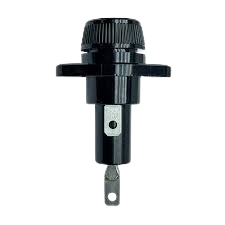
 Design with 3 amps fuse holder in Cirkit Designer
Introduction
The 3 Amps Fuse Holder, manufactured by Fuse Holder (Part ID: Fuse), is a device designed to securely house a 3-amp fuse. It provides essential protection for electrical circuits by interrupting the flow of current when it exceeds the rated limit, thereby preventing damage to connected components and reducing the risk of fire or electrical hazards.
Explore Projects Built with 3 amps fuse holder
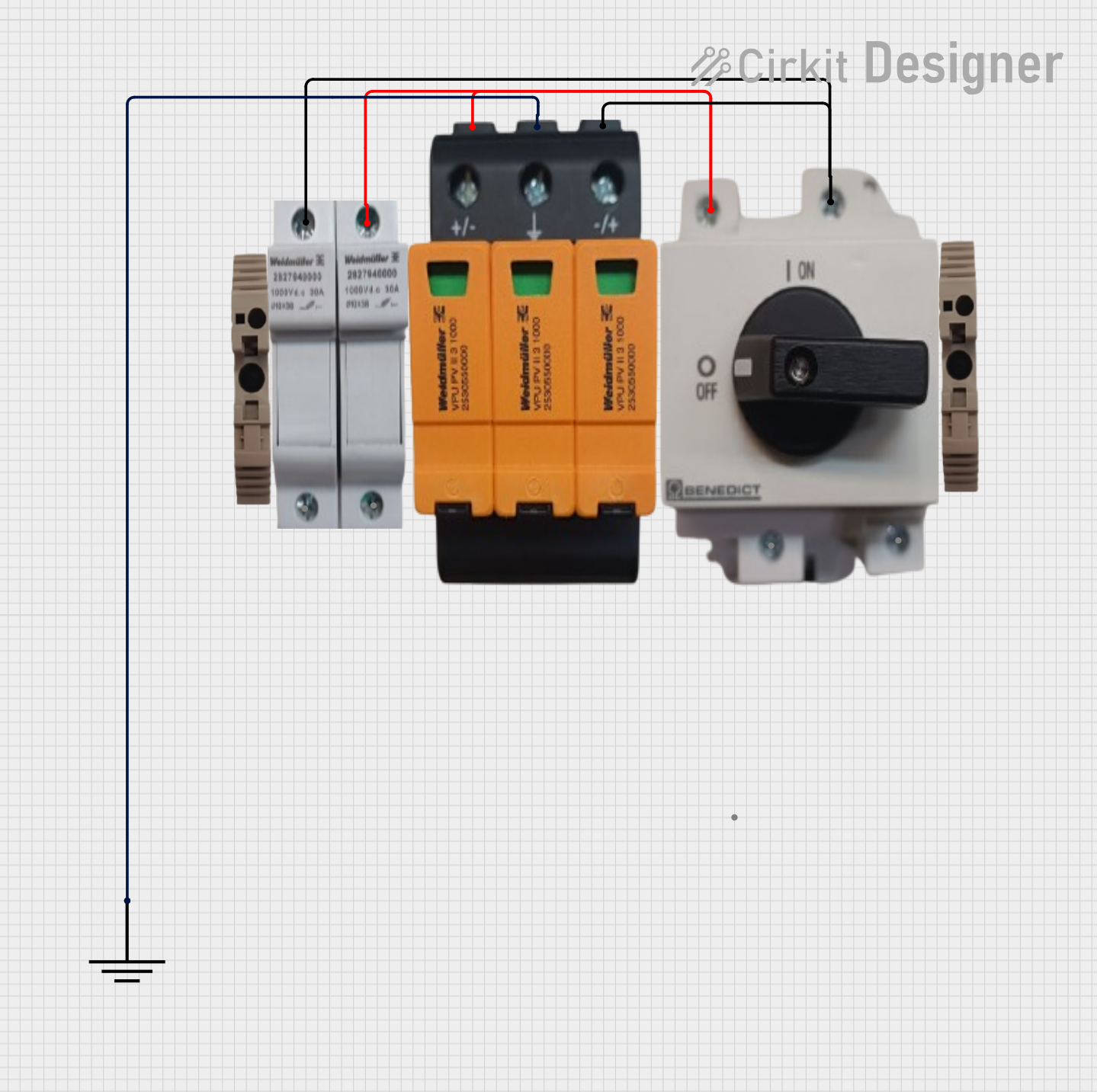 Open Project in Cirkit Designer
 Open Project in Cirkit Designer
 Open Project in Cirkit Designer
 Open Project in Cirkit Designer
Explore Projects Built with 3 amps fuse holder
Open Project in Cirkit DesignerOpen Project in Cirkit DesignerOpen Project in Cirkit DesignerOpen Project in Cirkit DesignerCommon Applications and Use Cases
- Overcurrent protection in low-power electronic circuits
- Automotive electrical systems
- Consumer electronics and appliances
- Industrial control panels
- DIY electronics projects
Technical Specifications
The following table outlines the key technical details of the 3 Amps Fuse Holder:
| Parameter | Value |
|---|---|
| Manufacturer | Fuse Holder |
| Part ID | Fuse |
| Rated Current | 3 Amps |
| Rated Voltage | Up to 250V AC |
| Fuse Type Compatibility | Glass or ceramic cylindrical fuses |
| Mounting Style | Panel mount or inline |
| Material | Flame-retardant plastic and metal |
| Operating Temperature | -20°C to 85°C |
| Dimensions | Varies by model (e.g., 30mm x 10mm) |
Pin Configuration and Descriptions
The 3 Amps Fuse Holder typically has two terminals for electrical connections. The table below describes the terminals:
| Terminal | Description |
|---|---|
| Terminal 1 | Input terminal for connecting the power source |
| Terminal 2 | Output terminal for connecting to the load |
Usage Instructions
How to Use the Component in a Circuit
- Select a Compatible Fuse: Ensure the fuse used is rated for 3 amps and is compatible with the holder (e.g., glass or ceramic cylindrical fuse).
- Insert the Fuse: Open the fuse holder and securely place the fuse inside. Ensure proper alignment to maintain electrical contact.
- Connect the Terminals:
- Connect Terminal 1 to the power source.
- Connect Terminal 2 to the load (e.g., a circuit or device requiring protection).
- Secure the Fuse Holder: If the fuse holder is panel-mounted, fix it in place using screws or clips. For inline holders, ensure the connections are insulated and secure.
- Test the Circuit: Power on the circuit and verify that the fuse holder is functioning correctly.
Important Considerations and Best Practices
- Fuse Rating: Always use a fuse with the correct current rating (3 amps). Using a higher-rated fuse may compromise circuit protection.
- Connection Polarity: While fuse holders are not polarity-sensitive, ensure proper wiring to avoid loose connections.
- Environmental Conditions: Avoid exposing the fuse holder to excessive heat, moisture, or corrosive environments.
- Replacement: If the fuse blows, disconnect power before replacing it. Inspect the holder for damage before inserting a new fuse.
Example: Connecting to an Arduino UNO
The 3 Amps Fuse Holder can be used to protect an Arduino UNO from overcurrent. Below is an example circuit and code:
Circuit Setup
- Connect Terminal 1 of the fuse holder to the positive terminal of a 9V battery.
- Connect Terminal 2 to the VIN pin of the Arduino UNO.
- Connect the negative terminal of the battery to the GND pin of the Arduino UNO.
Example Code
// Example code for Arduino UNO with a 3 Amps Fuse Holder
// This code blinks an LED connected to pin 13

void setup() {
  pinMode(13, OUTPUT); // Set pin 13 as an output
}

void loop() {
  digitalWrite(13, HIGH); // Turn the LED on
  delay(1000);            // Wait for 1 second
  digitalWrite(13, LOW);  // Turn the LED off
  delay(1000);            // Wait for 1 second
}
Troubleshooting and FAQs
Common Issues Users Might Face
Fuse Blows Frequently:
- Cause: The circuit may be drawing more than 3 amps.
- Solution: Check the circuit for short circuits or excessive load. Use a lower-power load if necessary.
Loose Connections:
- Cause: Terminals are not securely connected.
- Solution: Ensure all connections are tight and properly insulated.
Fuse Holder Overheats:
- Cause: Poor contact between the fuse and holder terminals.
- Solution: Inspect the holder for corrosion or damage. Replace if necessary.
Fuse Does Not Blow When Overcurrent Occurs:
- Cause: Incorrect fuse rating or faulty fuse.
- Solution: Verify the fuse rating and replace the fuse with a properly rated one.
Solutions and Tips for Troubleshooting
- Always disconnect power before inspecting or replacing the fuse.
- Use a multimeter to check for continuity across the fuse holder terminals.
- If the fuse holder is damaged, replace it immediately to ensure reliable circuit protection.
By following this documentation, users can effectively integrate and maintain the 3 Amps Fuse Holder in their electronic circuits.