
How to Use 36V 10s2p 18650 Battery Pack w/ BMS: Examples, Pinouts, and Specs
 Design with 36V 10s2p 18650 Battery Pack w/ BMS in Cirkit Designer
Introduction
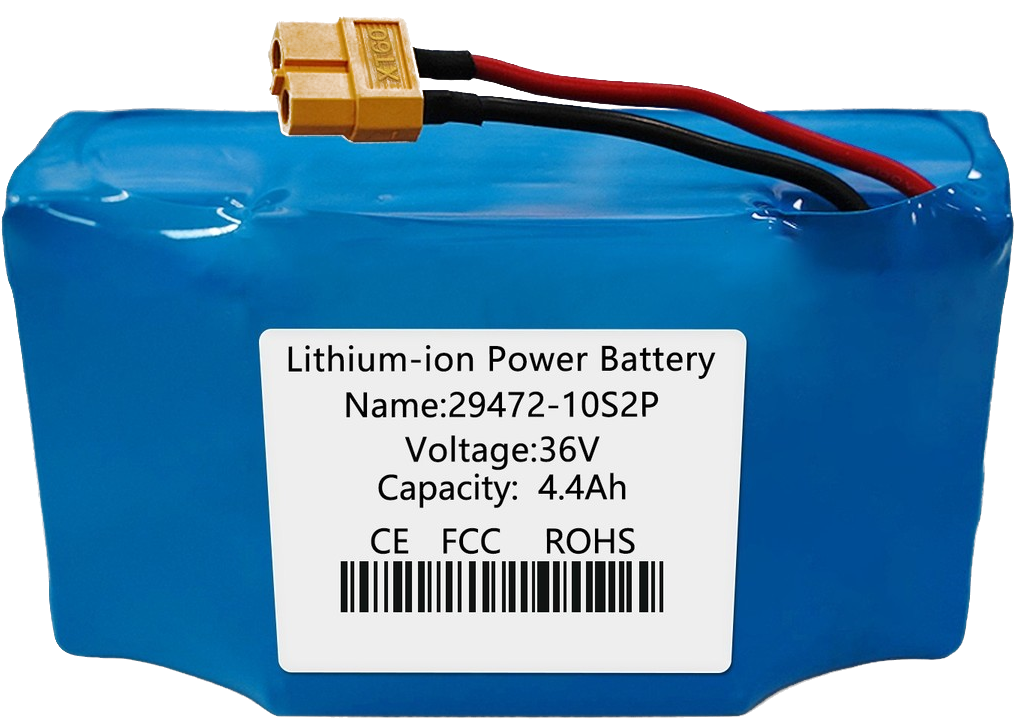
The 36V 10s2p 18650 Battery Pack w/ BMS is a rechargeable lithium-ion battery pack designed for high-performance applications. It consists of 20 individual 18650 cells arranged in a 10-series, 2-parallel configuration, providing a nominal voltage of 36V and a typical capacity of 4,000mAh to 6,000mAh (depending on the specific cells used). The integrated Battery Management System (BMS) ensures safe operation by protecting the cells from overcharging, over-discharging, and short circuits.
Explore Projects Built with 36V 10s2p 18650 Battery Pack w/ BMS
 Open Project in Cirkit Designer
 Open Project in Cirkit Designer
 Open Project in Cirkit Designer
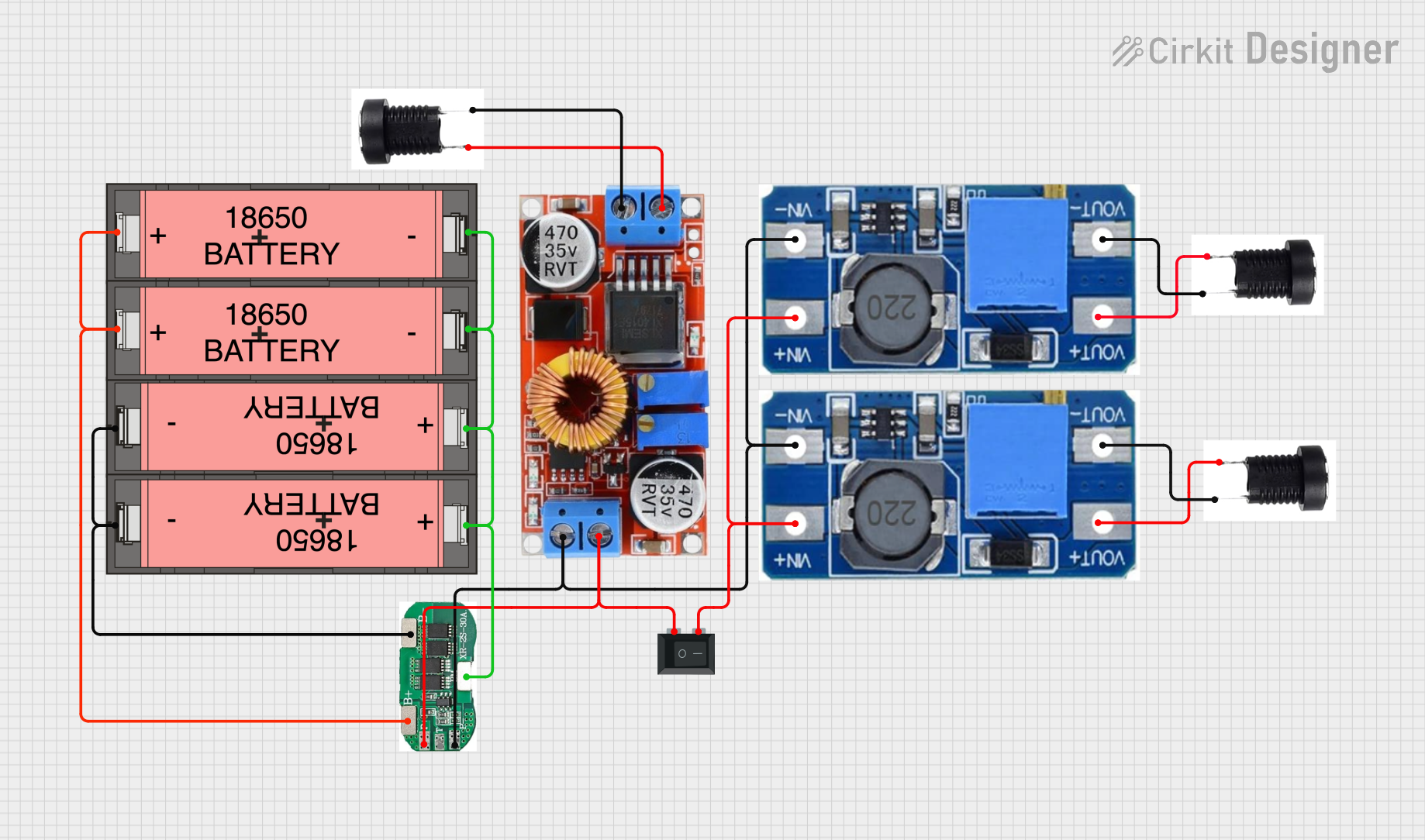 Open Project in Cirkit Designer
Explore Projects Built with 36V 10s2p 18650 Battery Pack w/ BMS
Open Project in Cirkit DesignerOpen Project in Cirkit DesignerOpen Project in Cirkit DesignerOpen Project in Cirkit DesignerCommon Applications
- Electric scooters, hoverboards, and e-bikes
- DIY robotics and portable electronics
- Solar energy storage systems
- Uninterruptible Power Supplies (UPS)
- High-power LED lighting systems
Technical Specifications
Key Technical Details
| Parameter | Specification |
|---|---|
| Nominal Voltage | 36V |
| Maximum Voltage | 42V |
| Minimum Voltage (Cutoff) | ~30V (varies by BMS settings) |
| Capacity | 4,000mAh to 6,000mAh (varies by cells) |
| Configuration | 10s2p (10 series, 2 parallel) |
| Maximum Continuous Current | 15A to 20A (depends on BMS rating) |
| Peak Current | 25A (short bursts) |
| Cell Chemistry | Lithium-ion (18650 cells) |
| BMS Features | Overcharge, over-discharge, short circuit, and thermal protection |
| Dimensions (Approx.) | 150mm x 70mm x 40mm |
| Weight | ~1.2kg |
Pin Configuration and Descriptions
The battery pack typically has three main connections: Positive (+), Negative (-), and a Charging Port. Some packs may also include additional wires for monitoring or communication.
| Pin Name | Description |
|---|---|
| Positive (+) | Main positive terminal for load and charging |
| Negative (-) | Main negative terminal for load and charging |
| Charging Port | Dedicated port for connecting a charger |
Note: Always verify the pinout with the specific battery pack you are using, as variations may exist.
Usage Instructions
How to Use the Battery Pack in a Circuit
Connecting the Battery Pack:
- Identify the positive (+) and negative (-) terminals of the battery pack.
- Connect the positive terminal to the positive input of your load or circuit.
- Connect the negative terminal to the negative input of your load or circuit.
- If using a dedicated charging port, connect the charger to the appropriate terminals.
Charging the Battery Pack:
- Use a compatible lithium-ion battery charger with a 42V output and a current rating that matches the pack's specifications (e.g., 2A or 3A).
- Connect the charger to the charging port or directly to the positive and negative terminals.
- Monitor the charging process to ensure the pack does not overheat.
Discharging the Battery Pack:
- Ensure the load does not exceed the maximum continuous current rating of the battery pack (e.g., 15A to 20A).
- Avoid discharging the pack below the minimum voltage cutoff (typically ~30V).
Important Considerations and Best Practices
- Safety First: Always handle lithium-ion batteries with care. Avoid puncturing, short-circuiting, or exposing the pack to water or extreme temperatures.
- BMS Protection: The integrated BMS is designed to protect the cells, but it is not a substitute for proper usage. Do not bypass the BMS.
- Storage: Store the battery pack in a cool, dry place. For long-term storage, maintain a charge level of 40-60% to prevent cell degradation.
- Compatibility: Ensure the battery pack's voltage and current ratings are compatible with your device or circuit.
Example: Using the Battery Pack with an Arduino UNO
The battery pack can power an Arduino UNO via its VIN pin. Below is an example of connecting the battery pack to an Arduino UNO and controlling an LED.
Circuit Diagram
- Connect the battery pack's positive terminal to the VIN pin of the Arduino.
- Connect the battery pack's negative terminal to the GND pin of the Arduino.
- Use a resistor and an LED connected to pin 13 for demonstration.
Arduino Code
// Simple LED blink example for Arduino UNO powered by the 36V battery pack
// Ensure a voltage regulator is used to step down the voltage to 5V for the Arduino

void setup() {
  pinMode(13, OUTPUT); // Set pin 13 as an output for the LED
}

void loop() {
  digitalWrite(13, HIGH); // Turn the LED on
  delay(1000);            // Wait for 1 second
  digitalWrite(13, LOW);  // Turn the LED off
  delay(1000);            // Wait for 1 second
}
Warning: The Arduino UNO operates at 5V. Use a voltage regulator (e.g., LM7805) or a DC-DC step-down converter to safely step down the 36V battery pack voltage to 5V.
Troubleshooting and FAQs
Common Issues and Solutions
| Issue | Possible Cause | Solution |
|---|---|---|
| Battery pack not charging | Faulty charger or connection | Verify charger output and connections |
| Pack overheats during use | Load exceeds maximum current rating | Reduce load or use a higher-rated pack |
| Low runtime | Cells are degraded or not fully charged | Replace cells or ensure full charge |
| BMS cuts off power unexpectedly | Overcurrent or undervoltage protection | Check load current and battery voltage |
FAQs
Can I replace individual cells in the pack?
- Yes, but it requires technical expertise. Ensure the replacement cells match the original specifications and are properly balanced.
What happens if I bypass the BMS?
- Bypassing the BMS removes critical safety features, increasing the risk of overcharging, over-discharging, and thermal runaway. This is not recommended.
Can I use this battery pack for solar energy storage?
- Yes, as long as the solar charge controller is compatible with a 36V lithium-ion battery pack.
How do I know when the battery is fully charged?
- The charger typically indicates a full charge with an LED (e.g., green light). The pack's voltage should read ~42V when fully charged.
By following this documentation, you can safely and effectively use the 36V 10s2p 18650 Battery Pack w/ BMS in your projects.