Cirkit Designer Logo
Cirkit Designer
Your all-in-one circuit design IDE
Home / 
Component Documentation

How to Use 4 Point Terminal Block: Examples, Pinouts, and Specs

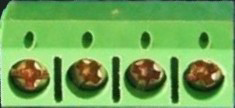
Image of 4 Point Terminal Block
Cirkit Designer LogoDesign with 4 Point Terminal Block in Cirkit Designer

Introduction

A 4 Point Terminal Block is a type of electrical connector designed to facilitate the secure and organized connection of multiple wires to a single point. It features four terminals, each capable of accommodating a wire, making it an essential component in electrical and electronic systems. Terminal blocks are widely used in control panels, electrical junctions, and industrial automation systems due to their reliability and ease of use.

Explore Projects Built with 4 Point Terminal Block

Use Cirkit Designer to design, explore, and prototype these projects online. Some projects support real-time simulation. Click "Open Project" to start designing instantly!
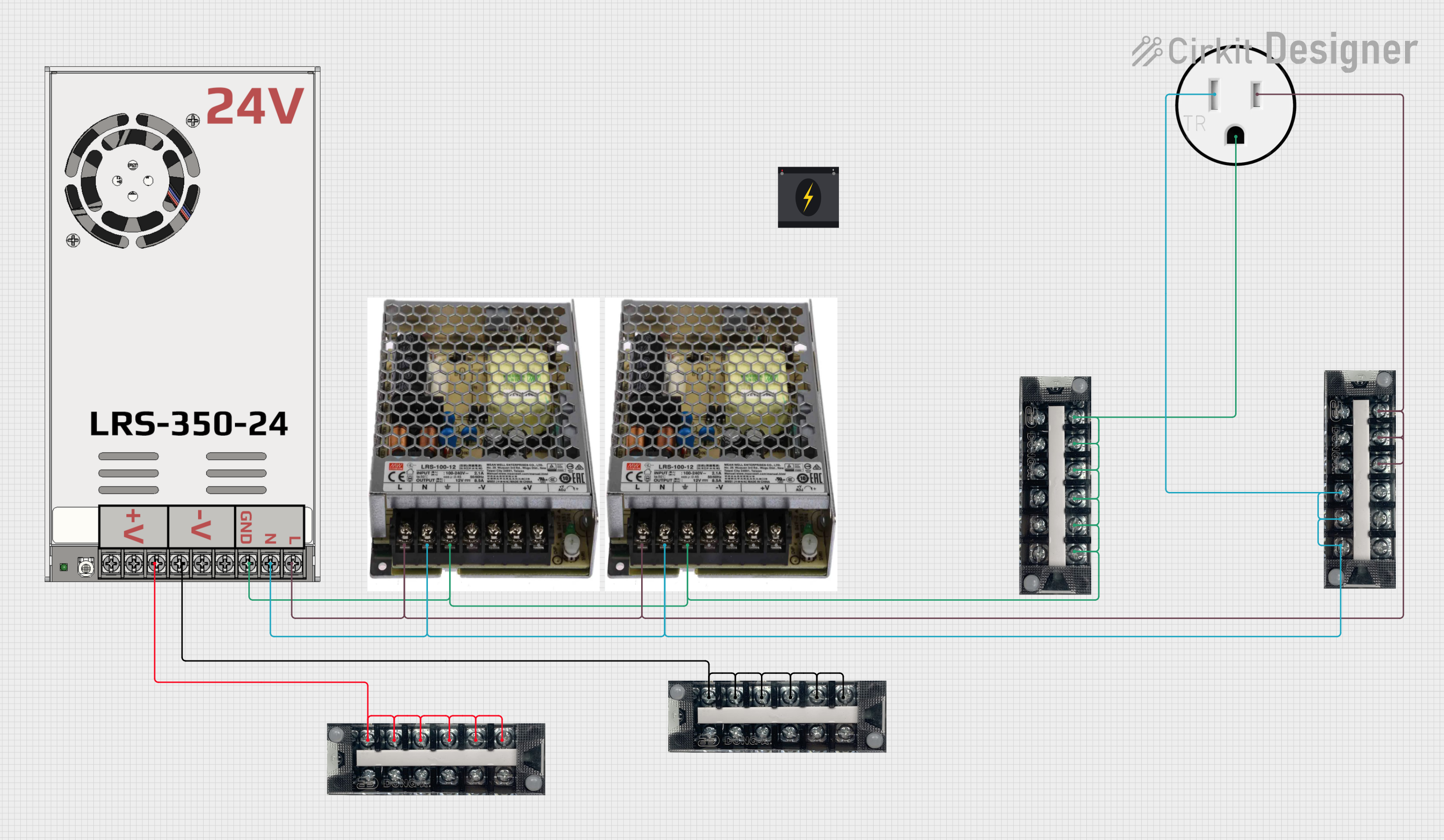
Modular Power Distribution System with Multiple SMPS Units and 120V Outlet
Image of Cellion-Tesla: A project utilizing 4 Point Terminal Block in a practical application
This circuit is designed to convert 240V AC power to both 12V and 24V DC outputs using multiple SMPS units. Terminal blocks are used to organize and distribute the power, while a 120V outlet provides additional AC power access. The circuit is likely used for powering various electronic devices that require different voltage levels.
Cirkit Designer LogoOpen Project in Cirkit Designer
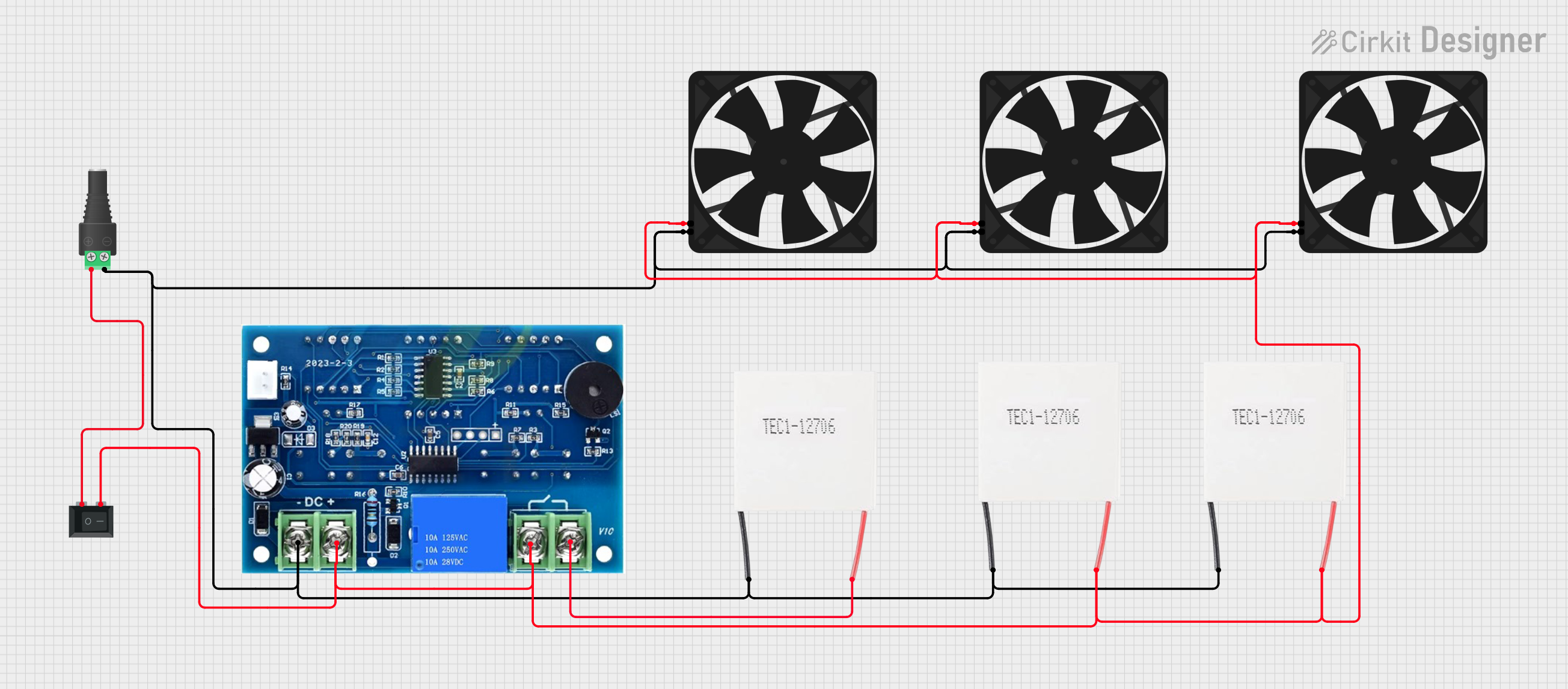
Peltier-Controlled Thermal Management System with SPST Switch
Image of Mini car refrigerator circuit: A project utilizing 4 Point Terminal Block in a practical application
This circuit consists of multiple Peltier modules and fans connected in parallel to a digital power supply, with a rocker switch (SPST) controlling the power flow to one of the Peltier modules and multiple fans. The 2.1mm Barrel Jack with Terminal Block serves as the power input connector, and the rocker switch allows for selective enabling or disabling of the connected devices. The circuit is designed to provide cooling or heating through the Peltier modules while the fans assist in heat dissipation or air circulation.
Cirkit Designer LogoOpen Project in Cirkit Designer
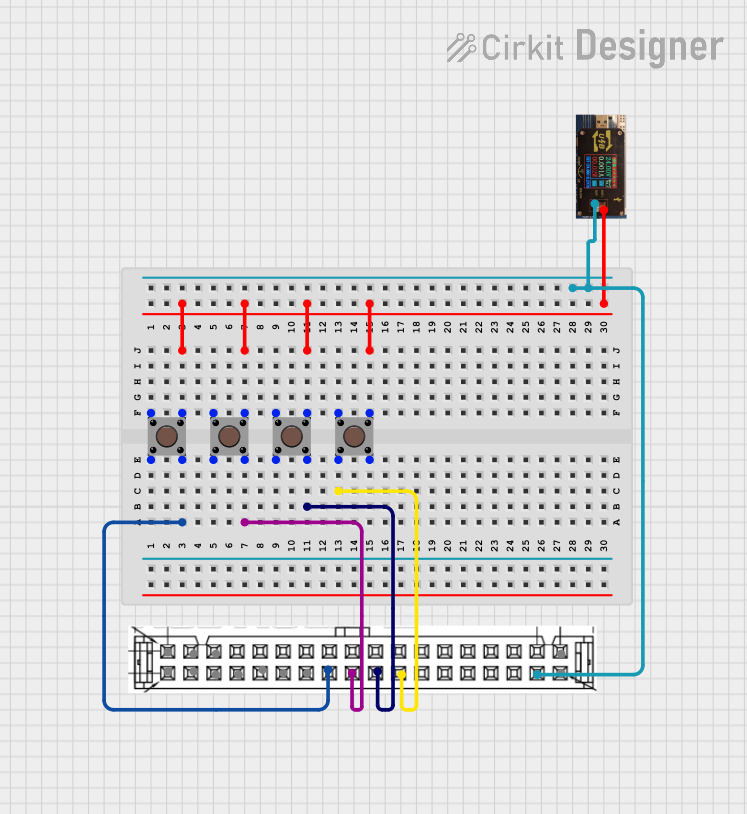
Pushbutton-Controlled Interface with 40-Pin Connector and UBS Power Supply
Image of connect 4: A project utilizing 4 Point Terminal Block in a practical application
This circuit consists of a 40-pin connector interfacing with four pushbuttons and a UBS power supply. The pushbuttons are used as inputs to the connector, which then relays the signals to other components or systems. The UBS power supply provides the necessary 24V power to the pushbuttons and the common ground for the circuit.
Cirkit Designer LogoOpen Project in Cirkit Designer
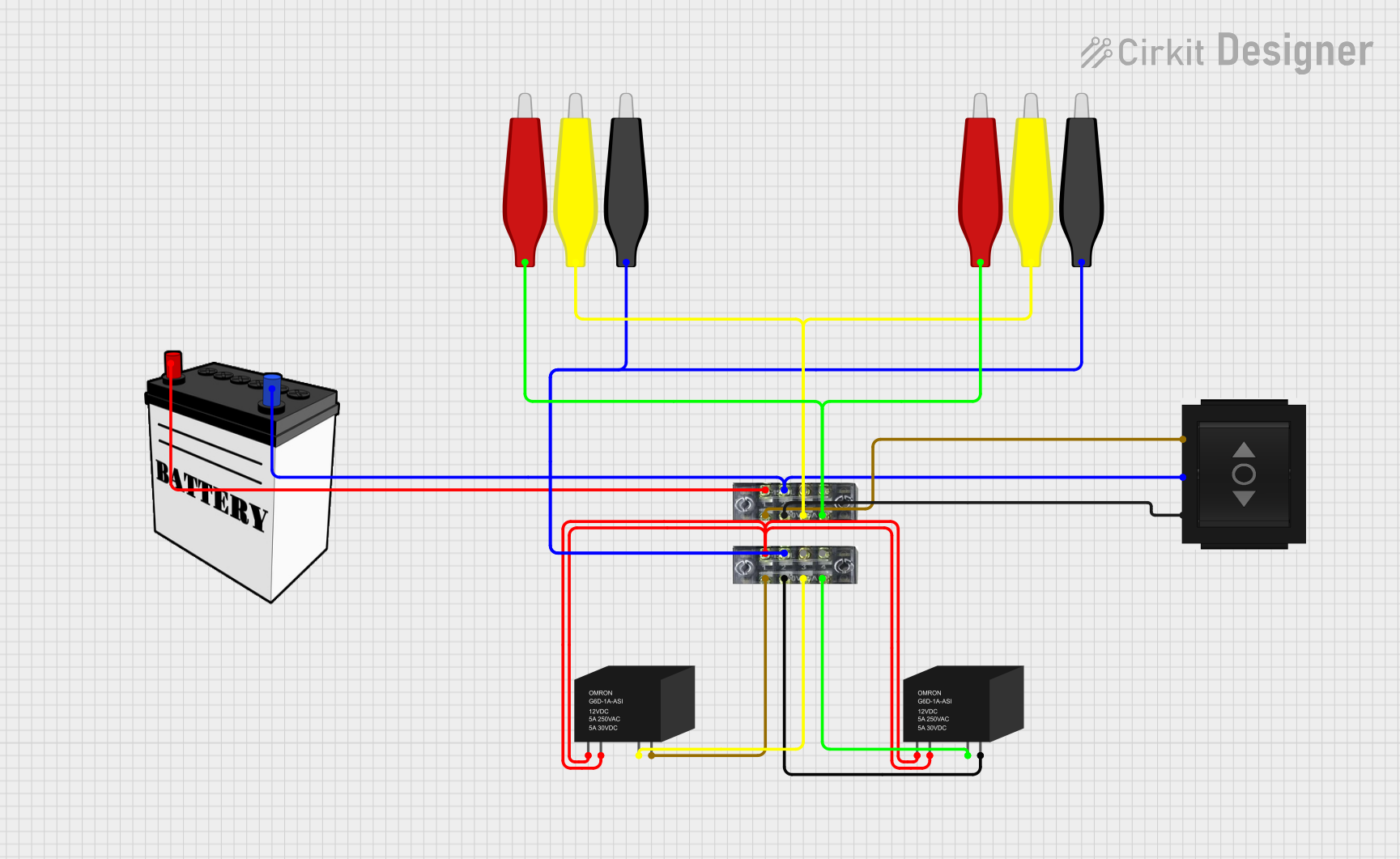
Battery-Powered Relay Control System with Directional Switch
Image of Skema Lampu D2: A project utilizing 4 Point Terminal Block in a practical application
This circuit involves a 12V battery powering a relay system controlled by a directional switch. The relays are connected through terminal blocks and are used to switch between different outputs, indicated by the AdaGator Top components.
Cirkit Designer LogoOpen Project in Cirkit Designer

Explore Projects Built with 4 Point Terminal Block

Use Cirkit Designer to design, explore, and prototype these projects online. Some projects support real-time simulation. Click "Open Project" to start designing instantly!
Image of Cellion-Tesla: A project utilizing 4 Point Terminal Block in a practical application
Modular Power Distribution System with Multiple SMPS Units and 120V Outlet
This circuit is designed to convert 240V AC power to both 12V and 24V DC outputs using multiple SMPS units. Terminal blocks are used to organize and distribute the power, while a 120V outlet provides additional AC power access. The circuit is likely used for powering various electronic devices that require different voltage levels.
Cirkit Designer LogoOpen Project in Cirkit Designer
Image of Mini car refrigerator circuit: A project utilizing 4 Point Terminal Block in a practical application
Peltier-Controlled Thermal Management System with SPST Switch
This circuit consists of multiple Peltier modules and fans connected in parallel to a digital power supply, with a rocker switch (SPST) controlling the power flow to one of the Peltier modules and multiple fans. The 2.1mm Barrel Jack with Terminal Block serves as the power input connector, and the rocker switch allows for selective enabling or disabling of the connected devices. The circuit is designed to provide cooling or heating through the Peltier modules while the fans assist in heat dissipation or air circulation.
Cirkit Designer LogoOpen Project in Cirkit Designer
Image of connect 4: A project utilizing 4 Point Terminal Block in a practical application
Pushbutton-Controlled Interface with 40-Pin Connector and UBS Power Supply
This circuit consists of a 40-pin connector interfacing with four pushbuttons and a UBS power supply. The pushbuttons are used as inputs to the connector, which then relays the signals to other components or systems. The UBS power supply provides the necessary 24V power to the pushbuttons and the common ground for the circuit.
Cirkit Designer LogoOpen Project in Cirkit Designer
Image of Skema Lampu D2: A project utilizing 4 Point Terminal Block in a practical application
Battery-Powered Relay Control System with Directional Switch
This circuit involves a 12V battery powering a relay system controlled by a directional switch. The relays are connected through terminal blocks and are used to switch between different outputs, indicated by the AdaGator Top components.
Cirkit Designer LogoOpen Project in Cirkit Designer

Common Applications and Use Cases

  • Control Panels: For organizing and connecting wires in industrial and commercial control systems.
  • Electrical Junctions: To distribute power or signals across multiple circuits.
  • Prototyping and Testing: For temporary or semi-permanent connections in development projects.
  • Home Automation: To connect sensors, actuators, and other devices in smart home systems.

Technical Specifications

Key Technical Details

  • Number of Terminals: 4
  • Rated Voltage: Up to 300V (varies by model)
  • Rated Current: Typically 10A to 30A (check specific model for exact rating)
  • Wire Size Compatibility: 22 AWG to 12 AWG (varies by model)
  • Material: Flame-retardant plastic housing with metal contacts (e.g., brass or copper alloy)
  • Mounting Type: Screw mount or DIN rail mount
  • Operating Temperature: -40°C to 105°C (varies by model)

Pin Configuration and Descriptions

The 4 Point Terminal Block does not have traditional "pins" like an IC but instead features screw terminals for wire connections. Below is a description of the terminal layout:

Terminal Number Description
1 Connection point for wire 1
2 Connection point for wire 2
3 Connection point for wire 3
4 Connection point for wire 4

Each terminal is equipped with a screw mechanism to securely fasten the wire in place.

Usage Instructions

How to Use the Component in a Circuit

  1. Prepare the Wires:

    • Strip approximately 5-7mm of insulation from the end of each wire.
    • Ensure the exposed wire is clean and free of frayed strands.
  2. Connect the Wires:

    • Loosen the screw on the terminal block using a screwdriver.
    • Insert the stripped end of the wire into the terminal opening.
    • Tighten the screw to secure the wire. Avoid overtightening, as this may damage the wire or terminal.
  3. Mount the Terminal Block:

    • If the terminal block is screw-mounted, use screws to attach it to a panel or enclosure.
    • For DIN rail-mounted terminal blocks, snap the block onto the rail.
  4. Verify Connections:

    • Double-check that all wires are securely fastened and that there are no loose strands.
    • Test the circuit to ensure proper functionality.

Important Considerations and Best Practices

  • Wire Compatibility: Always use wires within the specified gauge range to ensure a secure connection.
  • Tightening Screws: Use the appropriate screwdriver size to avoid damaging the screws or terminals.
  • Avoid Overloading: Do not exceed the rated voltage or current of the terminal block.
  • Insulation: Ensure that no exposed wire is touching adjacent terminals to prevent short circuits.
  • Environmental Conditions: Use terminal blocks rated for the operating temperature and environmental conditions of your application.

Example: Connecting to an Arduino UNO

While a 4 Point Terminal Block is not directly connected to an Arduino UNO, it can be used to organize and distribute power or signals to multiple components in an Arduino-based project. Below is an example of how to use a terminal block to distribute power from the Arduino's 5V pin:

// Example: Distributing 5V power using a 4 Point Terminal Block
// Connect the Arduino's 5V pin to one terminal of the block, and use the other
// terminals to power multiple components (e.g., sensors, LEDs).

void setup() {
  // No specific code is required for the terminal block itself.
  // Ensure proper wiring and secure connections.
}

void loop() {
  // Your main code for the Arduino project goes here.
  // The terminal block simply acts as a passive connector.
}

Troubleshooting and FAQs

Common Issues Users Might Face

  1. Loose Connections:

    • Cause: Screws not tightened properly or wire gauge incompatible with the terminal block.
    • Solution: Ensure screws are securely tightened and use wires within the specified gauge range.
  2. Overheating:

    • Cause: Exceeding the rated current of the terminal block.
    • Solution: Verify that the current flowing through the terminal block does not exceed its rating.
  3. Short Circuits:

    • Cause: Exposed wires touching adjacent terminals.
    • Solution: Ensure proper insulation and spacing between wires.
  4. Corrosion or Oxidation:

    • Cause: Exposure to moisture or corrosive environments.
    • Solution: Use terminal blocks with corrosion-resistant materials or install them in a sealed enclosure.

FAQs

Q: Can I use a 4 Point Terminal Block for AC and DC circuits?
A: Yes, terminal blocks can be used for both AC and DC circuits, provided the voltage and current ratings are not exceeded.

Q: How do I choose the right terminal block for my application?
A: Consider factors such as the number of terminals, voltage and current ratings, wire gauge compatibility, and mounting type.

Q: Can I connect multiple wires to a single terminal?
A: It is not recommended, as this may result in poor connections or exceed the terminal's capacity. Use one wire per terminal for optimal performance.

Q: Are terminal blocks reusable?
A: Yes, terminal blocks can be reused, but ensure that the screws and terminals are not damaged during disassembly.