The WM8960 Audio Board, manufactured by Waveshare, is a high-performance audio codec designed for portable and multimedia applications. It features low-power stereo audio processing capabilities, supporting high-quality audio playback and recording. The board integrates advanced features such as digital signal processing (DSP), integrated amplifiers, and multiple input/output options, making it ideal for use in devices like smartphones, tablets, and other audio-centric systems.
Explore Projects Built with WM8960 Audio Board
Use Cirkit Designer to design, explore, and prototype these projects online. Some projects support real-time simulation. Click "Open Project" to start designing instantly!
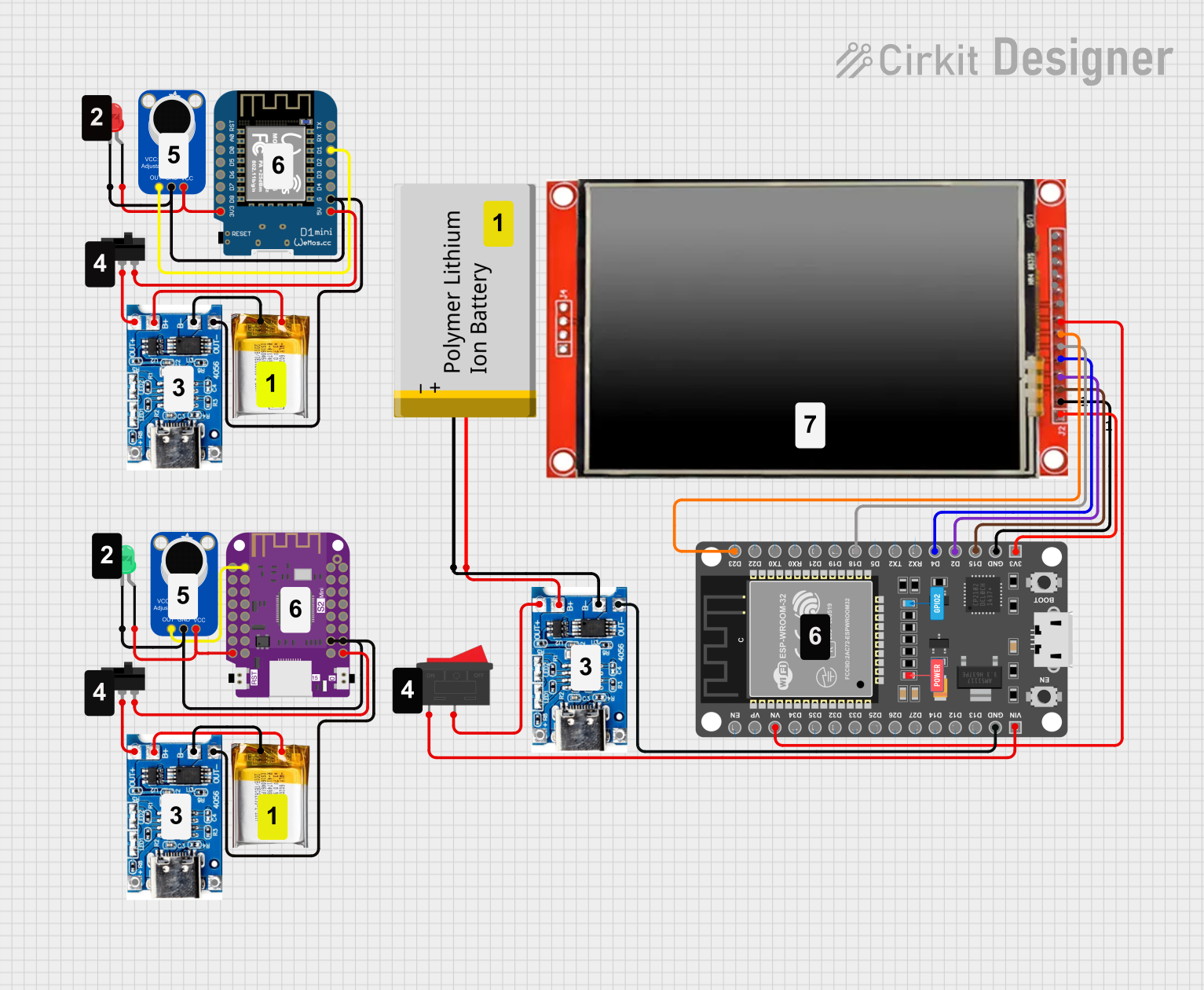
This is a portable audio-visual device featuring two Wemos microcontrollers for processing, Adafruit MAX4466 microphone amplifiers for audio input, and an LCD TFT screen for display. It includes power management with TP4056 modules and LiPo batteries, and user-controlled toggle and rocker switches.
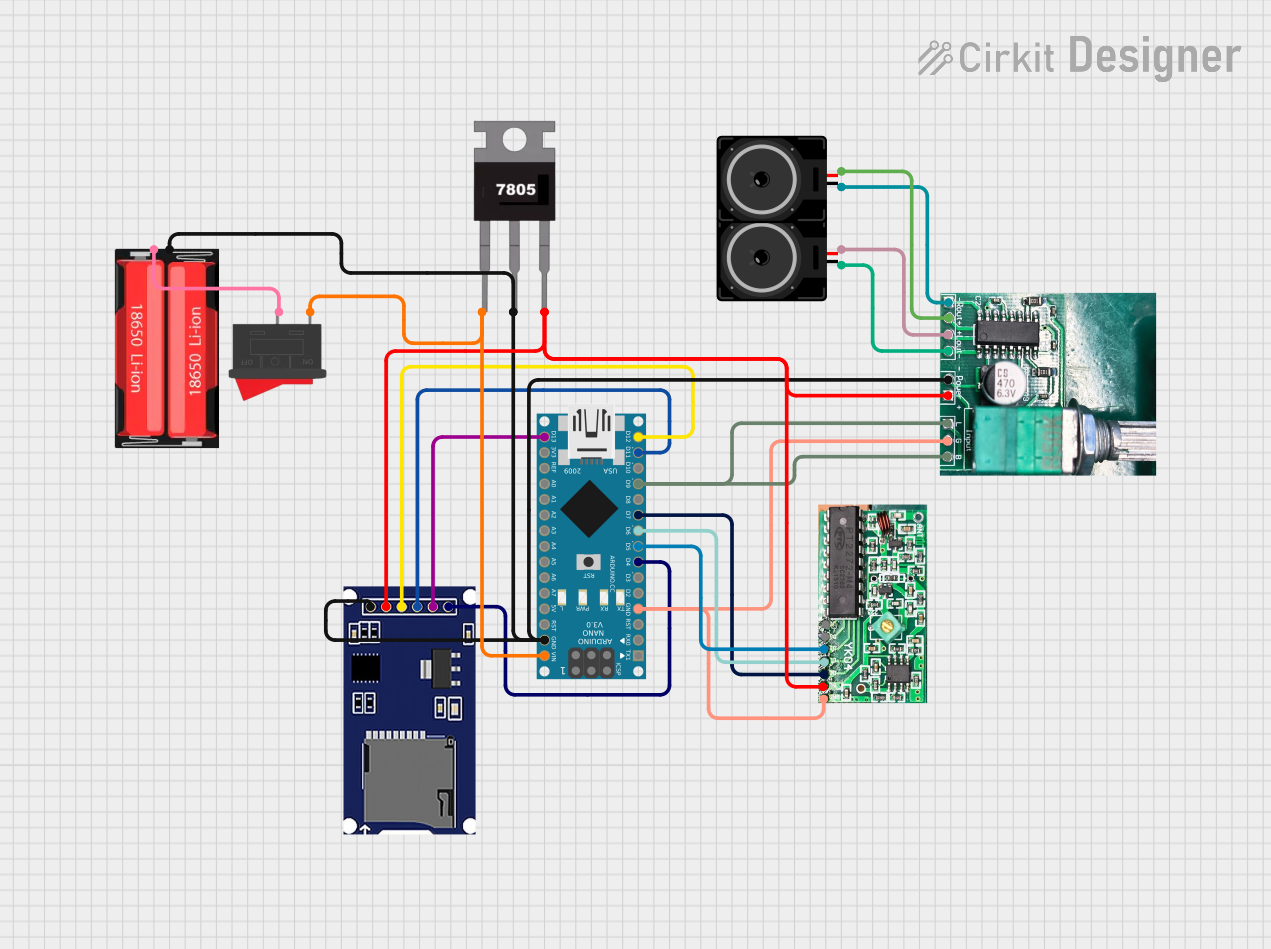
This is a wireless audio playback system featuring an Arduino Nano interfaced with an RF receiver for signal acquisition, an SD card module for audio data storage, and a PAM8403 amplifier to drive stereo loudspeakers. The system is powered by a 18650 Li-Ion battery with a 7805 regulator for voltage stabilization, and a rocker switch for power control.
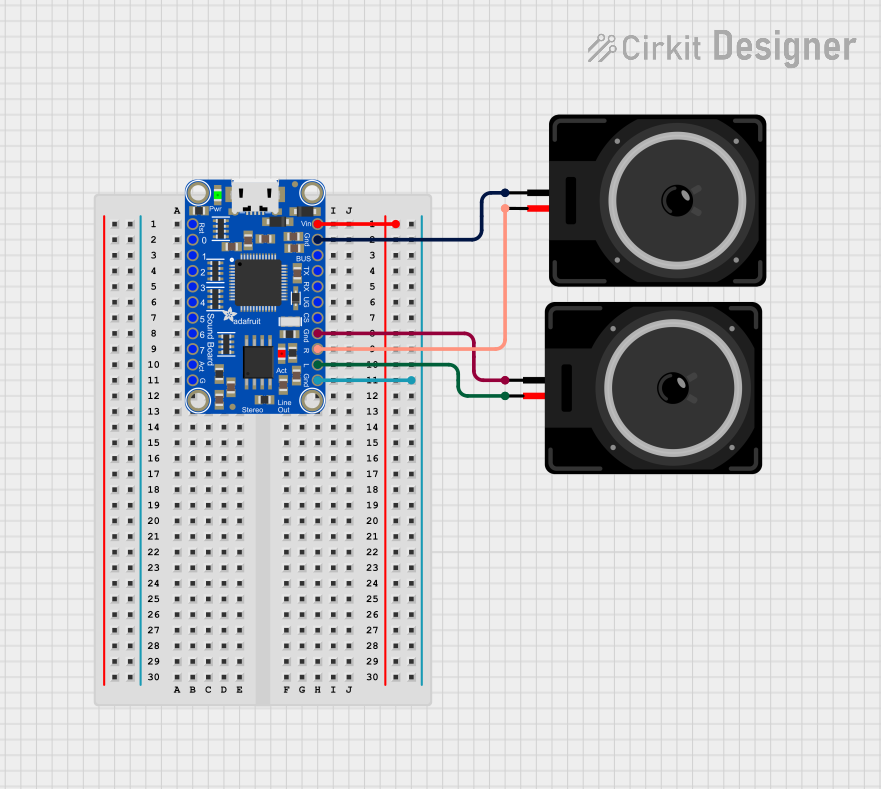
This circuit features an Adafruit Audio FX Mini Sound Board connected to two loudspeakers. The sound board's left and right audio channels (L_AC and R_AC) are connected to the respective pins of the loudspeakers, enabling stereo audio output. The sound board is powered through its VIN pin, and all components share a common ground.
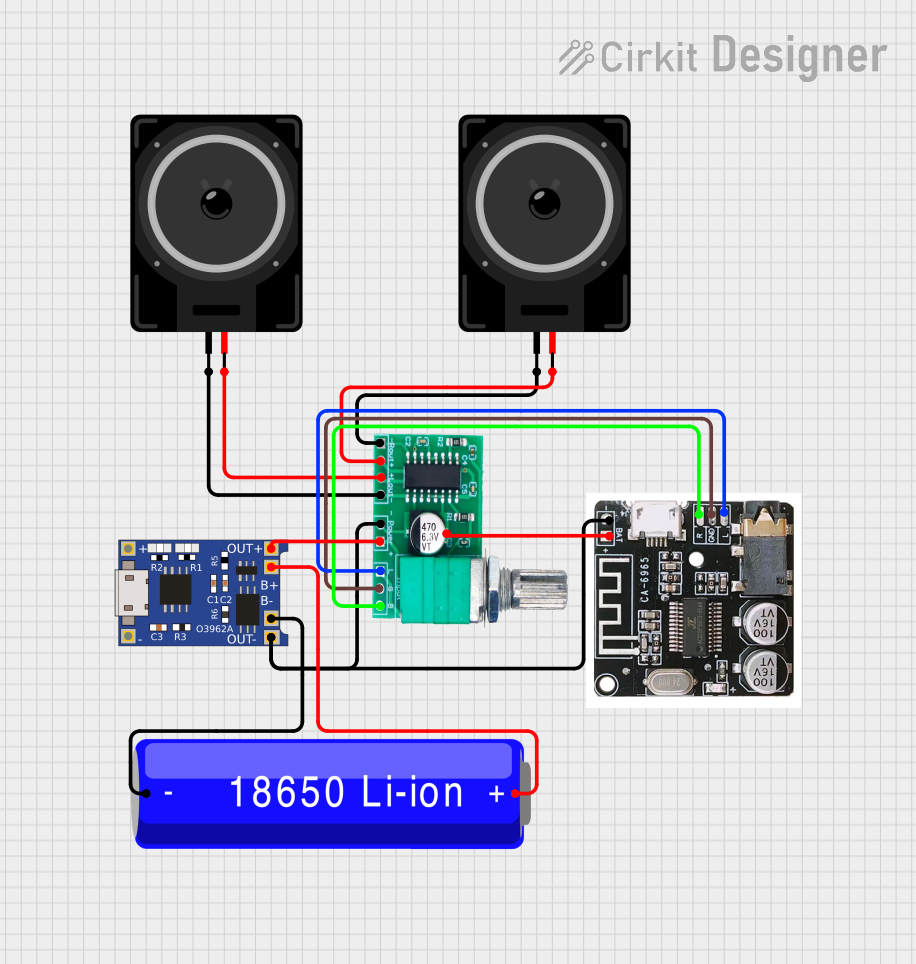
This circuit is a Bluetooth-enabled audio system powered by a rechargeable 18650 Li-ion battery. It includes a TP4056 module for battery charging and protection, a PAM8403 amplifier with volume control to drive two loudspeakers, and a Bluetooth audio receiver to wirelessly receive audio signals.
Educational and prototyping projects with microcontrollers (e.g., Arduino, Raspberry Pi)
Technical Specifications
Key Technical Details
Manufacturer: Waveshare
Part ID: WM8960
Audio Channels: Stereo (2-channel)
Supported Audio Formats: 16-bit, 24-bit
Sampling Rates: 8 kHz to 48 kHz
Power Supply Voltage: 2.5V to 3.6V (core), 1.8V to 3.6V (I/O)
Power Consumption: Ultra-low power for portable applications
Integrated Features:
Stereo DAC (Digital-to-Analog Converter) and ADC (Analog-to-Digital Converter)
Digital Signal Processing (DSP) for audio enhancement
Integrated headphone and speaker amplifiers
Microphone input with biasing support
Communication Interface: I2C (control) and I2S/PCM (audio data)
Operating Temperature: -40°C to +85°C
Pin Configuration and Descriptions
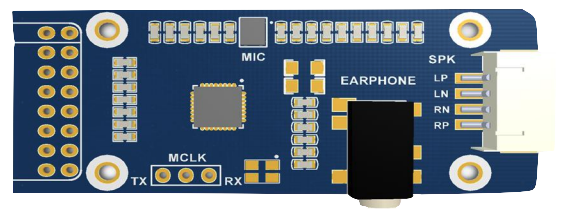
The WM8960 Audio Board has a set of pins for power, control, and audio data communication. Below is the pin configuration:
Pin Name
Type
Description
VCC
Power Input
Power supply input (3.3V recommended).
GND
Ground
Ground connection.
SCL
I2C Clock
I2C clock line for control communication.
SDA
I2C Data
I2C data line for control communication.
BCLK
Audio Clock
Bit clock for I2S/PCM audio data communication.
LRCLK
Audio Clock
Left/Right clock for I2S/PCM audio data communication.
DIN
Data Input
Audio data input for I2S/PCM communication.
DOUT
Data Output
Audio data output for I2S/PCM communication.
MIC_IN
Analog Input
Microphone input with biasing support.
HP_OUT_L
Analog Output
Left channel headphone output.
HP_OUT_R
Analog Output
Right channel headphone output.
SPK_OUT_L
Analog Output
Left channel speaker output.
SPK_OUT_R
Analog Output
Right channel speaker output.
Usage Instructions
How to Use the WM8960 Audio Board in a Circuit
Power Supply: Connect the VCC pin to a 3.3V power source and GND to ground. Ensure a stable power supply to avoid noise in audio signals.
I2C Communication: Connect the SCL and SDA pins to the corresponding I2C pins of your microcontroller (e.g., Arduino or Raspberry Pi). Use pull-up resistors (typically 4.7kΩ) on the I2C lines if not already present.
Audio Data Communication: Connect the BCLK, LRCLK, DIN, and DOUT pins to the I2S/PCM interface of your microcontroller or processor.
Audio Input/Output:
For microphone input, connect a microphone to the MIC_IN pin.
For audio output, connect headphones or speakers to the HP_OUT_L/HP_OUT_R or SPK_OUT_L/SPK_OUT_R pins, respectively.
Software Configuration: Use the I2C interface to configure the WM8960 registers for desired audio settings (e.g., sampling rate, volume, input/output selection).
Important Considerations and Best Practices
Power Supply: Use decoupling capacitors (e.g., 0.1µF and 10µF) near the VCC pin to reduce noise and ensure stable operation.
I2C Address: The default I2C address of the WM8960 is 0x1A. Ensure no address conflicts if multiple I2C devices are connected.
Audio Quality: Use shielded cables for audio input/output connections to minimize interference.
Microcontroller Compatibility: Ensure your microcontroller supports I2S/PCM communication for audio data transfer.
Example: Connecting WM8960 to Arduino UNO
The Arduino UNO does not natively support I2S communication. However, you can use an external I2S module or switch to a microcontroller like the ESP32, which has built-in I2S support. Below is an example code snippet for configuring the WM8960 using I2C:
#include <Wire.h> // Include the I2C library

#define WM8960_I2C_ADDR 0x1A // Default I2C address of WM8960

void setup() {
  Wire.begin(); // Initialize I2C communication
  Serial.begin(9600); // Initialize serial communication for debugging

  // Configure WM8960 registers
  configureWM8960();
}

void loop() {
  // Main loop does nothing in this example
}

void configureWM8960() {
  // Example: Set the WM8960 to power up and enable DAC
  writeWM8960Register(0x0F, 0x000); // Reset the device
  writeWM8960Register(0x19, 0x1F0); // Enable DAC and headphone output
  writeWM8960Register(0x1A, 0x1F0); // Enable speaker output

  Serial.println("WM8960 configured successfully!");
}

void writeWM8960Register(uint8_t reg, uint16_t value) {
  Wire.beginTransmission(WM8960_I2C_ADDR);
  Wire.write((reg << 1) | ((value >> 8) & 0x01)); // Send register address
  Wire.write(value & 0xFF); // Send register value
  Wire.endTransmission();
}
Troubleshooting and FAQs
Common Issues and Solutions
No Audio Output:
Ensure the power supply is stable and within the specified range.
Verify that the I2C communication is working correctly by checking the connections and pull-up resistors.
Check the audio output connections (headphones/speakers) for proper wiring.
Distorted Audio:
Reduce the volume settings in the WM8960 configuration.
Use shielded cables to minimize interference.
Ensure the power supply is free from noise.
I2C Communication Failure:
Confirm the I2C address (0x1A) matches the device configuration.
Check for loose or incorrect connections on the SCL and SDA lines.
Use a logic analyzer to debug I2C signals if necessary.
FAQs
Can the WM8960 work with 5V microcontrollers?
No, the WM8960 operates at 3.3V. Use a level shifter if interfacing with a 5V microcontroller.
What is the maximum sampling rate supported?
The WM8960 supports sampling rates up to 48 kHz.
Can I use the WM8960 with Raspberry Pi?
Yes, the WM8960 is compatible with Raspberry Pi via the I2C and I2S interfaces. Use appropriate drivers or libraries for configuration.
Does the WM8960 support stereo recording?
Yes, the WM8960 supports stereo recording through its ADC and microphone input.

 Open Project in Cirkit Designer