
How to Use SWITCH-SP3T: Examples, Pinouts, and Specs
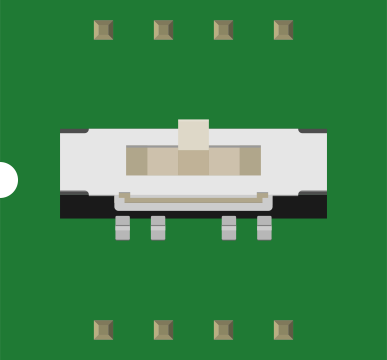
 Design with SWITCH-SP3T in Cirkit Designer
Introduction
A SP3T (Single Pole, 3 Throw) switch is an electromechanical device that allows a single input to be connected to one of three outputs. This type of switch is commonly used in applications where multiple circuit paths need to be selected, such as in signal routing, audio switching, or mode selection in electronic devices. Its versatility makes it a valuable component in both analog and digital circuits.
Explore Projects Built with SWITCH-SP3T
 Open Project in Cirkit Designer
 Open Project in Cirkit Designer
 Open Project in Cirkit Designer
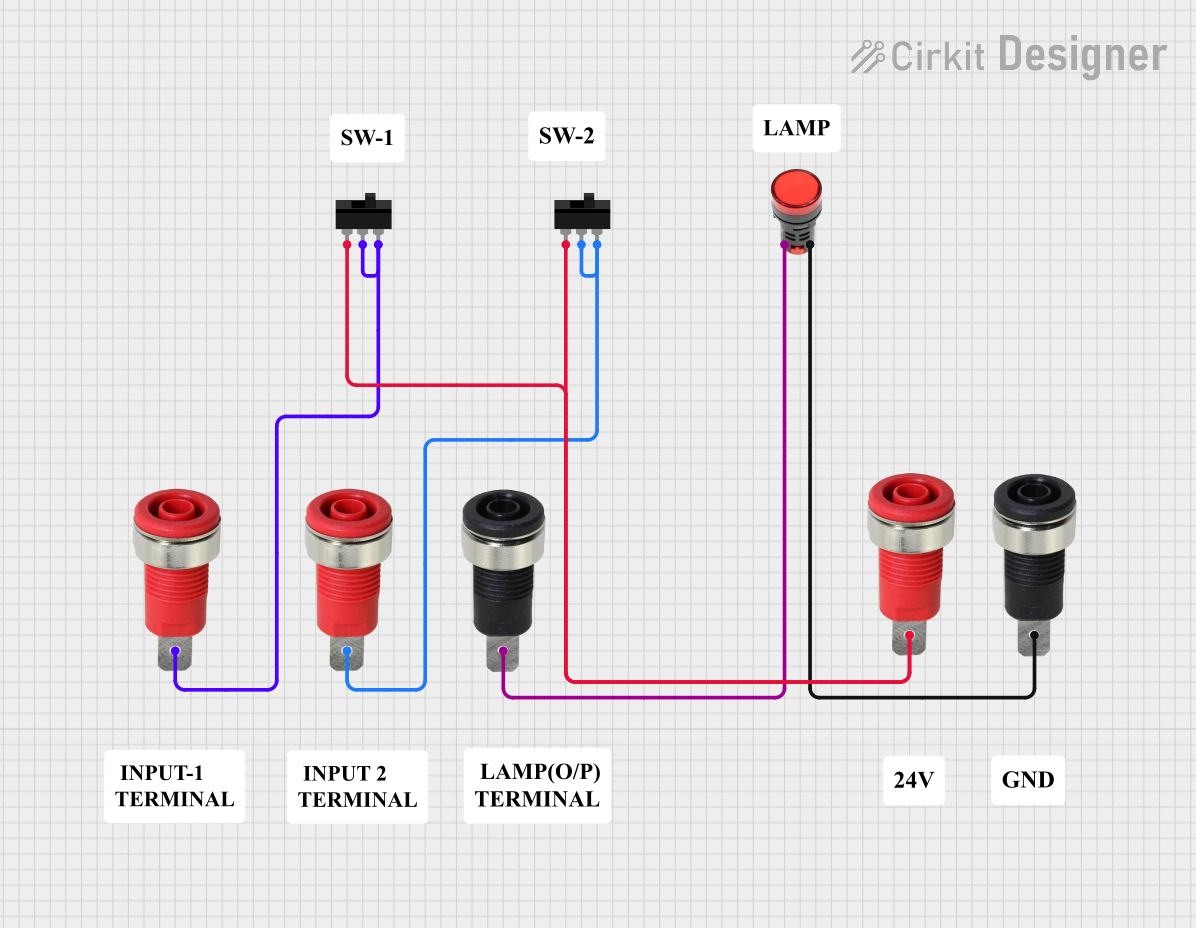 Open Project in Cirkit Designer
Explore Projects Built with SWITCH-SP3T
Open Project in Cirkit DesignerOpen Project in Cirkit DesignerOpen Project in Cirkit DesignerOpen Project in Cirkit DesignerCommon Applications and Use Cases
- Signal routing in communication systems
- Audio input/output selection
- Mode selection in control systems
- Test and measurement equipment
- Switching between multiple power sources or loads
Technical Specifications
Below are the key technical details for a typical SP3T switch. Note that specifications may vary depending on the manufacturer and model.
General Specifications
- Switch Type: Single Pole, 3 Throw (SP3T)
- Contact Configuration: 1 input, 3 selectable outputs
- Voltage Rating: Up to 30V DC (typical)
- Current Rating: 0.5A to 2A (depending on model)
- Contact Resistance: ≤ 50 mΩ
- Insulation Resistance: ≥ 100 MΩ at 500V DC
- Operating Temperature: -25°C to +85°C
- Actuation Type: Toggle, rotary, or slide (varies by design)
Pin Configuration and Descriptions
The SP3T switch typically has four pins: one common input pin and three output pins. The table below describes the pin configuration.
| Pin Number | Label | Description |
|---|---|---|
| 1 | COM | Common input pin |
| 2 | OUT1 | Output pin 1 (connected when position 1 is selected) |
| 3 | OUT2 | Output pin 2 (connected when position 2 is selected) |
| 4 | OUT3 | Output pin 3 (connected when position 3 is selected) |
Usage Instructions
How to Use the SP3T Switch in a Circuit
- Identify the Pins: Locate the common input pin (COM) and the three output pins (OUT1, OUT2, OUT3) on the switch.
- Connect the Input: Connect the signal or power source to the COM pin.
- Connect the Outputs: Connect the devices or circuit paths to the OUT1, OUT2, and OUT3 pins.
- Select the Output: Actuate the switch (toggle, rotate, or slide) to select the desired output path.
Important Considerations and Best Practices
- Voltage and Current Ratings: Ensure the switch's voltage and current ratings are not exceeded to avoid damage.
- Debouncing: For digital circuits, consider adding a debouncing circuit or software debounce logic to handle switch noise.
- Mechanical Durability: Check the switch's rated lifespan (e.g., number of actuations) for applications requiring frequent switching.
- Mounting: Secure the switch properly to prevent mechanical stress or damage during operation.
Example: Using SP3T with Arduino UNO
The SP3T switch can be used to select between three different inputs for an Arduino. Below is an example code snippet to read the switch's position using three digital pins.
// Define the pins connected to the SP3T switch outputs
const int switchPin1 = 2; // Connected to OUT1
const int switchPin2 = 3; // Connected to OUT2
const int switchPin3 = 4; // Connected to OUT3

void setup() {
  // Set the switch pins as input
  pinMode(switchPin1, INPUT);
  pinMode(switchPin2, INPUT);
  pinMode(switchPin3, INPUT);

  // Initialize serial communication for debugging
  Serial.begin(9600);
}

void loop() {
  // Read the state of each switch output
  bool state1 = digitalRead(switchPin1);
  bool state2 = digitalRead(switchPin2);
  bool state3 = digitalRead(switchPin3);

  // Determine which output is active and print the result
  if (state1) {
    Serial.println("Switch is in position 1 (OUT1 active)");
  } else if (state2) {
    Serial.println("Switch is in position 2 (OUT2 active)");
  } else if (state3) {
    Serial.println("Switch is in position 3 (OUT3 active)");
  } else {
    Serial.println("No active position detected");
  }

  // Add a small delay to avoid spamming the serial monitor
  delay(200);
}
Troubleshooting and FAQs
Common Issues
Switch Not Functioning Properly
- Cause: Incorrect wiring or loose connections.
- Solution: Double-check the wiring and ensure all connections are secure.
Signal Noise or Unstable Output
- Cause: Mechanical bouncing of the switch contacts.
- Solution: Add a debouncing circuit (e.g., capacitor and resistor) or implement software debouncing.
Switch Overheating
- Cause: Exceeding the voltage or current rating.
- Solution: Verify that the circuit operates within the switch's rated specifications.
Output Not Changing
- Cause: Faulty switch or damaged contacts.
- Solution: Test the switch with a multimeter and replace it if necessary.
FAQs
Q: Can I use the SP3T switch for AC circuits?
A: Yes, but ensure the switch is rated for the AC voltage and current levels in your application.
Q: How do I debounce the SP3T switch in software?
A: Use a delay or a state-change detection algorithm in your microcontroller code to filter out rapid changes caused by contact bouncing.
Q: Can I use the SP3T switch to control LEDs?
A: Yes, connect the LEDs to the output pins with appropriate current-limiting resistors.
Q: What is the difference between SP3T and DP3T switches?
A: An SP3T switch has one input and three outputs, while a DP3T switch has two independent inputs, each with three outputs.