
How to Use 26 by 31 PCB board 2.54mm spacing: Examples, Pinouts, and Specs
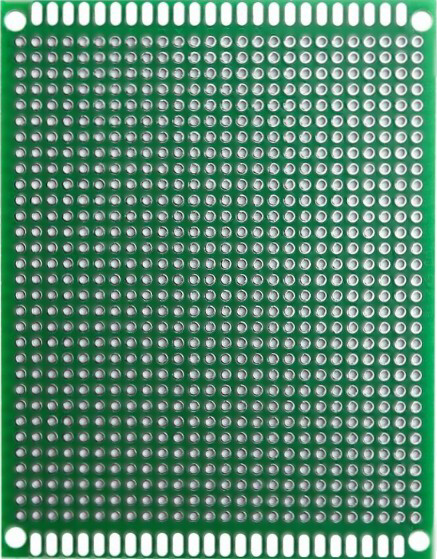
 Design with 26 by 31 PCB board 2.54mm spacing in Cirkit Designer
Introduction
The 26 by 31 PCB board is a compact printed circuit board (PCB) with dimensions of 26mm by 31mm and a standard hole spacing of 2.54mm (0.1 inches). This board is designed for prototyping and assembling electronic circuits, making it an essential tool for hobbyists, students, and professionals alike. Its small size and standardized hole spacing allow for easy mounting of through-hole components and connectors.
Explore Projects Built with 26 by 31 PCB board 2.54mm spacing
 Open Project in Cirkit Designer
 Open Project in Cirkit Designer
 Open Project in Cirkit Designer
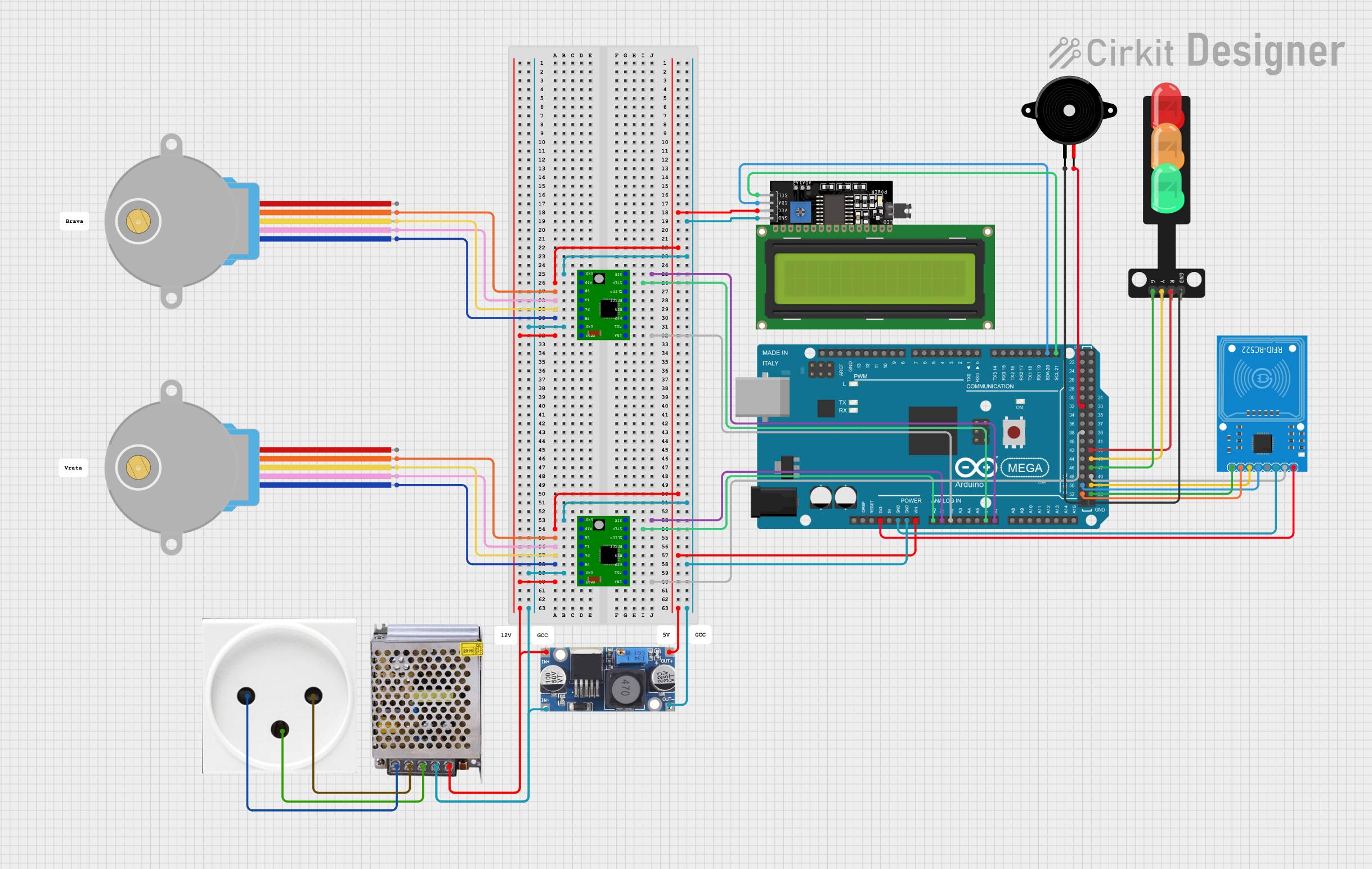 Open Project in Cirkit Designer
Explore Projects Built with 26 by 31 PCB board 2.54mm spacing
Open Project in Cirkit DesignerOpen Project in Cirkit DesignerOpen Project in Cirkit DesignerOpen Project in Cirkit DesignerCommon Applications and Use Cases
- Prototyping small electronic circuits
- Mounting through-hole components such as resistors, capacitors, and ICs
- Creating custom breakout boards for sensors or modules
- Educational projects and DIY electronics
- Repairing or modifying existing circuits
Technical Specifications
Below are the key technical details of the 26 by 31 PCB board:
| Specification | Details |
|---|---|
| Dimensions | 26mm x 31mm |
| Hole Spacing | 2.54mm (0.1 inches) |
| Hole Diameter | ~1mm (suitable for standard pins) |
| Material | FR4 (fiberglass-reinforced epoxy) |
| Thickness | ~1.6mm |
| Copper Layer | Single-sided or double-sided |
| Surface Finish | HASL (Hot Air Solder Leveling) or ENIG (Electroless Nickel Immersion Gold) |
| Grid Layout | Uniform grid for easy component placement |
| Compatibility | Standard through-hole components |
Pin Configuration and Descriptions
The 26 by 31 PCB board does not have predefined pins but features a uniform grid of holes. Each hole can be used to solder components or wires. Below is a description of the layout:
| Feature | Description |
|---|---|
| Grid Layout | 10 rows x 12 columns of holes |
| Hole Spacing | 2.54mm (standard for DIP components) |
| Edge Pads | May include larger pads for power or ground connections |
| Mounting Holes | May include additional holes for mechanical mounting |
Usage Instructions
How to Use the 26 by 31 PCB Board in a Circuit
- Plan Your Circuit Layout: Before soldering, sketch the circuit design on paper or use PCB design software to map out component placement.
- Insert Components: Place through-hole components (e.g., resistors, capacitors, ICs) into the holes. Ensure proper orientation for polarized components like diodes and electrolytic capacitors.
- Solder Connections: Use a soldering iron and solder to secure the components to the board. Trim excess leads with wire cutters.
- Create Circuit Traces: Use solder bridges, jumper wires, or thin copper wires to connect the components according to your circuit design.
- Test the Circuit: Verify the functionality of your circuit using a multimeter or other testing tools before powering it with a voltage source.
Important Considerations and Best Practices
- Avoid Overheating: Excessive heat during soldering can damage the PCB or components. Use a temperature-controlled soldering iron.
- Use Flux: Apply flux to improve solder flow and ensure strong connections.
- Plan for Power and Ground: Dedicate specific rows or columns for power and ground connections to simplify wiring.
- Label Connections: Use a marker or labels to identify key connections, especially for complex circuits.
- Protect the Board: After assembly, consider applying a conformal coating to protect the board from moisture and dust.
Example: Connecting to an Arduino UNO
The 26 by 31 PCB board can be used to create custom shields or breakout boards for an Arduino UNO. Below is an example of connecting an LED and resistor to an Arduino using the PCB:
Circuit Diagram
- Connect the LED's anode to a digital pin (e.g., D13) via a 220-ohm resistor.
- Connect the LED's cathode to the ground (GND).
Arduino Code
// Simple LED Blink Example
// This code blinks an LED connected to pin 13 of the Arduino UNO.

// Define the pin number for the LED
const int ledPin = 13;

void setup() {
  // Set the LED pin as an output
  pinMode(ledPin, OUTPUT);
}

void loop() {
  // Turn the LED on
  digitalWrite(ledPin, HIGH);
  delay(1000); // Wait for 1 second

  // Turn the LED off
  digitalWrite(ledPin, LOW);
  delay(1000); // Wait for 1 second
}
Troubleshooting and FAQs
Common Issues Users Might Face
- Cold Solder Joints: Poor solder connections can result in intermittent or failed circuits.
- Solution: Reheat the joint and apply a small amount of solder to ensure a solid connection.
- Short Circuits: Solder bridges between adjacent holes can cause short circuits.
- Solution: Inspect the board carefully and remove excess solder using a solder wick or desoldering pump.
- Component Misplacement: Incorrect placement of polarized components (e.g., diodes, capacitors) can prevent the circuit from functioning.
- Solution: Double-check the orientation of all components before soldering.
- Damaged Traces: Excessive heat or force can damage the copper traces on the PCB.
- Solution: Use jumper wires to repair broken connections.
FAQs
Q: Can I use this PCB for surface-mount components?
A: While the board is designed for through-hole components, you can use it for surface-mount components by soldering them directly to the copper pads.
Q: What tools do I need to work with this PCB?
A: You will need a soldering iron, solder, wire cutters, flux, and optionally a multimeter for testing.
Q: Is this PCB reusable?
A: Once components are soldered, the board is not easily reusable. However, you can desolder components if needed.
Q: Can I cut the PCB to a smaller size?
A: Yes, the PCB can be cut using a hacksaw or rotary tool, but ensure that the cut does not damage critical traces or components.
This documentation provides a comprehensive guide to using the 26 by 31 PCB board with 2.54mm spacing. Whether you're a beginner or an experienced user, this versatile PCB is an excellent choice for your prototyping needs.