The DFRobot H2S Sensor is a specialized electronic component designed to detect the presence and concentration of hydrogen sulfide (H2S) gas in the environment. Hydrogen sulfide is a colorless, highly toxic, and flammable gas with a distinct rotten egg odor. This sensor is essential for applications requiring real-time monitoring of H2S levels to ensure safety and compliance with environmental standards.
Explore Projects Built with h2s
Use Cirkit Designer to design, explore, and prototype these projects online. Some projects support real-time simulation. Click "Open Project" to start designing instantly!
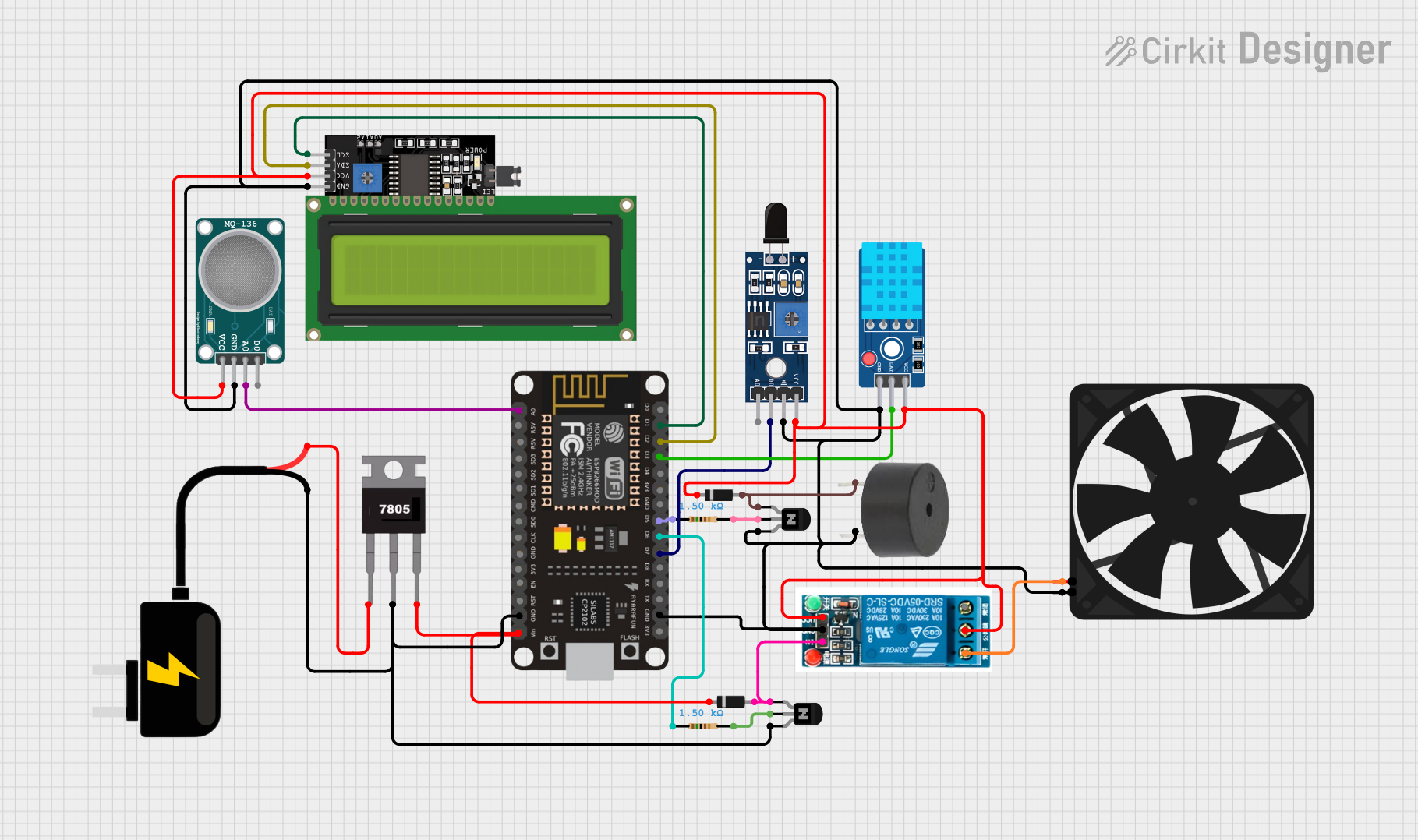
This circuit features an ESP8266 NodeMCU microcontroller interfaced with various sensors including a flame sensor (SHT113), a hydrogen sulfide gas sensor (MQ-136), and a temperature and humidity sensor (DHT11). The microcontroller also controls an LCD display via I2C, a buzzer, and a relay which in turn controls a fan. A 7805 voltage regulator is used to step down the 9V DC source to 5V required by the microcontroller and other components, with diodes and transistors for protection and switching purposes.
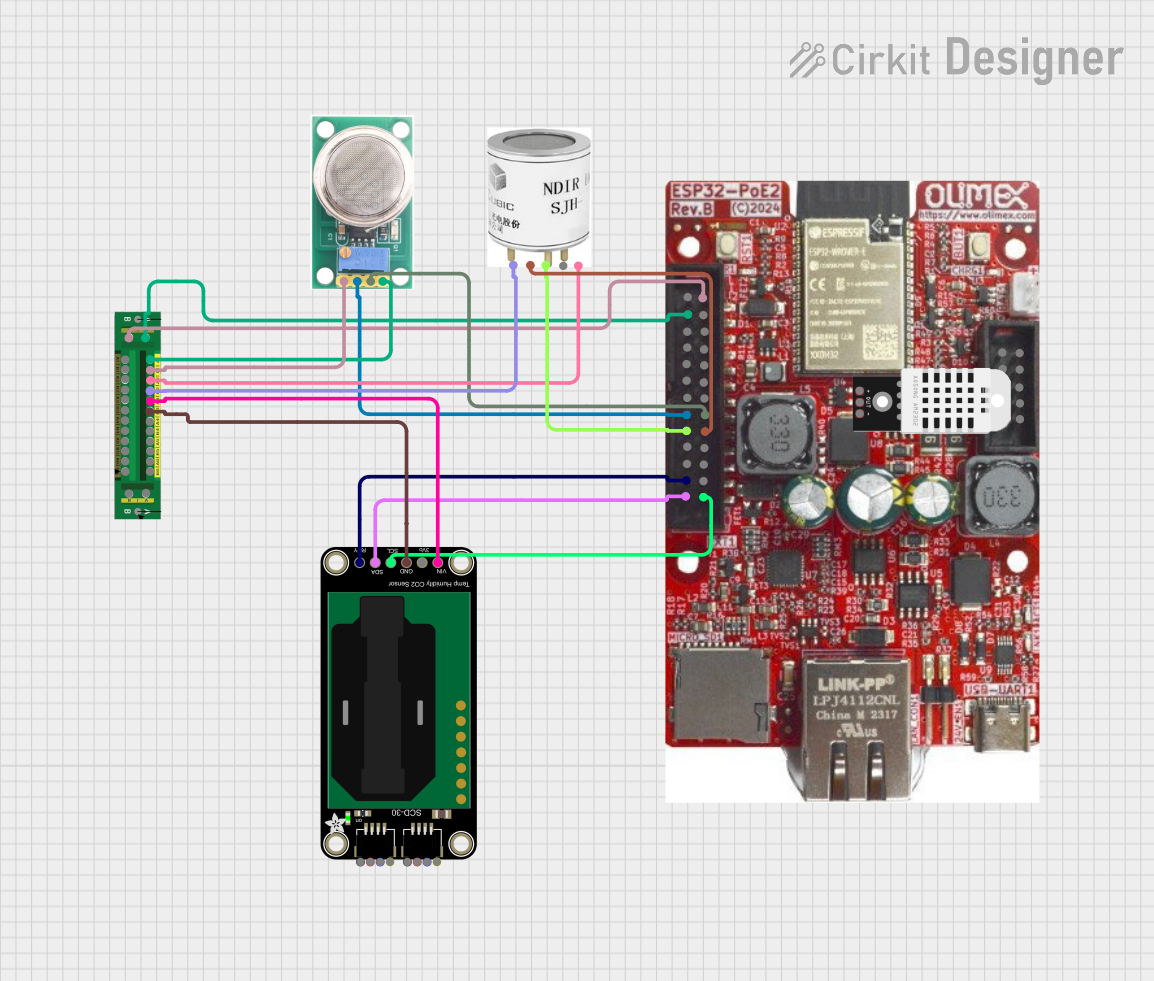
This circuit is designed for environmental monitoring, utilizing an ESP32 microcontroller to collect data from various sensors including an MQ-136 for H2S detection, an SCD30 for CO2 and humidity measurement, and an SJH-100A for methane detection. The collected data is processed and can be integrated with Home Assistant for real-time monitoring and analysis.
This circuit is a microcontroller-based control and monitoring system. It uses an Arduino UNO to read from a DHT22 temperature and humidity sensor and an HC-SR501 motion sensor, display data on an LCD, and control a water pump and an LED through a relay. The HC-05 Bluetooth module allows for wireless communication.
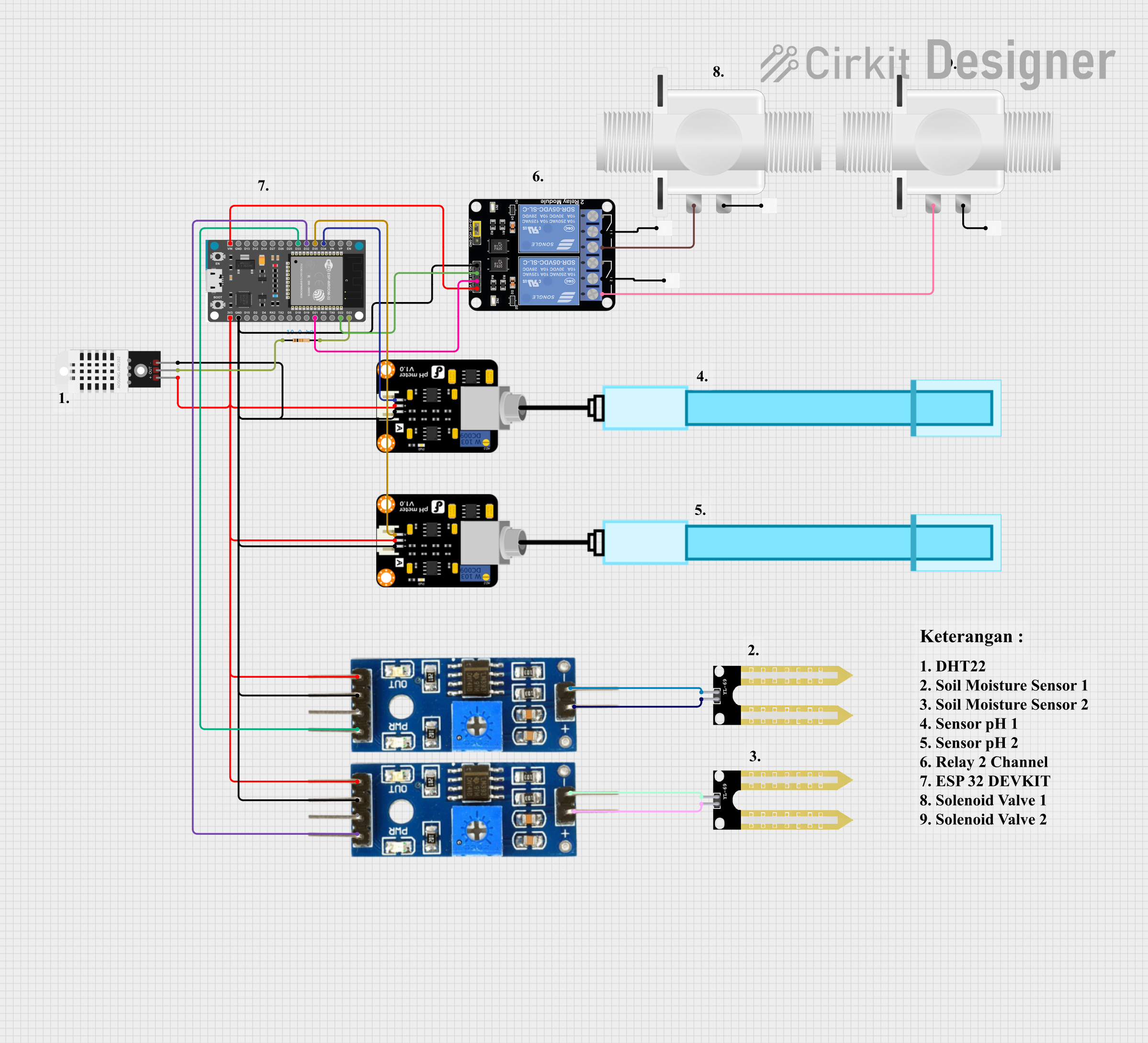
This is an automated environmental control system for plant growth that uses an ESP32 to monitor soil moisture and pH levels, and to manage irrigation through solenoid valves. The system aims to maintain optimal growing conditions by adjusting watering schedules based on sensor inputs.
Industrial safety monitoring in chemical plants and refineries
Environmental monitoring in wastewater treatment facilities
Gas detection in mining operations
Air quality monitoring in confined spaces
Laboratory experiments and research
Technical Specifications
The DFRobot H2S Sensor is designed for high sensitivity and reliability. Below are its key technical details:
Parameter
Value
Detection Range
0–100 ppm (parts per million)
Sensitivity
±2% F.S.
Operating Voltage
3.3V–5V
Operating Current
≤10 mA
Response Time
≤30 seconds
Recovery Time
≤60 seconds
Operating Temperature
-20°C to 50°C
Operating Humidity
15%–90% RH (non-condensing)
Output Signal
Analog voltage
Lifespan
>2 years
Pin Configuration and Descriptions
The sensor module typically comes with a 4-pin interface. Below is the pinout:
Pin
Name
Description
1
VCC
Power supply input (3.3V–5V)
2
GND
Ground connection
3
AOUT
Analog output signal proportional to H2S concentration
4
DOUT
Digital output signal (threshold-based, optional)
Usage Instructions
How to Use the Component in a Circuit
Power the Sensor: Connect the VCC pin to a 3.3V or 5V power source and the GND pin to the ground.
Read the Output:
Use the AOUT pin to read the analog voltage signal, which corresponds to the H2S concentration.
Optionally, use the DOUT pin for a digital signal if a threshold is set.
Connect to a Microcontroller: The sensor can be interfaced with microcontrollers like Arduino UNO for real-time monitoring and data logging.
Example Arduino Code
Below is an example of how to interface the DFRobot H2S Sensor with an Arduino UNO:
// Define the analog pin connected to the AOUT pin of the H2S sensor
const int sensorPin = A0;

void setup() {
  Serial.begin(9600); // Initialize serial communication at 9600 baud
  pinMode(sensorPin, INPUT); // Set the sensor pin as input
}

void loop() {
  int sensorValue = analogRead(sensorPin); // Read the analog value from the sensor
  float voltage = sensorValue * (5.0 / 1023.0); // Convert the reading to voltage

  // Convert voltage to H2S concentration (ppm) using the sensor's datasheet formula
  float h2sConcentration = voltage * 20.0; // Example conversion factor (adjust as needed)

  // Print the H2S concentration to the Serial Monitor
  Serial.print("H2S Concentration: ");
  Serial.print(h2sConcentration);
  Serial.println(" ppm");

  delay(1000); // Wait for 1 second before the next reading
}
Important Considerations and Best Practices
Preheat the Sensor: Allow the sensor to warm up for at least 24 hours before initial use to ensure accurate readings.
Avoid Contamination: Keep the sensor away from water, dust, and other contaminants that may affect its performance.
Calibration: Periodically calibrate the sensor using a known H2S concentration for accurate measurements.
Ventilation: Use the sensor in a well-ventilated area to prevent gas accumulation and ensure safety.
Troubleshooting and FAQs
Common Issues and Solutions
No Output Signal:
Check the power supply connections (VCC and GND).
Ensure the sensor is properly preheated.
Inaccurate Readings:
Verify the calibration of the sensor.
Ensure the sensor is not exposed to extreme temperatures or humidity.
Slow Response Time:
Check for obstructions around the sensor that may delay gas diffusion.
Ensure the sensor is not contaminated.
Sensor Lifespan:
If the sensor's performance degrades over time, consider replacing it after 2 years of use.
FAQs
Q: Can the sensor detect gases other than H2S?
A: The sensor is specifically calibrated for H2S detection. However, it may respond to other gases with similar chemical properties, which could affect accuracy.
Q: How do I set the digital output threshold?
A: Refer to the sensor's datasheet or use a potentiometer (if available) to adjust the threshold for the DOUT pin.
Q: Is the sensor safe to use in explosive environments?
A: The sensor is not intrinsically safe. Use it in environments with proper safety measures to prevent ignition of flammable gases.
Q: Can I use the sensor outdoors?
A: Yes, but ensure it is protected from direct exposure to rain, dust, and extreme environmental conditions.
By following this documentation, users can effectively integrate the DFRobot H2S Sensor into their projects for reliable hydrogen sulfide detection.


 Open Project in Cirkit Designer