Cirkit Designer Logo
Cirkit Designer
Your all-in-one circuit design IDE
Home / 
Component Documentation

How to Use Cube Orange: Examples, Pinouts, and Specs
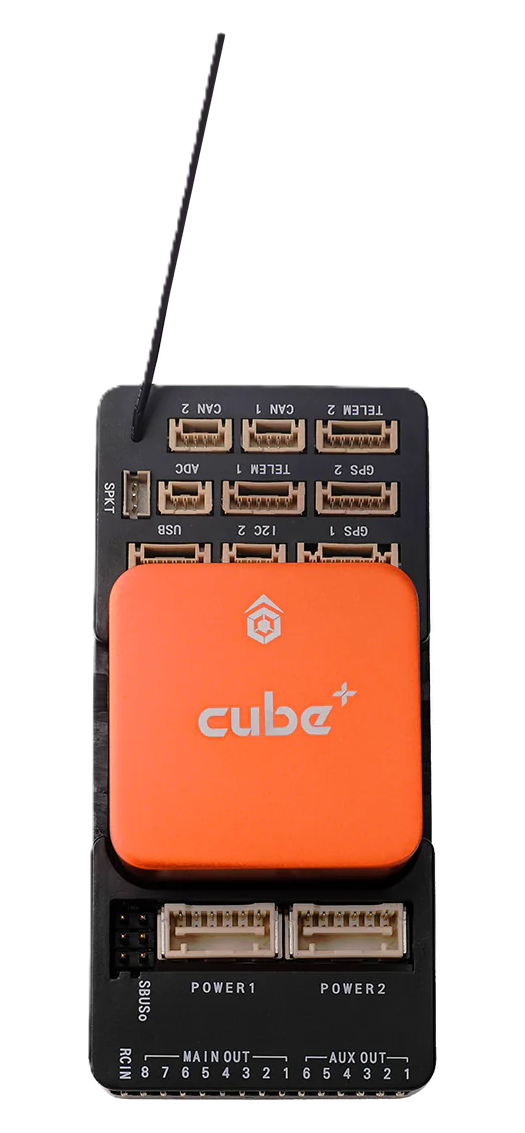

Image of Cube Orange
Cirkit Designer LogoDesign with Cube Orange in Cirkit Designer

Introduction

The Cube Orange is a vibrant, orange-colored cube designed for educational purposes. It is widely used in classrooms and learning environments to teach concepts of geometry, spatial reasoning, and three-dimensional visualization. Its simple yet effective design makes it an excellent tool for hands-on learning and interactive demonstrations.

Common applications and use cases include:

  • Teaching geometric principles such as volume, surface area, and symmetry.
  • Demonstrating spatial relationships and transformations.
  • Enhancing problem-solving skills through physical manipulation.
  • Serving as a visual aid in STEM education.

Explore Projects Built with Cube Orange
Use Cirkit Designer to design, explore, and prototype these projects online. Some projects support real-time simulation. Click "Open Project" to start designing instantly!
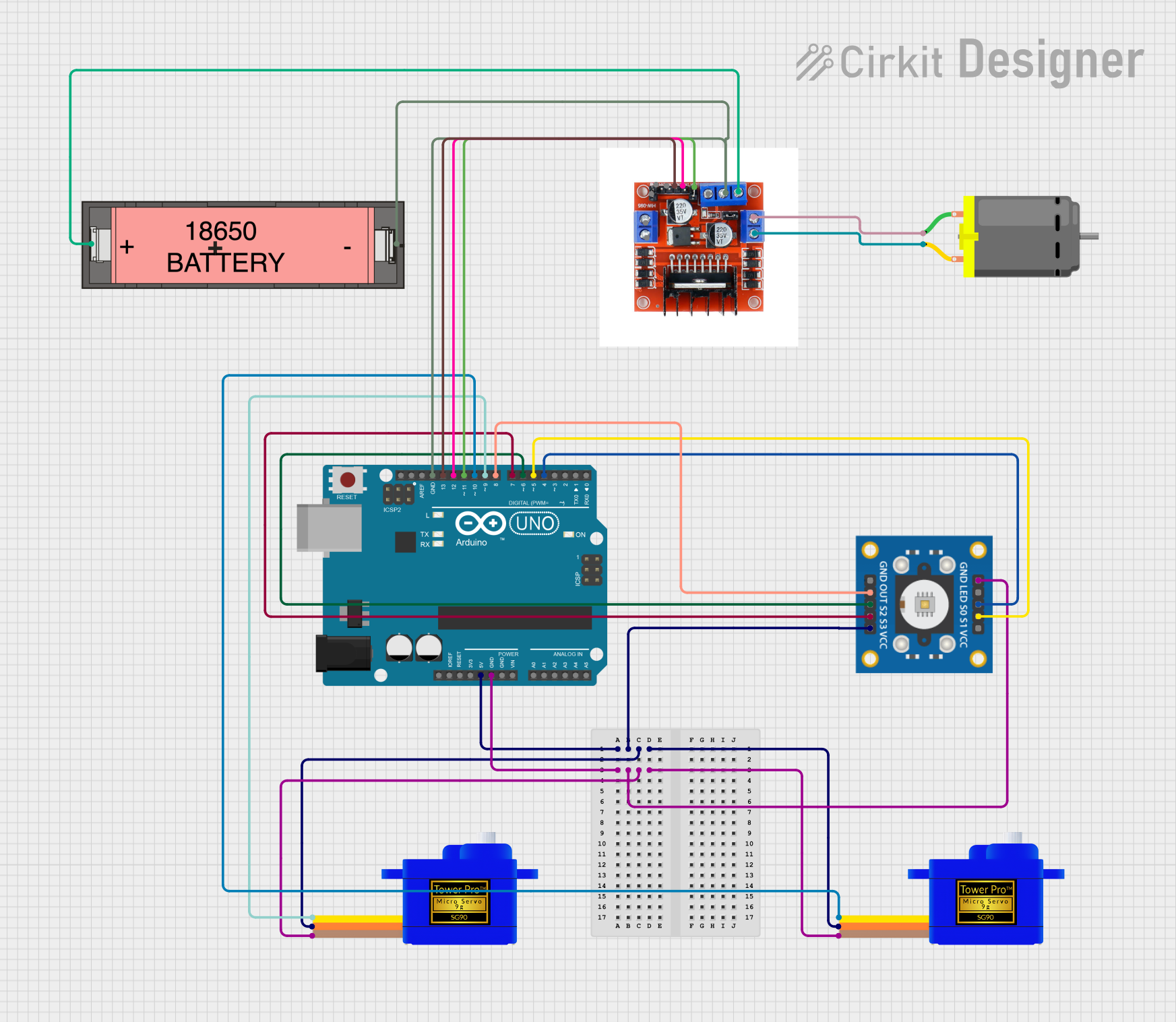
Arduino UNO-Based Color Sorting Robot with Dual Servomotors and DC Motor Control
Image of colour sorting: A project utilizing Cube Orange in a practical application
This circuit is a color-sensing robotic system controlled by an Arduino UNO. It uses a TCS3200 color sensor to detect colors and actuates two SG90 servomotors and a DC motor via an L298N motor driver based on the detected color. The system is powered by a Li-ion 18650 battery and is programmed to perform specific actions when red or green colors are detected.
Cirkit Designer LogoOpen Project in Cirkit Designer
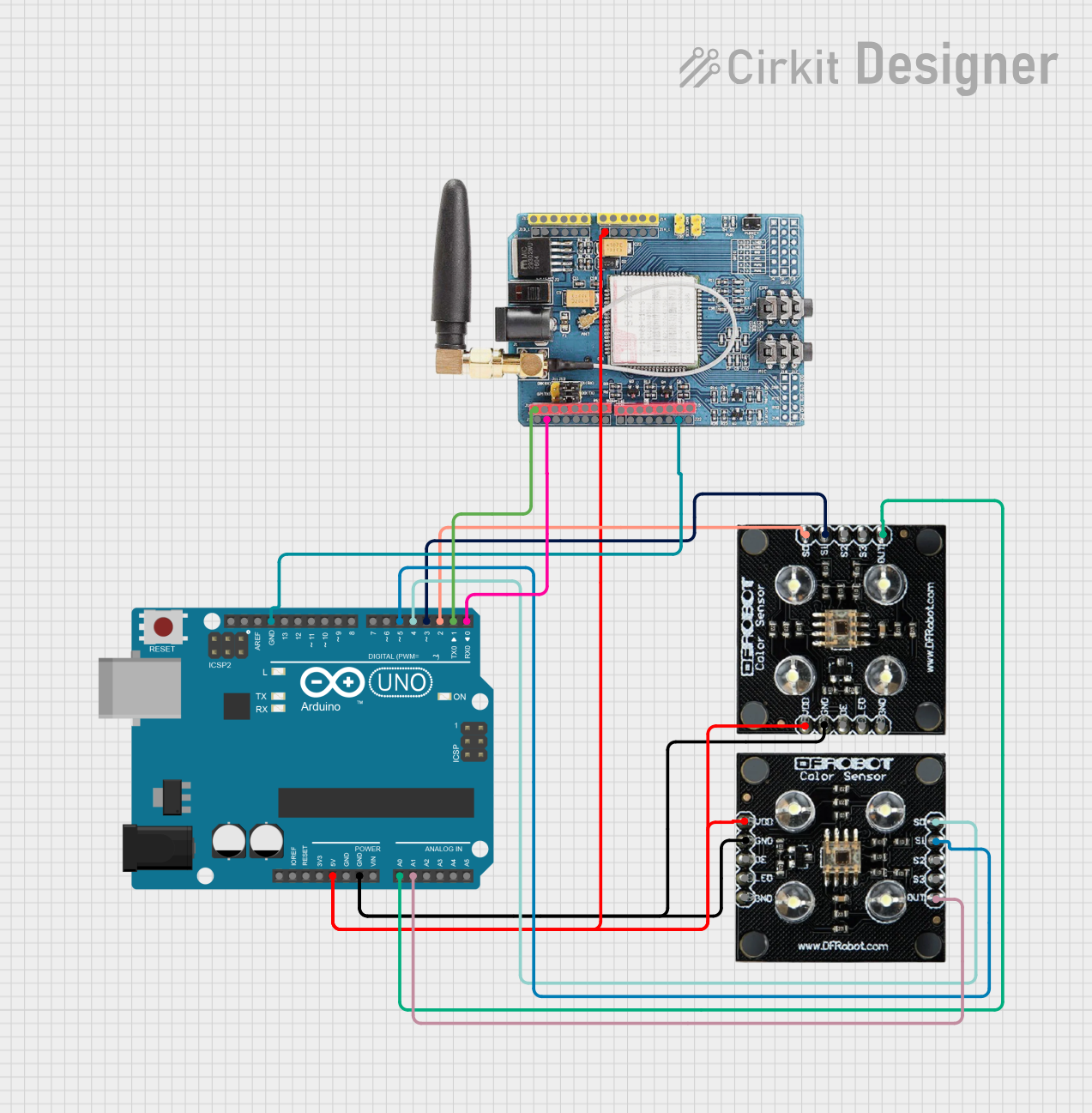
Arduino UNO Based GSM-Controlled Dual RGB Color Sensor System
Image of gsm test: A project utilizing Cube Orange in a practical application
This circuit consists of an Arduino UNO microcontroller interfaced with two RGB color sensors and a GSM SIM900 module. The RGB sensors are used to detect color values, which are then sent via the GSM module as SMS messages to a predefined phone number. Additionally, the GSM module can receive SMS commands to reply with the last recorded color values from the sensors.
Cirkit Designer LogoOpen Project in Cirkit Designer
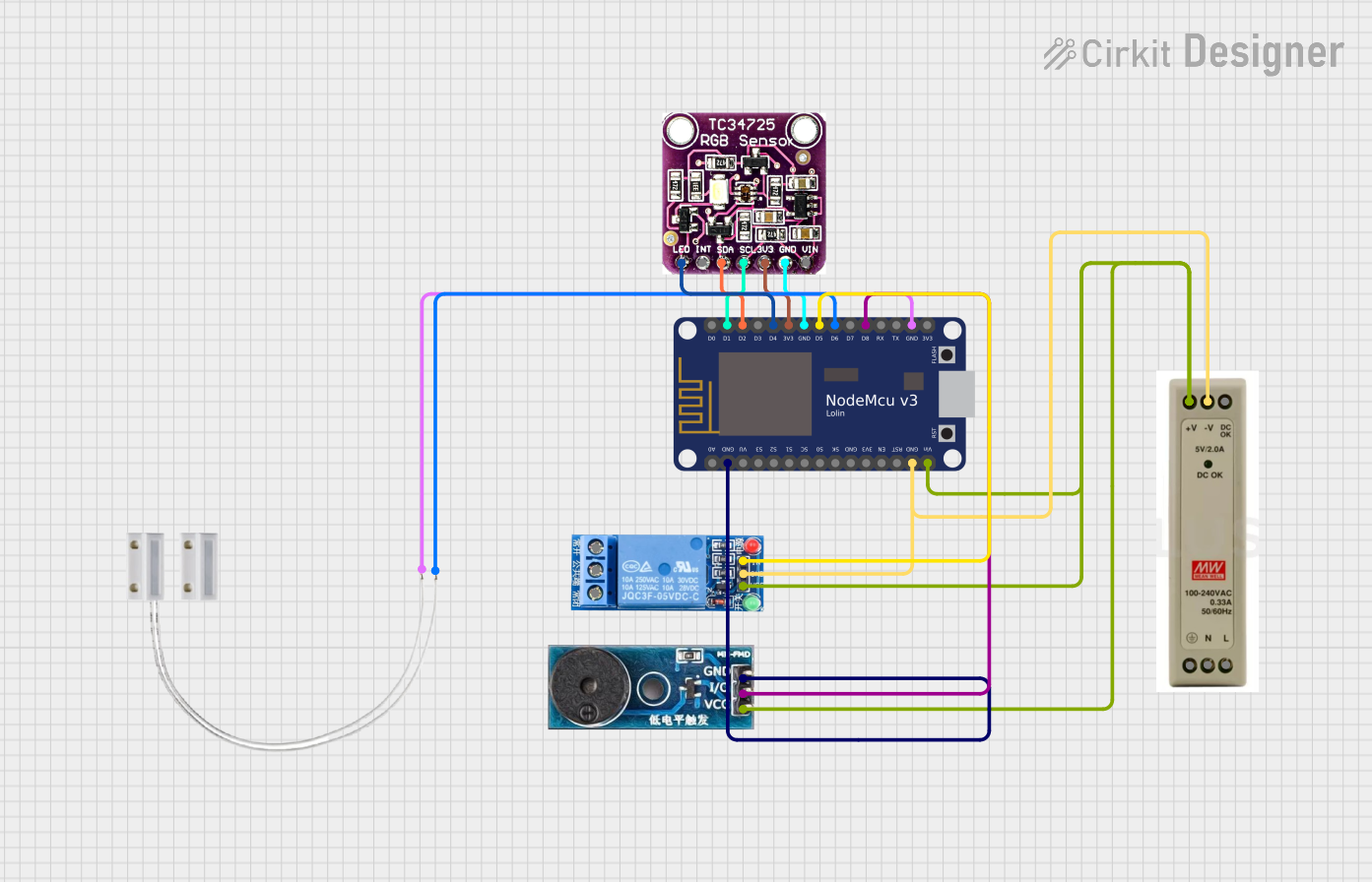
ESP8266-Based Smart Door Monitoring System with Color Sensor and Relay Control
Image of NodeMCU 8266 V3 rgb color sensor buzzer relay low level trigger: A project utilizing Cube Orange in a practical application
This circuit is a smart canister monitoring system that uses a NodeMCU ESP8266 microcontroller to detect the color of the canister contents via a TCS3472 color sensor. When the sensor detects a brown color, indicating an empty canister, the system triggers a buzzer and a relay to alert the user. The relay can be used to control an external device, and the system is powered by a 5V power supply.
Cirkit Designer LogoOpen Project in Cirkit Designer
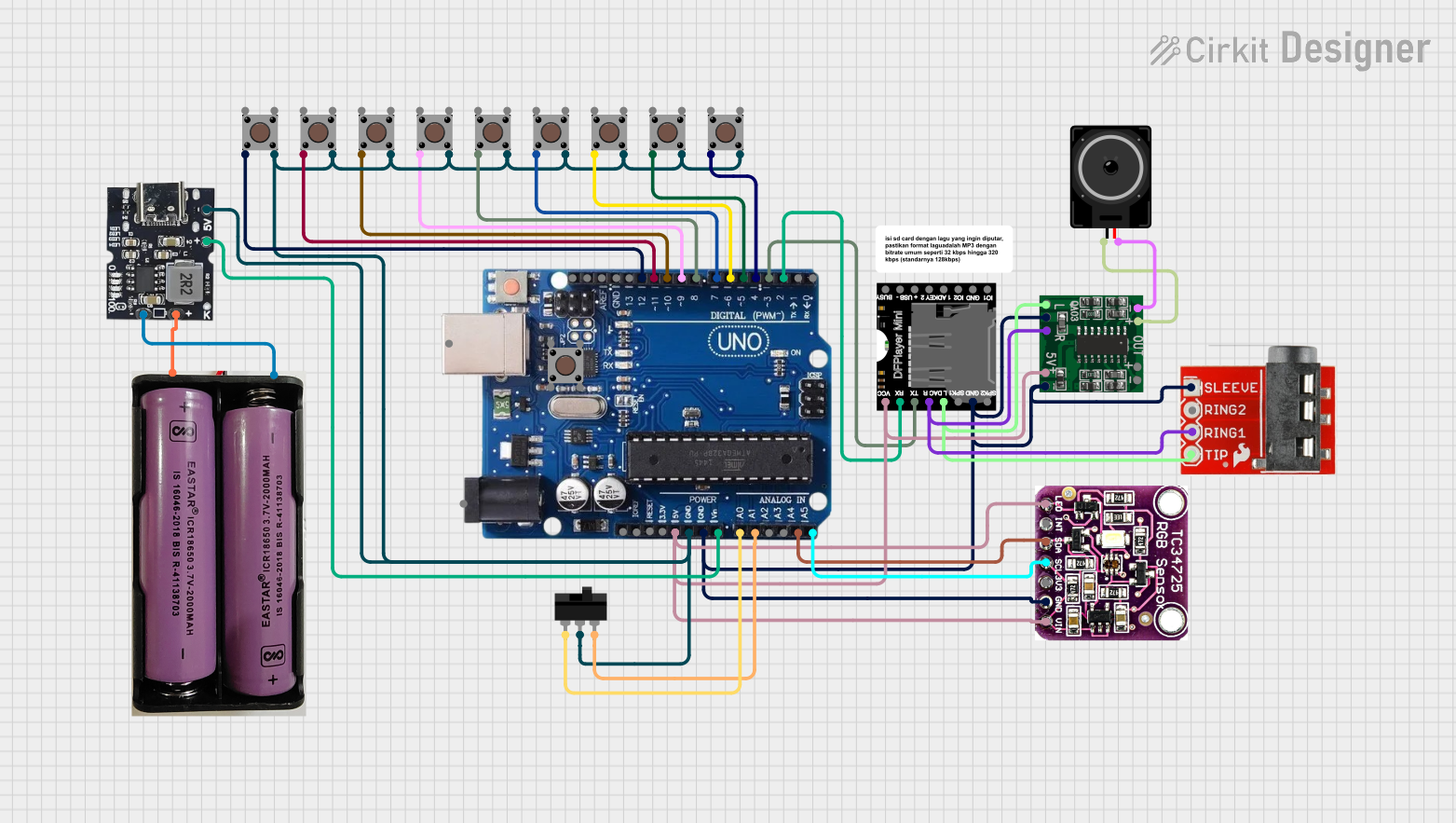
Arduino Uno R3 and DFPlayer Mini-Based Interactive Color Sensor with Audio Feedback
Image of Educate shapes and colors for baby: A project utilizing Cube Orange in a practical application
This circuit is a color and shape recognition system using an Arduino Uno, a TCS3472 color sensor, and multiple pushbuttons. It uses a DFPlayer Mini to play audio feedback based on the detected color or shape, with the audio output amplified by a PAM8403 module and played through a loudspeaker.
Cirkit Designer LogoOpen Project in Cirkit Designer

Explore Projects Built with Cube Orange

Use Cirkit Designer to design, explore, and prototype these projects online. Some projects support real-time simulation. Click "Open Project" to start designing instantly!
Image of colour sorting: A project utilizing Cube Orange in a practical application
Arduino UNO-Based Color Sorting Robot with Dual Servomotors and DC Motor Control
This circuit is a color-sensing robotic system controlled by an Arduino UNO. It uses a TCS3200 color sensor to detect colors and actuates two SG90 servomotors and a DC motor via an L298N motor driver based on the detected color. The system is powered by a Li-ion 18650 battery and is programmed to perform specific actions when red or green colors are detected.
Cirkit Designer LogoOpen Project in Cirkit Designer
Image of gsm test: A project utilizing Cube Orange in a practical application
Arduino UNO Based GSM-Controlled Dual RGB Color Sensor System
This circuit consists of an Arduino UNO microcontroller interfaced with two RGB color sensors and a GSM SIM900 module. The RGB sensors are used to detect color values, which are then sent via the GSM module as SMS messages to a predefined phone number. Additionally, the GSM module can receive SMS commands to reply with the last recorded color values from the sensors.
Cirkit Designer LogoOpen Project in Cirkit Designer
Image of NodeMCU 8266 V3 rgb color sensor buzzer relay low level trigger: A project utilizing Cube Orange in a practical application
ESP8266-Based Smart Door Monitoring System with Color Sensor and Relay Control
This circuit is a smart canister monitoring system that uses a NodeMCU ESP8266 microcontroller to detect the color of the canister contents via a TCS3472 color sensor. When the sensor detects a brown color, indicating an empty canister, the system triggers a buzzer and a relay to alert the user. The relay can be used to control an external device, and the system is powered by a 5V power supply.
Cirkit Designer LogoOpen Project in Cirkit Designer
Image of Educate shapes and colors for baby: A project utilizing Cube Orange in a practical application
Arduino Uno R3 and DFPlayer Mini-Based Interactive Color Sensor with Audio Feedback
This circuit is a color and shape recognition system using an Arduino Uno, a TCS3472 color sensor, and multiple pushbuttons. It uses a DFPlayer Mini to play audio feedback based on the detected color or shape, with the audio output amplified by a PAM8403 module and played through a loudspeaker.
Cirkit Designer LogoOpen Project in Cirkit Designer

Technical Specifications

The Cube Orange is a physical, non-electronic component. Below are its key specifications:

Parameter Value
Material Durable, lightweight plastic
Color Bright orange
Dimensions (L x W x H) 10 cm x 10 cm x 10 cm
Weight 150 grams
Surface Finish Smooth, matte

Features

  • Edges and Corners: Precisely molded for accurate geometric representation.
  • Hollow Design: Lightweight and easy to handle.
  • Durability: Resistant to wear and tear, suitable for repeated use.

Usage Instructions

The Cube Orange is straightforward to use in educational and practical settings. Below are some guidelines and best practices:

  1. Basic Geometry Lessons:

    • Use the cube to explain the concept of volume: ( V = a^3 ), where ( a ) is the length of one side.
    • Demonstrate surface area calculations: ( A = 6a^2 ).
  2. Spatial Reasoning Activities:

    • Stack multiple cubes to illustrate three-dimensional structures.
    • Rotate the cube to show symmetry and transformations.
  3. Interactive Learning:

    • Allow students to measure the cube's dimensions with rulers or calipers.
    • Use the cube as a reference object for scaling in art or design projects.

Important Considerations

  • Safety: Ensure the cube is used under supervision in environments with young children to prevent misuse.
  • Storage: Store the cube in a dry, cool place to maintain its color and structural integrity.
  • Cleaning: Wipe the surface with a damp cloth to remove dirt or stains.

Troubleshooting and FAQs

Common Issues

  1. The cube appears discolored or faded.

    • Solution: Avoid prolonged exposure to direct sunlight, as UV rays can cause fading. Store the cube in a shaded area when not in use.
  2. The cube has scratches or marks.

    • Solution: Use a soft cloth and mild soap to clean the surface. Avoid abrasive materials that may worsen the scratches.
  3. The cube is deformed or damaged.

    • Solution: Inspect the cube for cracks or dents. If the damage is severe, consider replacing it to ensure accurate geometric representation.

FAQs

  1. Can the Cube Orange be used for advanced geometry lessons?

    • Yes, it is suitable for both basic and advanced lessons, including concepts like transformations, scaling, and tessellations.
  2. Is the Cube Orange safe for children?

    • Yes, it is made from non-toxic materials and has smooth edges, making it safe for educational use.
  3. Can the Cube Orange be painted or customized?

    • Yes, the surface can be painted, but ensure to use non-toxic, compatible paints to avoid damaging the material.

By following these guidelines, the Cube Orange can be effectively utilized as a versatile educational tool.