
How to Use ИПР-513-3АМ: Examples, Pinouts, and Specs
 Design with ИПР-513-3АМ in Cirkit Designer
Introduction
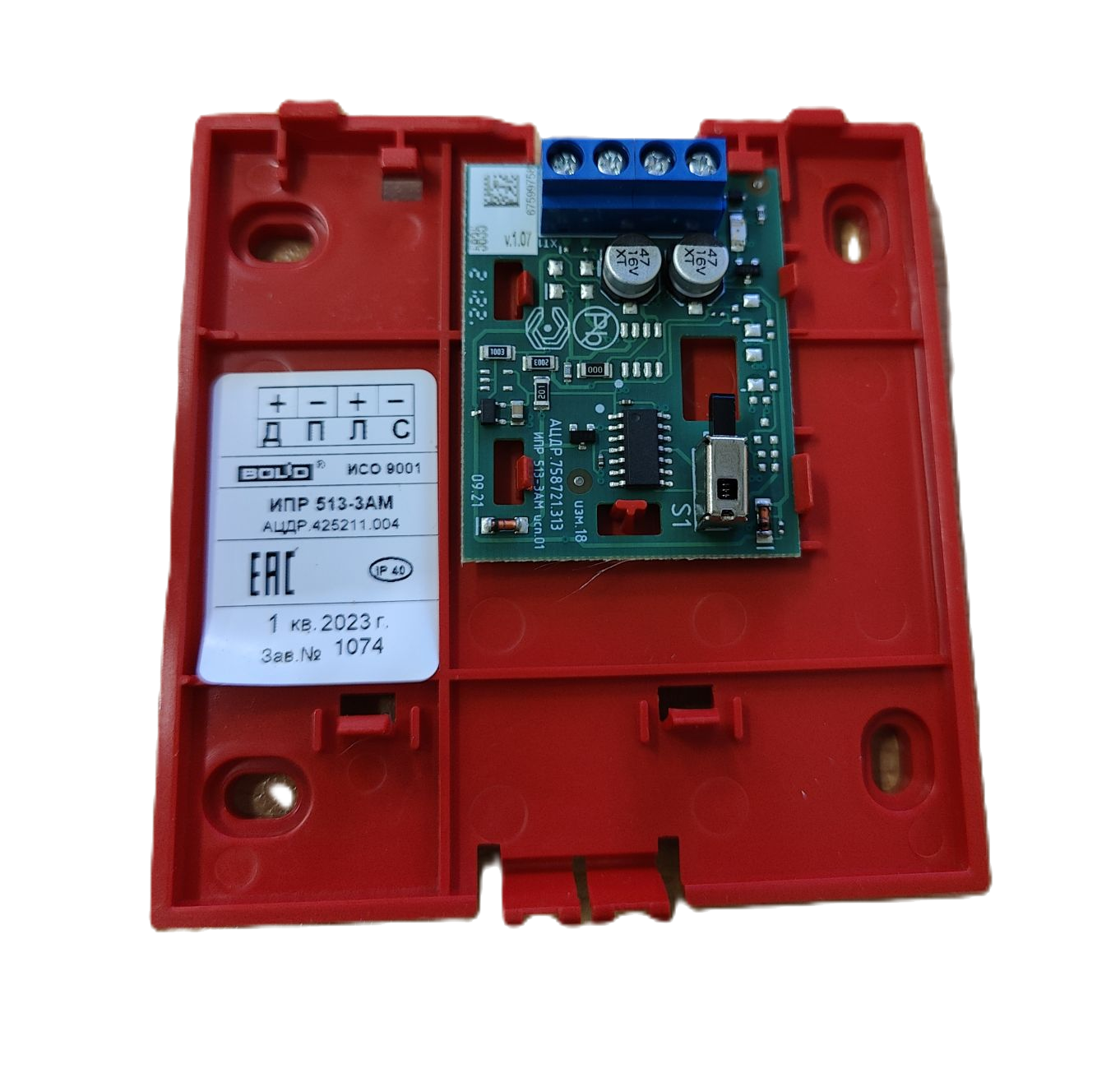
The ИПР-513-3АМ, manufactured by Bolid, is a versatile integrated circuit designed for signal processing and control applications. Known for its reliability and efficiency, this component is widely used in industrial automation, security systems, and other electronic systems requiring precise signal management. Its robust design ensures stable performance even in demanding environments.
Explore Projects Built with ИПР-513-3АМ
 Open Project in Cirkit Designer
 Open Project in Cirkit Designer
 Open Project in Cirkit Designer
 Open Project in Cirkit Designer
Explore Projects Built with ИПР-513-3АМ
Open Project in Cirkit DesignerOpen Project in Cirkit DesignerOpen Project in Cirkit DesignerOpen Project in Cirkit DesignerCommon Applications
- Industrial automation systems
- Security and alarm systems
- Signal processing in control circuits
- Monitoring and diagnostic equipment
- General-purpose electronic control systems
Technical Specifications
Key Technical Details
| Parameter | Value |
|---|---|
| Supply Voltage (Vcc) | 5V to 15V |
| Operating Current | ≤ 20 mA |
| Signal Input Voltage | 0V to Vcc |
| Output Voltage Range | 0V to Vcc |
| Operating Temperature | -40°C to +85°C |
| Package Type | DIP-8 (Dual Inline Package) |
Pin Configuration and Descriptions
| Pin Number | Pin Name | Description |
|---|---|---|
| 1 | Vcc | Positive power supply input |
| 2 | IN1 | Signal input 1 |
| 3 | IN2 | Signal input 2 |
| 4 | GND | Ground (0V reference) |
| 5 | OUT1 | Signal output 1 |
| 6 | OUT2 | Signal output 2 |
| 7 | NC | Not connected (leave unconnected or grounded) |
| 8 | Vref | Reference voltage input for signal processing |
Usage Instructions
How to Use the ИПР-513-3АМ in a Circuit
- Power Supply: Connect the Vcc pin to a stable DC power source within the range of 5V to 15V. Ensure the GND pin is connected to the circuit ground.
- Signal Inputs: Apply input signals to the IN1 and IN2 pins. The input voltage should not exceed the supply voltage (Vcc).
- Signal Outputs: The processed signals will be available at the OUT1 and OUT2 pins. These outputs can be connected to other components or systems for further processing or control.
- Reference Voltage: If required, provide a reference voltage to the Vref pin to adjust the signal processing behavior. This is optional and depends on the specific application.
Important Considerations
- Decoupling Capacitors: Place a 0.1 µF ceramic capacitor close to the Vcc and GND pins to filter out noise and ensure stable operation.
- Input Protection: Use resistors or diodes to protect the input pins from voltage spikes or overvoltage conditions.
- Thermal Management: Ensure adequate ventilation or heat dissipation if the component operates in high-temperature environments.
Example: Connecting to an Arduino UNO
The ИПР-513-3АМ can be interfaced with an Arduino UNO for signal processing tasks. Below is an example of how to connect and use it:
Circuit Connections
- Connect the Vcc pin of the ИПР-513-3АМ to the 5V pin of the Arduino.
- Connect the GND pin of the ИПР-513-3АМ to the GND pin of the Arduino.
- Connect IN1 to an Arduino digital pin (e.g., D2) for input signal.
- Connect OUT1 to another Arduino digital pin (e.g., D3) to read the processed signal.
Arduino Code Example
// Example code for interfacing ИПР-513-3АМ with Arduino UNO

const int inputPin = 2;  // Arduino pin connected to ИПР-513-3АМ IN1
const int outputPin = 3; // Arduino pin connected to ИПР-513-3АМ OUT1

void setup() {
  pinMode(inputPin, INPUT);  // Set inputPin as input
  pinMode(outputPin, OUTPUT); // Set outputPin as output
  Serial.begin(9600);        // Initialize serial communication
}

void loop() {
  int inputSignal = digitalRead(inputPin); // Read signal from ИПР-513-3АМ IN1
  digitalWrite(outputPin, inputSignal);    // Output the same signal to OUT1

  // Print the input signal to the Serial Monitor for debugging
  Serial.print("Input Signal: ");
  Serial.println(inputSignal);

  delay(100); // Small delay for stability
}
Best Practices
- Always verify the input and output voltage levels to prevent damage to the component.
- Use proper grounding techniques to minimize noise and interference in the circuit.
- Test the circuit on a breadboard before finalizing the design.
Troubleshooting and FAQs
Common Issues and Solutions
| Issue | Possible Cause | Solution |
|---|---|---|
| No output signal | Incorrect power supply connection | Verify Vcc and GND connections |
| Output signal is distorted | Noise or unstable power supply | Add decoupling capacitors near Vcc and GND |
| Component overheating | Excessive current draw | Check for short circuits or reduce load |
| No response to input signals | Input voltage out of range | Ensure input voltage is within 0V to Vcc |
FAQs
Q: Can the ИПР-513-3АМ handle AC signals?
A: No, the ИПР-513-3АМ is designed for DC signal processing. Use additional circuitry to convert AC signals to DC if needed.
Q: What is the purpose of the Vref pin?
A: The Vref pin allows you to set a reference voltage for signal processing, which can be useful for applications requiring specific thresholds or offsets.
Q: Can I leave unused pins unconnected?
A: Yes, unused pins such as NC (Not Connected) can be left unconnected or tied to ground for stability.
By following this documentation, users can effectively integrate the ИПР-513-3АМ into their electronic projects and troubleshoot common issues with ease.