
How to Use VL53L1X: Examples, Pinouts, and Specs
 Design with VL53L1X in Cirkit Designer
Introduction
The VL53L1X is a time-of-flight (ToF) distance sensor manufactured by Adafruit. It utilizes laser technology to measure distances with high precision and speed. This sensor is capable of detecting distances ranging from 30 mm to 4 meters, making it ideal for applications requiring accurate ranging and obstacle detection. Its compact size and versatility make it a popular choice in robotics, drones, automation systems, and IoT devices.
Explore Projects Built with VL53L1X
 Open Project in Cirkit Designer
 Open Project in Cirkit Designer
 Open Project in Cirkit Designer
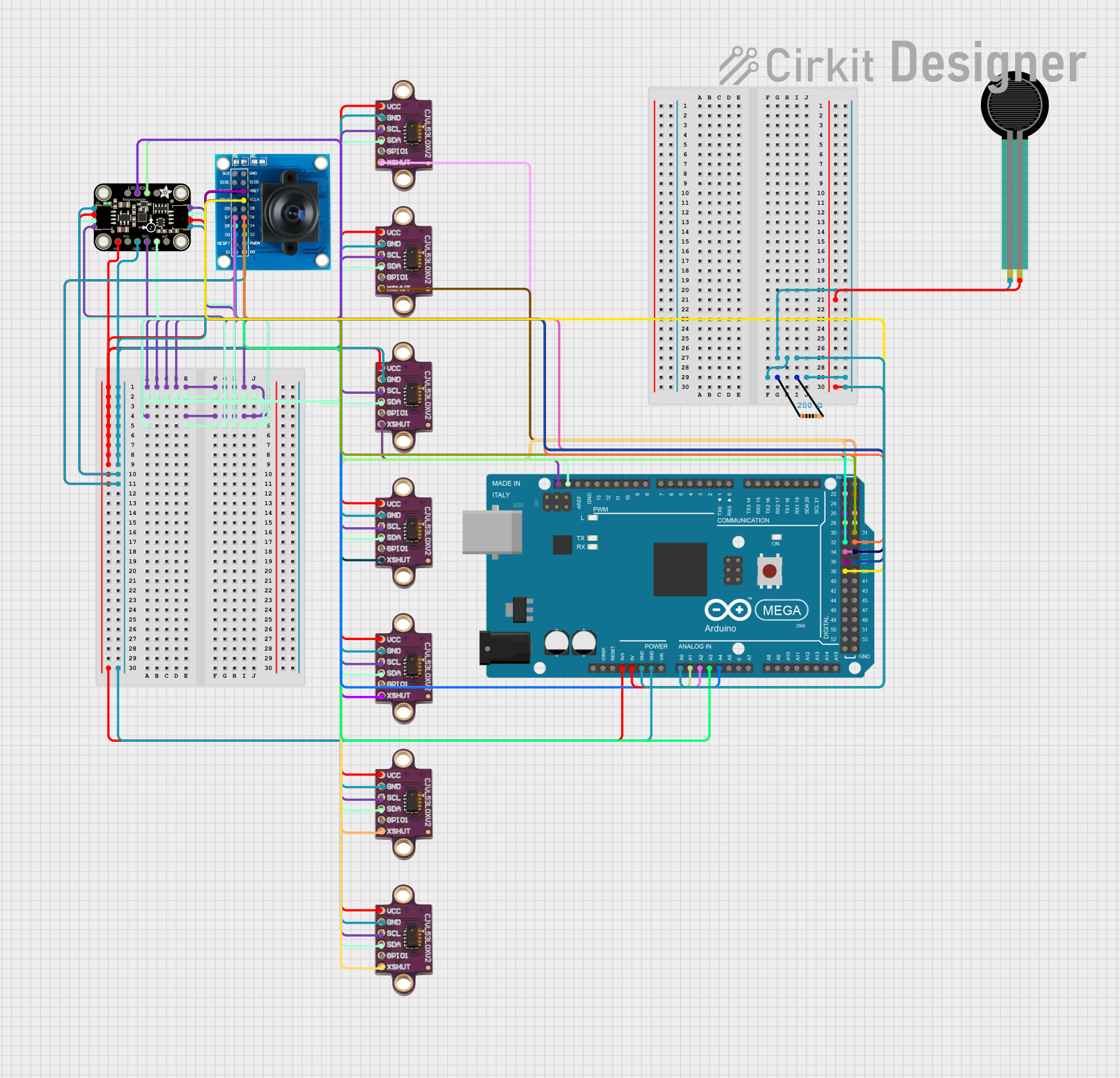 Open Project in Cirkit Designer
Explore Projects Built with VL53L1X
Open Project in Cirkit DesignerOpen Project in Cirkit DesignerOpen Project in Cirkit DesignerOpen Project in Cirkit DesignerCommon Applications
- Obstacle detection in robotics and drones
- Proximity sensing in automation systems
- Distance measurement in IoT devices
- Gesture recognition and object tracking
- Smart home applications, such as automatic doors or lighting systems
Technical Specifications
The VL53L1X sensor offers advanced features and reliable performance. Below are its key technical specifications:
| Parameter | Value |
|---|---|
| Operating Voltage | 2.6V to 3.5V |
| Communication Interface | I²C |
| Measuring Range | 30 mm to 4 meters |
| Accuracy | ±1 mm (under ideal conditions) |
| Field of View (FoV) | Programmable, up to 27° |
| Measurement Speed | Up to 50 Hz |
| Current Consumption | 16 mA (typical during operation) |
| Operating Temperature | -20°C to +85°C |
| Dimensions | 4.9 mm x 2.5 mm x 1.56 mm |
Pin Configuration
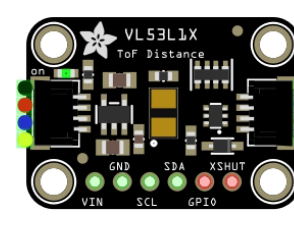
The VL53L1X sensor typically comes in a breakout board format. Below is the pin configuration for the Adafruit VL53L1X breakout board:
| Pin Name | Description |
|---|---|
| VIN | Power supply input (2.6V to 5V) |
| GND | Ground |
| SDA | I²C data line |
| SCL | I²C clock line |
| XSHUT | Shutdown pin (active low, optional) |
| GPIO1 | Interrupt pin (optional, configurable) |
Usage Instructions
The VL53L1X sensor is easy to integrate into a circuit and communicate with using the I²C protocol. Below are the steps to use the sensor effectively:
Connecting the VL53L1X to an Arduino UNO
Wiring: Connect the VL53L1X breakout board to the Arduino UNO as follows:
VINto5Von the ArduinoGNDtoGNDon the ArduinoSDAtoA4(I²C data line on Arduino UNO)SCLtoA5(I²C clock line on Arduino UNO)- Optionally, connect
XSHUTandGPIO1if needed for advanced features.
Install Libraries: Download and install the Adafruit VL53L1X library from the Arduino Library Manager.
Upload Example Code: Use the following example code to read distance measurements:
#include <Wire.h>
#include <Adafruit_VL53L1X.h>

// Create an instance of the VL53L1X sensor
Adafruit_VL53L1X vl53 = Adafruit_VL53L1X();

void setup() {
  Serial.begin(115200);
  while (!Serial) {
    delay(10); // Wait for Serial Monitor to open
  }

  // Initialize the sensor
  if (!vl53.begin()) {
    Serial.println("Failed to find VL53L1X sensor!");
    while (1) {
      delay(10); // Halt if sensor initialization fails
    }
  }
  Serial.println("VL53L1X sensor initialized!");

  // Set the measurement timing budget (optional)
  vl53.setTimingBudget(50000); // 50 ms
}

void loop() {
  // Perform a distance measurement
  if (vl53.read()) {
    Serial.print("Distance: ");
    Serial.print(vl53.distance());
    Serial.println(" mm");
  } else {
    Serial.println("Failed to read distance!");
  }

  delay(100); // Wait before the next measurement
}
Important Considerations
- Power Supply: Ensure the sensor is powered within its operating voltage range (2.6V to 5V for the breakout board).
- I²C Address: The default I²C address of the VL53L1X is
0x29. If using multiple sensors, you must configure unique addresses for each. - FoV and Ranging Modes: The sensor's field of view and ranging modes can be configured for specific applications. Refer to the Adafruit library documentation for advanced settings.
Troubleshooting and FAQs
Common Issues
Sensor Not Detected:
- Ensure proper wiring of the I²C lines (
SDAandSCL). - Verify the I²C address matches the default (
0x29) or the configured address. - Check for loose connections or damaged wires.
- Ensure proper wiring of the I²C lines (
Inaccurate Distance Measurements:
- Ensure the sensor is not obstructed by dirt or debris.
- Avoid reflective surfaces directly in front of the sensor, as they may cause measurement errors.
- Verify the sensor is operating within its specified range (30 mm to 4 meters).
Interference from Ambient Light:
- The VL53L1X is designed to work in various lighting conditions, but excessive ambient light may affect performance. Use the sensor in controlled lighting environments if possible.
FAQs
Q: Can I use the VL53L1X with a 5V microcontroller?
A: Yes, the Adafruit breakout board includes level-shifting circuitry, allowing it to work with 5V logic microcontrollers like the Arduino UNO.
Q: How do I use multiple VL53L1X sensors on the same I²C bus?
A: Use the XSHUT pin to reset individual sensors and assign unique I²C addresses during initialization.
Q: What is the maximum measurement speed of the VL53L1X?
A: The sensor can perform up to 50 measurements per second, depending on the timing budget configuration.
Q: Can the VL53L1X detect transparent objects?
A: No, the sensor is not designed to detect transparent objects like glass or clear plastic.
By following this documentation, you can effectively integrate and use the VL53L1X sensor in your projects. For further details, refer to the Adafruit VL53L1X library and datasheet.