
How to Use Interruptor Magneto termico: Examples, Pinouts, and Specs
 Design with Interruptor Magneto termico in Cirkit Designer
Introduction
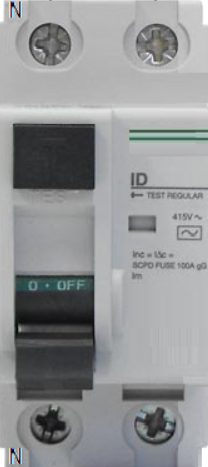
The Interruptor Magneto Térmico, or thermal magnetic circuit breaker, is an essential safety device designed to protect electrical circuits from overloads and short circuits. It combines two mechanisms: a thermal element that responds to prolonged overcurrent conditions and a magnetic element that reacts to instantaneous high-current surges. This dual functionality ensures reliable protection for electrical systems in residential, commercial, and industrial applications.
Explore Projects Built with Interruptor Magneto termico
 Open Project in Cirkit Designer
 Open Project in Cirkit Designer
 Open Project in Cirkit Designer
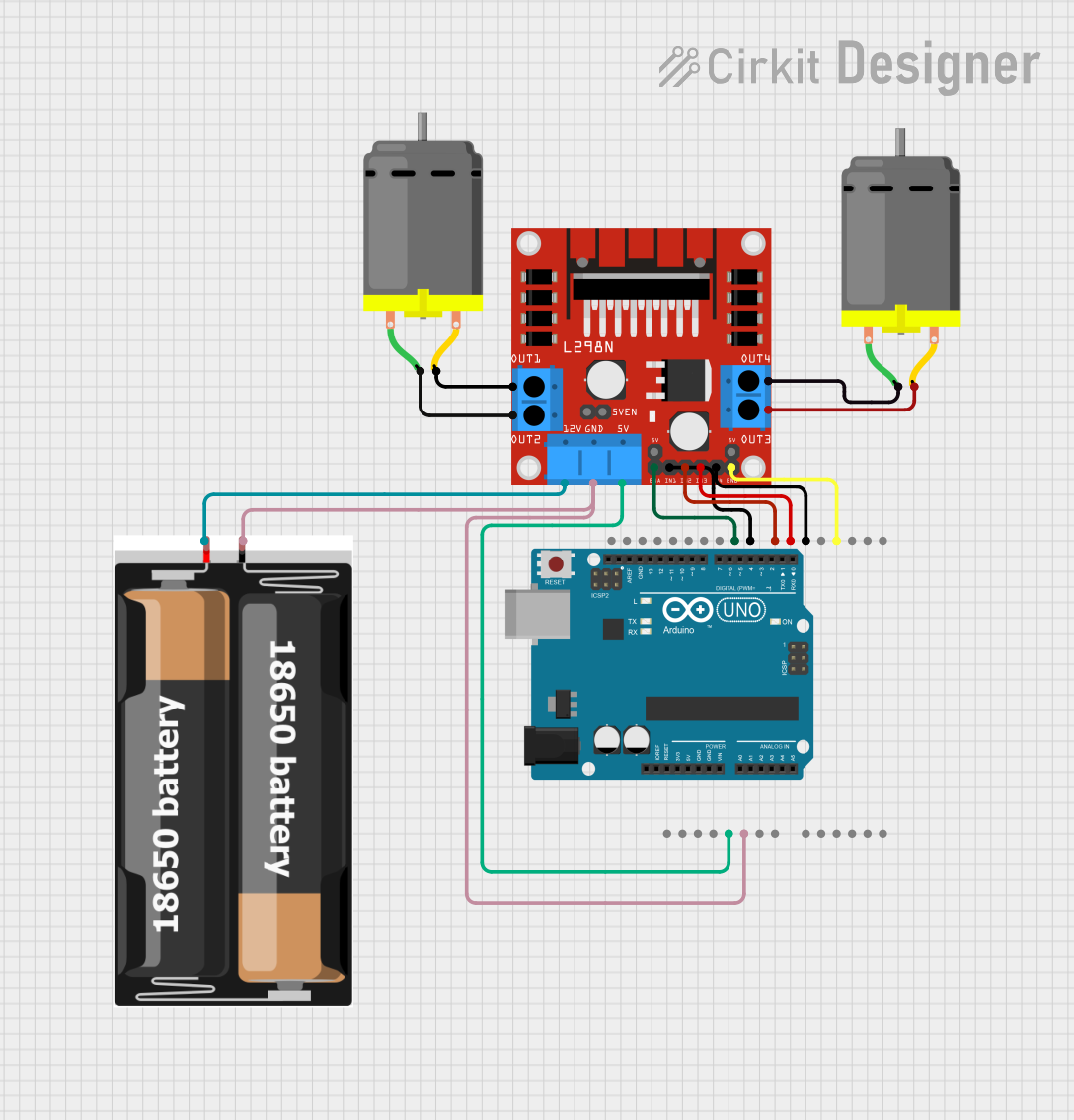 Open Project in Cirkit Designer
Explore Projects Built with Interruptor Magneto termico
Open Project in Cirkit DesignerOpen Project in Cirkit DesignerOpen Project in Cirkit DesignerOpen Project in Cirkit DesignerCommon Applications and Use Cases
- Protection of household electrical circuits (e.g., lighting, outlets)
- Industrial machinery and equipment safety
- Motor protection in HVAC systems
- Power distribution panels in commercial buildings
- Renewable energy systems (e.g., solar inverters)
Technical Specifications
Key Technical Details
| Parameter | Value/Range |
|---|---|
| Rated Voltage | 120V, 230V, or 400V (varies by model) |
| Rated Current | 1A to 125A |
| Breaking Capacity | 6kA to 25kA |
| Trip Curve Types | B, C, D (defines response to overload) |
| Operating Temperature Range | -25°C to +70°C |
| Mounting Type | DIN rail or panel-mounted |
| Standards Compliance | IEC 60898, IEC 60947-2 |
Pin Configuration and Descriptions
The Interruptor Magneto Térmico does not have traditional "pins" like an IC but instead features terminals for electrical connections. Below is a description of the terminal layout:
| Terminal Name | Description |
|---|---|
| Line (L) | Input terminal for the live wire (power source) |
| Neutral (N) | Input terminal for the neutral wire (if applicable) |
| Load (L) | Output terminal for the live wire to the load |
| Ground (G) | Optional terminal for grounding (varies by model) |
Usage Instructions
How to Use the Component in a Circuit
- Select the Appropriate Breaker: Choose a breaker with a rated current and trip curve suitable for your application. For example:
- Use a Type B breaker for residential circuits with low inrush currents.
- Use a Type C or D breaker for industrial equipment with higher inrush currents.
- Install the Breaker:
- Mount the breaker on a DIN rail or secure it to a panel, depending on the model.
- Ensure the breaker is in the "OFF" position before wiring.
- Connect the Wires:
- Connect the live wire from the power source to the "Line (L)" terminal.
- Connect the live wire to the load (e.g., appliance, circuit) to the "Load (L)" terminal.
- If applicable, connect the neutral wire to the "Neutral (N)" terminal and the ground wire to the "Ground (G)" terminal.
- Test the Installation:
- Turn the breaker "ON" and verify that the circuit operates correctly.
- Test the breaker by simulating an overload or short circuit (if safe to do so).
Important Considerations and Best Practices
- Do Not Exceed Ratings: Ensure the connected load does not exceed the breaker's rated current or voltage.
- Proper Grounding: Always ground the circuit to prevent electrical hazards.
- Regular Maintenance: Periodically inspect the breaker for signs of wear, damage, or overheating.
- Avoid Manual Resetting During Faults: If the breaker trips, identify and resolve the fault before resetting it.
Example: Connecting to an Arduino UNO
While the Interruptor Magneto Térmico is not directly interfaced with microcontrollers like the Arduino UNO, it can be used in circuits controlled by an Arduino. For example, you can use the breaker to protect a motor controlled by the Arduino. Below is a simple example of Arduino code to control a motor:
// Example: Controlling a motor with Arduino and protecting it with a circuit breaker

const int motorPin = 9; // Pin connected to motor driver input

void setup() {
  pinMode(motorPin, OUTPUT); // Set motor pin as output
}

void loop() {
  digitalWrite(motorPin, HIGH); // Turn motor ON
  delay(5000); // Run motor for 5 seconds
  digitalWrite(motorPin, LOW); // Turn motor OFF
  delay(5000); // Wait for 5 seconds before restarting
}

// Note: Ensure the circuit breaker is installed between the power source
// and the motor driver to protect the circuit from overloads or short circuits.
Troubleshooting and FAQs
Common Issues Users Might Face
Breaker Trips Frequently:
- Cause: Overloaded circuit or short circuit.
- Solution: Reduce the load or inspect the circuit for faults.
Breaker Does Not Trip During Fault:
- Cause: Incorrect breaker rating or faulty breaker.
- Solution: Verify the breaker's specifications and replace it if necessary.
Overheating of Breaker:
- Cause: Loose connections or excessive current.
- Solution: Tighten connections and ensure the load is within the rated current.
Difficulty Resetting the Breaker:
- Cause: Persistent fault in the circuit.
- Solution: Identify and resolve the fault before attempting to reset.
Solutions and Tips for Troubleshooting
- Use a multimeter to check for short circuits or excessive current draw in the circuit.
- Ensure all connections are secure and free from corrosion.
- Replace the breaker if it shows signs of physical damage or wear.
- Consult the manufacturer's datasheet for detailed specifications and troubleshooting steps.