
Cirkit Designer
Your all-in-one circuit design IDE
Home /
Component Documentation
How to Use GM67 Barcode Reader Module: Examples, Pinouts, and Specs
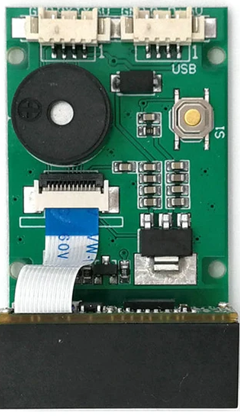
 Design with GM67 Barcode Reader Module in Cirkit Designer
Introduction
The GM67 Barcode Reader Module is a compact and versatile device designed to read and decode a wide range of barcode formats, including 1D and 2D barcodes. It is equipped with advanced decoding algorithms, ensuring fast and accurate barcode recognition. The module communicates with microcontrollers or computers via serial communication (UART), making it easy to integrate into various systems.
Explore Projects Built with GM67 Barcode Reader Module
ESP32-Based Barcode Reader and Thermal Printer System
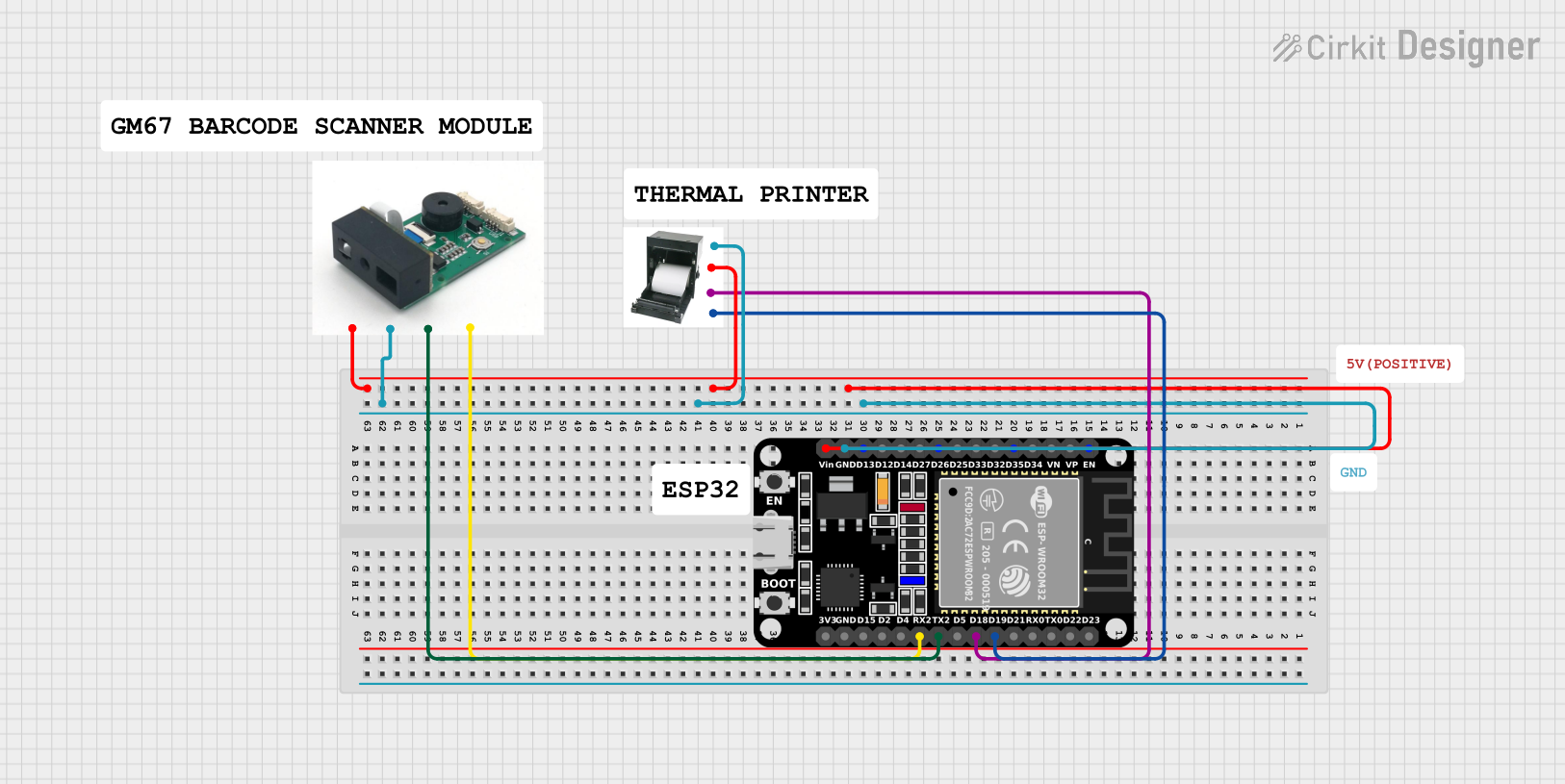
This circuit features an ESP32 microcontroller interfaced with a thermal printer and a GM67 barcode reader module. The ESP32 handles communication with the printer and barcode reader via its GPIO pins, enabling barcode data to be read and printed. Power is supplied to all components through the ESP32's Vin and GND pins.
Open Project in Cirkit DesignerArduino Mega 2560 Based Security System with Fingerprint Authentication and SMS Alerts

This circuit features an Arduino Mega 2560 microcontroller interfaced with a SIM800L GSM module, two fingerprint scanners, an I2C LCD display, an IR sensor, and a piezo buzzer. Power management is handled by a PowerBoost 1000 Basic Pad USB, a TP4056 charging module, and a Li-ion 18650 battery, with an option to use a Mini AC-DC 110V-230V to 5V 700mA module for direct power supply. The primary functionality appears to be a security system with GSM communication capabilities, biometric access control, and visual/audible feedback.
Open Project in Cirkit DesignerArduino Mega 2560-Based Reverse Vending Machine with GSM and Wi-Fi Connectivity
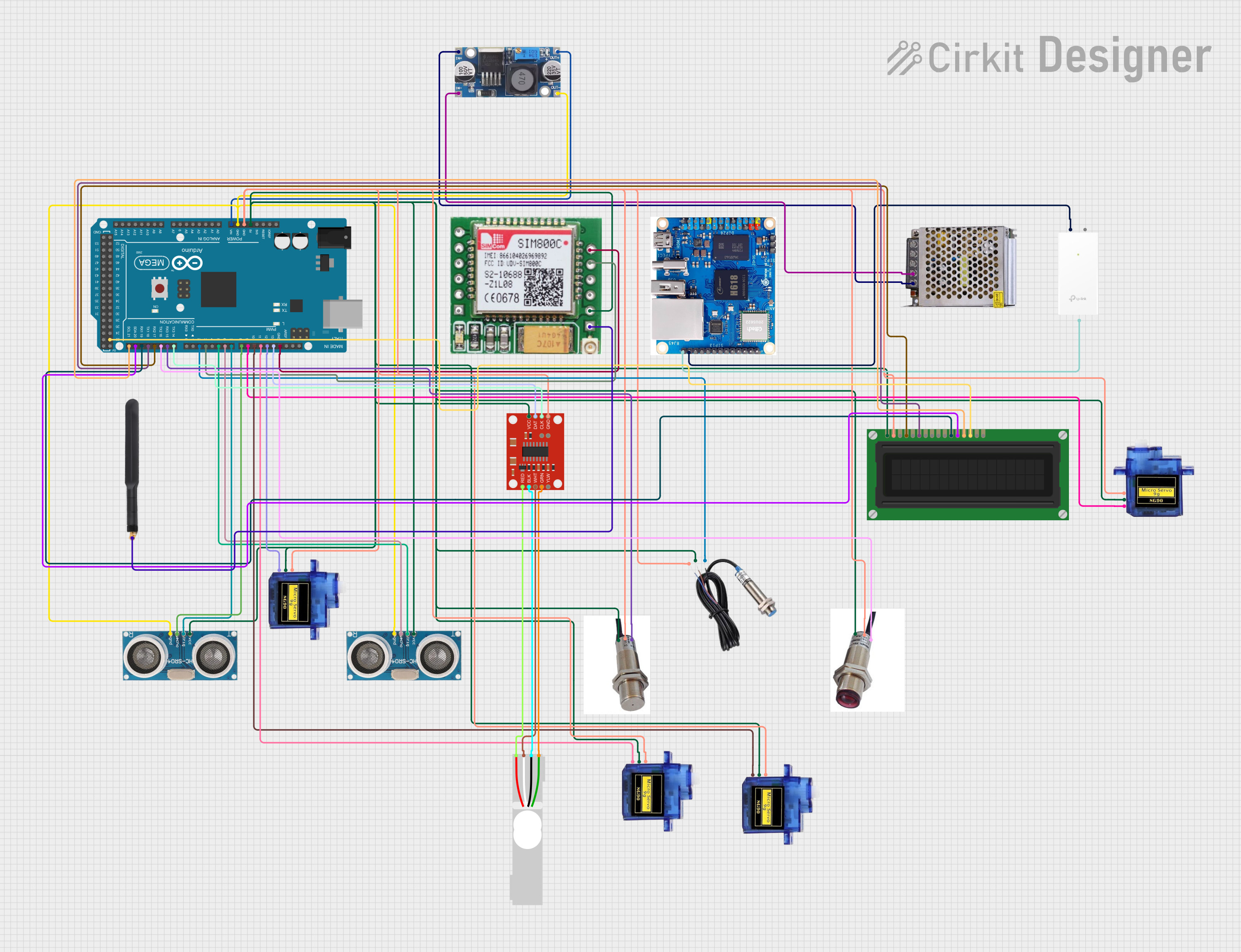
This circuit is a reverse vending machine for plastic bottles and cans, utilizing an Arduino Mega 2560 to interface with various sensors and actuators. It includes ultrasonic sensors for distance measurement, a load cell for weight measurement, micro servos for actuation, and a GSM module for communication. The system also features an LCD display for user interaction and uses inductive and photoelectric sensors for object detection.
Open Project in Cirkit DesignerArduino UNO-Based Barcode Scanner with LCD Display and SD Card Storage
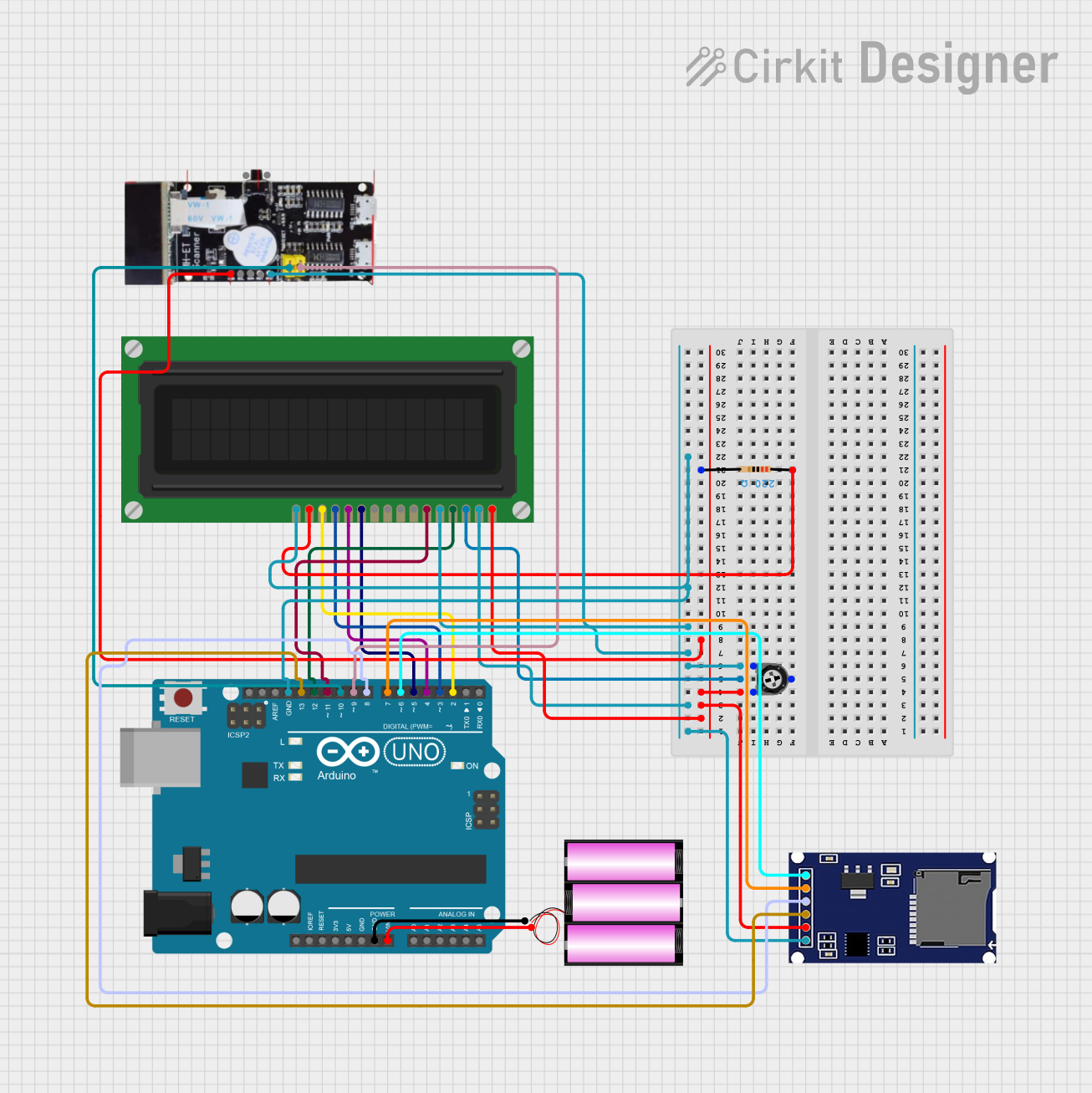
This circuit features an Arduino UNO microcontroller interfaced with an LCD display, a barcode scanner, and an SD card module. The Arduino is powered by a 12V battery and controls the display and data logging functionalities, while the barcode scanner provides input data.
Open Project in Cirkit DesignerExplore Projects Built with GM67 Barcode Reader Module
ESP32-Based Barcode Reader and Thermal Printer System
This circuit features an ESP32 microcontroller interfaced with a thermal printer and a GM67 barcode reader module. The ESP32 handles communication with the printer and barcode reader via its GPIO pins, enabling barcode data to be read and printed. Power is supplied to all components through the ESP32's Vin and GND pins.
Open Project in Cirkit DesignerArduino Mega 2560 Based Security System with Fingerprint Authentication and SMS Alerts
This circuit features an Arduino Mega 2560 microcontroller interfaced with a SIM800L GSM module, two fingerprint scanners, an I2C LCD display, an IR sensor, and a piezo buzzer. Power management is handled by a PowerBoost 1000 Basic Pad USB, a TP4056 charging module, and a Li-ion 18650 battery, with an option to use a Mini AC-DC 110V-230V to 5V 700mA module for direct power supply. The primary functionality appears to be a security system with GSM communication capabilities, biometric access control, and visual/audible feedback.
Open Project in Cirkit DesignerArduino Mega 2560-Based Reverse Vending Machine with GSM and Wi-Fi Connectivity
This circuit is a reverse vending machine for plastic bottles and cans, utilizing an Arduino Mega 2560 to interface with various sensors and actuators. It includes ultrasonic sensors for distance measurement, a load cell for weight measurement, micro servos for actuation, and a GSM module for communication. The system also features an LCD display for user interaction and uses inductive and photoelectric sensors for object detection.
Open Project in Cirkit DesignerArduino UNO-Based Barcode Scanner with LCD Display and SD Card Storage
This circuit features an Arduino UNO microcontroller interfaced with an LCD display, a barcode scanner, and an SD card module. The Arduino is powered by a 12V battery and controls the display and data logging functionalities, while the barcode scanner provides input data.
Open Project in Cirkit DesignerCommon Applications and Use Cases
- Inventory management systems
- Point of Sale (POS) terminals
- Automated data entry systems
- Access control and security systems
- Industrial automation and logistics
- Library and asset tracking systems
Technical Specifications
Key Technical Details
| Parameter | Value |
|---|---|
| Operating Voltage | 3.3V to 5V |
| Operating Current | 120mA (typical) |
| Communication Interface | UART (TTL level) |
| Supported Barcodes | 1D: Code 128, Code 39, EAN-13, etc. |
| 2D: QR Code, Data Matrix, PDF417, etc. | |
| Scanning Speed | Up to 300 scans per second |
| Scanning Distance | 20mm to 500mm (depending on barcode) |
| Operating Temperature | -20°C to 60°C |
| Dimensions | 28mm x 24mm x 11mm |
Pin Configuration and Descriptions
| Pin Number | Pin Name | Description |
|---|---|---|
| 1 | VCC | Power supply input (3.3V to 5V) |
| 2 | GND | Ground |
| 3 | TXD | UART Transmit (data output) |
| 4 | RXD | UART Receive (data input) |
| 5 | EN | Enable pin (active high) |
| 6 | BUZZER | Buzzer control output (optional) |
Usage Instructions
How to Use the GM67 Barcode Reader Module in a Circuit
- Power the Module: Connect the
VCCpin to a 3.3V or 5V power source and theGNDpin to ground. - Establish Serial Communication: Connect the
TXDpin of the module to the RX pin of your microcontroller (e.g., Arduino UNO) and theRXDpin of the module to the TX pin of the microcontroller. - Enable the Module: Ensure the
ENpin is set to a high logic level to activate the module. - Read Barcode Data: When a barcode is scanned, the decoded data will be sent via the
TXDpin as a serial output. The data can be read and processed by the microcontroller or computer.
Important Considerations and Best Practices
- Power Supply: Ensure a stable power supply to avoid communication errors or malfunctions.
- Baud Rate: The default baud rate for the GM67 module is typically 9600 bps. Verify and configure the baud rate in your microcontroller code if necessary.
- Scanning Distance: Position the barcode within the module's optimal scanning range (20mm to 500mm) for accurate decoding.
- Lighting Conditions: Avoid direct sunlight or overly bright environments, as they may interfere with the module's scanning performance.
Example Code for Arduino UNO
#include <SoftwareSerial.h>

// Define RX and TX pins for the GM67 module
SoftwareSerial barcodeReader(10, 11); // RX = Pin 10, TX = Pin 11

void setup() {
  Serial.begin(9600); // Initialize Serial Monitor at 9600 baud
  barcodeReader.begin(9600); // Initialize GM67 module at 9600 baud

  Serial.println("GM67 Barcode Reader Module Initialized");
  Serial.println("Scan a barcode to see the data...");
}

void loop() {
  // Check if data is available from the GM67 module
  if (barcodeReader.available()) {
    String barcodeData = ""; // Variable to store barcode data

    // Read all available characters from the module
    while (barcodeReader.available()) {
      char c = barcodeReader.read();
      barcodeData += c;
    }

    // Print the barcode data to the Serial Monitor
    Serial.print("Barcode Data: ");
    Serial.println(barcodeData);
  }
}
Troubleshooting and FAQs
Common Issues and Solutions
No Data Received from the Module
- Cause: Incorrect wiring or baud rate mismatch.
- Solution: Double-check the connections between the module and the microcontroller. Ensure the baud rate in your code matches the module's default baud rate (9600 bps).
Unstable or Inaccurate Barcode Scanning
- Cause: Poor lighting conditions or incorrect scanning distance.
- Solution: Ensure the barcode is within the optimal scanning range (20mm to 500mm) and avoid direct sunlight or overly bright environments.
Module Not Powering On
- Cause: Insufficient or unstable power supply.
- Solution: Verify that the power supply provides a stable voltage between 3.3V and 5V.
Buzzer Not Working
- Cause: Buzzer pin not connected or configured.
- Solution: Connect the
BUZZERpin to the appropriate circuit or configure it in your application.
FAQs
Can the GM67 module read both 1D and 2D barcodes?
- Yes, the GM67 module supports a wide range of 1D and 2D barcode formats, including QR codes, Data Matrix, and Code 128.
What is the default baud rate of the GM67 module?
- The default baud rate is 9600 bps.
Can the module be used with a 3.3V microcontroller?
- Yes, the GM67 module operates within a voltage range of 3.3V to 5V, making it compatible with both 3.3V and 5V systems.
Does the module require additional drivers or libraries?
- No, the GM67 module communicates via standard UART, so no additional drivers or libraries are required for basic operation.