The Seeed Studio XIAO MG24 is a compact and powerful microcontroller board based on the ESP32 chip. It is specifically designed for Internet of Things (IoT) applications, offering built-in Wi-Fi and Bluetooth capabilities. Its small form factor and robust wireless communication features make it an excellent choice for projects requiring connectivity, such as smart home devices, wearable technology, and remote monitoring systems.
Explore Projects Built with Seeed Studio XIAO MG24
Use Cirkit Designer to design, explore, and prototype these projects online. Some projects support real-time simulation. Click "Open Project" to start designing instantly!
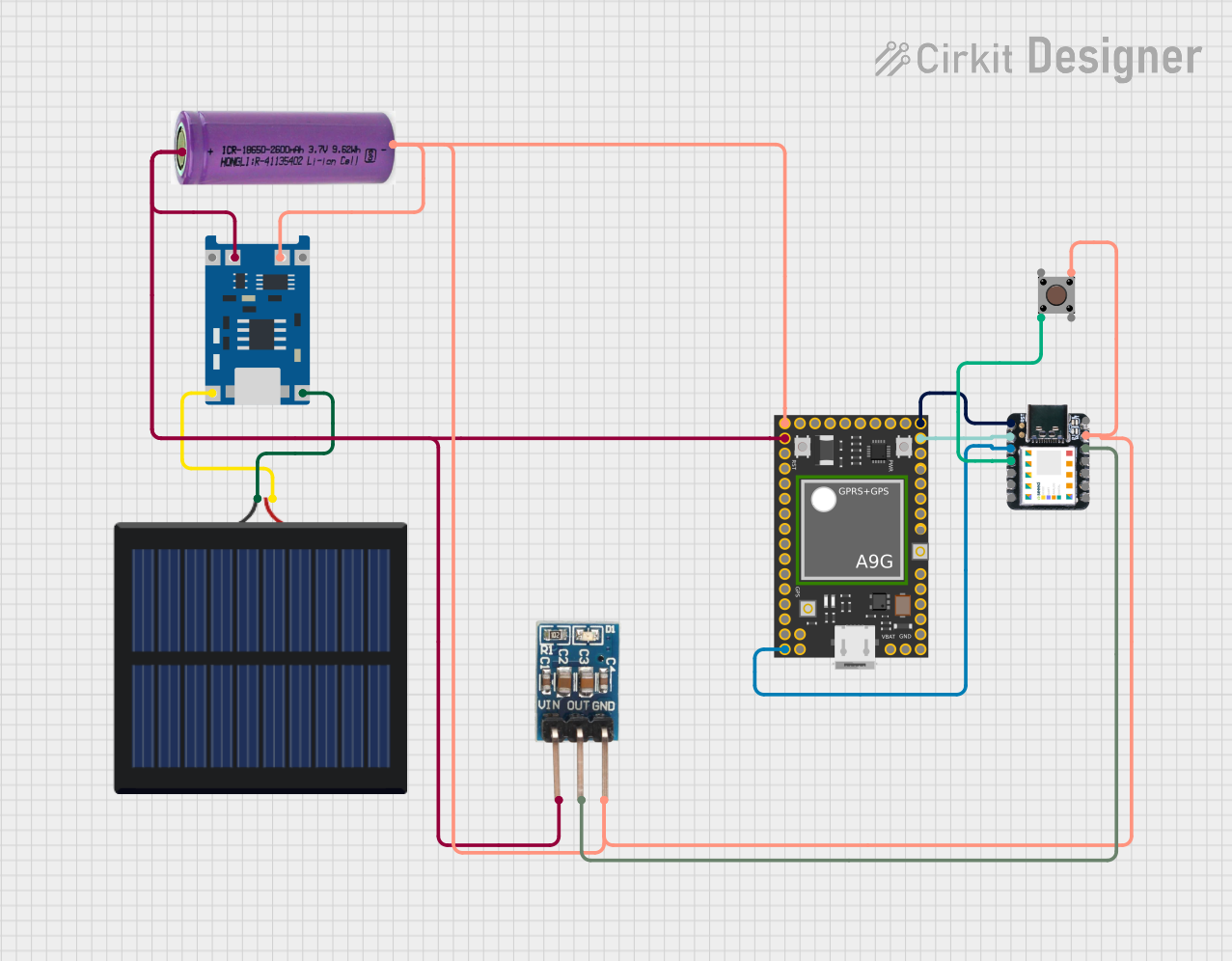
This circuit features an Ai Thinker A9G development board for GSM/GPRS and GPS/BDS connectivity, interfaced with a Seeeduino XIAO microcontroller for control and data processing. A solar cell, coupled with a TP4056 charging module, charges a 3.3V battery, which powers the system through a 3.3V regulator ensuring stable operation. The circuit likely serves for remote data communication and location tracking, with the capability to be powered by renewable energy and interfaced with additional sensors or input devices via the Seeeduino XIAO.
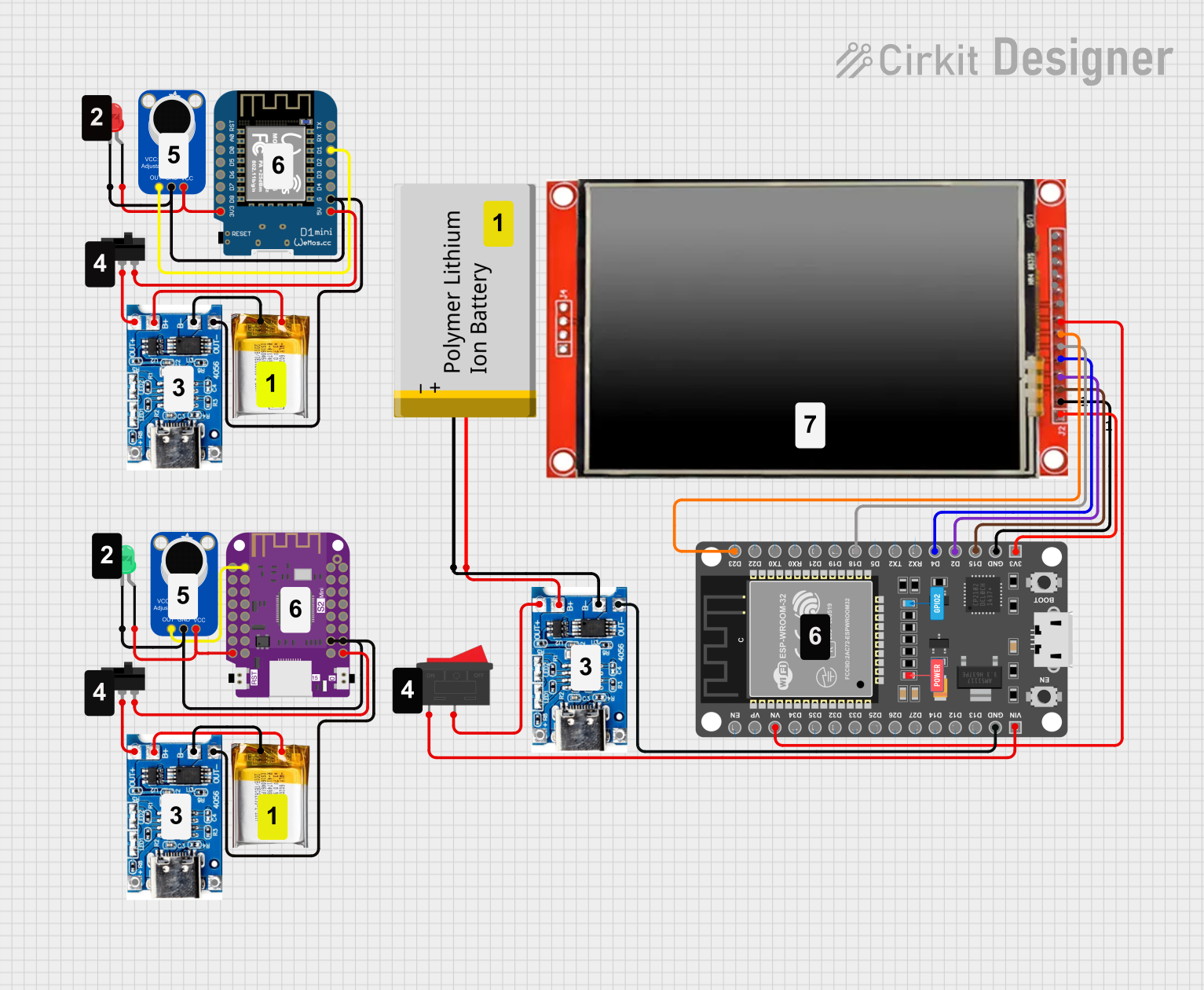
This is a portable audio-visual device featuring two Wemos microcontrollers for processing, Adafruit MAX4466 microphone amplifiers for audio input, and an LCD TFT screen for display. It includes power management with TP4056 modules and LiPo batteries, and user-controlled toggle and rocker switches.
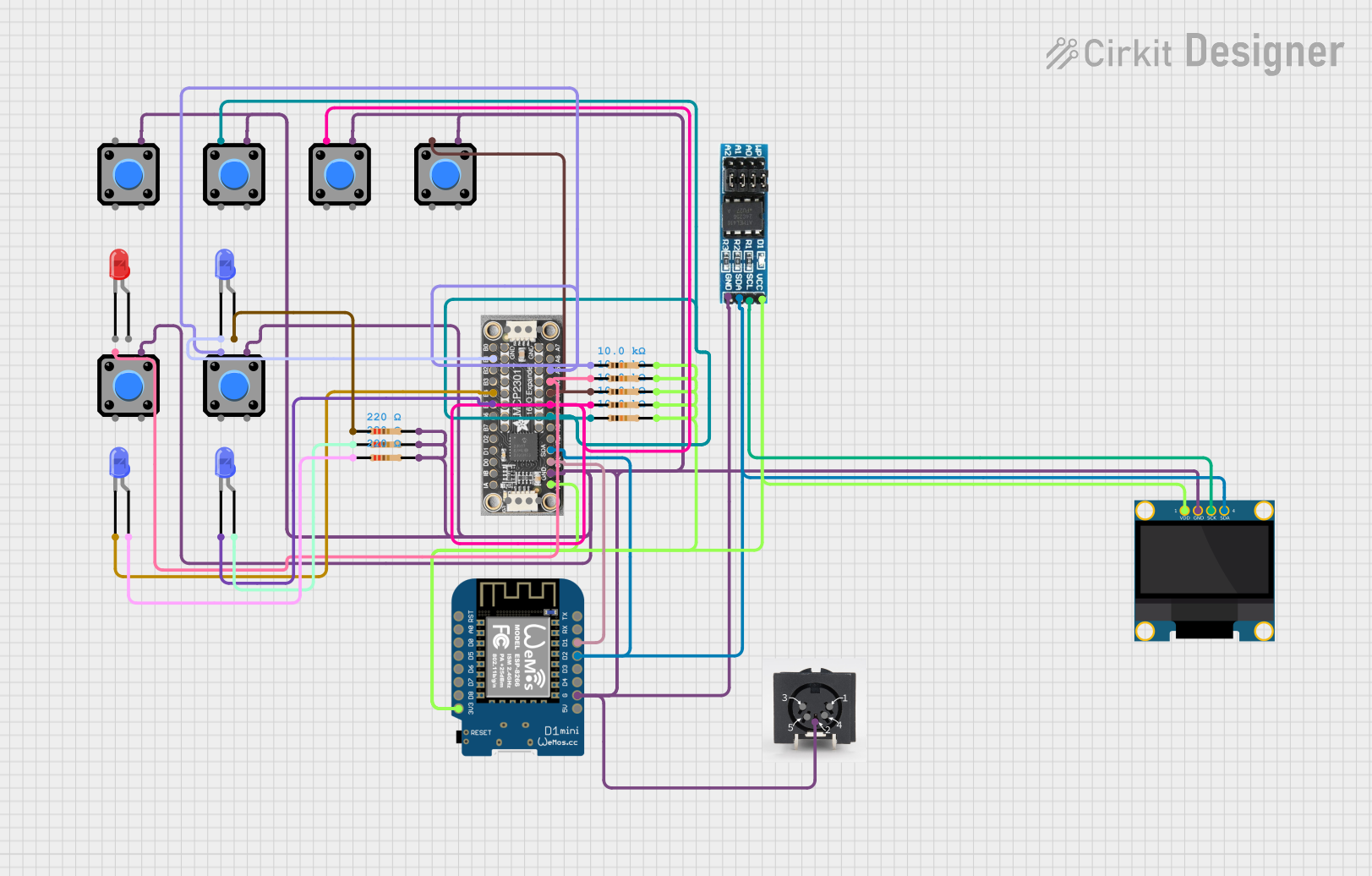
This is a microcontroller-based interactive device featuring a Wemos D1 Mini, an OLED display, external EEPROM, and an I/O expander. It includes user input buttons and status LEDs, with potential MIDI interface capabilities.
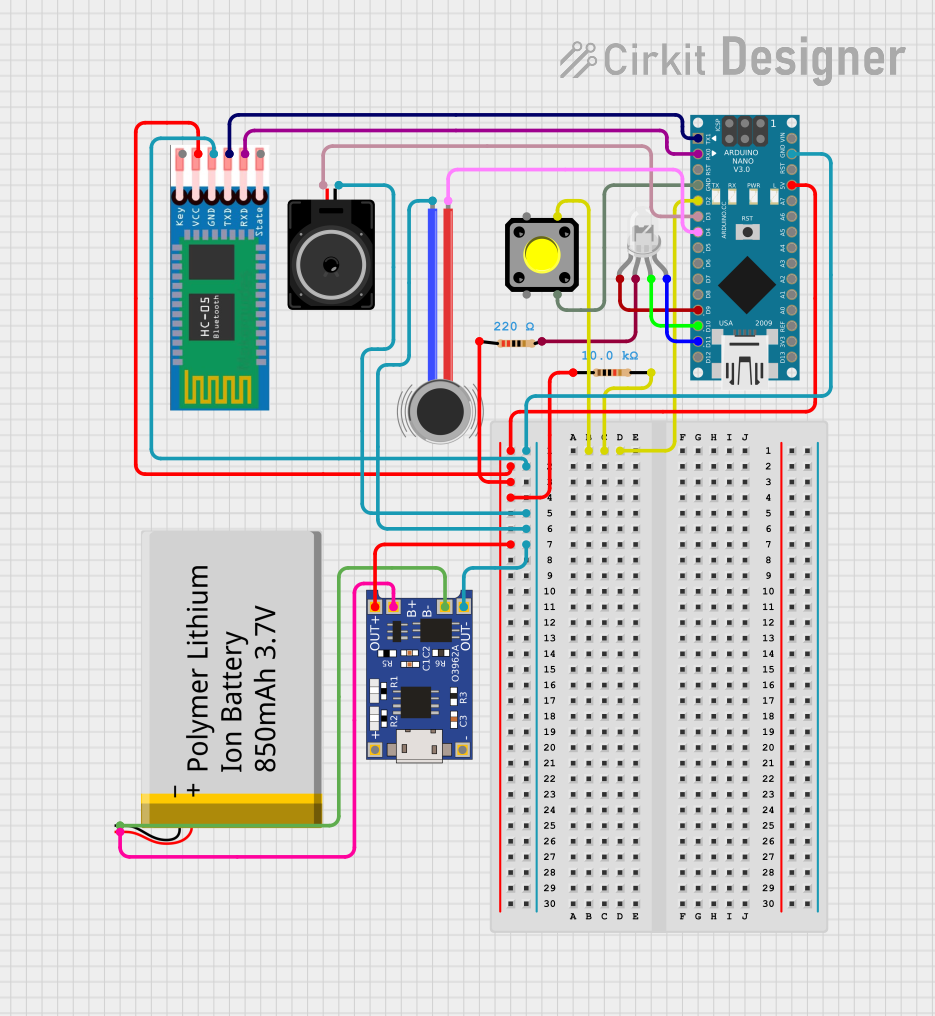
This is a portable, microcontroller-driven interactive device featuring Bluetooth connectivity, visual (RGB LED), auditory (loudspeaker), and haptic (vibration motor) feedback, user input (pushbutton), and a rechargeable power system (TP4056 with Li-ion battery).
Prototyping for Bluetooth and Wi-Fi-enabled projects
Technical Specifications
The following table outlines the key technical specifications of the Seeed Studio XIAO MG24:
Specification
Details
Microcontroller
ESP32
Wireless Connectivity
Wi-Fi (802.11 b/g/n), Bluetooth 5.0
Operating Voltage
3.3V
Input Voltage Range
3.3V - 5V
Digital I/O Pins
11
Analog Input Pins
4 (12-bit ADC)
PWM Pins
11
Flash Memory
4MB
SRAM
512KB
Clock Speed
240 MHz
Dimensions
21mm x 17.5mm
Weight
2g
Pin Configuration and Descriptions
The Seeed Studio XIAO MG24 features a total of 14 pins. The table below provides a detailed description of each pin:
Pin
Name
Type
Description
1
3V3
Power
3.3V power output
2
GND
Power
Ground
3
D0
Digital I/O
General-purpose digital I/O pin
4
D1
Digital I/O
General-purpose digital I/O pin
5
D2
Digital I/O
General-purpose digital I/O pin
6
D3
Digital I/O
General-purpose digital I/O pin
7
A0
Analog Input
12-bit ADC input
8
A1
Analog Input
12-bit ADC input
9
A2
Analog Input
12-bit ADC input
10
A3
Analog Input
12-bit ADC input
11
RX
UART RX
UART receive pin
12
TX
UART TX
UART transmit pin
13
SDA
I2C Data
I2C data line
14
SCL
I2C Clock
I2C clock line
Usage Instructions
How to Use the Component in a Circuit
Powering the Board: Connect the 3.3V pin to a regulated 3.3V power source and GND to ground. Alternatively, you can power the board via the USB-C connector.
Connecting Peripherals: Use the digital I/O pins for connecting sensors, actuators, or other peripherals. For analog sensors, connect them to the analog input pins (A0–A3).
Programming: The board can be programmed using the Arduino IDE or other ESP32-compatible development environments. Ensure you install the necessary board definitions and libraries.
Important Considerations and Best Practices
Voltage Levels: Ensure all connected peripherals operate at 3.3V logic levels to avoid damaging the board.
Wi-Fi and Bluetooth: Avoid placing the board in metal enclosures or near sources of interference to maintain strong wireless connectivity.
Heat Management: While the ESP32 chip is efficient, prolonged operation at high clock speeds may generate heat. Ensure adequate ventilation if used in enclosed spaces.
Example Code for Arduino UNO
Below is an example of how to use the Seeed Studio XIAO MG24 to connect to a Wi-Fi network and send data to a server:
#include <WiFi.h> // Include the Wi-Fi library for ESP32

// Replace with your network credentials
const char* ssid = "Your_SSID";
const char* password = "Your_PASSWORD";

void setup() {
  Serial.begin(115200); // Initialize serial communication
  delay(1000);

  // Connect to Wi-Fi
  Serial.print("Connecting to Wi-Fi");
  WiFi.begin(ssid, password);
  while (WiFi.status() != WL_CONNECTED) {
    delay(500);
    Serial.print(".");
  }
  Serial.println("\nConnected to Wi-Fi");
  Serial.print("IP Address: ");
  Serial.println(WiFi.localIP()); // Print the device's IP address
}

void loop() {
  // Add your main code here
  delay(1000);
}
Troubleshooting and FAQs
Common Issues and Solutions
The board is not detected by the computer:
Ensure the USB-C cable is a data cable, not just a charging cable.
Check that the correct drivers are installed for the board.
Verify that the board is powered on and connected properly.
Wi-Fi connection fails:
Double-check the SSID and password for your network.
Ensure the Wi-Fi network is within range and not overloaded with devices.
Restart the board and try reconnecting.
Code upload fails:
Ensure the correct board and port are selected in the Arduino IDE.
Press the reset button on the board before uploading the code.
FAQs
Q: Can I power the board using a battery?
A: Yes, the board can be powered using a 3.7V LiPo battery connected to the 3.3V and GND pins, but ensure proper regulation.
Q: Does the board support OTA (Over-The-Air) updates?
A: Yes, the ESP32 chip supports OTA updates, which can be implemented using the appropriate libraries.
Q: Can I use the board with MicroPython?
A: Yes, the Seeed Studio XIAO MG24 is compatible with MicroPython. You can flash the MicroPython firmware to the board and use it for development.


 Open Project in Cirkit Designer