
How to Use M5 stack moduleaudio: Examples, Pinouts, and Specs
 Design with M5 stack moduleaudio in Cirkit Designer
Introduction
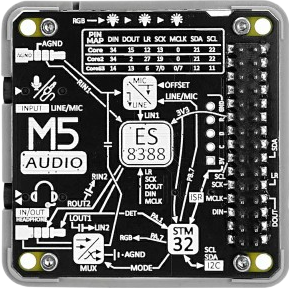
The M5Stack ModuleAudio is an audio module designed for use with M5Stack development kits. It integrates an I2S-based digital audio amplifier, enabling high-quality audio playback in compact IoT and embedded systems. This module is ideal for applications requiring sound output, such as smart speakers, voice assistants, alarms, and multimedia projects.
Common applications and use cases:
- Smart home devices (e.g., voice assistants, alarms)
- IoT projects requiring audio feedback
- Educational and prototyping projects
- Multimedia playback systems
Explore Projects Built with M5 stack moduleaudio
 Open Project in Cirkit Designer
 Open Project in Cirkit Designer
 Open Project in Cirkit Designer
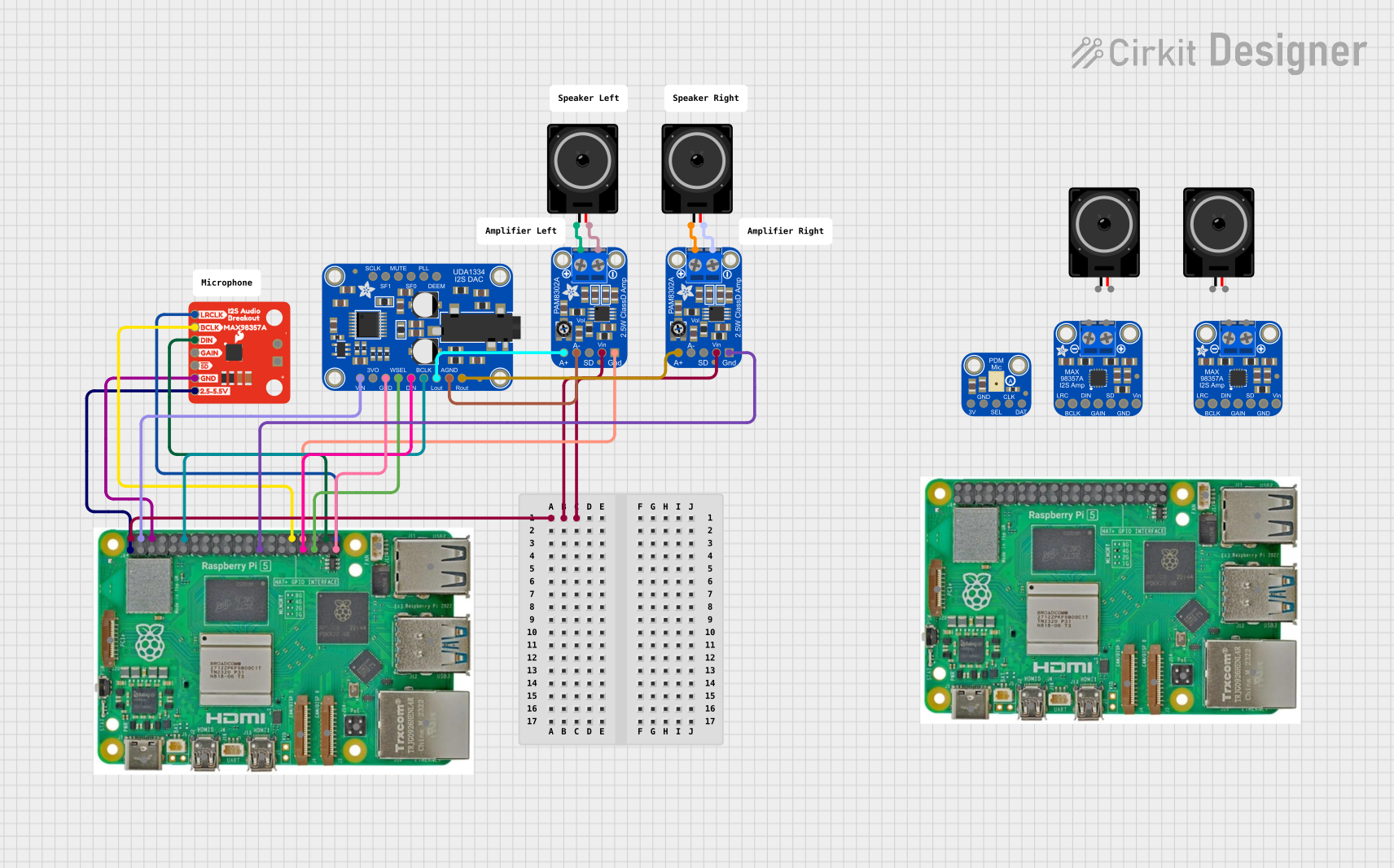 Open Project in Cirkit Designer
Explore Projects Built with M5 stack moduleaudio
Open Project in Cirkit DesignerOpen Project in Cirkit DesignerOpen Project in Cirkit DesignerOpen Project in Cirkit DesignerTechnical Specifications
- Audio Amplifier: I2S digital audio amplifier (MAX98357A)
- Input Interface: I2S (Inter-IC Sound)
- Output Power: 3.2W at 4Ω load
- Operating Voltage: 5V (via M5Stack base or external power supply)
- Speaker: Built-in 1W speaker
- Dimensions: 54mm x 54mm x 13mm
- Weight: 20g
Pin Configuration and Descriptions
The M5Stack ModuleAudio connects to the M5Stack Core via the standard M-BUS interface. Below is the pin configuration for the I2S interface:
| Pin Name | Description | Connection |
|---|---|---|
| LRCK | Left/Right Clock (Word Select) | GPIO25 (default) |
| BCLK | Bit Clock | GPIO26 (default) |
| DIN | Data Input | GPIO22 (default) |
| GND | Ground | Common ground |
| VCC | Power Supply (5V) | 5V from M5Stack base |
Usage Instructions
How to Use the M5Stack ModuleAudio in a Circuit
Connect the ModuleAudio to the M5Stack Core:
- Align the M-BUS interface of the ModuleAudio with the M5Stack Core and snap them together.
- Ensure the connection is secure to avoid communication issues.
Power the Module:
- The ModuleAudio is powered through the M5Stack Core. Ensure the Core is powered via USB or a battery module.
Configure the I2S Interface:
- Use the default GPIO pins (GPIO25, GPIO26, GPIO22) for I2S communication.
- If using custom pins, update the software configuration accordingly.
Write Code for Audio Playback:
- Use the Arduino IDE or other compatible platforms to program the M5Stack Core.
- Below is an example Arduino sketch for playing audio using the ModuleAudio:
#include <Arduino.h>
#include <I2S.h> // Include the I2S library for audio communication

void setup() {
  // Initialize serial communication for debugging
  Serial.begin(115200);

  // Initialize the I2S interface
  if (!I2S.begin(I2S_PHILIPS_MODE, 44100, 16)) {
    Serial.println("Failed to initialize I2S!");
    while (1); // Halt execution if I2S initialization fails
  }

  Serial.println("I2S initialized successfully!");
}

void loop() {
  // Example: Generate a simple sine wave for testing
  for (int i = 0; i < 360; i++) {
    float sample = sin(i * PI / 180); // Generate sine wave sample
    int16_t audioSample = (int16_t)(sample * 32767); // Scale to 16-bit range
    I2S.write((uint8_t *)&audioSample, sizeof(audioSample)); // Send to I2S
  }

  delay(10); // Small delay to control playback speed
}
Important Considerations and Best Practices
- Speaker Protection: Avoid sending high-amplitude signals to prevent speaker damage.
- Power Supply: Ensure a stable 5V power supply to avoid audio distortion.
- Audio Format: The ModuleAudio supports I2S audio in Philips mode. Ensure your audio source matches this format.
- Heat Dissipation: The module may heat up during prolonged use. Ensure proper ventilation.
Troubleshooting and FAQs
Common Issues and Solutions
No Sound Output:
- Verify the I2S pins are correctly configured in the software.
- Ensure the M5Stack Core is securely connected to the ModuleAudio.
- Check the power supply and ensure the module is receiving 5V.
Distorted Audio:
- Reduce the audio signal amplitude to prevent clipping.
- Ensure the speaker impedance matches the module's specifications (4Ω recommended).
I2S Initialization Fails:
- Confirm the I2S library is installed in the Arduino IDE.
- Check for conflicts with other peripherals using the same GPIO pins.
Module Overheating:
- Avoid prolonged high-volume playback.
- Ensure the module is not enclosed in a poorly ventilated space.
FAQs
Q: Can I use an external speaker with the ModuleAudio?
A: Yes, you can connect an external speaker to the module. Ensure the speaker impedance is 4Ω or higher and does not exceed the module's power rating.
Q: Does the ModuleAudio support stereo output?
A: No, the ModuleAudio is a mono audio module. For stereo output, additional hardware is required.
Q: Can I use the ModuleAudio with platforms other than M5Stack?
A: Yes, the ModuleAudio can be used with other microcontrollers that support I2S communication. Ensure proper pin connections and software configuration.
Q: What audio formats are supported?
A: The ModuleAudio supports I2S audio in Philips mode with a sampling rate of up to 48kHz and 16-bit resolution.