
How to Use NTC Thermistor Temperatursensor Adapter modul platine: Examples, Pinouts, and Specs
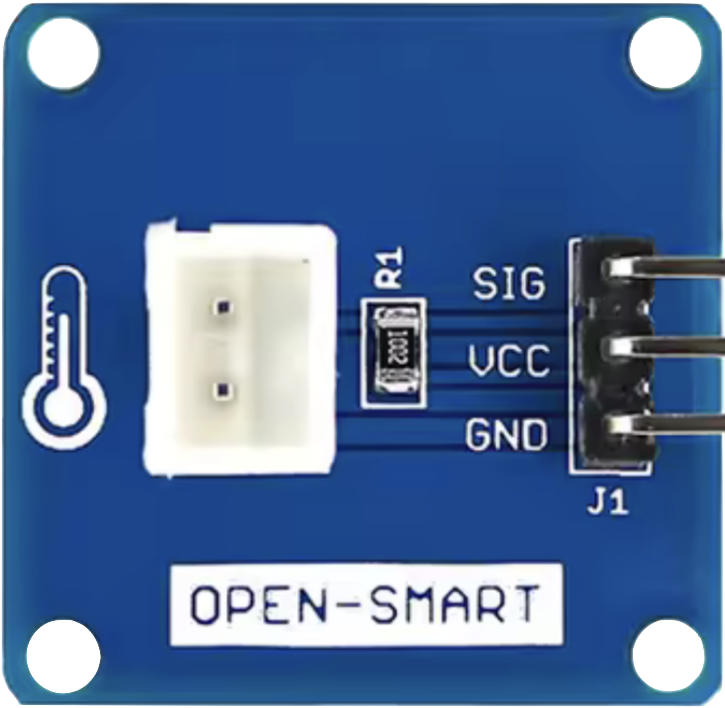
 Design with NTC Thermistor Temperatursensor Adapter modul platine in Cirkit Designer
Introduction
The NTC Thermistor Temperature Sensor Adapter Module by OPEN-SMART is a versatile and reliable temperature sensing solution. It utilizes an NTC (Negative Temperature Coefficient) thermistor, which decreases its resistance as the temperature rises, to provide accurate and responsive temperature measurements. This module is designed to simplify interfacing with microcontrollers, such as Arduino, Raspberry Pi, or other electronic systems, making it ideal for a wide range of applications.
Explore Projects Built with NTC Thermistor Temperatursensor Adapter modul platine
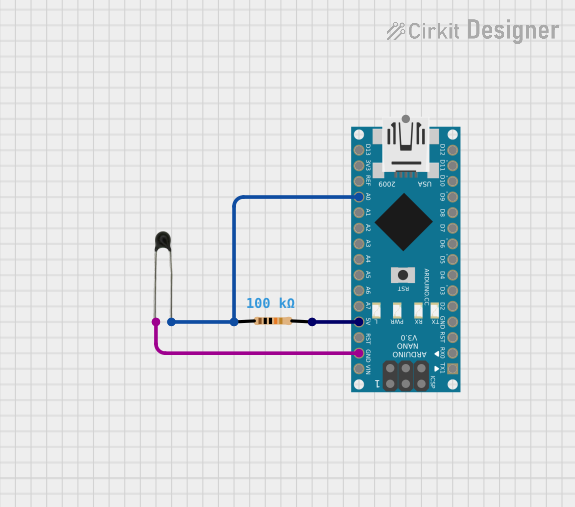 Open Project in Cirkit Designer
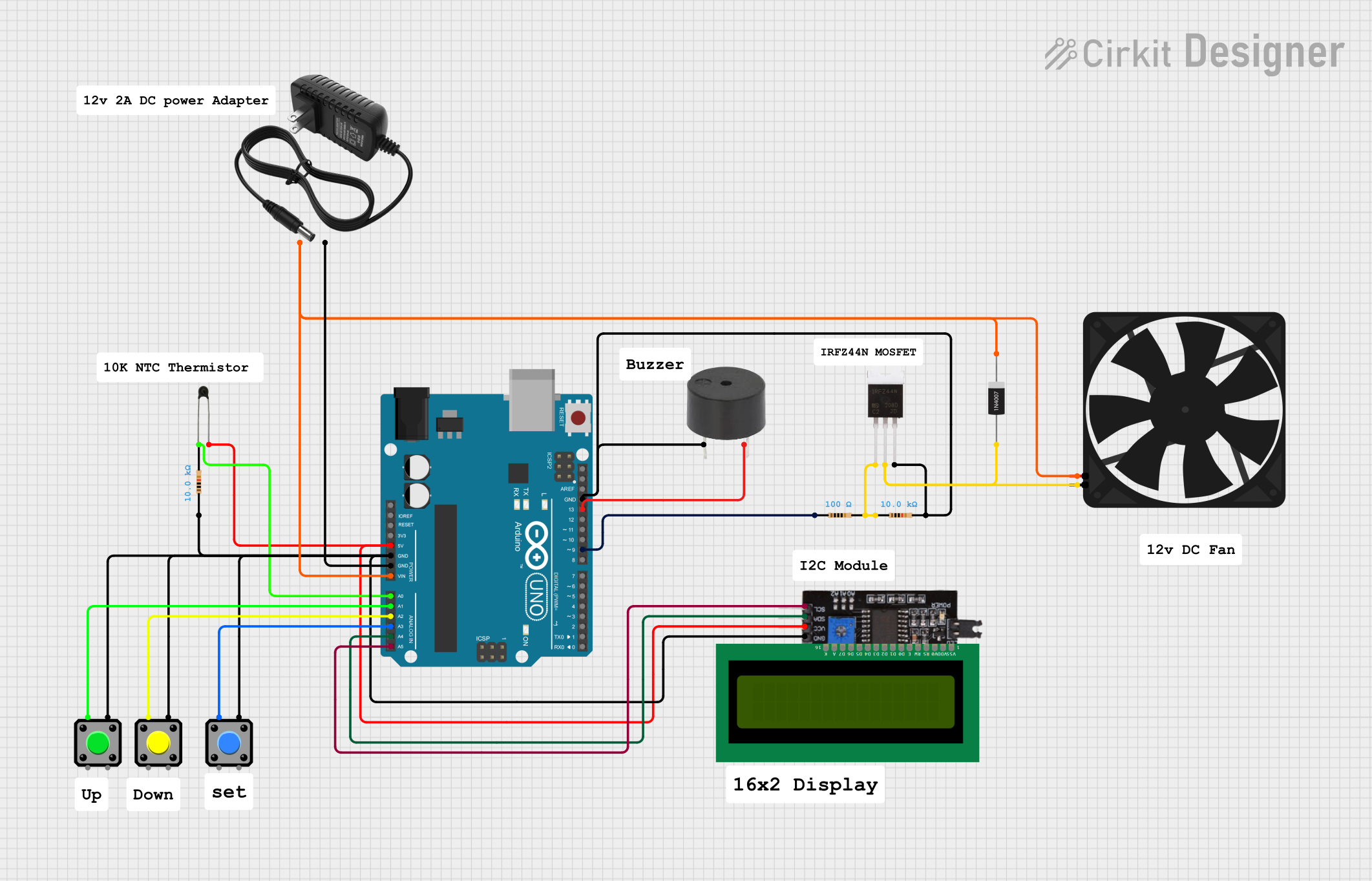 Open Project in Cirkit Designer
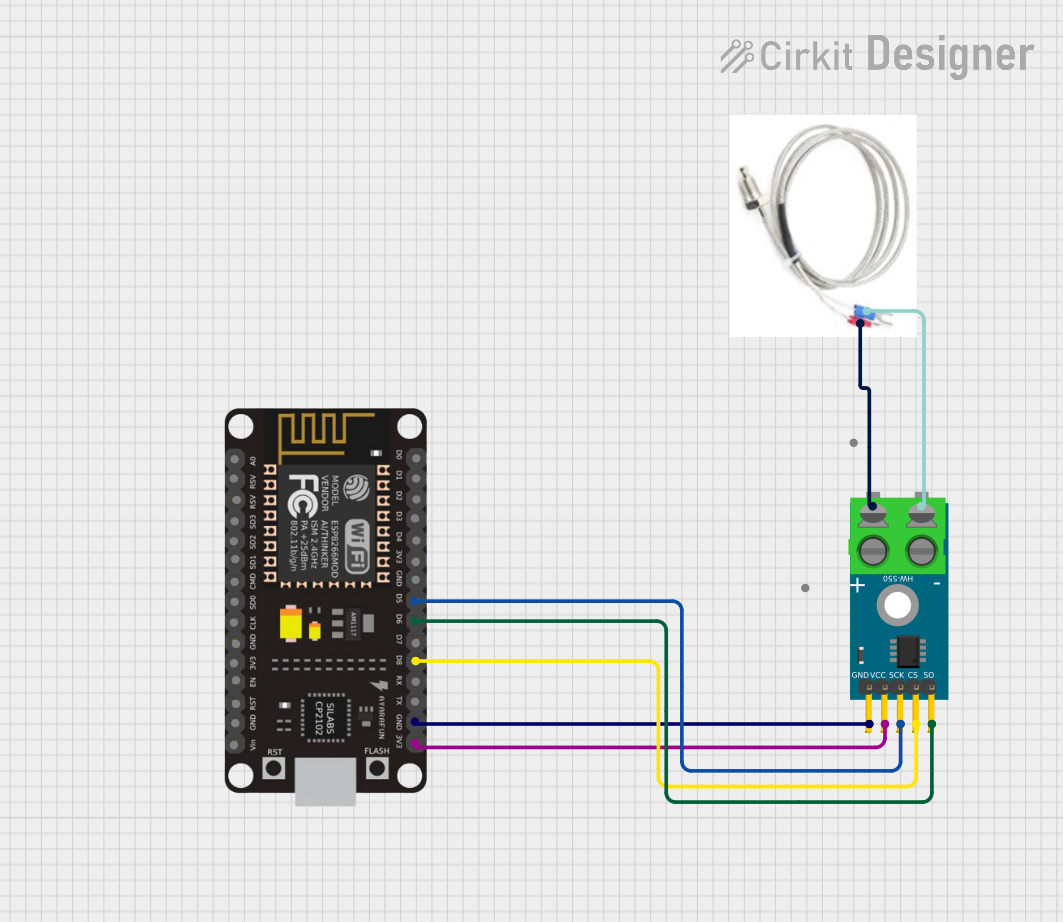 Open Project in Cirkit Designer
 Open Project in Cirkit Designer
Explore Projects Built with NTC Thermistor Temperatursensor Adapter modul platine
Open Project in Cirkit DesignerOpen Project in Cirkit DesignerOpen Project in Cirkit DesignerOpen Project in Cirkit DesignerCommon Applications and Use Cases
- Environmental monitoring systems
- HVAC (Heating, Ventilation, and Air Conditioning) systems
- Industrial temperature control
- Home automation and IoT projects
- Scientific experiments and data logging
Technical Specifications
The following table outlines the key technical details of the NTC Thermistor Temperature Sensor Adapter Module:
| Parameter | Specification |
|---|---|
| Operating Voltage | 3.3V - 5V |
| Output Signal | Analog voltage (proportional to temperature) |
| Thermistor Type | NTC (Negative Temperature Coefficient) |
| Resistance at 25°C | 10 kΩ |
| Temperature Range | -55°C to +125°C |
| Accuracy | ±1% (typical) |
| PCB Dimensions | 25mm x 15mm |
Pin Configuration and Descriptions
The module has a 3-pin interface for easy connection to microcontrollers or other devices. The pinout is as follows:
| Pin | Label | Description |
|---|---|---|
| 1 | VCC | Power supply input (3.3V - 5V) |
| 2 | GND | Ground connection |
| 3 | OUT | Analog output signal (voltage proportional to temperature) |
Usage Instructions
How to Use the Component in a Circuit
- Power the Module: Connect the
VCCpin to a 3.3V or 5V power source and theGNDpin to the ground of your circuit. - Read the Output: Connect the
OUTpin to an analog input pin of your microcontroller (e.g., Arduino's A0 pin). - Calibrate the Sensor: Use the thermistor's resistance-temperature curve or a lookup table to convert the analog voltage reading into a temperature value.
- Add a Pull-Up Resistor: If not already included on the module, connect a pull-up resistor (typically 10 kΩ) between the
OUTpin andVCCfor stable readings.
Important Considerations and Best Practices
- Power Supply: Ensure the module is powered within its operating voltage range (3.3V - 5V).
- Analog-to-Digital Conversion: Use a microcontroller with sufficient ADC resolution (e.g., 10-bit or higher) for accurate temperature readings.
- Thermal Coupling: Place the thermistor in good thermal contact with the object or environment being measured for accurate results.
- Noise Reduction: Minimize electrical noise by keeping the module's connections short and using decoupling capacitors if necessary.
Example Code for Arduino UNO
Below is an example Arduino sketch to read temperature data from the NTC Thermistor Temperature Sensor Adapter Module:
// Define the analog pin connected to the OUT pin of the module
const int sensorPin = A0;

// Define the reference resistance and temperature constants
const float referenceResistance = 10000.0; // 10 kΩ at 25°C
const float nominalTemperature = 25.0;    // Nominal temperature in °C
const float betaCoefficient = 3950.0;     // Beta coefficient of the thermistor
const float seriesResistor = 10000.0;     // Value of the pull-up resistor (10 kΩ)

void setup() {
  Serial.begin(9600); // Initialize serial communication
}

void loop() {
  int analogValue = analogRead(sensorPin); // Read the analog value
  float voltage = analogValue * (5.0 / 1023.0); // Convert to voltage

  // Calculate the thermistor resistance
  float thermistorResistance = (seriesResistor * (5.0 - voltage)) / voltage;

  // Calculate the temperature in Kelvin using the Steinhart-Hart equation
  float temperatureKelvin = 1.0 / (1.0 / (nominalTemperature + 273.15) +
                                   (1.0 / betaCoefficient) *
                                   log(thermistorResistance / referenceResistance));

  // Convert temperature from Kelvin to Celsius
  float temperatureCelsius = temperatureKelvin - 273.15;

  // Print the temperature to the Serial Monitor
  Serial.print("Temperature: ");
  Serial.print(temperatureCelsius);
  Serial.println(" °C");

  delay(1000); // Wait for 1 second before the next reading
}
Troubleshooting and FAQs
Common Issues and Solutions
No Output Signal:
- Cause: Incorrect wiring or power supply.
- Solution: Double-check the connections and ensure the module is powered within the specified voltage range.
Inaccurate Temperature Readings:
- Cause: Missing or incorrect pull-up resistor.
- Solution: Verify the pull-up resistor value (typically 10 kΩ) and ensure it is properly connected.
Fluctuating Readings:
- Cause: Electrical noise or unstable power supply.
- Solution: Use decoupling capacitors near the module and ensure a stable power source.
Temperature Readings Stuck at a Fixed Value:
- Cause: Faulty thermistor or damaged module.
- Solution: Test the thermistor's resistance with a multimeter and replace the module if necessary.
FAQs
Q1: Can this module measure negative temperatures?
Yes, the module can measure temperatures as low as -55°C. Ensure your microcontroller's ADC can handle the corresponding voltage range.
Q2: How do I improve the accuracy of the temperature readings?
Use a high-resolution ADC (e.g., 12-bit or higher) and calibrate the sensor using a known temperature reference.
Q3: Can I use this module with a 3.3V microcontroller?
Yes, the module is compatible with both 3.3V and 5V systems.
Q4: Is the thermistor waterproof?
No, the thermistor on this module is not waterproof. For outdoor or liquid applications, use a waterproof thermistor or protective casing.
This documentation provides all the necessary details to effectively use the OPEN-SMART NTC Thermistor Temperature Sensor Adapter Module in your projects.