
How to Use AC source: Examples, Pinouts, and Specs
 Design with AC source in Cirkit Designer
Introduction
An AC source is an electronic component or device that provides alternating current (AC), a type of electrical current that periodically reverses direction. AC sources are widely used in power distribution systems, household electrical outlets, and various electronic devices. They are essential for powering appliances, industrial equipment, and testing circuits in laboratories.
Explore Projects Built with AC source
 Open Project in Cirkit Designer
 Open Project in Cirkit Designer
 Open Project in Cirkit Designer
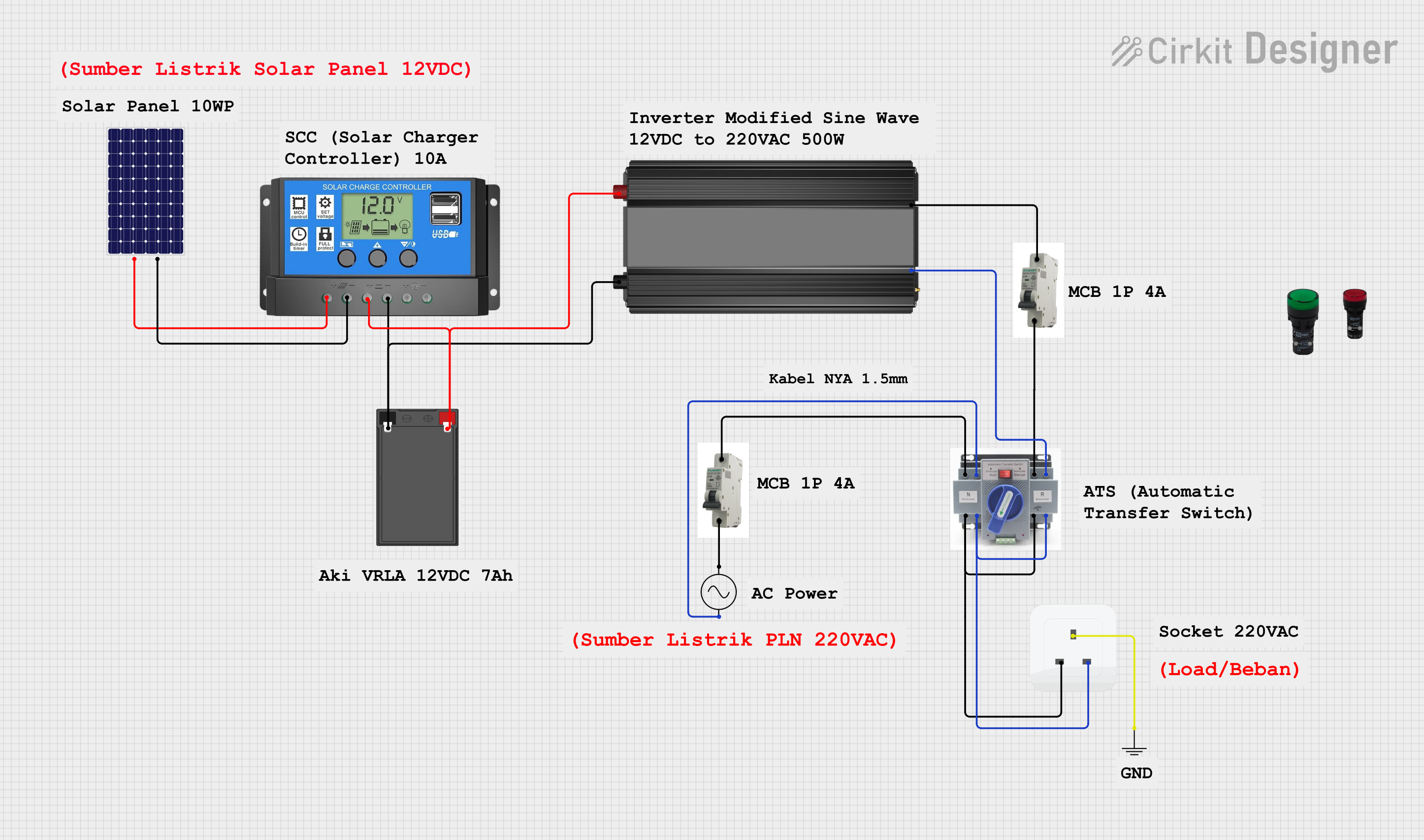 Open Project in Cirkit Designer
Explore Projects Built with AC source
Open Project in Cirkit DesignerOpen Project in Cirkit DesignerOpen Project in Cirkit DesignerOpen Project in Cirkit DesignerCommon Applications and Use Cases
- Powering household appliances (e.g., refrigerators, televisions, and air conditioners)
- Industrial machinery and equipment
- Laboratory testing and circuit prototyping
- Power supplies for electronic devices
- Renewable energy systems (e.g., inverters for solar panels)
Technical Specifications
The specifications of an AC source can vary depending on its design and intended application. Below are the general technical details:
| Parameter | Specification |
|---|---|
| Voltage Range | 110V to 240V AC (typical household range) |
| Frequency Range | 50 Hz or 60 Hz (region-dependent) |
| Output Power | Varies (e.g., 100W to several kW) |
| Waveform Type | Sine wave (standard), square wave, or modified sine wave |
| Regulation Accuracy | ±1% to ±5% (depending on the model) |
| Protection Features | Overload, short circuit, and overvoltage protection |
Pin Configuration and Descriptions
For an AC source, the pin configuration typically refers to the input and output terminals. Below is a table describing the connections:
| Pin/Terminal | Description |
|---|---|
| Live (L) | Supplies the active phase of the AC voltage. |
| Neutral (N) | Completes the circuit for current flow. |
| Ground (G) | Provides safety by connecting to earth ground. |
Usage Instructions
How to Use the Component in a Circuit
Connect the AC Source to the Load:
- Identify the live (L), neutral (N), and ground (G) terminals of the AC source.
- Connect the live terminal to the live input of the load.
- Connect the neutral terminal to the neutral input of the load.
- Ensure the ground terminal is properly connected to the earth ground for safety.
Verify Voltage and Frequency:
- Ensure the voltage and frequency of the AC source match the requirements of the connected load.
- Use a multimeter to measure the output voltage before connecting sensitive devices.
Power On the AC Source:
- Turn on the AC source and monitor the load to ensure proper operation.
- Avoid overloading the source beyond its rated power capacity.
Important Considerations and Best Practices
- Safety First: Always handle AC sources with care, as they can deliver potentially lethal voltages.
- Use Proper Insulation: Ensure all connections are insulated to prevent accidental contact.
- Avoid Overloading: Do not exceed the rated power capacity of the AC source to prevent damage.
- Use Circuit Protection: Incorporate fuses or circuit breakers to protect the load and source.
- Check Compatibility: Verify that the AC source's voltage and frequency are compatible with the connected devices.
Example: Using an AC Source with an Arduino UNO
While the Arduino UNO operates on DC power, an AC source can be used indirectly by connecting it to a power supply or transformer that converts AC to DC. Below is an example of how to use an AC source with an Arduino UNO:
- Use an AC-to-DC adapter to convert the AC source output to 9V DC.
- Connect the adapter's DC output to the Arduino UNO's power jack.
- Write and upload the desired Arduino code.
// Example Arduino code to blink an LED
// This assumes the Arduino is powered via an AC-to-DC adapter

const int ledPin = 13; // Pin connected to the onboard LED

void setup() {
  pinMode(ledPin, OUTPUT); // Set the LED pin as an output
}

void loop() {
  digitalWrite(ledPin, HIGH); // Turn the LED on
  delay(1000);               // Wait for 1 second
  digitalWrite(ledPin, LOW);  // Turn the LED off
  delay(1000);               // Wait for 1 second
}
Troubleshooting and FAQs
Common Issues Users Might Face
No Output Voltage:
- Cause: The AC source is not powered on or is malfunctioning.
- Solution: Check the power switch, input connections, and ensure the source is receiving power.
Overheating:
- Cause: The AC source is overloaded or lacks proper ventilation.
- Solution: Reduce the load and ensure adequate airflow around the source.
Inconsistent Output Voltage:
- Cause: Fluctuations in the input power or a faulty regulator.
- Solution: Use a voltage stabilizer or inspect the source for internal faults.
Device Not Powering On:
- Cause: Incorrect wiring or incompatible voltage/frequency.
- Solution: Verify the wiring and ensure the source matches the device's requirements.
FAQs
Q: Can I use an AC source to directly power an Arduino UNO?
A: No, the Arduino UNO requires DC power. Use an AC-to-DC adapter to convert the AC source output to a suitable DC voltage.
Q: What safety precautions should I take when using an AC source?
A: Always ensure proper insulation, use a ground connection, and avoid touching live terminals. Use circuit protection devices like fuses or breakers.
Q: How do I measure the output of an AC source?
A: Use a multimeter set to AC voltage mode. Connect the probes to the live and neutral terminals to measure the voltage.
Q: Can I use an AC source with a frequency different from my device's requirement?
A: No, using an incompatible frequency can damage the device. Ensure the AC source matches the required frequency (e.g., 50 Hz or 60 Hz).